Trust accounting software for law firms
Xero gives your firm state bar compliance built in. Get Automated trust account reconciliation, a clear audit trail, and client-level tracking for IOLTA and operating accounts, inside a complete accounting platform.

How trust accounting works with Xero
Set up Xero trust accounting software fast – get going in under four hours on average. And there’s personalized onboarding help from day 1.
Connect Xero trust account software to your bank
Xero links to 21,000+ financial institutions, importing transactions for easy trust account management.
Set up your client trust ledger structure
Customize your chart of accounts and use tracking categories for client-level views.
Reconcile and stay audit-ready
Xero suggests matches for your trust account reconciliation, and the assurance dashboard logs activity for audits.
What is trust accounting software?
ABA Model Rules, and state bar regulations, and IOLTA rules require law firms to keep money held for clients, like retainers and settlements, separate from firm funds. Get it wrong and the consequences include disciplinary action.
- Fiduciary accounting with client-level tracking, audit history, and reporting – all in one platform
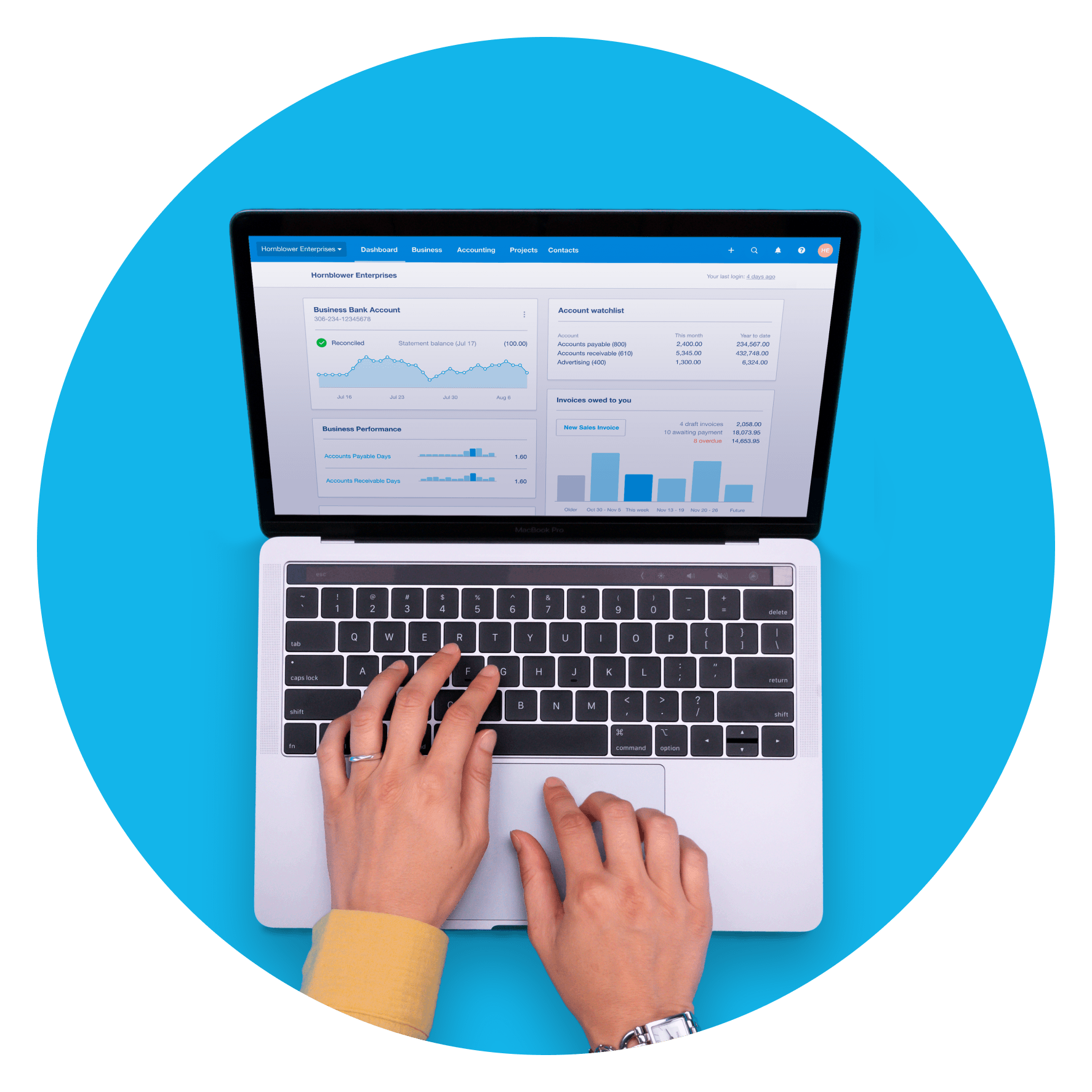
Reconcile trust accounts in a few clicks
Bank feeds import your trust account transactions automatically. Xero then suggests matches you confirm in a few clicks, and the assurance dashboard logs everything. Xero software prevents trust accounting errors by removing the manual entry of spreadsheets and paper statements.
- Secure bank feeds from 21,000+ financial institutions keep your trust account reconciliation current

Stay ready for a state bar audit
Xero's assurance dashboard gives you the audit trail you need for confident compliance. See who accessed your account, every manual reconciliation and deleted statement line, and flags for edited bank accounts or backdated payments. Lock dates protect closed periods, and user roles separate duties.
- Five user roles, from read only to advisor, help you clearly segregate duties in attorney trust accounting

More than just trust accounting
No more juggling separate tools – run your trust accounting alongside your operating accounts, billing, and reporting. Hubdoc captures receipts for audit-ready storage, Avalara handles sales tax across 13,000+ US jurisdictions, and the App Store connects you with 1000+ apps.
- Connect your legal practice tools to Xero through 1,000+ certified app integrations in the Xero App Store.

Pay your bills at no extra cost
Free standard ACH bill payments are now included in Xero business plans.*
Early
Usually $27
Now $2.70
USD per month
Save $145.80 over 6 months
An easy financial foundation - track cash flow with the essentials.
- Send quotes and 20 invoices†
- Accept online invoice payments^
- 5 bills
- Reconcile bank transactions
- Smart Document Capture
- View real-time reports
- W-9 + 1099 management
- Sales tax
- Visualize performance with basic graphs
- 30 day cash flow forecast
- Make online bill payments (Domestic - Free ACH)
- Make online bill payments (Cross Border)
- Track income and expenses
- Free expert setup help

Growing
Usually $59
Now $5.90
USD per month
Save $318.60 over 6 months
Go beyond the basics - automate tasks and access performance dashboards.
- Send invoices and quotes
- Accept online invoice payments^
- Automate bill entry and track bills
- Reconcile bank transactions
- Smart Document Capture
- View real-time reports
- W-9 + 1099 management
- Sales tax
- Visualize performance with graphs
- 60 day cash flow forecast
- Make online bill payments (Domestic - Free ACH)
- Make online bill payments (Cross Border)
- Customize performance dashboards
- Tailored financial health scorecards
- Budget with smart suggestions
- Auto-reconcile transactions
- Track income and expenses
- Free expert setup help
Forecast with clarity
Forecast with clarity
Established
for the first 6 months
Then $97 per month
Future proof your scaling business - with advanced tools and analytics.
- Send invoices and quotes
- Accept online invoice payments^
- Automate bill entry and track bills
- Reconcile bank transactions
- Smart Document Capture
- View real-time reports
- W-9 + 1099 management
- Sales tax
- Visualize performance with graphs
- 180 day cash flow forecast
- Make online bill payments (Domestic - Free ACH)
- Make online bill payments (Cross Border)
- Customize performance dashboards
- Tailored financial health scorecards
- Analyze KPIs and ratios
- Use multiple currencies
- Track time and costs for projects
- Employee expense and mileage claims
- Benchmark against the industry
- Make online bill payments (International)
- Budget with smart suggestions
- Auto-reconcile transactions
- Track income and expenses
- Free expert setup help
Why switch from QuickBooks or spreadsheets?
Spreadsheets and general trust accounting don't separate client trust ledgers, log an audit trail, or support three-way reconciliation. But Xero is built for compliance trust accounting – it pairs full firm accounting with controls legal accounting systems needs.
- Around half of small businesses get set up with Xero in under four hours

Fast setup fast, with help on hand
New customers get 24/7 support from Xero experts. Get an onboarding specialist for your first 90 days, with 1:1 video or phone sessions. Connect bank feeds, import your chart of accounts, and configure client-level tracking. Xero’s onboarding experience scores a 94% CSAT.
- Onboarding specialists from day 1, and support from Xero experts around the clock

FAQs on trust accounting software
Trust accounting software manages money a law firm holds on behalf of its clients, keeping it separate from the firm's own funds – as required by ABA Model Rules and state bar regulations that require attorneys to safeguard client property, including IOLTA funds, with accurate records. Falling short can mean disciplinary action – and exposure to malpractice lawsuits.
Software like Xero helps automate your fiduciary accounting with client-level tracking, reconciliation, audit trails, and reporting.
It builds compliance into the workflow. In Xero, the assurance dashboard tracks user access, manually reconciled transactions, and warning signs like backdated payments. Xero has other compliance tools, too: lock dates that protect closed periods, and user permissions to separate duties across the firm.
IOLTA rules require client funds to sit in separate, designated trust accounts, and your records need to show every movement.
It’s a good idea to check your state bar's trust accounting handbook, since requirements vary by jurisdiction.
Three-way reconciliation matches three balances: your trust bank account, the total of all individual client ledger balances, and the trust ledger in your accounting system. All three must agree for your records to hold up. Doing this manually each month is slow and error-prone.
Xero's automated bank reconciliation keeps the bank side current, and tracking categories give you a clear view of your client balances. This helps make your monthly check a comparison rather than a rebuild.
General accounting software is built for bookkeeping, not fiduciary duty. It typically lacks client trust ledger separation, compliance-focused audit trails, and reporting formats your state bar expects.
But Xero trust account software combines general firm accounting with the audit, permission, and tracking controls trust work demands – you get all the tools you need to run your business and meet compliance needs in a single package.
If you're actively comparing, see how Xero stacks up as a QuickBooks alternative
Most state bars require:
separate trust accounts, client-level ledger tracking, regular reconciliation (monthly in most jurisdictions), complete records, and prompt disbursement of earned fees.
Xero meets these needs:
- tracking categories handle the client-level view
- automated bank reconciliation keeps accounts current
- the assurance dashboard maintains the audit history
- lock dates and user roles add internal controls
Requirements differ by state, so confirm specifics with your state bar on the American Bar Association website.
Setting up trust accounting software is faster than you might think: around half of small businesses get set up with Xero in under four hours. You import your chart of accounts via CSV, connect bank feeds automatically, and configure your tracking categories for client-level visibility.
Xero’s onboarding specialists can guide you through setup, and support stays on hand once you're live. And because Xero is based in the cloud, there's nothing to install – your firm can start from any device.
Yes. The Xero App Store has over 1000 certified apps, including plenty within the legal practice accounting software and practice management categories. This means your matter management, billing, and accounting can share data instead of living in silos.
To connect the specific tools your firm needs, check out the App Store.
The costs vary by provider and the size of your firm. Xero has clear pricing, so you can compare plans and pick what fits your firm.
When deciding whether a subscription is worth it, think about:
- all the time you’ll save on manual reconciliation and data entry
- the cost of breaching the rules – a trust account violation can mean disciplinary action, malpractice claims, and reputational damage that dwarf an annual subscription.
Xero produces customizable financial reports, including profit and loss, balance sheet, and cash flow,
Check your state bar's format requirements, then shape the reports to match. You can also run reports simultaneously and share them live with your advisor or auditor.
That’s not all: Xero’s tracking categories support client-level trust reports, and the assurance dashboard gives you the transaction history an attorney trust account audit relies on.
Definitely – Xero removes the conditions that create errors in the first place.
For example, Xero’s automations cut manual data entry, while bank reconciliation and a complete audit trail reveals any discrepancies in your transactions or other problems. Xero also has:
- lock dates to prevent backdating
- user roles to keep duties separate and to control access
- an assurance dashboard to flags for unusual activity like edited bank accounts.
Although software significantly reduces risk, it doesn't replace professional oversight, so it’s always a good idea to get an accountant to check your books.
Find an accountant in Xero’s advisor directory
Resources for your next step
Keep exploring trust accounting software for lawyers, or branch into the tools around it.
Accounting software for lawyers
See how law firm accounting software covers billing, reporting, and the firm's wider finances.
Time-tracking tools for attorneys
Track billable hours and manage client billing alongside your legal accounting software.
Switching from QuickBooks?
Why attorneys move to Xero: compliance controls, trust-account workflows, and ease of use.
Explore useful features to run your business
Xero’s online accounting software is designed to make life easier for small businesses – anywhere, any time.


*Fees apply for other payment methods.