Simplify your expenses with Xero business expense software
Got a mix of paper receipts and business expenses on spreadsheets? No problem! Xero’s cloud-based expense management software handles everything in one place so you get a full picture of your spending without the hassle.

Track expenses from anywhere
Traveling? With a client? Easily record and manage your expenses on the spot.
Automate your expense reports
Get a detailed breakdown of your expenses – including who bought what and when – without the data entry.
Add powerful apps to Xero
Extend what you can do with Xero, from deeper analysis of spending to advanced data processing.
Pay up to 30% less than QuickBooks with 0% fewer users.‡
What is expense management software?
Expense management software helps you track all your business costs – everything from that coffee on the road to the new chairs you ordered for the office. With Xero, you can log and organize every purchase to track your cash flow in real time, and keep online records for your finances.

Deal with receipts straight away with Hubdoc
Don’t wait until you’re back in the office to log your business expenses. Use the Xero Accounting app on your mobile to snap the paper receipt, and Hubdoc automatically extracts the key details and updates your books in Xero. That’s less data entry and more accuracy!
- Photograph, email, scan, or upload receipts and bills
- Let Hubdoc capture the amount, date, and other essential info
- Organize and store these financial records in Xero

Simplify your employee expense claims
Save time on your team’s expenses – let Xero’s online expense management fast-track the process. Staff submit their claims with the Xero Me mobile app, ready for you to approve with a single click. No more paperwork or chasing up – just a digital system for quick reimbursements.
- Photograph, email, scan, or upload receipts and bills
- Let Hubdoc capture the amount, date, and other essential info
- Organize and store these financial records in Xero

Track your mileage for easy tax deductions
Traveling for work? The Xero Me app spares you from filling out manual logs for each journey. A built-in mileage tracker does the calculations for you – just enter the start and end points, and Xero records the distance automatically. That way, you can focus on the job, not the admin!
- Assign mileage expenses to specific projects
- See the total amounts spent on travel for work
- Keep accurate records for your IRS tax deductions and filings
Make bank reconciliation easy
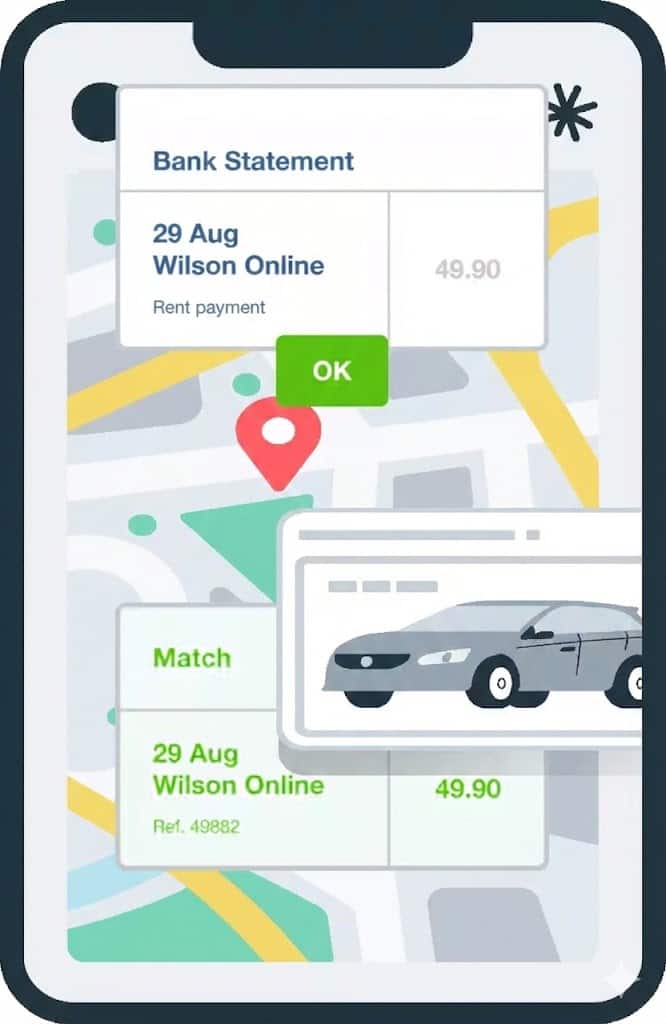
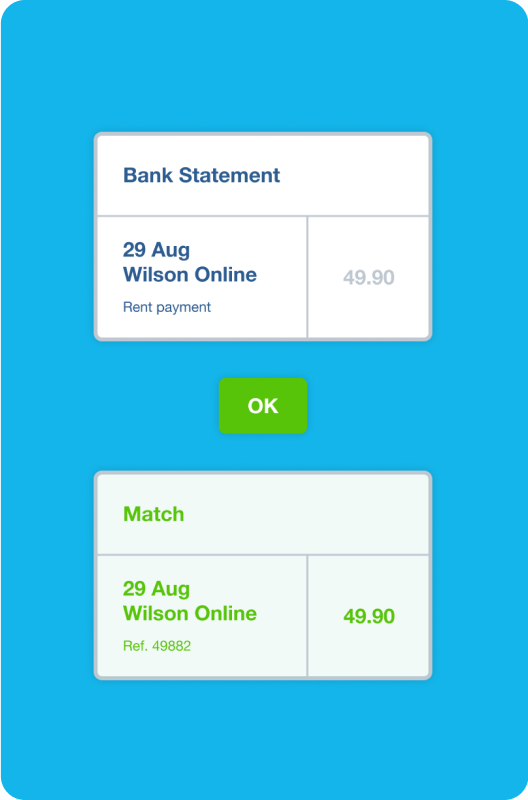
Connecting your bank account to Xero so your transactions automatically flow into the software. Xero’s AI-powered tool then suggests matches for you to approve. Zip through your bank reconciliation in just a few clicks and have full confidence in your financial records.
- Handle bank reconciliation on your mobile or laptop
- Match transactions from your bank account to expenses, invoices or bill payments in Xero
- Set up bank rules and use search tools to save time
Manage your project expenses to track your profitability
Xero’s project tracker tools give you a clear view of your project profitability for better business decisions.
Easily assign expenses to specific projects
Link each cost to a project or job, so every dollar is accounted for.
Get a clear view of your spending
Is your project on budget? See precise figures on what’s being spent and where.
Run reports for crucial insights
See which projects are most profitable and fine-tune your budgets for future work.
Here’s what else you can do with Xero’s project tracking tools
Get clear on your expenses
Run reports on your numbers in Xero for the insights you need to run your business. Get the big picture, or filter by date, employee, or type of expense to focus on the key details. Either way, see precisely what’s happening with your spending – and create data-backed business plans.
- Handle bank reconciliation on your mobile or laptop
- Match transactions from your bank account to expenses, invoices or bill payments in Xero
- Set up bank rules and use search tools to save time

Apps for extra tools and features
You do business your way – so Xero lets you customize the software with apps. These integrate with your Xero organization to adapt to the way you manage expenses – for example, by connecting with ecommerce platforms or strengthening your accounts payable.
- Handle bank reconciliation on your mobile or laptop
- Match transactions from your bank account to expenses, invoices or bill payments in Xero
- Set up bank rules and use search tools to save time

Frequently asked questions
A business expense is any cost that is ordinary and necessary for running your business. Common examples include rent, utilities, payroll, marketing, professional services, travel, equipment, and software subscriptions. The IRS requires that business expenses be directly related to your business – personal costs are not deductible, and mixed-use costs (like a home office or vehicle) must be apportioned accurately.
A business expense is any cost that is ordinary and necessary for running your business. Common examples include rent, utilities, payroll, marketing, professional services, travel, equipment, and software subscriptions. The IRS requires that business expenses be directly related to your business – personal costs are not deductible, and mixed-use costs (like a home office or vehicle) must be apportioned accurately.
A capital expenditure (capex) is money spent on buying or improving a long-term asset – such as equipment, vehicles, or property. It's not fully deducted in the year of purchase; instead, it's capitalized and depreciated over time. An operating expense (opex) is a day-to-day cost of running the business – like rent, software, or salaries – that is deducted in full in the period it's incurred. The distinction matters for both your tax position and your financial statements.
A capital expenditure (capex) is money spent on buying or improving a long-term asset – such as equipment, vehicles, or property. It's not fully deducted in the year of purchase; instead, it's capitalized and depreciated over time. An operating expense (opex) is a day-to-day cost of running the business – like rent, software, or salaries – that is deducted in full in the period it's incurred. The distinction matters for both your tax position and your financial statements.
Many ordinary and necessary business expenses are fully deductible, including: employee wages, rent for business premises, office supplies, business travel, professional development, advertising and marketing, accounting and legal fees, business insurance, and interest on business loans. The IRS has specific rules for some categories (like meals, home office, and vehicle use), so it's worth reviewing with a tax advisor.
Many ordinary and necessary business expenses are fully deductible, including: employee wages, rent for business premises, office supplies, business travel, professional development, advertising and marketing, accounting and legal fees, business insurance, and interest on business loans. The IRS has specific rules for some categories (like meals, home office, and vehicle use), so it's worth reviewing with a tax advisor.
Look for features like mobile receipt capture to extract data automatically, automated bank feed integration so transactions import without manual entry, expense categorization against your chart of accounts, streamlined workflows for your team to claim expenses, and customized reporting. Reporting should let you see spending by category, project, or time period, so you can see the exact metrics that matter most to your business. Xero’s cloud-based software covers all these features, and with a mobile app, you can manage your finances on the go. It’s a complete system for your expenses.
Look for features like mobile receipt capture to extract data automatically, automated bank feed integration so transactions import without manual entry, expense categorization against your chart of accounts, streamlined workflows for your team to claim expenses, and customized reporting. Reporting should let you see spending by category, project, or time period, so you can see the exact metrics that matter most to your business. Xero’s cloud-based software covers all these features, and with a mobile app, you can manage your finances on the go. It’s a complete system for your expenses.
With the Xero Accounting app on your mobile, you just photograph receipts on the go and upload them to Xero for your records. Easily categorize your expenses, tag them to specific projects, and reconcile them with your bank feed transactions. This saves you the manual data entry and reduces errors.
With the Xero Accounting app on your mobile, you just photograph receipts on the go and upload them to Xero for your records. Easily categorize your expenses, tag them to specific projects, and reconcile them with your bank feed transactions. This saves you the manual data entry and reduces errors.
Xero uses account codes to categorize expenses. When you code a bill, bank transaction, or expense claim to a specific account (e.g., "Advertising & Marketing" or "Travel - Domestic"), you choose an account from your chart to let Xero know what it’s for. You can customize the chart of accounts to reflect your business's specific expense categories, making reporting and tax preparation much cleaner.
Xero uses account codes to categorize expenses. When you code a bill, bank transaction, or expense claim to a specific account (e.g., "Advertising & Marketing" or "Travel - Domestic"), you choose an account from your chart to let Xero know what it’s for. You can customize the chart of accounts to reflect your business's specific expense categories, making reporting and tax preparation much cleaner.
Yes. Xero lets you customize your chart of accounts and run reports to track spending by category over time. Once set, you can compare your actual figures with your budget by running Xero’s Budget Variance report to highlight areas where you may be overspending. This is particularly useful for managing discretionary spend categories like marketing, travel, or entertainment.
Yes. Xero lets you customize your chart of accounts and run reports to track spending by category over time. Once set, you can compare your actual figures with your budget by running Xero’s Budget Variance report to highlight areas where you may be overspending. This is particularly useful for managing discretionary spend categories like marketing, travel, or entertainment.
Business expenses recorded in Xero are costs incurred directly by the business – for example, a bill from a supplier or a direct bank payment. Employee expense claims are costs an employee paid personally and is seeking reimbursement for. Both end up in your accounts as business costs, but they go through different workflows in Xero: business expenses via the bills or bank reconciliation workflow, employee claims via the expense claims module.
Business expenses recorded in Xero are costs incurred directly by the business – for example, a bill from a supplier or a direct bank payment. Employee expense claims are costs an employee paid personally and is seeking reimbursement for. Both end up in your accounts as business costs, but they go through different workflows in Xero: business expenses via the bills or bank reconciliation workflow, employee claims via the expense claims module.
In Xero, all approved expense claims, bills, and direct payments flow into your accounts in one place, giving you a consolidated view of business spending. The Profit and Loss report shows total spend by expense category for any date range, and you can tag expenses to tracking categories – such as department or project – to analyze costs in more detail. This makes it straightforward to review spending patterns, report to stakeholders, or give your accountant a clean breakdown at tax time.
In Xero, all approved expense claims, bills, and direct payments flow into your accounts in one place, giving you a consolidated view of business spending. The Profit and Loss report shows total spend by expense category for any date range, and you can tag expenses to tracking categories – such as department or project – to analyze costs in more detail. This makes it straightforward to review spending patterns, report to stakeholders, or give your accountant a clean breakdown at tax time.
Absolutely. Xero keeps a detailed record of every business expense – including the original receipt or document, the account it was coded to, who approved it, and when it was paid. This audit trail meets IRS record-keeping requirements for business expense deductions. At tax time, you can export a breakdown of expenses by category, giving your accountant everything they need to identify deductible costs and prepare your return.
Absolutely. Xero keeps a detailed record of every business expense – including the original receipt or document, the account it was coded to, who approved it, and when it was paid. This audit trail meets IRS record-keeping requirements for business expense deductions. At tax time, you can export a breakdown of expenses by category, giving your accountant everything they need to identify deductible costs and prepare your return.


‡Based on published list prices for software subscription only. Plans differ in other respects.