Purchase order software that keeps you organized
Buying from suppliers shouldn't slow you down. Raise, send, and track purchase orders online, then convert them into bills in a click. Xero keeps your whole procurement process moving.

Modernize your purchase order process
Procurement shouldn't be complicated. With Xero's purchase order system, sourcing items from suppliers is simple and hassle-free.
Customize your purchase orders
Tailor the layout of your purchase orders and set your own order numbers, so every PO matches how your business works.
Create online purchase orders
Use templates to create a repeatable, ready-to-send purchase order. Just add the items and email them to suppliers.
Take the work out of purchase orders
Once the order is in progress, easily turn the purchase order into a trackable bill in Xero.
Everything in one place. Up to 30% less than QuickBooks.‡
Join over 5 million customers using Xero
Style purchase orders to fit your brand
Every purchase order can be styled with your logo, layout, and your own order numbers. Set a branding theme, add a reference, and send a professional order your suppliers recognize right away.
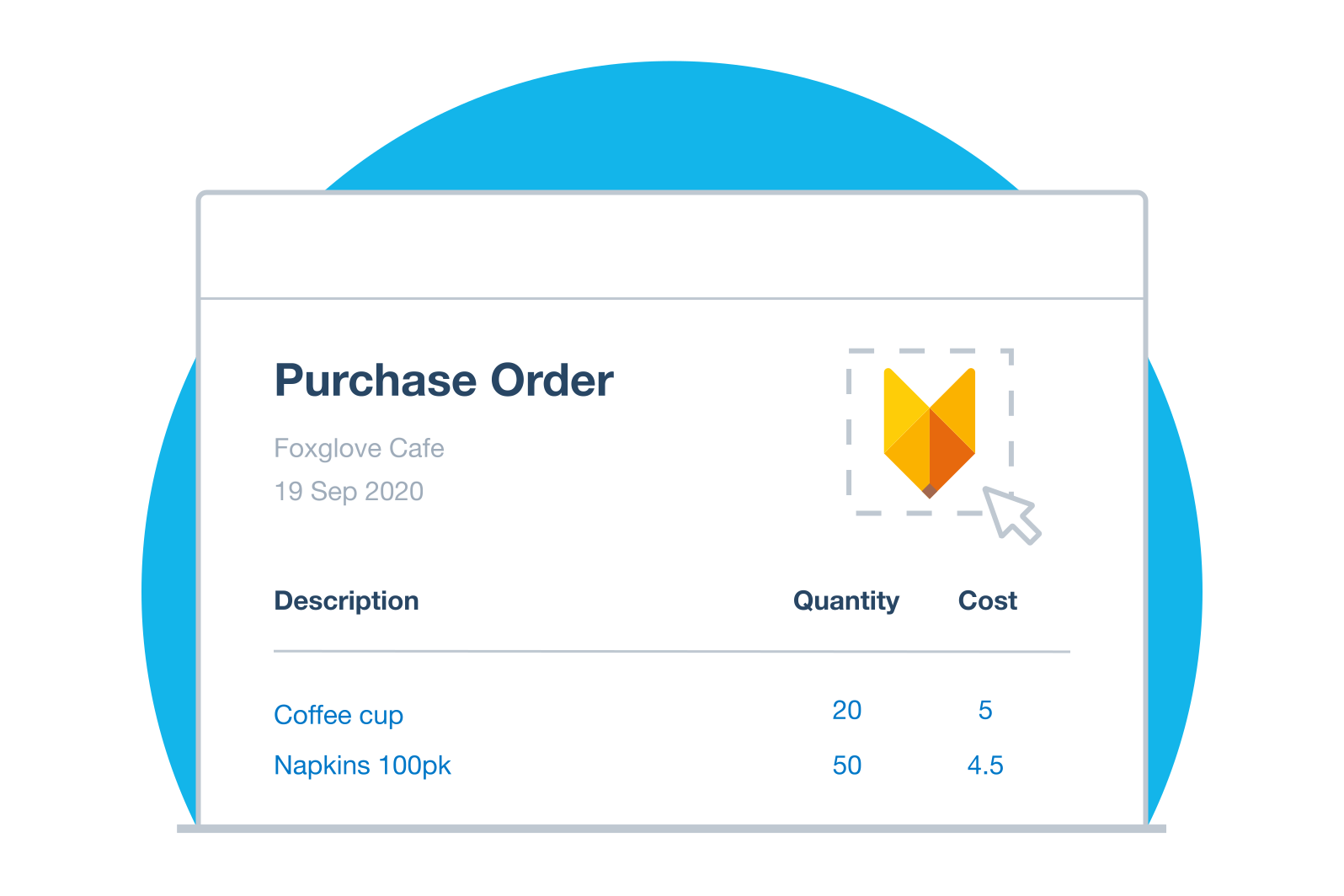
Prepare and send orders faster
Why start every order from scratch? Build a purchase order from a template or copy a previous one, add your items, and email it as a PDF or print it for your records. Your suppliers get a clear order, and you get time back.
Start from a purchase order template
Turn approved orders into bills for payment
Purchase orders, bills, and invoices connect inside Xero, so your work flows from one task to the next. Copy an approved order into a bill to pay your supplier, or into an invoice to on-charge a customer. For a partial delivery, bill what you received and the order stays open for the rest.
See how purchasing works with inventory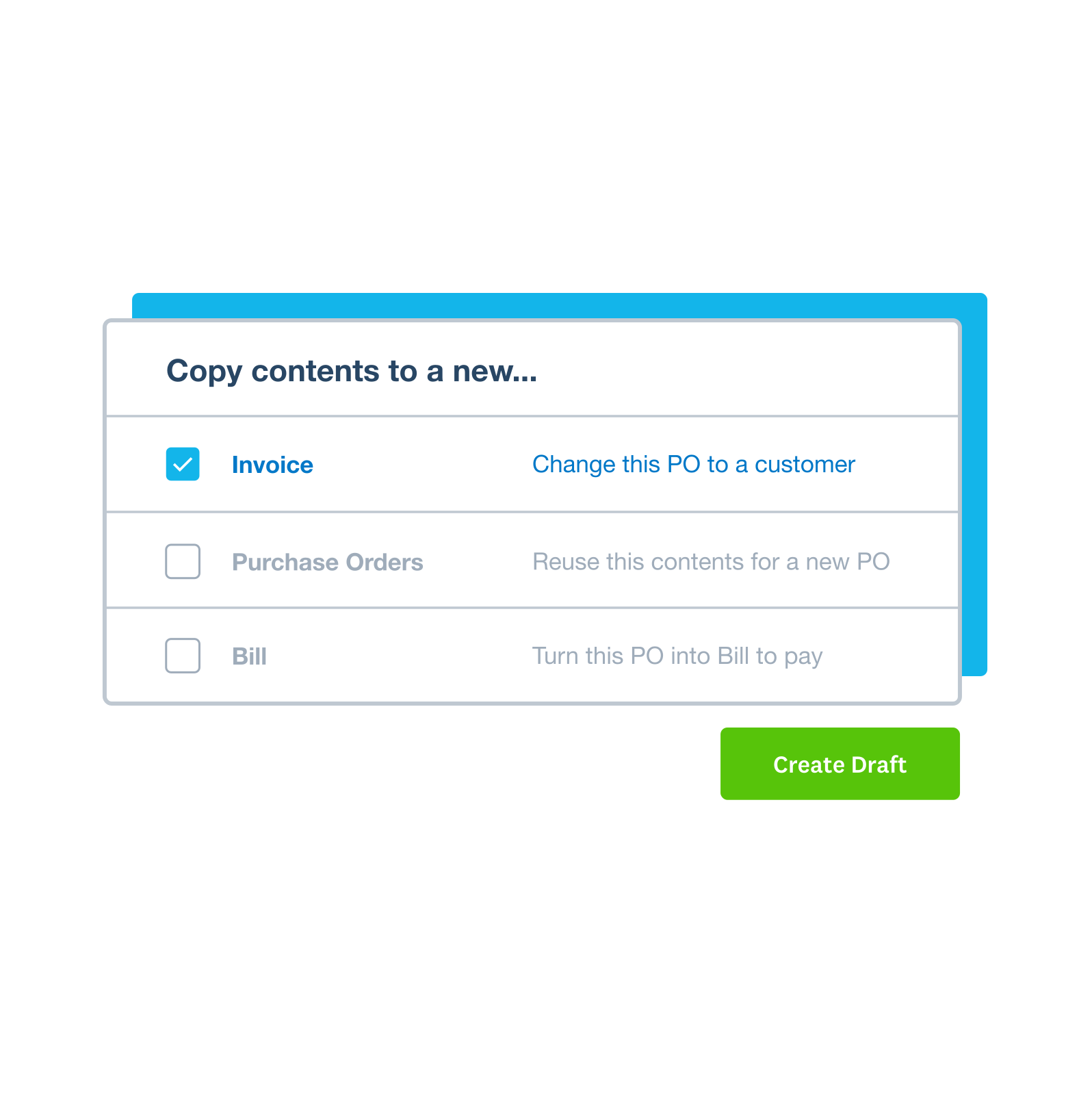
Run your whole business in one place
Your purchase orders live alongside your bank connection, bills, and reports, giving you one clear view of your money. Xero is built for small businesses that want to work closely with their accountant and make confident decisions. Run your business, not your books.
Explore accounting software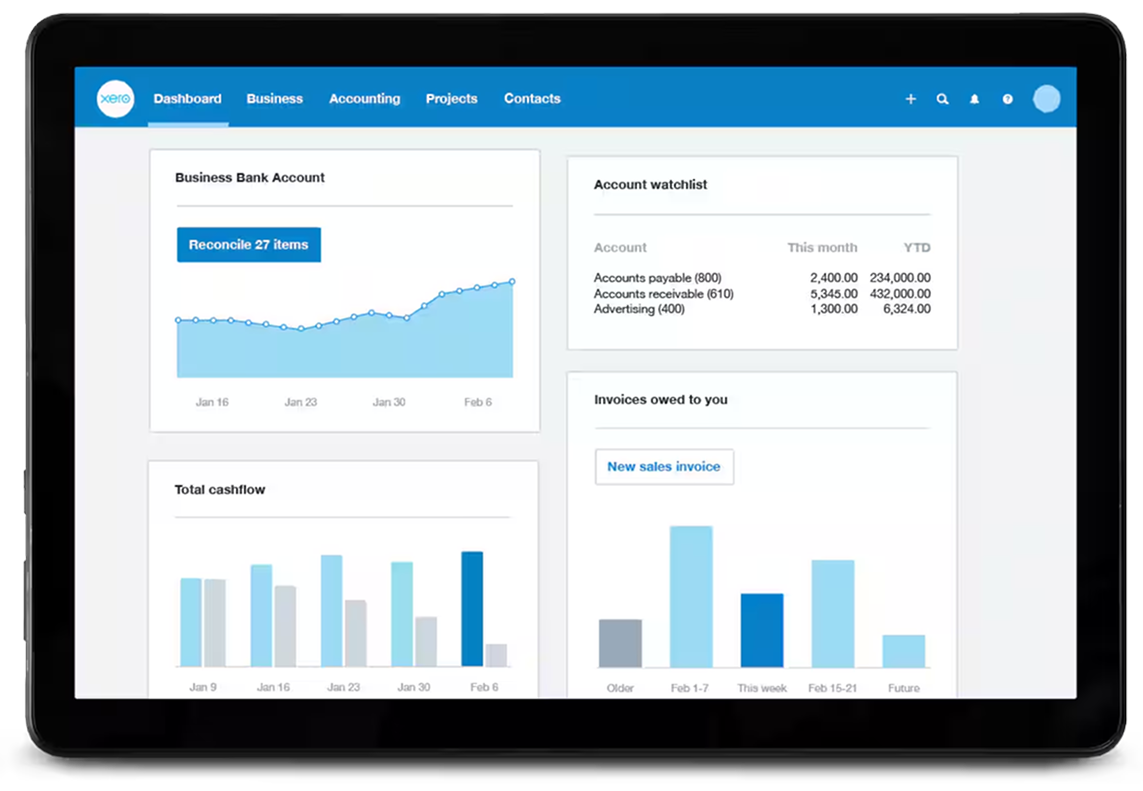
Accounting software for your US small business
Run your business accounting online with Xero. Easy-to-use accounting software, designed for your small business.
- Everything in one place
- Connect to your bank
- Collaborate in real time
- Customize to suit your needs

How purchase order software helps small businesses
From approvals to cutting repetitive admin, purchase order software saves you time and tightens your procurement.
Create POs faster
Use templates and existing inventory items to create POs faster – so you can put your time to work elsewhere.
Reduce errors on every order
Create accurate POs fast, with software that lets you fill in orders with existing client and item information
Simplify your admin
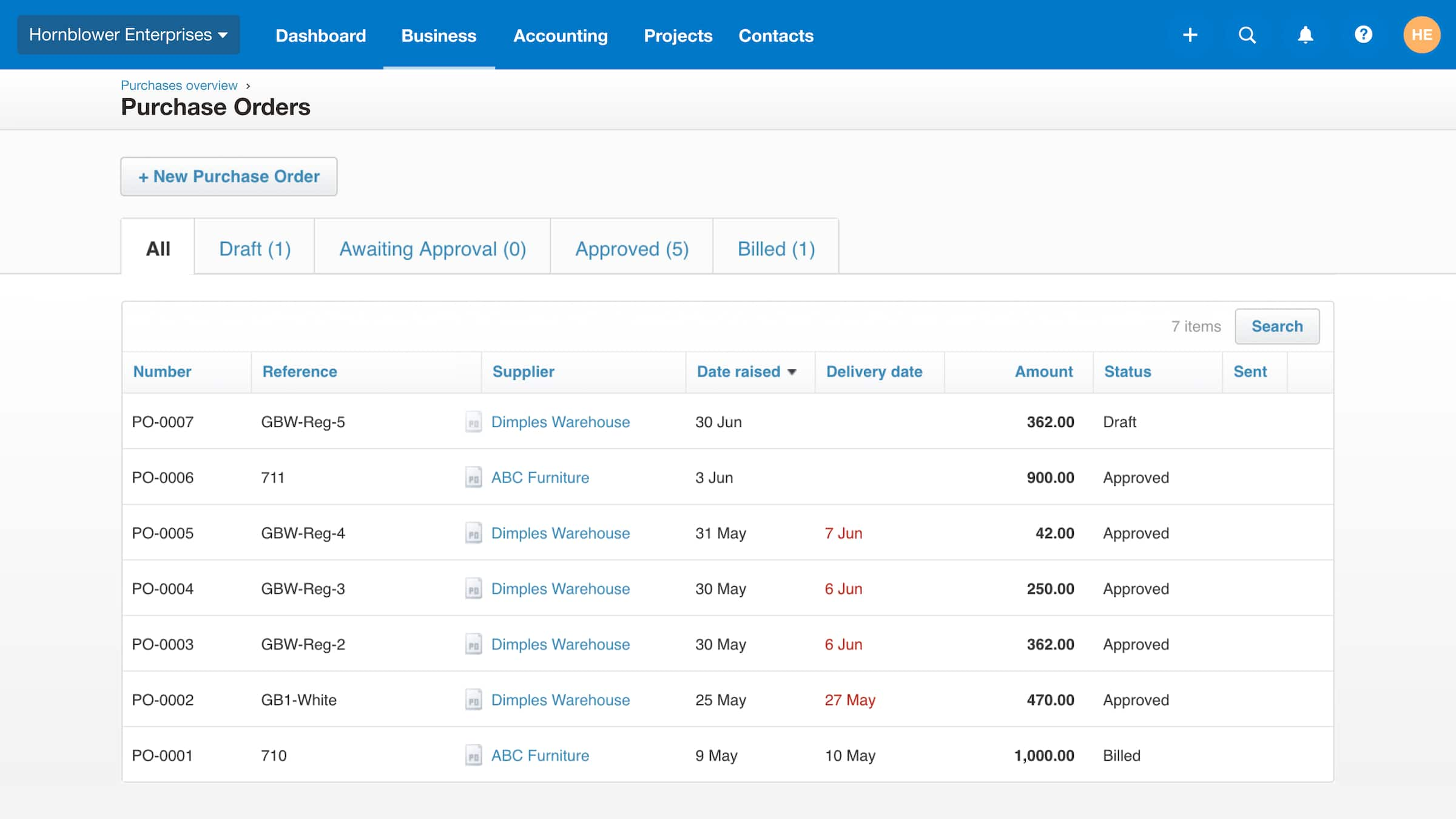
Track and manage every step of your procurement process in the cloud. See the status of all POs in one place.
FAQs on purchase orders
A purchase order is a document you send to a supplier to confirm the items, quantities, prices, and terms of an order before the goods arrive.
A purchase order is a document you send to a supplier to confirm the items, quantities, prices, and terms of an order before the goods arrive.
You issue a purchase order to a supplier before goods change hands, while the supplier sends an invoice to request payment. In Xero, an approved purchase order converts into a bill you can pay.
You issue a purchase order to a supplier before goods change hands, while the supplier sends an invoice to request payment. In Xero, an approved purchase order converts into a bill you can pay.
The buyer creates the purchase order and issues it to the supplier, setting out what they want to buy and on what terms.
The buyer creates the purchase order and issues it to the supplier, setting out what they want to buy and on what terms.
In Xero you can raise a standard one-off purchase order, and for repeat purchases you can save time by duplicating an approved or billed order into a new one.
In Xero you can raise a standard one-off purchase order, and for repeat purchases you can save time by duplicating an approved or billed order into a new one.
Go to Purchases, then Purchase orders, then New Purchase Order. Fill in the supplier, dates, order number, and items, then Save it or Submit it for approval. You can also raise one on the go in the Xero Accounting app.
Go to Purchases, then Purchase orders, then New Purchase Order. Fill in the supplier, dates, order number, and items, then Save it or Submit it for approval. You can also raise one on the go in the Xero Accounting app.
Purchase order software lets you raise and track orders in one place, instead of juggling spreadsheets and paper. In Xero, those orders connect straight to your bills.
Purchase order software lets you raise and track orders in one place, instead of juggling spreadsheets and paper. In Xero, those orders connect straight to your bills.
A purchase order system uses templates to raise orders, routes them for approval, and shows the status of every order on a single dashboard. In Xero, approved orders flow into bills for payment.
A purchase order system uses templates to raise orders, routes them for approval, and shows the status of every order on a single dashboard. In Xero, approved orders flow into bills for payment.
Absolutely. Xero user roles control who can access, approve, email, and delete purchase orders, so the right people handle each step.
Absolutely. Xero user roles control who can access, approve, email, and delete purchase orders, so the right people handle each step.
Xero shows which orders have been sent, filled, and billed, and which are still open, all in one place. You can add notes to any order and update its delivery date as things change.
Xero shows which orders have been sent, filled, and billed, and which are still open, all in one place. You can add notes to any order and update its delivery date as things change.
Yes, you can. Copy the purchase order to a bill and edit the quantities to match what turned up, and the order stays open so you can bill the rest as it arrives.
Yes, you can. Copy the purchase order to a bill and edit the quantities to match what turned up, and the order stays open so you can bill the rest as it arrives.
Pay your bills at no extra cost
Free standard ACH bill payments are now included in Xero business plans.*
Early
for the first 6 months
Then $27 per month
An easy financial foundation - track cash flow with the essentials.
- Send quotes and 20 invoices†
- Accept online invoice payments^
- 5 bills
- Reconcile bank transactions
- Smart Document Capture
- View real-time reports
- W-9 + 1099 management
- Sales tax
- Visualize performance with basic graphs
- 30 day cash flow forecast
- Make online bill payments (Domestic - Free ACH)
- Make online bill payments (Cross Border)

Growing
for the first 6 months
Then $59 per month
Go beyond the basics - automate tasks and access performance dashboards.
- Send invoices and quotes
- Accept online invoice payments^
- Automate bill entry and track bills
- Reconcile bank transactions
- Smart Document Capture
- View real-time reports
- W-9 + 1099 management
- Sales tax
- Visualize performance with graphs
- 60 day cash flow forecast
- Make online bill payments (Domestic - Free ACH)
- Make online bill payments (Cross Border)
- Customize performance dashboards
- Tailored financial health scorecards
- Budget with smart suggestions
- Auto-reconcile transactions
Forecast with clarity
Forecast with clarity
Established
for the first 6 months
Then $97 per month
Future proof your scaling business - with advanced tools and analytics.
- Send invoices and quotes
- Accept online invoice payments^
- Automate bill entry and track bills
- Reconcile bank transactions
- Smart Document Capture
- View real-time reports
- W-9 + 1099 management
- Sales tax
- Visualize performance with graphs
- 180 day cash flow forecast
- Make online bill payments (Domestic - Free ACH)
- Make online bill payments (Cross Border)
- Customize performance dashboards
- Tailored financial health scorecards
- Analyze KPIs and ratios
- Use multiple currencies
- Track time and costs for projects
- Employee expense and mileage claims
- Benchmark against the industry
- Make online bill payments (International)
- Budget with smart suggestions
- Auto-reconcile transactions
G2
Connery J
G2
Katherine
G2
Verified user

*Fees apply for other payment methods.
‡Based on published list prices for software subscription only. Excludes payroll and add-ons.