Free retail invoice template for your store
Download a free retail sales invoice template, ready to fill in and send. It covers item descriptions, quantities, unit prices, sales tax, and payment terms. Built by invoicing experts at Xero.
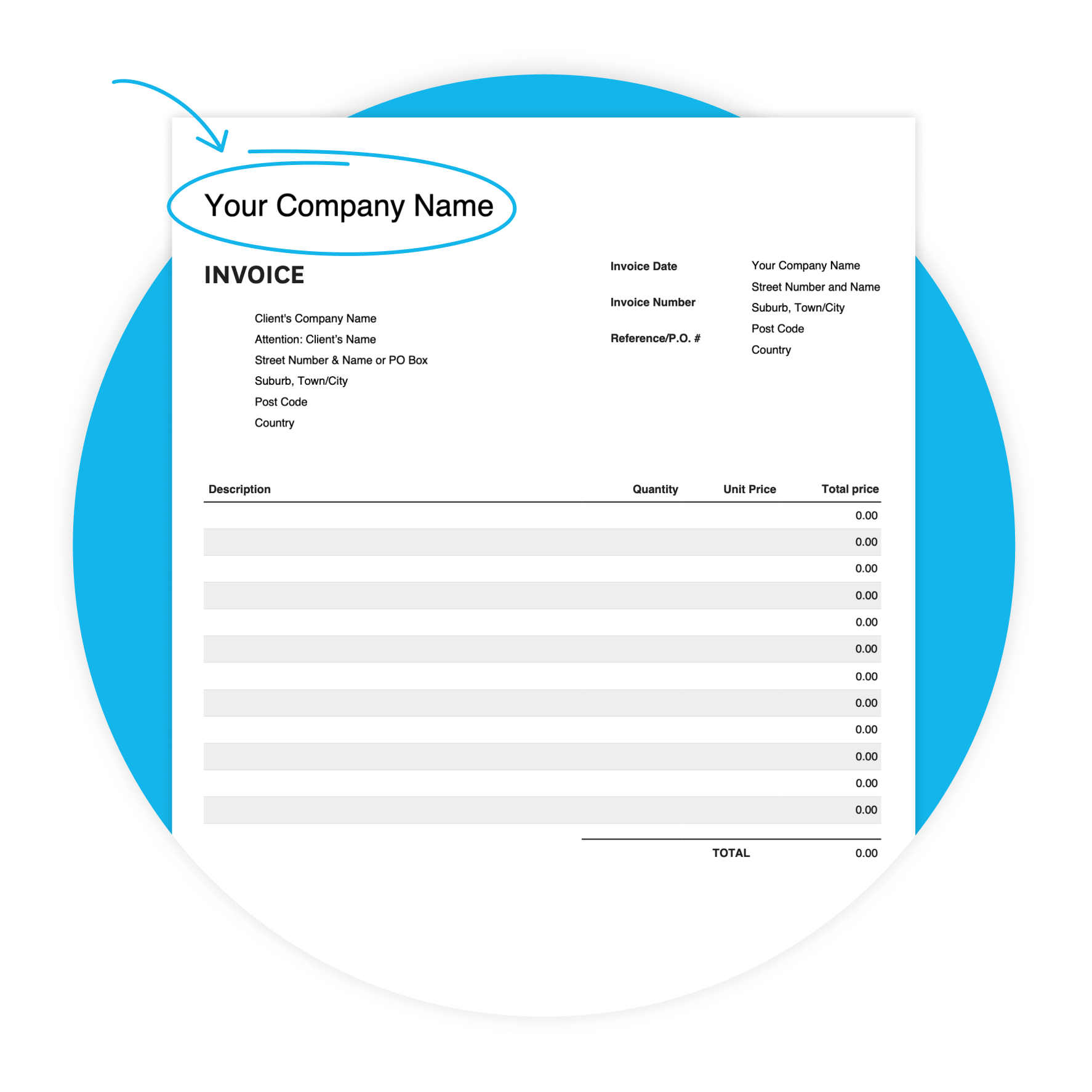
Download the free invoice template
Fill in the form to get a blank invoice template as an editable PDF, with a how-to guide. You'll get a tax and non-tax version.
Get one month free
Sign up to any Xero plan and get started today. Send invoices, accept online payments, and manage your retail finances in one place.
Why retailers use this template
Retailers often invoice wholesale buyers, trade accounts, and B2B customers — not just end consumers. A professional invoice sets clear payment terms, lists goods sold, and captures the sales tax your customer needs for their records. This template covers every field to bill with confidence.
- Clear payment terms help customers know when payment is expected — and can help you get paid sooner.

Features of this retail invoice template
Customizable design
Adapt the template to your preferences, to create a professional look.
Accessibility
Whether you prefer digital or printed invoices, our template offers flexibility in delivery methods.
User-friendly interface
Enjoy a hassle-free invoicing experience with our intuitive template, designed for retailers of all skill.
What's in this retail invoice template
Here's exactly what you'll find in the template — ready for you to fill in. Every field maps to a real retail billing need, from your business details through to the due date and notes for your client.
- Your business details
- Invoice details
- Line-item billing
- Totals, due date, and notes
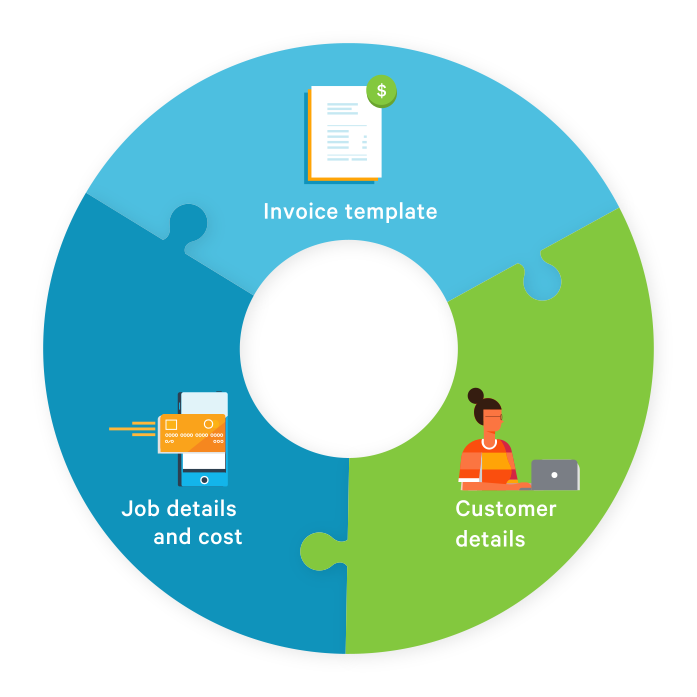
From download to paid in three steps
The sooner you send a complete, accurate invoice, the sooner you get paid.
Download and open
Fill in the form above to get your free PDF template by email. Open it on any device and save a copy.
Fill in your details
Add your business info, customer details, items sold, quantities, unit prices, and sales tax rate.
Send and get paid
Email the completed invoice as a PDF, or print and post it. Include your payment details in the notes section.
Tips for filling in your retail invoice
Always include an invoice number so customers can quote it when paying. Use the Reference/PO # field if invoicing a business — they may need it to process payment. Enter the sales tax rate (%) per line. Add bank details and payment methods in notes. Try 14-day terms to get paid faster.
- If you're invoicing a business, ask about PO numbers upfront — missing one can delay payment.
How to get paid faster
Customers regularly miss due dates — but you can shrink the wait. Send your invoice as soon as the sale is made. Try 14-day payment terms instead of 30. Follow up politely when payment is due. Ready to automate reminders? Xero's invoicing software does the chasing for you.
Send invoices promptly
Invoice as soon as the sale is made. The sooner your customer gets the bill, the sooner they pay.
Try shorter payment terms
You don't have to offer 30 days. Set a clear due date so customers know how long they have to pay.
Follow up on overdue invoices
Remind customers politely when payment is due. Quote the invoice number and due date to make it easy.

Ready to go beyond the template?
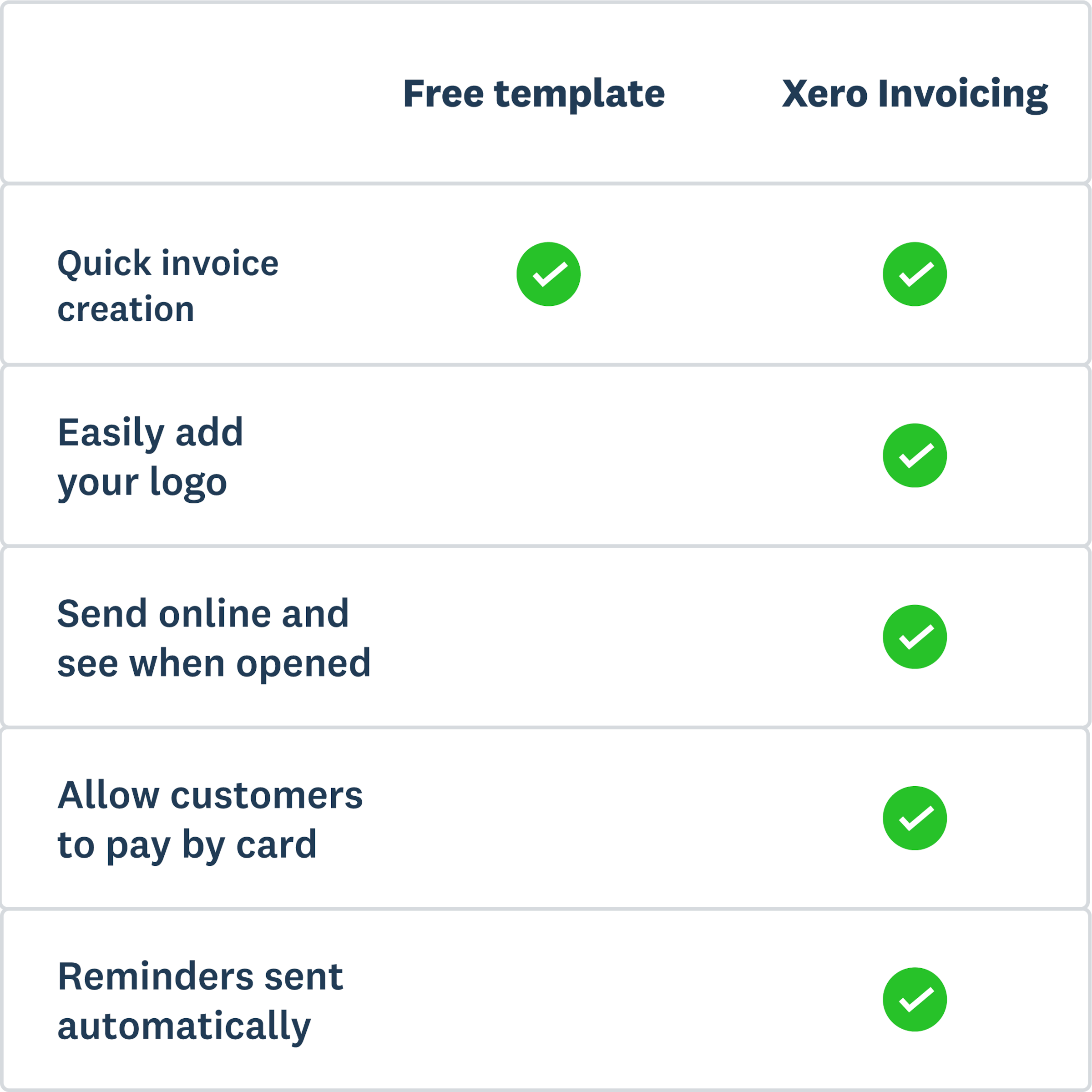
The template is a great starting point — but Xero goes further. Add a Pay now button so customers can pay by card or ACH debit, and let Xero send automated payment reminders. Track every invoice in one place. Trusted by over 4.6 million subscribers worldwide.
- Add a Pay now button so customers pay by card, ACH debit, or Apple Pay — right from the invoice.
- Set up reminders and let Xero chase late payments for you — no awkward conversations needed.
- Track sent invoices, see when they're paid, and stay on top of unpaid invoices — from anywhere.
- Xero calculates up-to-date sales tax rates for invoices, powered by Avalara. Reduce manual work.
More templates for retailers
Invoicing sorted? Here are a few more useful templates.
Free estimate template
Download an estimate template and pitch for that next job. And learn how quoting software can make everything easier.
Free quote template
Download this free quote template and go land that next job. And learn how Xero speeds up quoting and invoicing.
Free receipt template
Acknowledge payment for absolutely anything on this receipt template. Download it once, use it a thousand times.
Xero does not provide accounting, tax, business or legal advice. This template has been provided for information purposes only. You should consult your own professional advisors for advice directly relating to your business or before taking action in relation to any of the content provided.