Fast record-keeping with Xero’s Smart Document capture
Want an easy, reliable way to do your bookkeeping digitally? Xero lets you extract data from your receipts and documents automatically. Then, whenever you need the financial record, you’ll easily find it in Xero’s cloud-based software. Simple!

How Xero’s Smart Document feature sorts your admin
Xero gives you a single workflow for recording your financial documents.
Capture data from anywhere
Use your phone to snap a receipt or forward it to your Xero email, from wherever you are.
Create accurate financial records
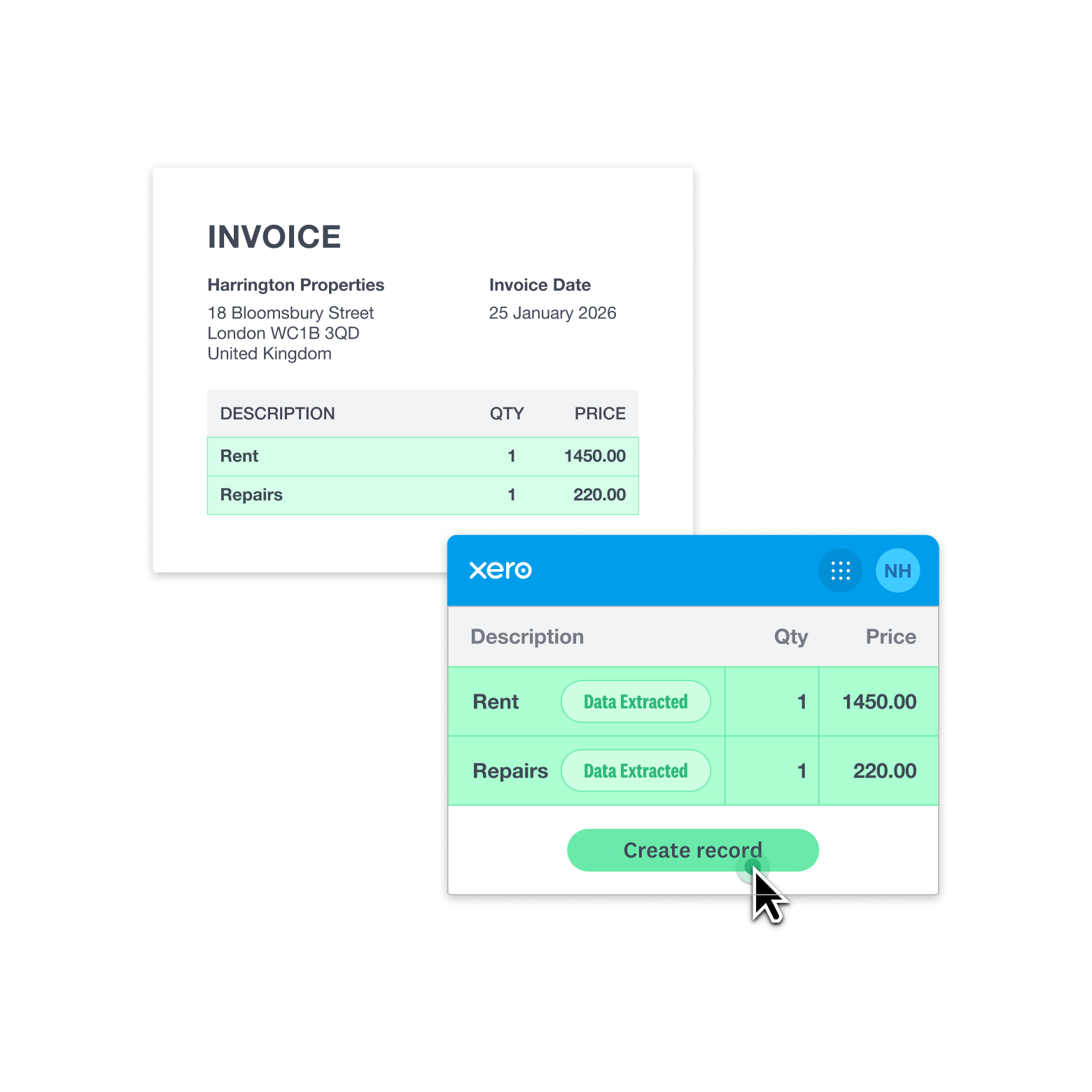
Let Xero scan your documents and prepopulate your records – without the need for typing.
Store your documents in the cloud
After you review and publish a record, it's stored online in Xero so you can access it whenever you like.
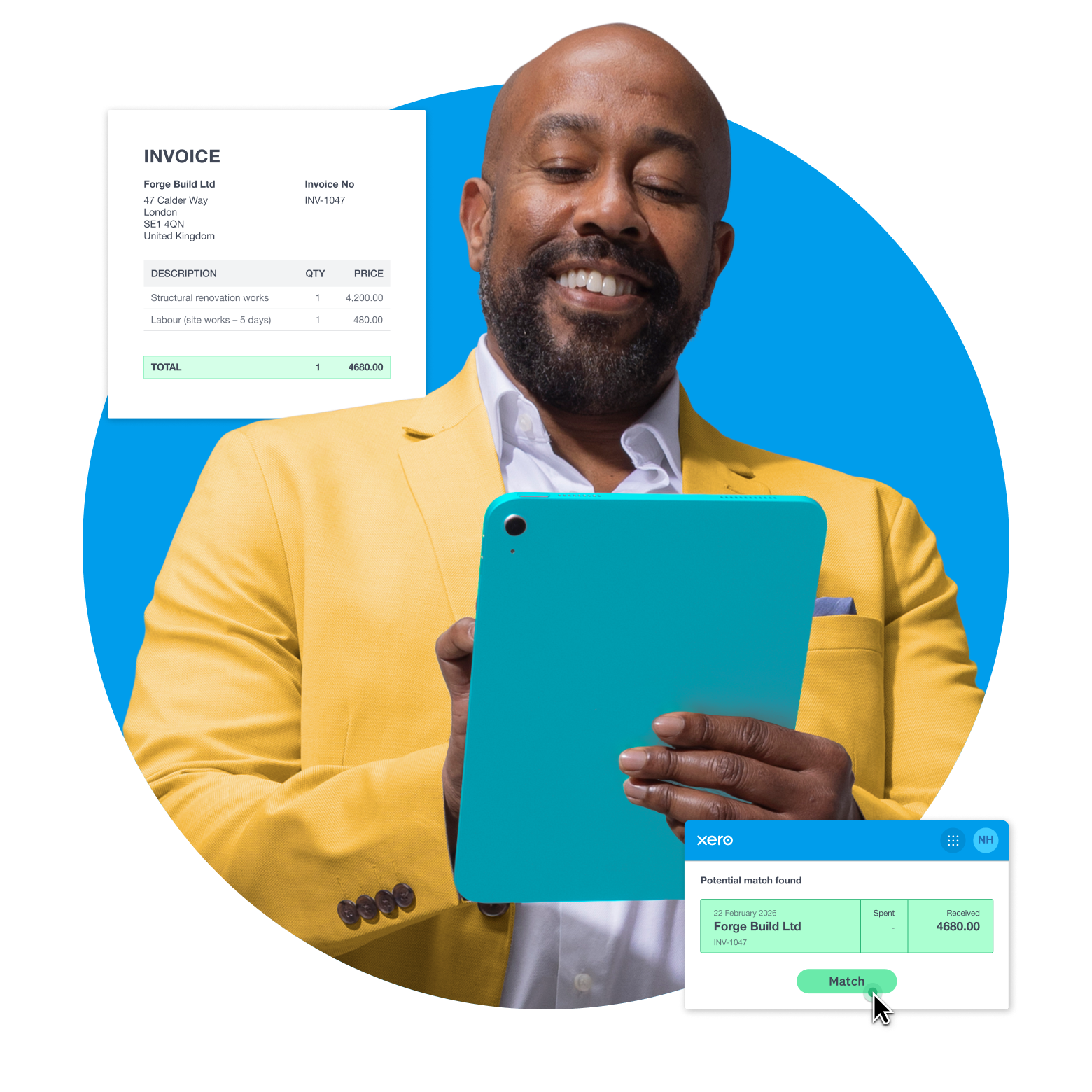
Match transactions the smart way
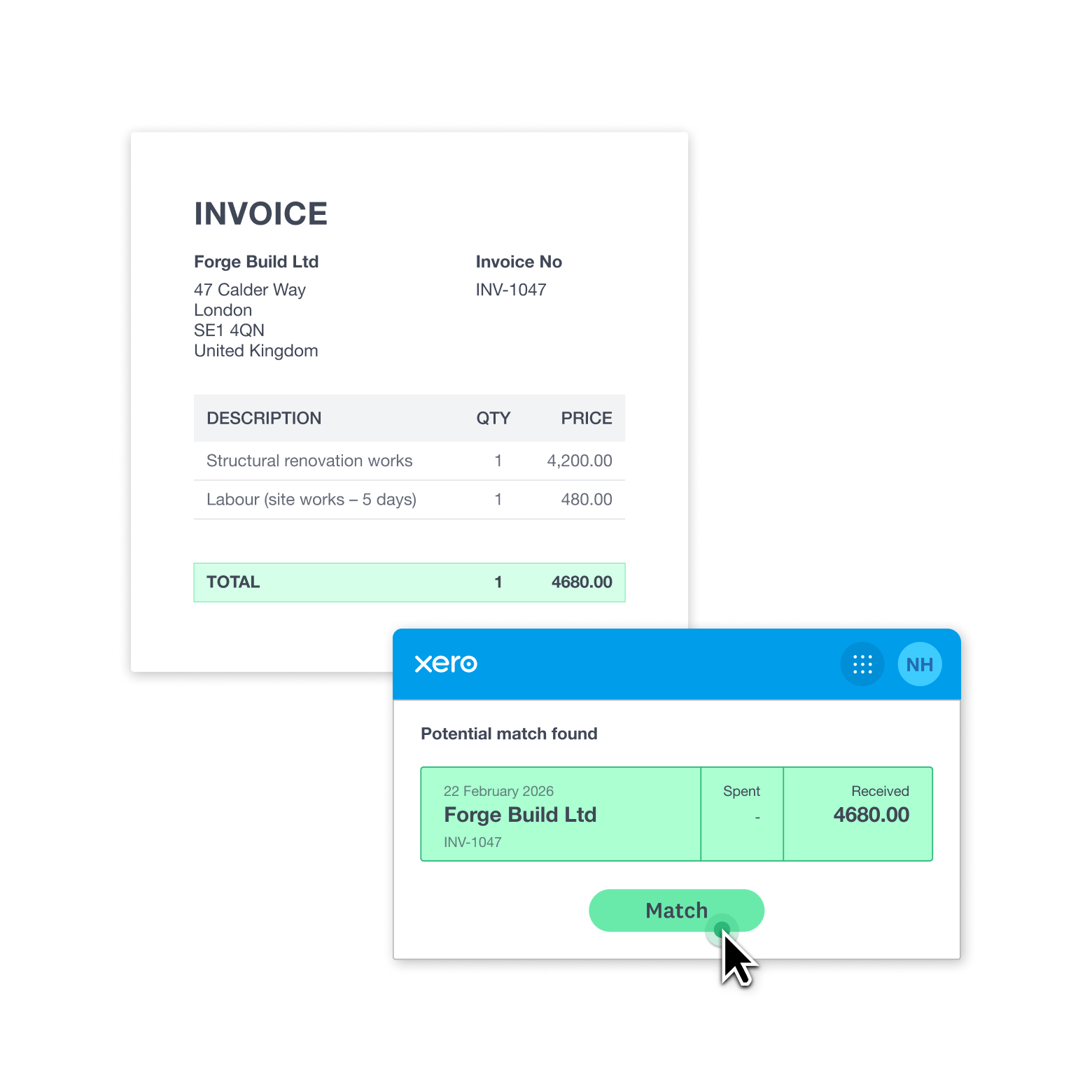
Xero cross-checks extracted data with bank records and highlights matches—no duplicate checking needed.
Capture documents, your way
Choose how to record your financial admin with Xero’s data capture software. Maybe that’s by snapping a receipt on your tablet, or by forwarding a supplier’s bill to your Xero email. However you do it, get your record-keeping done without the stress.
- Use the Xero Accounting app to photograph a paper receipt – Xero records the key details for you
- Double-check and approve the info before Xero creates a financial record
- Quickly capture your invoices, bills, and other paperwork in one easy digital workflow
Get super accurate with your record-keeping
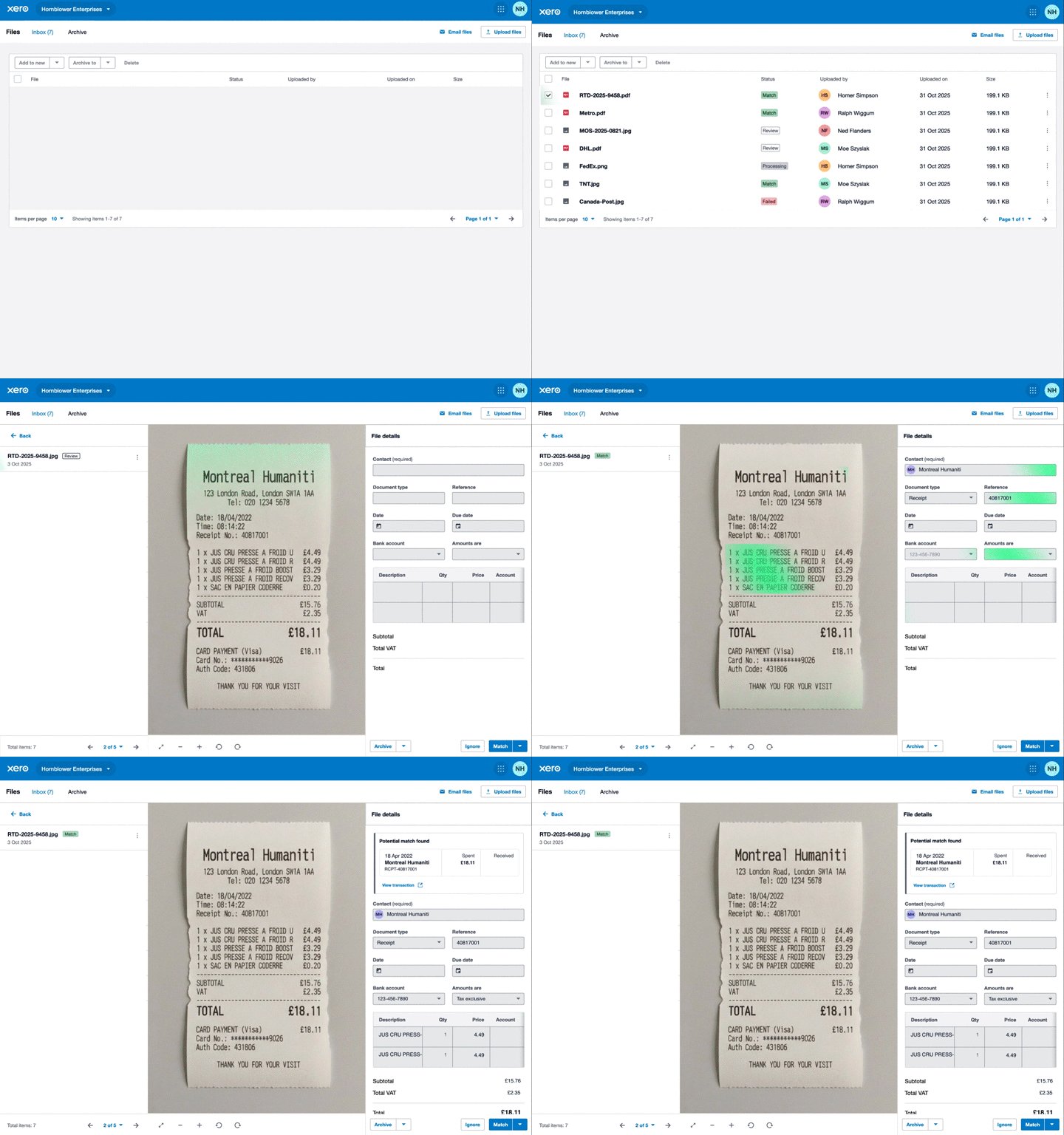
Xero uses advanced AI technology to read your receipts, invoices, and rental statements taking the data right from the source to your record in Xero, ready for your HMRC reporting. No typing or spreadsheets – just a slick way to handle your admin.
- Let the Xero Accounting app extract your scanned documents in under 20 seconds
- See your original document next to the Xero data-entry screen so you can double-check the info
- Xero attaches the original photo or file to the digital record for your HMRC compliance
Save time with smart transaction matching
Once the data is extracted and uploaded to your Xero organisation, Xero will automatically cross-reference it with your existing bank records. Xero then highlights matches for you to review and tap to post – and your digital trail is complete!
- A Xero pop-up suggests a potential match – just accept or reject it
- Xero spots if you accidentally upload a document twice, so you avoid duplicate records
- Update your financial admin while staying in full control of the process
Store your documents online and get organised
Xero’s accounting software and online file management work together, meaning you keep all your records in one place. Pull up that business expense or bill when you’re in a hurry. And share documents online with your team so they can always get on with a job.
- Store your files digitally – no more lost or damaged paper records
- Easily search for and filter documents in Xero’s user-friendly software
- Access your Xero records wherever you have an internet connection and stay productive on the move
FAQs on Xero’s Smart Document feature
No – the Xero Smart Document feature is available to customers on all Xero small business pricing plans. You can automatically capture the data of your receipts and other business documents, store them in Xero’s cloud-based software, and manage them as part of your wider bookkeeping workflow.
No – the Xero Smart Document feature is available to customers on all Xero small business pricing plans. You can automatically capture the data of your receipts and other business documents, store them in Xero’s cloud-based software, and manage them as part of your wider bookkeeping workflow.
For sure! Photograph a paper receipt with the Xero Accounting mobile app on your phone or tablet. Xero then captures the amount, date, and other details automatically. You can also send documents to your Xero email address, or drag and drop files over the web.
For sure! Photograph a paper receipt with the Xero Accounting mobile app on your phone or tablet. Xero then captures the amount, date, and other details automatically. You can also send documents to your Xero email address, or drag and drop files over the web.
You can capture your business receipts, invoices, bills, and rental statements. Xero’s online file storage supports a range of file types – including image formats like JPG and PNG, Word documents, and PDFs. This gives you the flexibility to work with different suppliers and customers – for example, you can process paper bills, emailed invoices, and physical receipts in one system.
You can capture your business receipts, invoices, bills, and rental statements. Xero’s online file storage supports a range of file types – including image formats like JPG and PNG, Word documents, and PDFs. This gives you the flexibility to work with different suppliers and customers – for example, you can process paper bills, emailed invoices, and physical receipts in one system.
Xero gives you a fast, secure way to turn physical records, and emails with PDFs, into accessible digital records. Everything is organised together in one central place, ready for you when it’s time for your tax return or another financial admin job.
Xero gives you a fast, secure way to turn physical records, and emails with PDFs, into accessible digital records. Everything is organised together in one central place, ready for you when it’s time for your tax return or another financial admin job.
Very. The Xero Smart Document feature uses advanced AI technology that is highly accurate when documents are visually clear – receipts aren’t crumpled, for example – and in standard document formats. You can easily double-check all the captured details before you create your financial records, so you’re in full control of the process.
Very. The Xero Smart Document feature uses advanced AI technology that is highly accurate when documents are visually clear – receipts aren’t crumpled, for example – and in standard document formats. You can easily double-check all the captured details before you create your financial records, so you’re in full control of the process.
Small business accounting tips and guides
There’s no short cut to building a thriving business. But get the basics right, and you’ll be well on your way to success.
- Guide
Business structures: Your guide to choosing the right one
Business structures affect your tax obligations, legal liability, and flexibility. Learn how to choose the right one.
- Chaptered guide
Business development plan: write yours in 8 easy steps
Are you ready to drop the hammer and take your business to the next level? Let’s look at how to grow.
- Chaptered guide
How to do bookkeeping
Bookkeeping includes everything from basic data entry to tax prep. Let’s look at the core jobs and see how they’re done.



See how Xero works for your business
Sort files online, monitor your cash flow, and add apps for extra functionality. Xero has features to fit your business type and industry.

Grow your business with app integrations
Get even more out of Xero accounting software by integrating apps with Xero to do more in one place.

Start using Xero for free
Access Xero features for 30 days, then decide which plan best suits your business.
Plans to suit your business
Simple
A new plan, specifically for non VAT businesses, with features designed for sole traders and landlords.
Simple
Usually £7
Now £0.35
GBP per month excluding VAT
Save £39.90 over 6 months
- Send invoices and quotes
- Accept online invoice payments^
- MTD for Income Tax ready
- Reconcile bank transactions
- Smart document capture
- View real-time reports
- Automate subcontractor CIS calculations and reports