Sync your Shopify and Amazon inventory sales with Xero
Handle your sales in one easy system with Xero Inventory Plus. The software connects to Shopify and Amazon, so whenever you sell an item or order more stock, Xero automatically syncs your numbers. Get ready for a quick and accurate way to manage your inventory!

Take control of your inventory and reordering
Xero helps Shopify and Amazon sellers keep track of stock and create online purchase orders.
Sync your sales channels for a clear view
You can connect Xero to Shopify and Amazon (FBA), and confidently manage sales orders from multiple locations.
See how your numbers stack up
The Xero dashboard gives a centralized view of your sales and profits. No more checking different platforms!
Get started with the software quickly
Xero offers guided onboarding, making it simple to sync Shopify and Amazon – and start growing your business.
Pay your bills at no extra cost
Free standard ACH bill payments are now included in Xero business plans.*
Early
for the first 6 months
Then $25 per month
An easy financial foundation - track cash flow with the essentials.
- Send quotes and 20 invoices†
- Accept online invoice payments^
- 5 bills
- Reconcile bank transactions
- Smart Document Capture
- View real-time reports
- W-9 + 1099 management
- Sales tax
- Visualize performance with basic graphs
- 30 day cash flow forecast
- Make online bill payments (Domestic - Free ACH)
- Make online bill payments (Cross Border)

Growing
for the first 6 months
Then $55 per month
Go beyond the basics - automate tasks and access performance dashboards.
- Send invoices and quotes
- Accept online invoice payments^
- Automate bill entry and track bills
- Auto-reconcile bank transactions
- Smart Document Capture
- View real-time reports
- W-9 + 1099 management
- Sales tax
- Visualize performance with graphs
- 60 day cash flow forecast
- Make online bill payments (Domestic - Free ACH)
- Make online bill payments (Cross Border)
- Customize performance dashboards
- Tailored financial health scorecards
Forecast with clarity
Forecast with clarity
Established
for the first 6 months
Then $90 per month
Future proof your scaling business - with advanced tools and analytics.
- Send invoices and quotes
- Accept online invoice payments^
- Automate bill entry and track bills
- Auto-reconcile bank transactions
- Smart Document Capture
- View real-time reports
- W-9 + 1099 management
- Sales tax
- Visualize performance with graphs
- 180 day cash flow forecast
- Make online bill payments (Domestic - Free ACH)
- Make online bill payments (Cross Border)
- Customize performance dashboards
- Tailored financial health scorecards
- Analyze KPIs and ratios
- Use multiple currencies
- Track time and costs for projects
- Employee expense and mileage claims
- Benchmark against the industry
- Make online bill payments (International)
Learn more about Inventory Plus
Take control of your inventory and reordering
Selling across multiple channels and locations makes it hard to keep on top of your stock levels. Xero gives you a centralized system that syncs your inventory data across Shopify, Amazon, and your own website. The result? Just one set of numbers to check – and avoid over- and understocking.
- Order just the right amount of stock to avoid wastage and potential stockouts
- See your inventory across multiple locations, and update levels manually when needed
- Create online purchase orders and accept partial receipts of goods in purchase orders
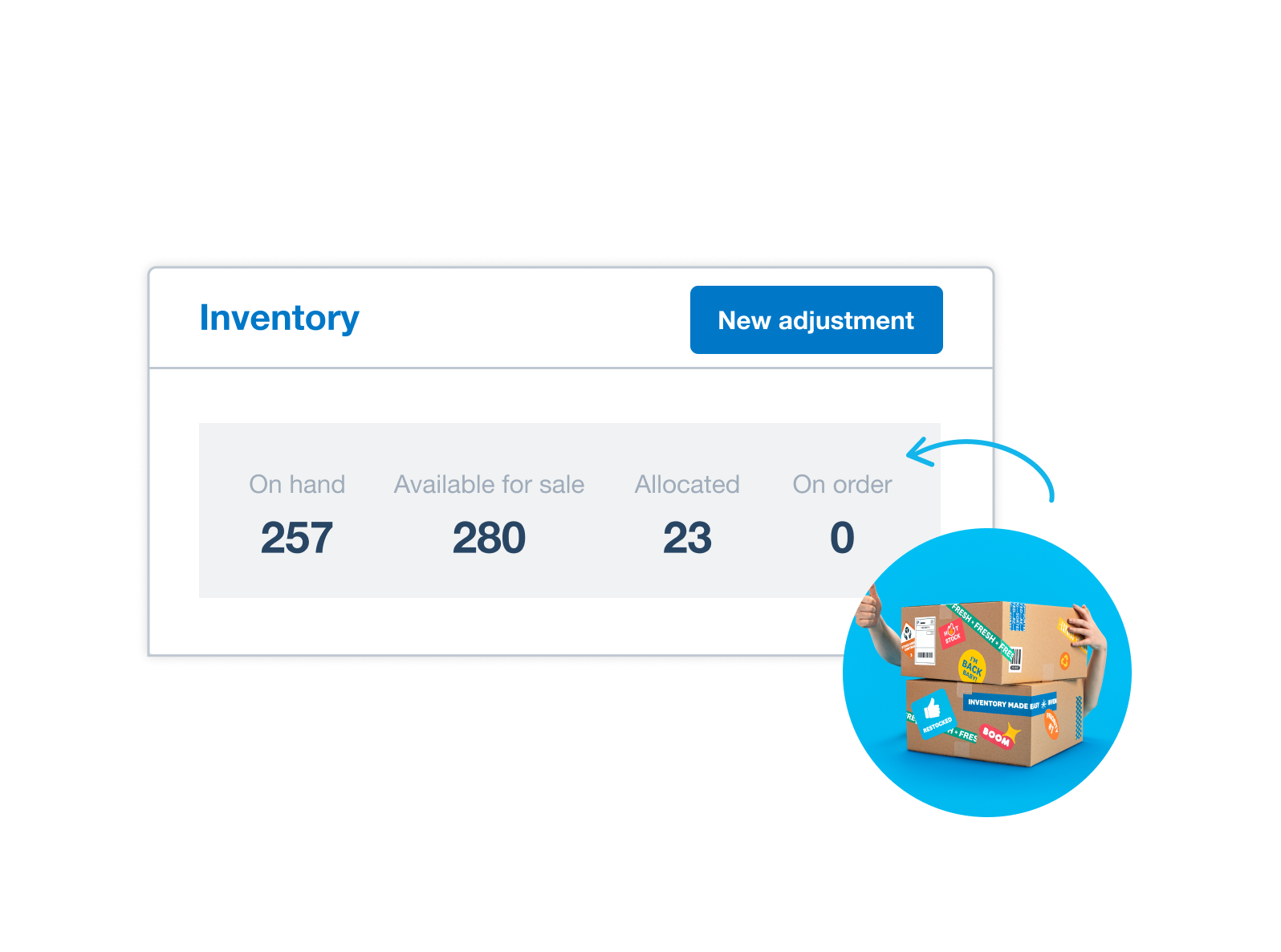
Sync your sales channels for a clear view
Just made a sale or ordered stock? Xero Inventory Plus connects to Shopify and Amazon (FBA) without a hitch so data flows between them. Get a clear, up-to-date view of your sales orders, returns, and inventory levels. Always know what’s on hand!
- Save time checking each sales channel individually
- Create fast, accurate processes for your order fulfillment
- Sync Shopify and Amazon to get shipping rates, print labels, and manage returns – in one place

See how your numbers stack up
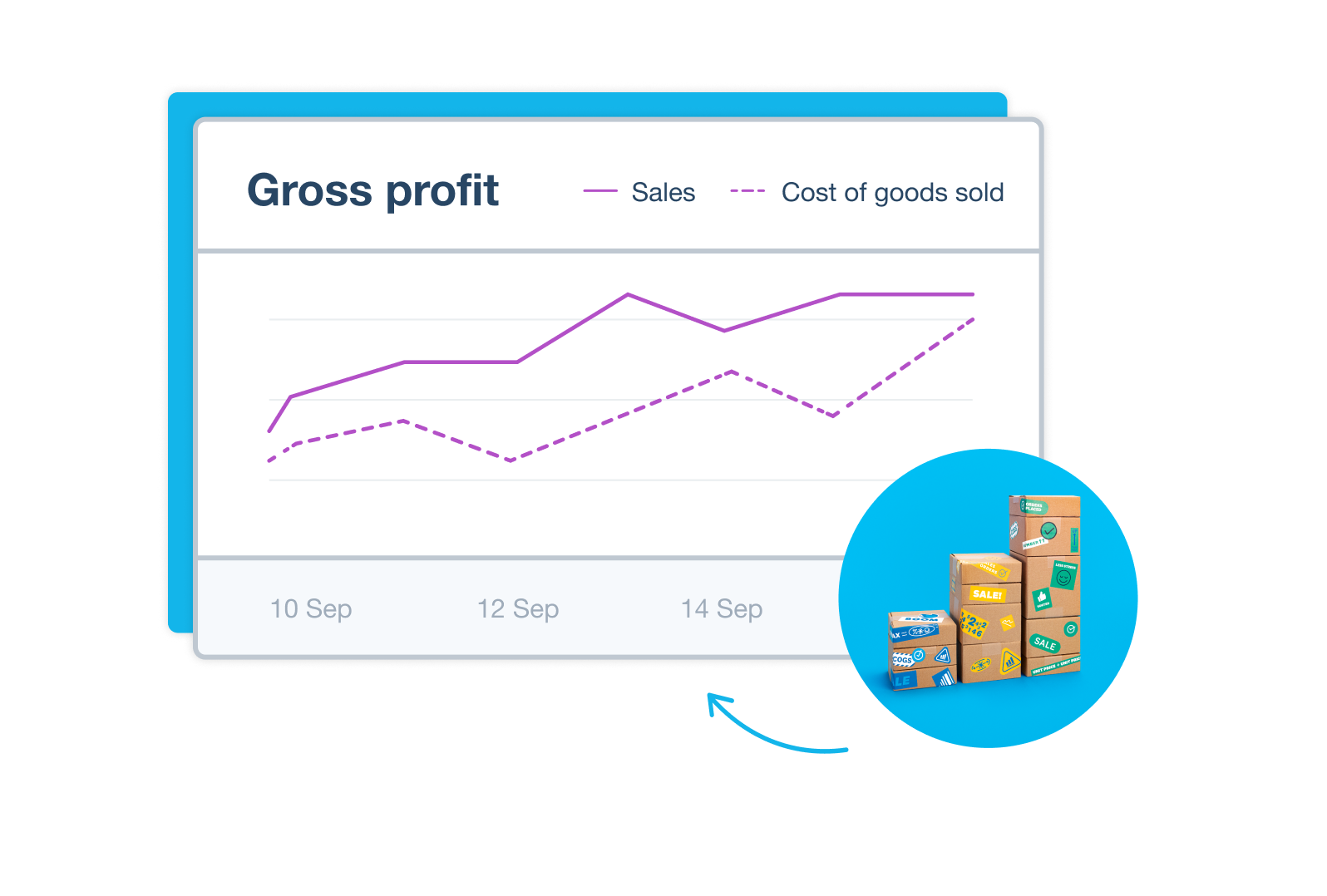
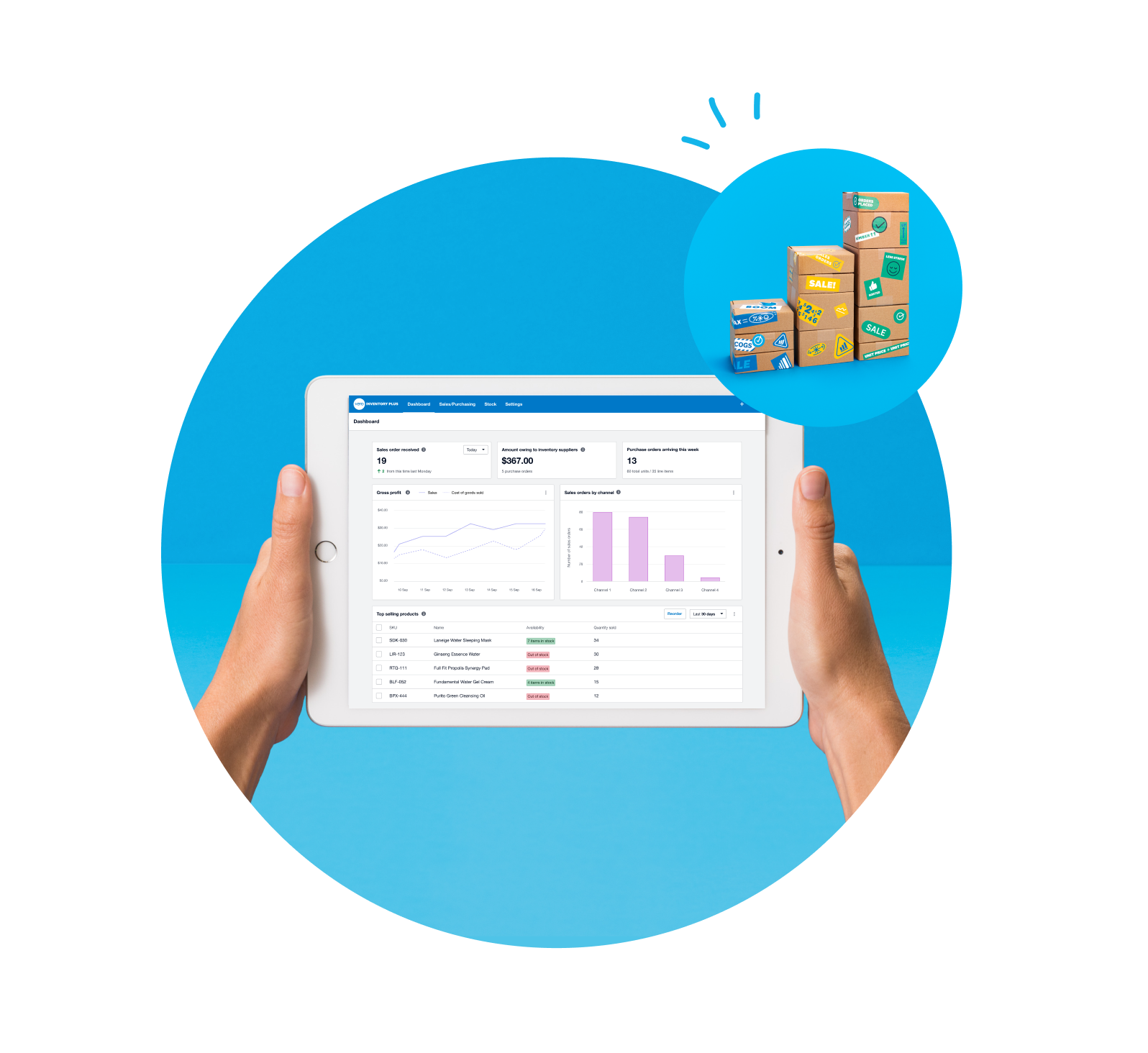
Use Xero’s inventory dashboard to keep an eye on how your ecommerce business is doing. Track key metrics like profitability and total revenue for the big-picture view of your financial health. Or drill down into the separate channels for insights into your sales performance on Amazon or Shopify.
- See top-selling products, sales across Shopify and Amazon, and low stock – at a glance
- Track the true cost of goods sold and your gross profit
- Check your purchase orders arriving that week and the amounts you owe suppliers
Get started with the software quickly
Worried about the technical side? Xero’s guided onboarding helps you connect Shopify and Amazon to your Xero organization, making the setup quick and easy.
- Just follow Xero’s instructions to get started – no tech experience needed
- Connect new sales channels to your inventory system to start selling
- Automate your tax calculations and simplify IRS compliance by integrating Xero with Avalara

Track inventory over multiple locations
Whether now or in the future, your business may store and sell items in various places – including warehouses, retail stores, and fulfillment centers. With a unified stock control system, you can easily track what’s where.
- Get almost real-time inventory updates for each location
- Use data to make faster decisions, like how many of each item to order and for which location
- Track stock as it moves from warehouses to stores, and avoid misplacing items
Xero streamlines all your financial admin
Inventory Plus works with the rest of Xero accounting software to give you an entire system for your ecommerce business. Your inventory data flows straight into your books for accurate figures on your cost of goods sold, margins, profitability, and more.
- Always see the latest figures for your financial admin
- Effortlessly create purchase orders and invoices with auto-populated details
- Report your finances with clear sales and tax records for the IRS
Automations keep your books in shape
Connect your business bank and checking accounts to Xero, and your transaction data flows into the software automatically. Then use Xero’s tools to quickly match transactions – such as the money you spent on new stock with your purchase order. A few clicks and it’s done!
- See all your transactions from Shopify and Amazon in your Xero organization
- Match transactions in bulk using bank rules
- Speed through the admin in the Xero Accounting app on your device to regularly update your books – wherever you are.

FAQs on Inventory Plus
Inventory Plus syncs with Shopify and Amazon (FBA) for smooth inventory management.
Here’s more about the Inventory Plus appInventory Plus syncs with Shopify and Amazon (FBA) for smooth inventory management.
Here’s more about the Inventory Plus appInventory Plus is for businesses that sell goods online through ecommerce stores, online marketplaces, physical stores, or a combination of these. Inventory Plus supports sales on Shopify and Fulfillment by Amazon (FBA), and across multiple locations and warehouses. You can fulfill a maximum 10,000 orders per month in the US.
Inventory Plus is for businesses that sell goods online through ecommerce stores, online marketplaces, physical stores, or a combination of these. Inventory Plus supports sales on Shopify and Fulfillment by Amazon (FBA), and across multiple locations and warehouses. You can fulfill a maximum 10,000 orders per month in the US.
Xero’s native software is a good option if you have a relatively simple inventory system, while Inventory Plus caters to more advanced needs. For example, you need Inventory Plus to accept payment at the time of the purchase, sell online through multiple channels or locations, and need first in first out (FIFO) valuation for your inventory.
Here’s more on Xero’s native inventory softwareXero’s native software is a good option if you have a relatively simple inventory system, while Inventory Plus caters to more advanced needs. For example, you need Inventory Plus to accept payment at the time of the purchase, sell online through multiple channels or locations, and need first in first out (FIFO) valuation for your inventory.
Here’s more on Xero’s native inventory softwareInventory Plus gives your business – and your accountant and bookkeeper – a clear view of your inventory and financial performance across Shopify, Amazon, and your own website. Xero automatically reconciles the inventory from each of the connected sales channels to speed up this admin. And you can manage everything in one place, from stock levels to product updates and shipping.
Inventory Plus gives your business – and your accountant and bookkeeper – a clear view of your inventory and financial performance across Shopify, Amazon, and your own website. Xero automatically reconciles the inventory from each of the connected sales channels to speed up this admin. And you can manage everything in one place, from stock levels to product updates and shipping.
The Shopify integration by Xero is suitable if you only sell on Shopify (not Amazon). Inventory Plus is a good fit if you sell on both these channels and want to manage your sales, inventory adjustments, COGS and shipping in one place – and benefit from Xero’s automatic reconciliation. To use these solutions at the same time, enable the payout reconciliation setting when you’re setting up Inventory Plus (to prevent the duplication of sales data).
Learn more about integrations in Xero Inventory PlusThe Shopify integration by Xero is suitable if you only sell on Shopify (not Amazon). Inventory Plus is a good fit if you sell on both these channels and want to manage your sales, inventory adjustments, COGS and shipping in one place – and benefit from Xero’s automatic reconciliation. To use these solutions at the same time, enable the payout reconciliation setting when you’re setting up Inventory Plus (to prevent the duplication of sales data).
Learn more about integrations in Xero Inventory PlusYou can get up and running with Inventory Plus in a few minutes. To add Inventory Plus to your existing Xero plan, go to the Products and services tab and follow the instructions.
See instructions to set up Xero Inventory PlusYou can get up and running with Inventory Plus in a few minutes. To add Inventory Plus to your existing Xero plan, go to the Products and services tab and follow the instructions.
See instructions to set up Xero Inventory PlusYes! Inventory Plus helps you get shipping carrier rates, create packing lists and address labels, and manage returns in one place. This saves you time and money when fulfilling orders from Shopify and Amazon – you just need to pay Xero’s shipping partner for the postage/shipping labels.
Yes! Inventory Plus helps you get shipping carrier rates, create packing lists and address labels, and manage returns in one place. This saves you time and money when fulfilling orders from Shopify and Amazon – you just need to pay Xero’s shipping partner for the postage/shipping labels.
Xero Inventory Plus works with leading sales tax software Avalara to handle your sales tax. With more than 14,000 sales tax jurisdictions covered, calculation and reporting of sales tax is much easier.
Learn about managing sales tax with AvalaraXero Inventory Plus works with leading sales tax software Avalara to handle your sales tax. With more than 14,000 sales tax jurisdictions covered, calculation and reporting of sales tax is much easier.
Learn about managing sales tax with AvalaraYou can add Inventory Plus to your Xero Growing or Xero Established plan. This includes up to 10,000 orders. Inventory Plus is only available in the United States.
See Xero’s pricing plansYou can add Inventory Plus to your Xero Growing or Xero Established plan. This includes up to 10,000 orders. Inventory Plus is only available in the United States.
See Xero’s pricing plansFor sure. You'll receive your invoice at the end of your monthly billing period. The payment will leave your account on the date shown on your invoice using the payment details you entered when you bought your subscription. If you’ve incurred usage charges for Xero Payroll, Xero Projects or Xero Expenses – or you have a chargeable direct bank feed – these charges will be invoiced for the previous month.
For sure. You'll receive your invoice at the end of your monthly billing period. The payment will leave your account on the date shown on your invoice using the payment details you entered when you bought your subscription. If you’ve incurred usage charges for Xero Payroll, Xero Projects or Xero Expenses – or you have a chargeable direct bank feed – these charges will be invoiced for the previous month.
The help articles in Xero Central have more about the features of Inventory Plus and step-by-step instructions on how to use it.
Here’s an article on managing your stock in Inventory PlusThe help articles in Xero Central have more about the features of Inventory Plus and step-by-step instructions on how to use it.
Here’s an article on managing your stock in Inventory Plus
*Fees apply for other payment methods.