Get stock sorted with inventory management software
Still counting stock by hand? Keep stock levels and sales figures together, updated as you invoice. Then spot the products that earn their keep.

Stock control software that gives you time back
Put your stock and sales in one system, so every sale and purchase updates what you have on hand. Read Xero's guide to inventory management.
Track your stock in one place
Keep your purchases and sales together, with the quantity and value of your stock always on record.
Spot stock shortages early
Up-to-date stock levels help you catch low stock early and avoid over-ordering.
Review past sales and purchases for better decisions
See what sells and earns the most profit, so you can cut waste and order wisely.

Trustpilot
Monya
Trustpilot
Tom W
Trustpilot
Tina T
Know what's on your shelves at a glance
Your stock levels update as you trade. Each approved invoice and bill adjusts the quantity and value of your tracked items, for up to 4000 finished goods. You’ll spot low stock sooner and order what you need. Goodbye, guesswork!
- Check the quantity on hand for every tracked item
- See average cost and total value in one view
- Watch what's on order and what's committed in quotes
- Adjust quantities or values after a stocktake
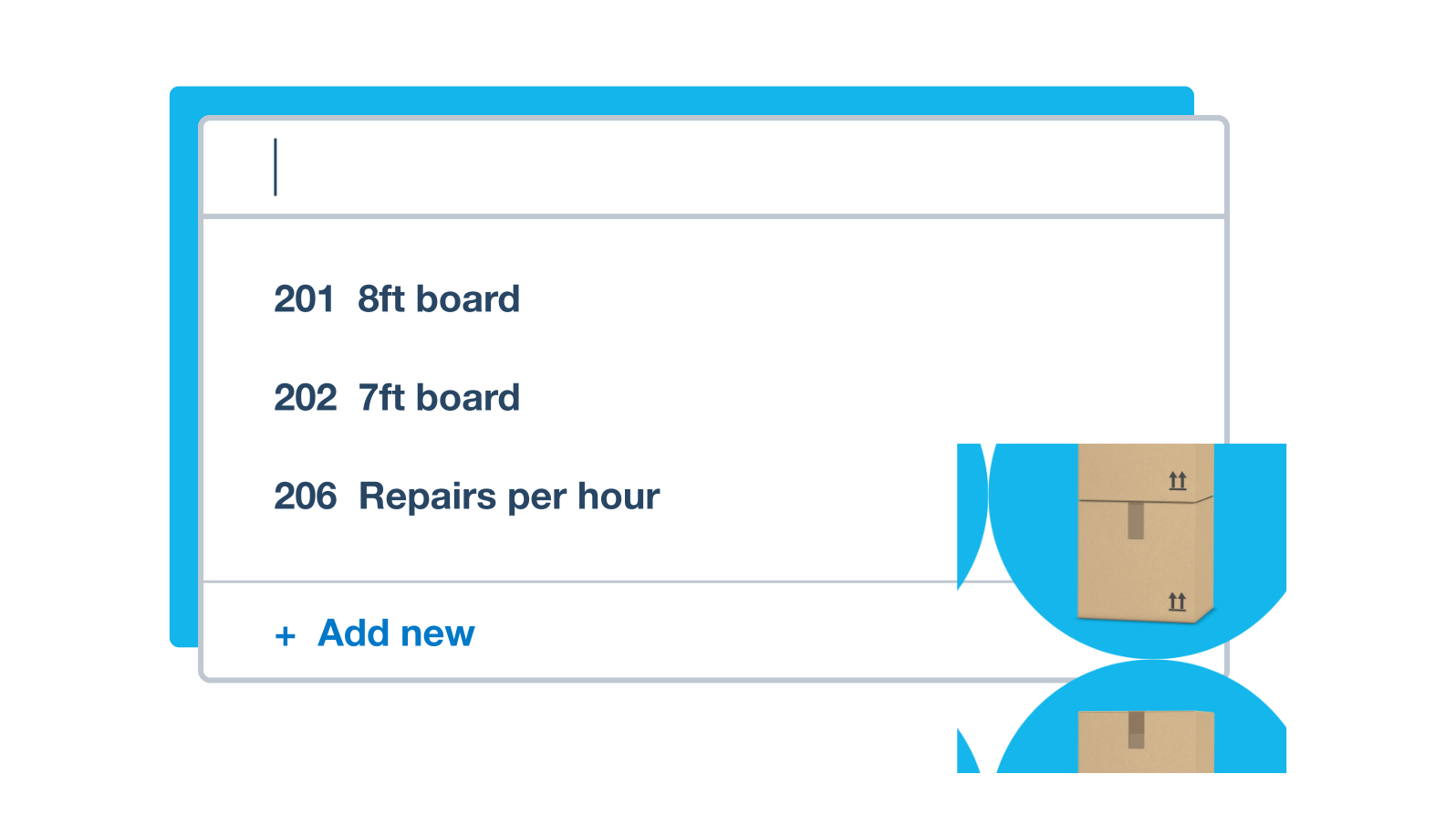
Wondering which products pay their way?
Price each product knowing the numbers behind it. Inventory item reports show sales and profit per item for any date range you pick. Xero records cost of goods sold for you, so your pricing decisions rest on real figures.
- Profit per item Compare sales and profit for each product over the dates you choose.
- Cost of goods sold on autopilot
- Xero records it at average cost whenever a tracked item sells.
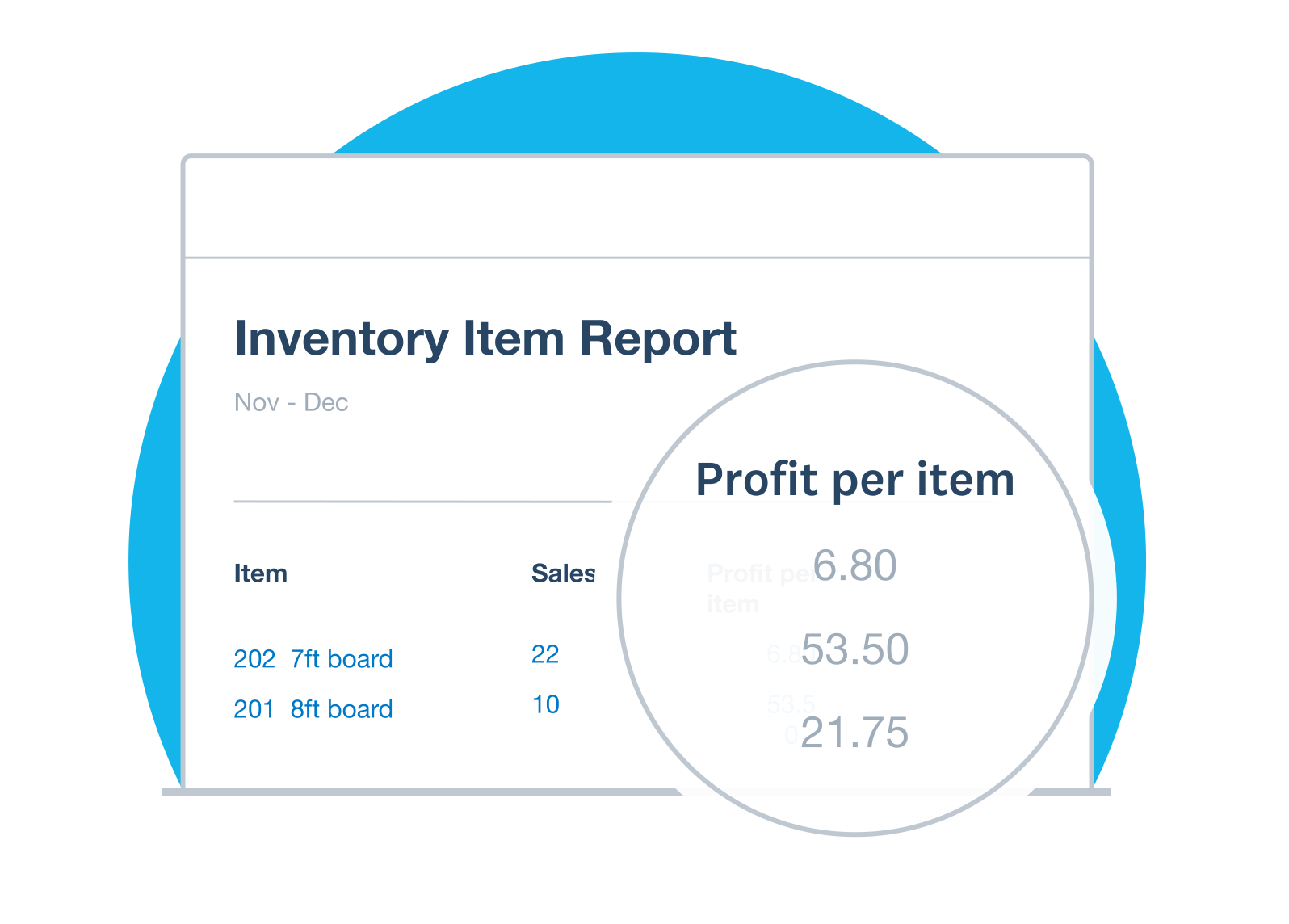
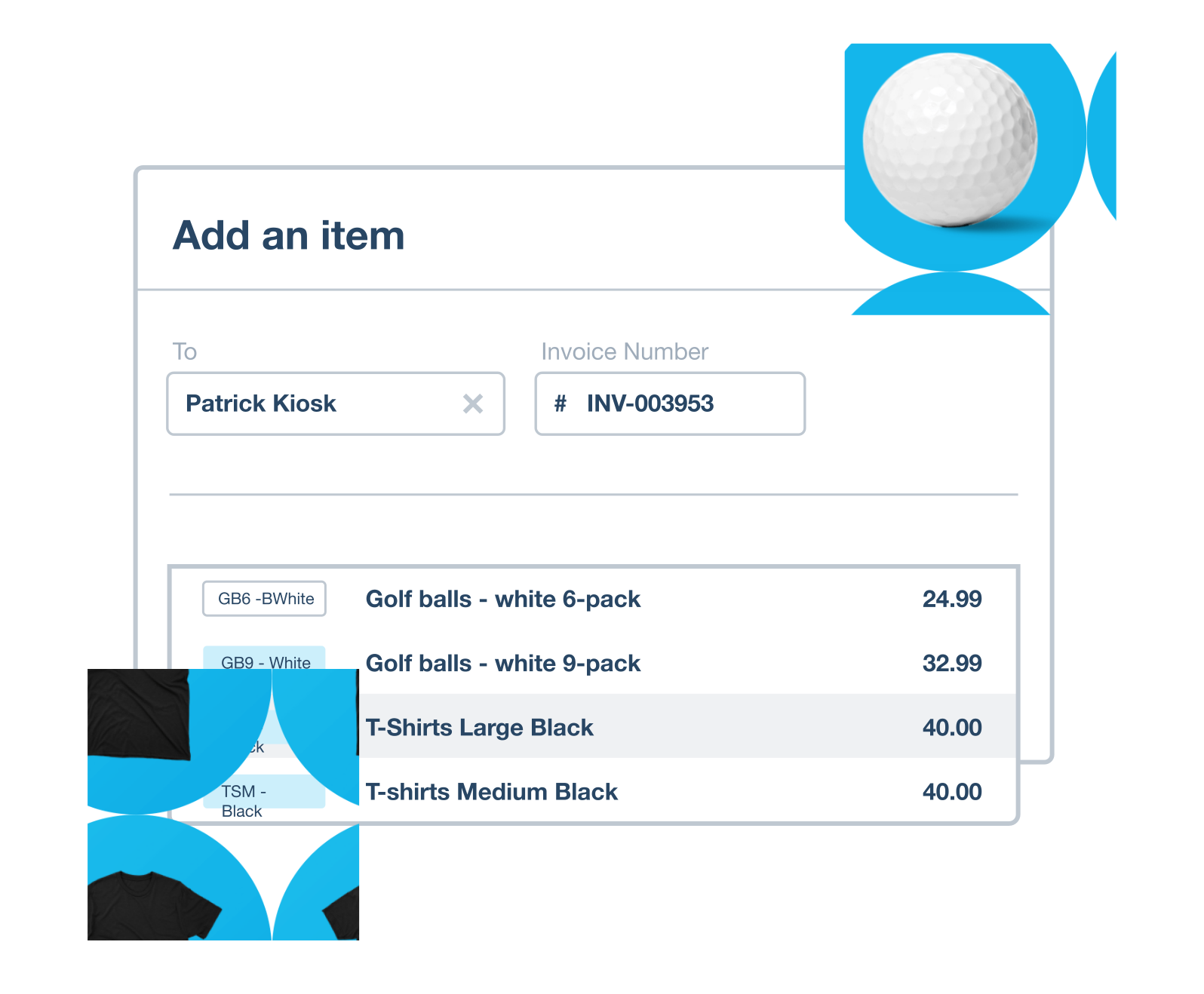
Quickly fill in invoices and purchase orders
When you’re short on time, Xero takes care of the repetitive typing. Store an item’s price, account, tax rate, and description once, and it fills in wherever you need it. Edit any line if a deal changes. Your saved items cut admin time and keep your invoices and bills consistent.
- Save the items you buy and sell most often
- Pick an item to complete a quote, invoice, or purchase order
- Add saved items to supplier bills
- Change the price, tax rate, or description on the fly
Keep stock and accounts in step
Inventory and accounting share one system, so stock levels and cost of goods sold update in your accounts with every sale. You enter each sale once, and you can place orders backed by figures that match your books.
- Bank feeds Transactions flow in from your bank, so your figures are always up to date.
- Real-time teamwork Your accountant or bookkeeper sees the same figures as you, as soon as they change.
FAQs on Xero's inventory management software
Inventory management software records the stock you buy and sell, keeping quantities, value, orders, and sales together. Xero helps you do this alongside your accounts, so your figures update with every sale and purchase. Dig deeper with Xero's guide to inventory management.
Inventory management software records the stock you buy and sell, keeping quantities, value, orders, and sales together. Xero helps you do this alongside your accounts, so your figures update with every sale and purchase. Dig deeper with Xero's guide to inventory management.
Here's how your stock stays up to date:
Add each item once, with its price, account, tax rate, and description
Choose to track the item's quantity and value
Approve invoices and bills, and Xero updates your stock on hand
Sell a tracked item, and Xero records cost of goods sold
Here's how your stock stays up to date:
Add each item once, with its price, account, tax rate, and description
Choose to track the item's quantity and value
Approve invoices and bills, and Xero updates your stock on hand
Sell a tracked item, and Xero records cost of goods sold
For sure. Xero updates stock levels when you approve sales and purchases, so your stock list stays current without extra admin. Your stock figures also feed straight into your accounts, including your inventory asset and cost of goods sold accounts.
For sure. Xero updates stock levels when you approve sales and purchases, so your stock list stays current without extra admin. Your stock figures also feed straight into your accounts, including your inventory asset and cost of goods sold accounts.
Xero lets you track up to 4000 items. Tracked inventory suits businesses that:
- sell via invoices
- use average cost
- buy and sell finished goods
For more advanced inventory needs, try an app from the Xero App Store. Apps can help with manufacturing, purchase order receipts, larger item counts, and first in, first out (FIFO) or last in, first out (LIFO) costing.
Compare the ways to manage inventory in Xero.
Xero lets you track up to 4000 items. Tracked inventory suits businesses that:
- sell via invoices
- use average cost
- buy and sell finished goods
For more advanced inventory needs, try an app from the Xero App Store. Apps can help with manufacturing, purchase order receipts, larger item counts, and first in, first out (FIFO) or last in, first out (LIFO) costing.
Compare the ways to manage inventory in Xero.
Yes. Xero records cost of goods sold at average cost each time you sell a tracked item. Accurate stock records also help at year end, when you need to keep a record of the stock you hold. Use the Inventory Item List report to do a full stocktake and make sure your records match actual stock levels.
Yes. Xero records cost of goods sold at average cost each time you sell a tracked item. Accurate stock records also help at year end, when you need to keep a record of the stock you hold. Use the Inventory Item List report to do a full stocktake and make sure your records match actual stock levels.
Absolutely. Xero is cloud-based, so you can check stock levels from your laptop, tablet or phone, including in the Xero Accounting app.
Absolutely. Xero is cloud-based, so you can check stock levels from your laptop, tablet or phone, including in the Xero Accounting app.
Definitely. You can connect the tools you already use and find inventory apps at the Xero App Store, including apps for manufacturing and FIFO costing, or for bigger product ranges. Browse inventory apps that connect to Xero.
Definitely. You can connect the tools you already use and find inventory apps at the Xero App Store, including apps for manufacturing and FIFO costing, or for bigger product ranges. Browse inventory apps that connect to Xero.
Certainly. Xero helps you import your items from a CSV file, then add opening balances for tracked items so your stock on hand is right from the start. Follow the step-by-step help on importing items.
Certainly. Xero helps you import your items from a CSV file, then add opening balances for tracked items so your stock on hand is right from the start. Follow the step-by-step help on importing items.
It suits small businesses that buy and sell finished goods and sell via invoices, such as retailers and wholesalers. If you run a shop, find out how Xero inventory software works for retail stores.
It suits small businesses that buy and sell finished goods and sell via invoices, such as retailers and wholesalers. If you run a shop, find out how Xero inventory software works for retail stores.
Plans to suit your business
Ignite
for the first 6 months
Then £18 per month
An easy financial foundation - track cash flow with the essentials.
- Send quotes and 20 invoices†
- Accept online invoice payments^
- MTD for Income Tax ready
- Reconcile transactions
- Smart document capture
- View real-time reports
- Enter 10 bills
- Submit VAT returns to HMRC
- Automate subcontractor CIS calculations and reports
- Make online bill and payroll payments (domestic) for £0.20 per payment††
- Payroll for £1.50 per person
- 30 day cash flow forecast
- Visualise performance with basic graphs
- Company accounts and tax (optional £120 excl. Vat billed annually)

Grow
for the first 6 months
Then £39 per month
Go beyond the basics - automate tasks and access performance dashboards.
- Send invoices and quotes
- Accept online invoice payments^
- MTD for Income Tax ready
- Reconcile transactions
- Smart document capture
- View real-time reports
- Automate bill entry and track bills
- Submit VAT returns to HMRC
- Automate subcontractor CIS calculations and reports
- Make online bill and payroll payments (domestic) for up to 5 payments
- Payroll for 1 person
- 60 day cash flow forecast
- Visualise performance with graphs
- Customise performance dashboards
- Claim expenses and mileage for 1 user
- Auto-reconcile transactions
- Company accounts and tax (optional £120 excl. Vat billed annually)
Comprehensive
for the first 6 months
Then £55 per month
Optimise profitability - tailor your insights for greater control.
- Send invoices and quotes
- Accept online invoice payments^
- MTD for Income Tax ready
- Reconcile transactions
- Smart document capture
- View real-time reports
- Automate bill entry and track bills
- Submit VAT returns to HMRC
- Automate subcontractor CIS calculations and reports
- Make online bill and payroll payments (domestic) for up to 10 payments
- Payroll for 5 people
- 90 day cash flow forecast
- Visualise performance with graphs
- Customise performance dashboards
- Claim expenses and mileage for 5 users
- Use multiple currencies
- Tailored financial health scorecards
- Make online bill payments (International) - Optional add-on
- Auto-reconcile transactions
- Company accounts and tax (optional £120 excl. Vat billed annually)
- Budget with smart suggestions
Ultimate
for the first 6 months
Then £70 per month
Future proof your scaling business - with advanced tools and analytics.
- Send invoices and quotes
- Accept online invoice payments^
- MTD for Income Tax ready
- Reconcile transactions
- Smart document capture
- View real-time reports
- Automate bill entry and track bills
- Submit VAT returns to HMRC
- Automate subcontractor CIS calculations and reports
- Make online bill and payroll payments (domestic) for up to 15 payments
- Payroll for 10 people
- 180 day cash flow forecast
- Visualise performance with graphs
- Customise performance dashboards
- Claim expenses and mileage for 10 users
- Use multiple currencies
- Tailored financial health scorecards
- Make online bill payments (International) - Optional add-on
- Track time and costs for projects for 10 users
- Analyse KPIs and ratios
- Benchmark against the industry
- Auto-reconcile transactions
- Company accounts and tax (optional £120 excl. Vat billed annually)
- Budget with smart suggestions
Get one month free
Purchase any Xero plan, and we will give you the first month free.
See how to monitor stock in real time
This is what Xero inventory management system looks like.