Purchase order software for UK small businesses
Raise and send digital purchase orders, then track every order in one place. Keep spending under control, cut the manual admin, and turn approved orders into bills without double entry.
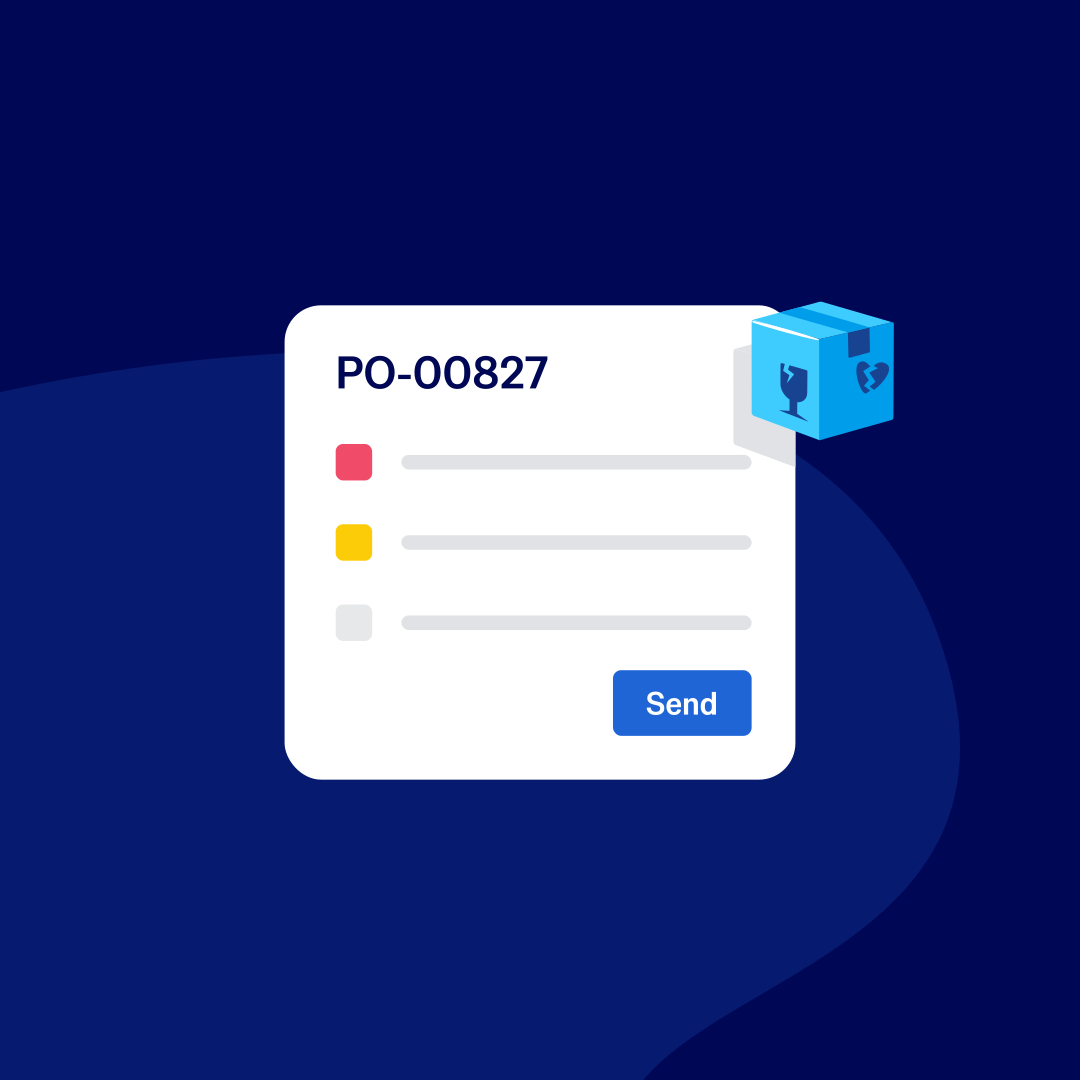
Modernise your purchase order process
Procurement shouldn’t be complicated. With Xero’s purchase order system, sourcing items from suppliers is simple and hassle free.
Customise your purchase orders
Tailor the layout of your purchase orders. Set up the purchase order management system with your own order numbers.
Create online purchase orders
Use templates to create a repeatable, ready-to-send purchase order. Just add the items and email them to suppliers.
Convert purchase orders into bills
Once the order is in progress, easily turn the purchase order into a trackable bill in Xero.
Tailor purchase orders to your business
Set the layout and drop in your logo so each order looks like the rest of your brand. Use your own numbering to keep references consistent, and give suppliers a professional document that builds trust before the goods arrive.
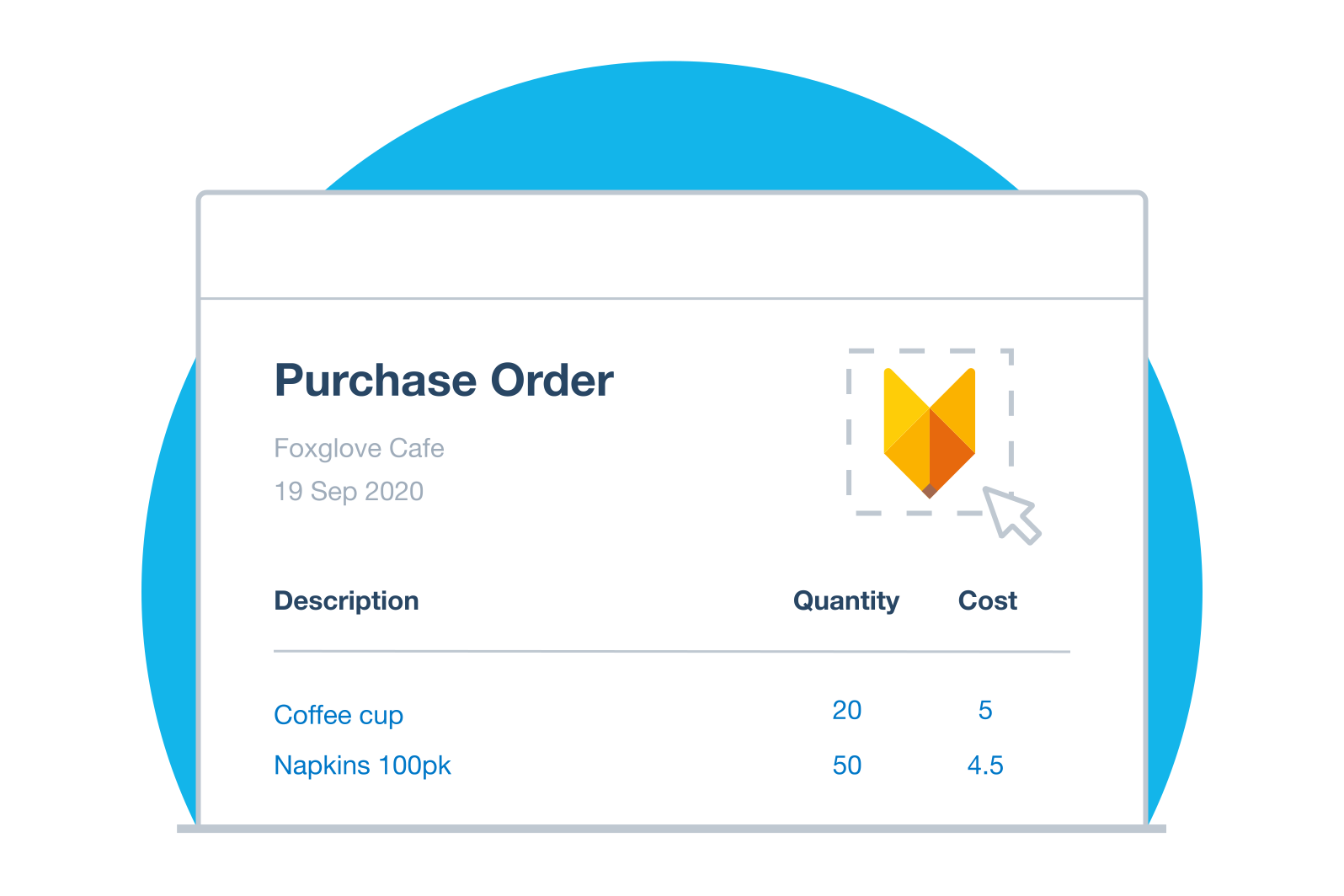
Shrink your purchasing admin
An order can be built from a template or copied from a previous one, then sent as a PDF in a few clicks. Approve, email, file and reconcile each order in one place, and win back hours you'd rather spend on customers.
email or print your purchase orders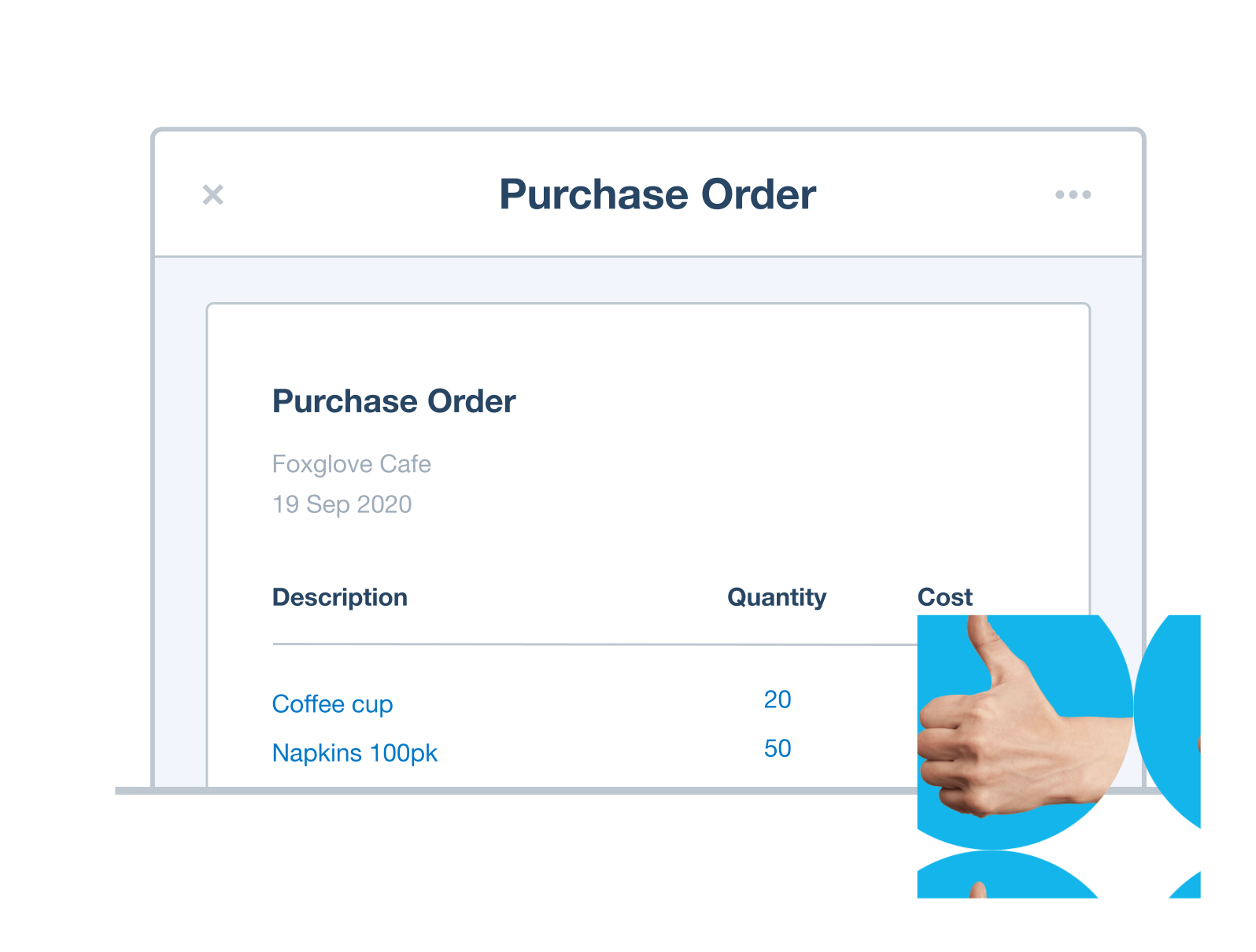
Convert approved orders into bills
Your purchase orders connect straight to bills and invoices in Xero, so procurement flows from one task to the next. Turn an approved order into a bill when it's time to pay a supplier, or into an invoice when you're on-selling, so you capture every cost and miss nothing.
manage and pay bills in Xero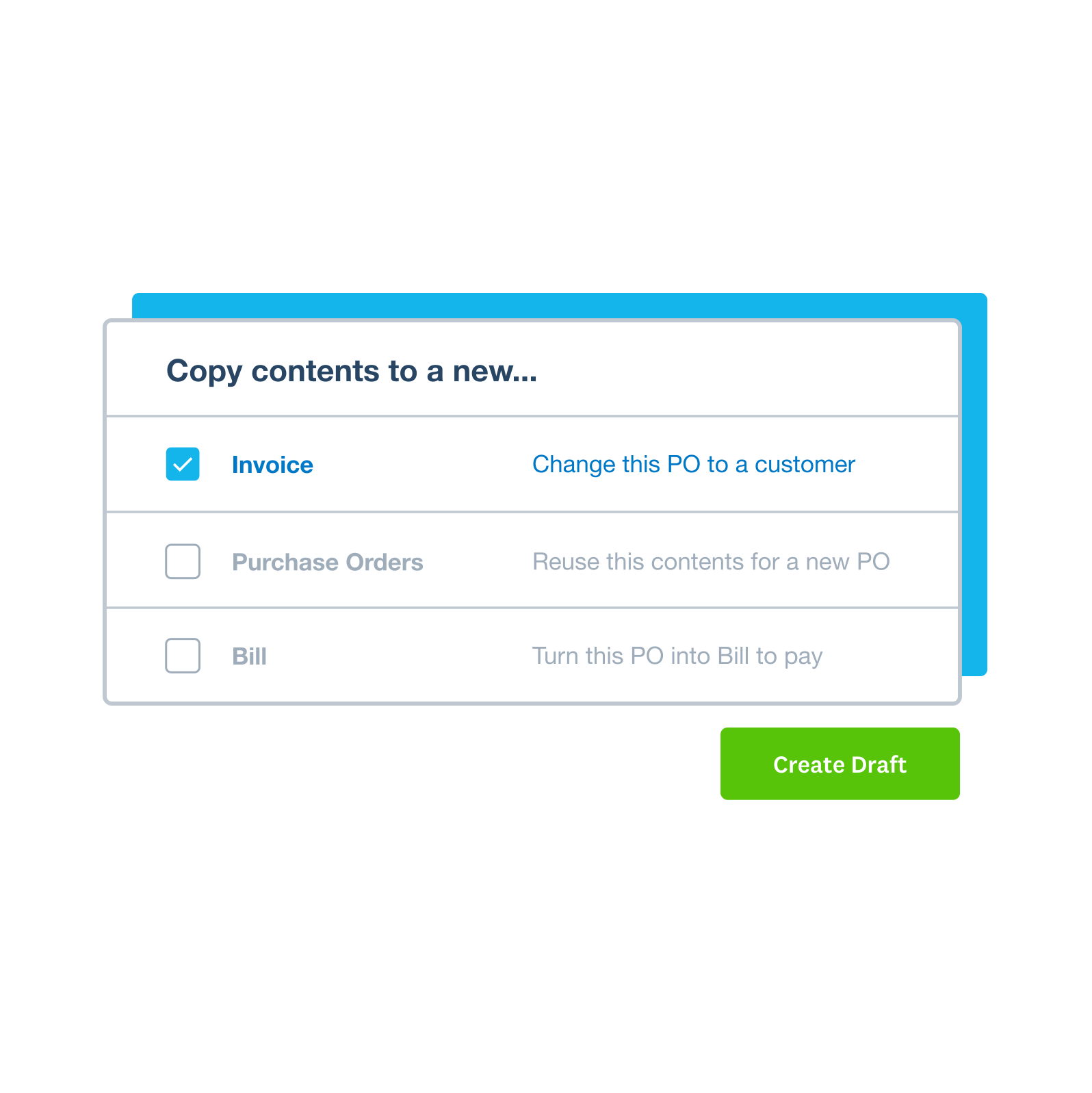
Run your business accounting in one place
Purchase orders are one part of running your business. Why juggle separate tools when Xero brings your invoicing, bills, bank reconciliation and reporting together? Get an up-to-date view of your numbers and spend less of your week on the books.
Explore Xero's accounting software
Accounting software for your UK small business
Run your business accounting online with Xero. Easy-to-use accounting software, designed for your small business.
- Everything in one place
- Connect to your bank
- Collaborate in real time
- Customise to suit your needs
FAQs on Xero's purchase orders
A purchase order (PO) is a document you send a supplier to confirm what you want to buy, listing the goods or services, quantities, agreed prices, and a unique PO number. It sets out the order before anything's delivered, and once the supplier accepts it, it becomes a binding agreement. In Xero, you can raise, send and track POs, then turn an approved one into a bill to pay.
A purchase order (PO) is a document you send a supplier to confirm what you want to buy, listing the goods or services, quantities, agreed prices, and a unique PO number. It sets out the order before anything's delivered, and once the supplier accepts it, it becomes a binding agreement. In Xero, you can raise, send and track POs, then turn an approved one into a bill to pay.
A purchase order is sent by the buyer to order goods or services; an invoice is sent by the supplier to request payment for them. You raise a purchase order before the goods arrive, setting out what you want and the agreed price. The supplier sends the invoice afterwards, once they've delivered. In Xero, you can turn an approved purchase order into a bill to pay, so the two match up.
A purchase order is sent by the buyer to order goods or services; an invoice is sent by the supplier to request payment for them. You raise a purchase order before the goods arrive, setting out what you want and the agreed price. The supplier sends the invoice afterwards, once they've delivered. In Xero, you can turn an approved purchase order into a bill to pay, so the two match up.
The main types are standard for one-off purchases, planned for known items ordered when needed, blanket (standing) orders for repeat supply at agreed prices, and contract orders covering a set period.
The main types are standard for one-off purchases, planned for known items ordered when needed, blanket (standing) orders for repeat supply at agreed prices, and contract orders covering a set period.
The buyer creates and issues the purchase order to the supplier. In a small business that's often the owner or office manager. In larger teams it follows an internal request and sign-off, so someone approves the spend before the order goes out. In Xero, user roles let you set who can create, approve and send POs.
The buyer creates and issues the purchase order to the supplier. In a small business that's often the owner or office manager. In larger teams it follows an internal request and sign-off, so someone approves the spend before the order goes out. In Xero, user roles let you set who can create, approve and send POs.
A purchase order number is a unique reference on each order, so you can track that order and match it to the supplier's invoice when it arrives. In Xero, you set your own numbering format to fit how you work.
A purchase order number is a unique reference on each order, so you can track that order and match it to the supplier's invoice when it arrives. In Xero, you set your own numbering format to fit how you work.
In Xero, start from a template, add your supplier and the items you're ordering, then send the purchase order as a PDF or print it. You can build in approvals and see the status of every order, so nothing goes out without a check. Explore what's included across all Xero features.
In Xero, start from a template, add your supplier and the items you're ordering, then send the purchase order as a PDF or print it. You can build in approvals and see the status of every order, so nothing goes out without a check. Explore what's included across all Xero features.
Xero shows the status of every purchase order in one place: sent, filled, billed or unfilled. Add notes and expected arrival dates so nothing slips, and when an order's done, convert it straight into a bill to pay. That way tracking and paying happen in the same place, not across spreadsheets and email.
Xero shows the status of every purchase order in one place: sent, filled, billed or unfilled. Add notes and expected arrival dates so nothing slips, and when an order's done, convert it straight into a bill to pay. That way tracking and paying happen in the same place, not across spreadsheets and email.
Yes. Xero user roles let you decide who can access, approve, email and delete purchase orders. That keeps the right people in control and gives you a clear audit trail.
Yes. Xero user roles let you decide who can access, approve, email and delete purchase orders. That keeps the right people in control and gives you a clear audit trail.
Purchase order software, sometimes called a purchase order system, is a tool for creating, sending and tracking your purchase orders in one place. Instead of juggling spreadsheets and email threads, you run your whole procurement process from a single system.
Purchase order software, sometimes called a purchase order system, is a tool for creating, sending and tracking your purchase orders in one place. Instead of juggling spreadsheets and email threads, you run your whole procurement process from a single system.
A purchase order itself isn't paid. It records what you've agreed to buy. When the supplier invoices you, match that invoice to the order and convert the purchase order into a bill in Xero. From there, you pay and reconcile it like any other bill.
A purchase order itself isn't paid. It records what you've agreed to buy. When the supplier invoices you, match that invoice to the order and convert the purchase order into a bill in Xero. From there, you pay and reconcile it like any other bill.
Plans to suit your business
Ignite
for the first 6 months
Then £18 per month
An easy financial foundation - track cash flow with the essentials.
- Send quotes and 20 invoices†
- Accept online invoice payments^
- MTD for Income Tax ready
- Reconcile transactions
- Smart document capture
- View real-time reports
- Enter 10 bills
- Submit VAT returns to HMRC
- Automate subcontractor CIS calculations and reports
- Make online bill and payroll payments (domestic) for £0.20 per payment††
- Payroll for £1.50 per person
- 30 day cash flow forecast
- Visualise performance with basic graphs
- Company accounts and tax (optional £120 excl. Vat billed annually)

Grow
for the first 6 months
Then £39 per month
Go beyond the basics - automate tasks and access performance dashboards.
- Send invoices and quotes
- Accept online invoice payments^
- MTD for Income Tax ready
- Reconcile transactions
- Smart document capture
- View real-time reports
- Automate bill entry and track bills
- Submit VAT returns to HMRC
- Automate subcontractor CIS calculations and reports
- Make online bill and payroll payments (domestic) for up to 5 payments
- Payroll for 1 person
- 60 day cash flow forecast
- Visualise performance with graphs
- Customise performance dashboards
- Claim expenses and mileage for 1 user
- Auto-reconcile transactions
- Company accounts and tax (optional £120 excl. Vat billed annually)
Comprehensive
for the first 6 months
Then £55 per month
Optimise profitability - tailor your insights for greater control.
- Send invoices and quotes
- Accept online invoice payments^
- MTD for Income Tax ready
- Reconcile transactions
- Smart document capture
- View real-time reports
- Automate bill entry and track bills
- Submit VAT returns to HMRC
- Automate subcontractor CIS calculations and reports
- Make online bill and payroll payments (domestic) for up to 10 payments
- Payroll for 5 people
- 90 day cash flow forecast
- Visualise performance with graphs
- Customise performance dashboards
- Claim expenses and mileage for 5 users
- Use multiple currencies
- Tailored financial health scorecards
- Make online bill payments (International) - Optional add-on
- Auto-reconcile transactions
- Company accounts and tax (optional £120 excl. Vat billed annually)
- Budget with smart suggestions
Ultimate
for the first 6 months
Then £70 per month
Future proof your scaling business - with advanced tools and analytics.
- Send invoices and quotes
- Accept online invoice payments^
- MTD for Income Tax ready
- Reconcile transactions
- Smart document capture
- View real-time reports
- Automate bill entry and track bills
- Submit VAT returns to HMRC
- Automate subcontractor CIS calculations and reports
- Make online bill and payroll payments (domestic) for up to 15 payments
- Payroll for 10 people
- 180 day cash flow forecast
- Visualise performance with graphs
- Customise performance dashboards
- Claim expenses and mileage for 10 users
- Use multiple currencies
- Tailored financial health scorecards
- Make online bill payments (International) - Optional add-on
- Track time and costs for projects for 10 users
- Analyse KPIs and ratios
- Benchmark against the industry
- Auto-reconcile transactions
- Company accounts and tax (optional £120 excl. Vat billed annually)
- Budget with smart suggestions

Trustpilot
Monya
Trustpilot
Tom W
Trustpilot
Tina T
Get one month free
Purchase any Xero plan, and we will give you the first month free.