Stay in control with Xero project tracking software
Xero project tracking software lets you monitor time, expenses, and profitability – within your accounting software, so your project finances and accounts stay in sync. Assign costs to projects, and track actuals against budgets with less work.

Project tracking and expense management made simple
Track time, assign expenses and monitor project profitability in real time. Your project accounting integrates with Xero automatically.
Automate time and expense tracking
Assign bills, purchases, and expense claims to projects to track costs in real time.
Easily set up project tracking
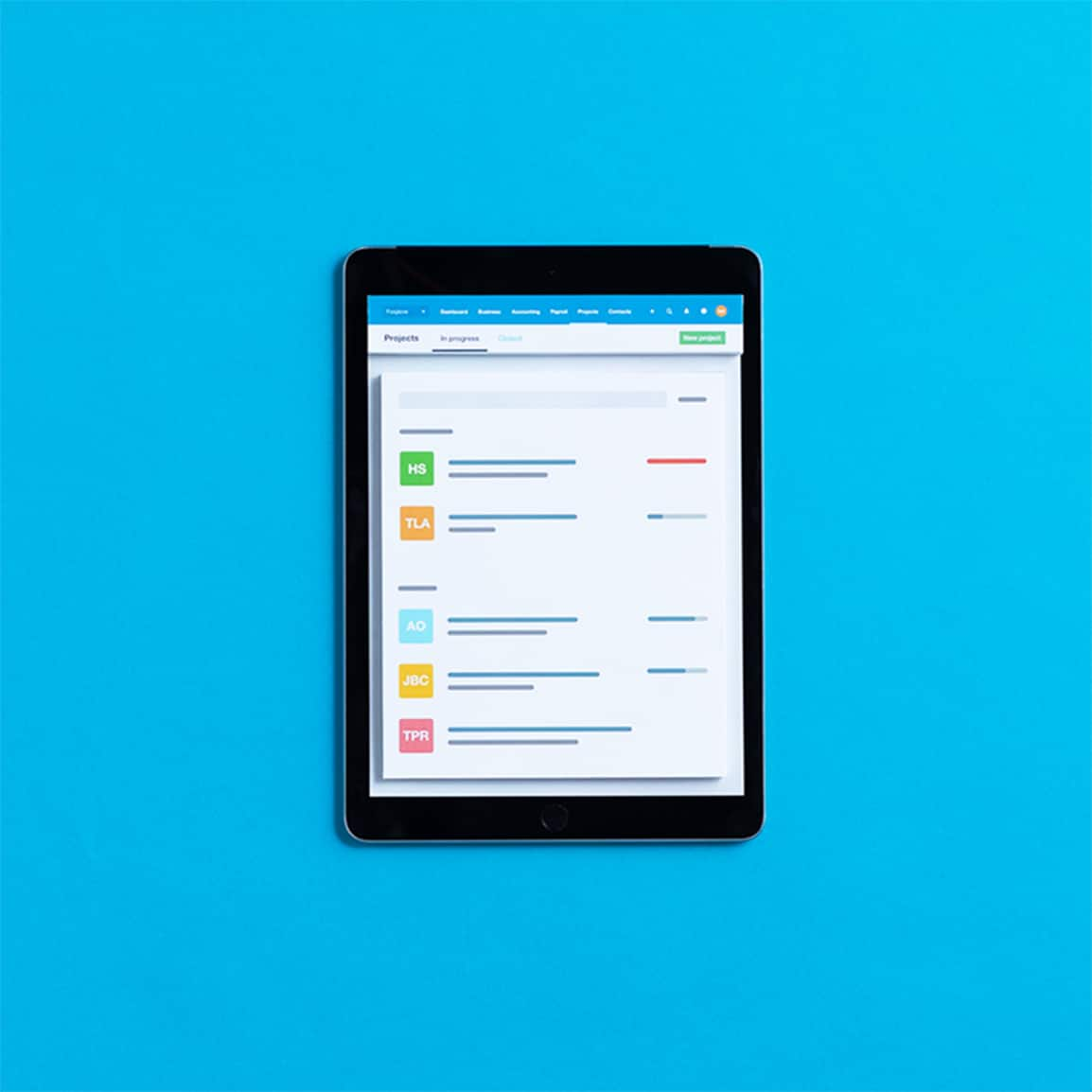
One place for project tracking and accounting. Create a project, start tracking – and Xero does the rest automatically.
Monitor project profitability at a glance
Your dashboard shows revenue, costs, and margin for every project. Compare budget vs actuals and spot issues early.
Plans to suit your business
Ignite
for the first 6 months
Then £18 per month
An easy financial foundation - track cash flow with the essentials.
- Send quotes and 20 invoices†
- Accept online invoice payments^
- MTD for Income Tax ready
- Reconcile transactions
- Smart document capture
- View real-time reports
- Enter 10 bills
- Submit VAT returns to HMRC
- Automate subcontractor CIS calculations and reports
- Make online bill and payroll payments (domestic) for £0.20 per payment††
- Payroll for £1.50 per person
- 30 day cash flow forecast
- Visualise performance with basic graphs
- Company accounts and tax (optional £120 excl. Vat billed annually)

Grow
for the first 6 months
Then £39 per month
Go beyond the basics - automate tasks and access performance dashboards.
- Send invoices and quotes
- Accept online invoice payments^
- MTD for Income Tax ready
- Reconcile transactions
- Smart document capture
- View real-time reports
- Automate bill entry and track bills
- Submit VAT returns to HMRC
- Automate subcontractor CIS calculations and reports
- Make online bill and payroll payments (domestic) for up to 5 payments
- Payroll for 1 person
- 60 day cash flow forecast
- Visualise performance with graphs
- Customise performance dashboards
- Claim expenses and mileage for 1 user
- Auto-reconcile transactions
- Company accounts and tax (optional £120 excl. Vat billed annually)
Comprehensive
for the first 6 months
Then £55 per month
Optimise profitability - tailor your insights for greater control.
- Send invoices and quotes
- Accept online invoice payments^
- MTD for Income Tax ready
- Reconcile transactions
- Smart document capture
- View real-time reports
- Automate bill entry and track bills
- Submit VAT returns to HMRC
- Automate subcontractor CIS calculations and reports
- Make online bill and payroll payments (domestic) for up to 10 payments
- Payroll for 5 people
- 90 day cash flow forecast
- Visualise performance with graphs
- Customise performance dashboards
- Claim expenses and mileage for 5 users
- Use multiple currencies
- Tailored financial health scorecards
- Make online bill payments (International) - Optional add-on
- Auto-reconcile transactions
- Company accounts and tax (optional £120 excl. Vat billed annually)
- Budget with smart suggestions
Ultimate
for the first 6 months
Then £70 per month
Future proof your scaling business - with advanced tools and analytics.
- Send invoices and quotes
- Accept online invoice payments^
- MTD for Income Tax ready
- Reconcile transactions
- Smart document capture
- View real-time reports
- Automate bill entry and track bills
- Submit VAT returns to HMRC
- Automate subcontractor CIS calculations and reports
- Make online bill and payroll payments (domestic) for up to 15 payments
- Payroll for 10 people
- 180 day cash flow forecast
- Visualise performance with graphs
- Customise performance dashboards
- Claim expenses and mileage for 10 users
- Use multiple currencies
- Tailored financial health scorecards
- Make online bill payments (International) - Optional add-on
- Track time and costs for projects for 10 users
- Analyse KPIs and ratios
- Benchmark against the industry
- Auto-reconcile transactions
- Company accounts and tax (optional £120 excl. Vat billed annually)
- Budget with smart suggestions

Trustpilot
Monya
Trustpilot
Tom W
Trustpilot
Tina T
Easy project expense tracking
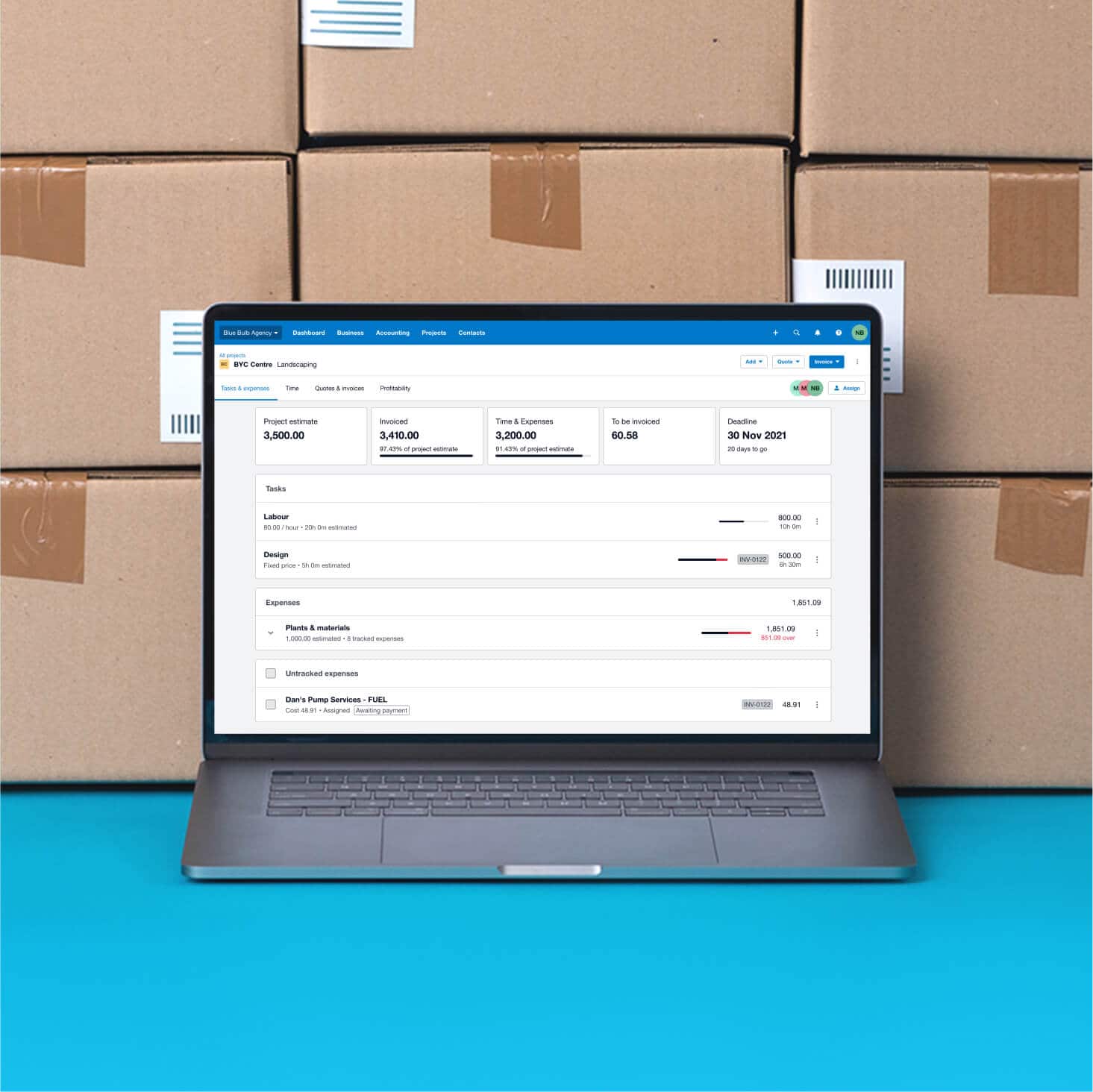
Assign bills, transactions and expense claims directly to projects in Xero. Link costs to specific jobs, compare them against your budget in real time, and log time on the go with the start–stop timer and location-based tracking – so you always know where your money is going.
- Assign bills, spend money transactions and expense claims to projects in Xero for less admin and a real-time view of your costs
- Link costs to specific jobs or projects to compare actual spend against your budget
- Assign bills and spend money transactions to a project to track spending, and stay on top of VAT and MTD for Income Tax obligations with seamless submissions to HMRC
Set up project tracking software quickly
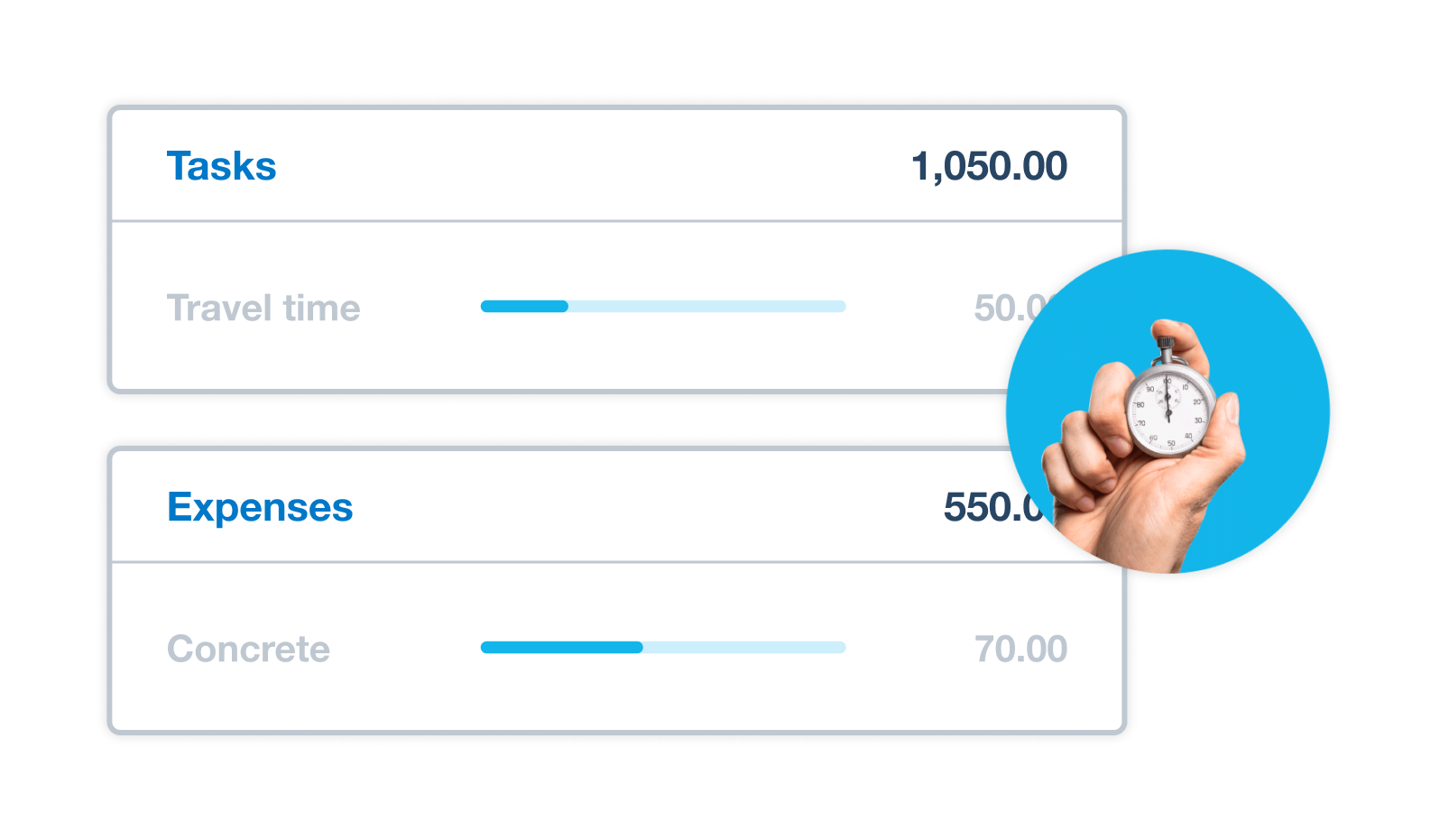
With Xero, project tracking is part of your accounting software. Create projects, and track everything from a single platform. Unlike standalone project management tools Xero syncs project data with your accounting – feeding into your quotes, invoices, expenses, and reports.
- Create a project and start tracking time, expenses, and budgets straight away. No complex setup!
- Set project budgets and track expenses against estimates automatically
- Get simpler, faster invoicing – Xero adds tracked time and expenses to invoices for you
Invoice your project costs accurately
Create invoices from your latest project data automatically. Choose how much job detail to include. Xero connects your project tracking to invoicing and payments in one workflow. Need a deposit upfront? Send invoices for deposits and lump sums, including project progress payments.
- Create a quote directly from your project estimates, so you know your profit before you start
- Send invoices for deposits and lump sums, including project progress payments
- Add a Pay now button to online invoices so customers can pay you immediately
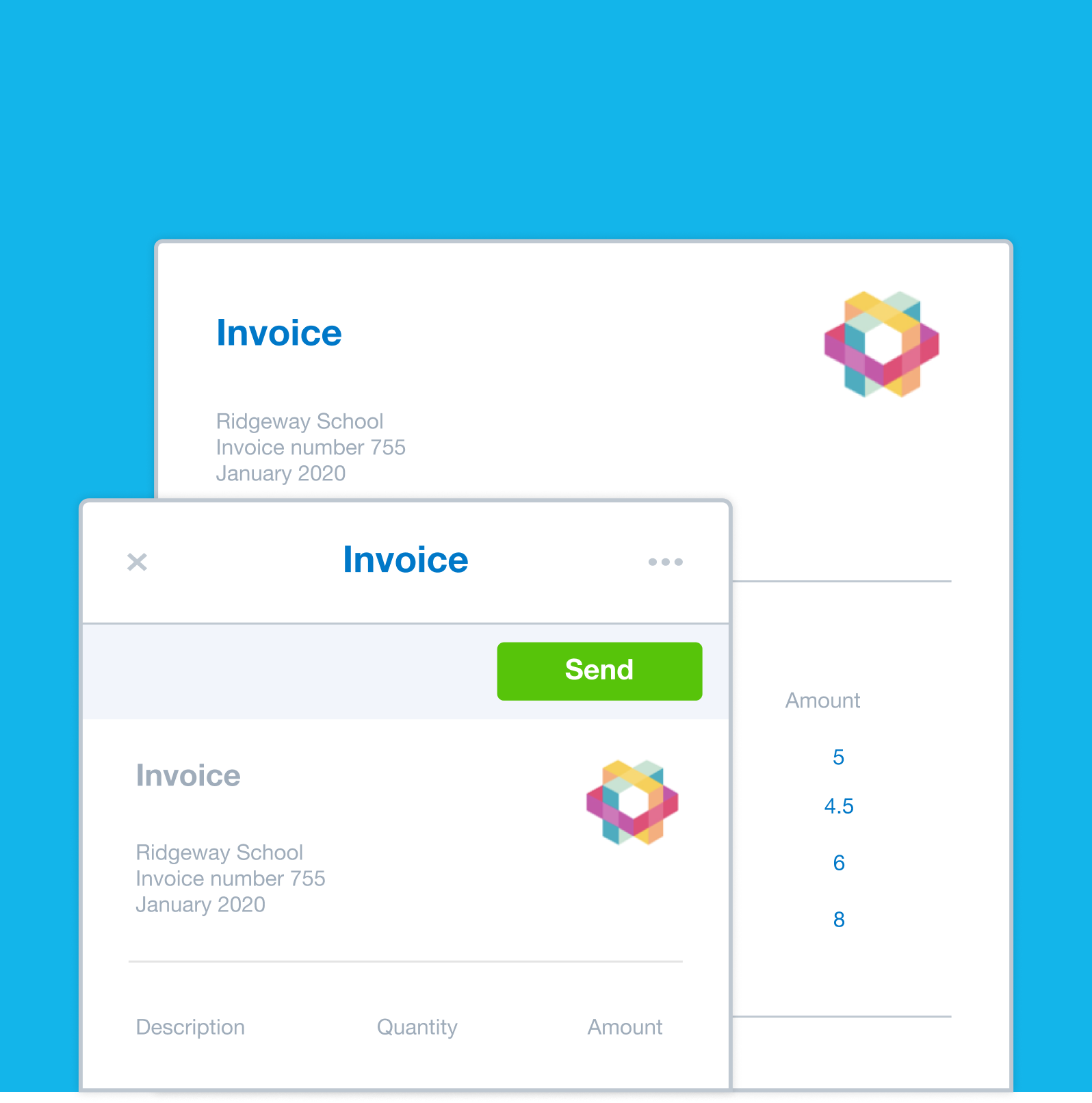
Monitor project profitability at a glance
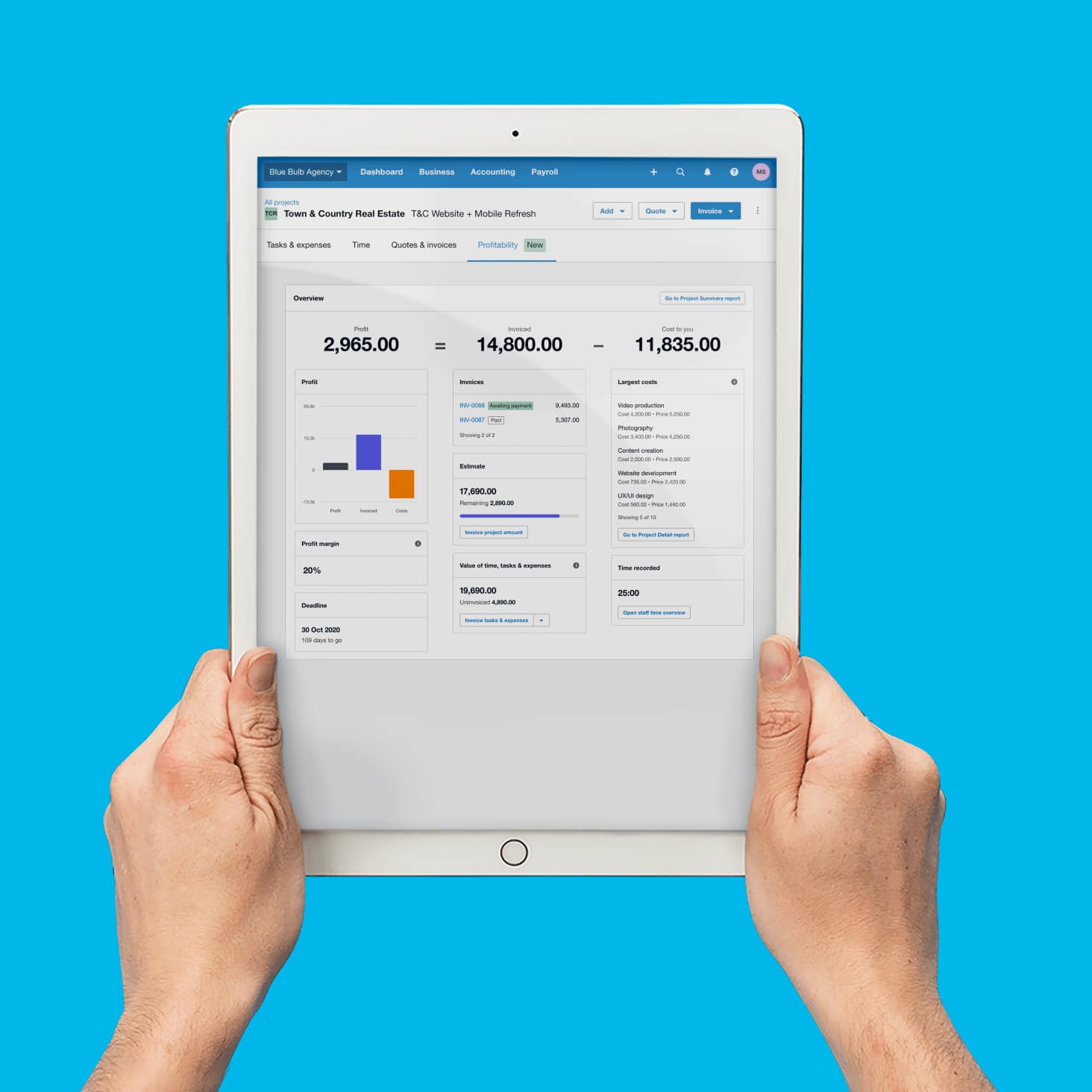
Monitor and manage your project’s key finances so you can maximise your profits. Xero’s project management tools and reports compare revenue and costs for all your projects, showing you your most profitable jobs.
- View project financials on the profitability dashboard, and compare revenue and costs for all your projects.
- The project summary report shows financials for multiple projects side by side.
- Track budget against actual costs in the project financials report and spot variances early.
Project tracking built for your books
If you use Trello to manage projects, workflows and resources, log time against tasks directly in Xero Projects. With project tracking and accounting working as one, your expenses, invoices and reports sync automatically – so your books stay up to date without the manual work.
- No difficult integrations: project accounting integrates with Xero automatically, so it’s easy to track project time and costs and add tracking details to Xero invoices automatically.
- See project finances and profitability in real time.
- One system for projects, expenses, invoicing and reporting. No complex integrations needed.
Project tracking for your industry
- Construction: track project costs and stay on top of CIS scheme obligations to HMRC and subcontractors in Xero
- Monitor project budgets and track billable hours targets with Xero's project tracker software
- Professional services: track billable hours and expenses for accurate profitability by project
Agencies:
Monitor project budgets, and track billable time across campaigns.
Professional services:
Track billable hours and expenses for client engagements.
Consultancies:
Manage client projects from one dashboard. Track time and margins.
Why use project tracking software
Track profitability, manage time and expenses, and stay on budget for every project – all within your Xero accounting software.
Real-time expense tracking
Assign expenses to projects and track costs in real time. No manual updates, no spreadsheets.
Accurate budget tracking
Set project budgets, track actual costs against estimates and adjust as you go to keep every project on track.
Track your profitability in real time
Use project reports and the profitability dashboard to monitor project finances and margins in real time.
FAQs about project tracking software
Yes – project tracking is included in the Ultimate plan for up to 10 people, and you can add more users for an extra charge per user.
Yes – project tracking is included in the Ultimate plan for up to 10 people, and you can add more users for an extra charge per user.
It’s straightforward. First, assign bills, purchases, and expense claims directly to a project. Xero then tracks costs against your project budget, so you can see how your actual spend compares with budget estimates in real time.
You can also use the profitability dashboard to monitor revenue, costs, and margins for each project, and run the project financials report for a detailed breakdown.
It’s straightforward. First, assign bills, purchases, and expense claims directly to a project. Xero then tracks costs against your project budget, so you can see how your actual spend compares with budget estimates in real time.
You can also use the profitability dashboard to monitor revenue, costs, and margins for each project, and run the project financials report for a detailed breakdown.
Xero's project expense tracking software monitors the time spent on jobs. You can see staff resource allocations, time entries, hours worked, and progress against your billable hours targets.
There are also resource management reports that show chargeable and non-chargeable hours. And the Xero Projects mobile app includes a start-stop timer, so your team can log time on the go from their phones or tablets.
Xero's project expense tracking software monitors the time spent on jobs. You can see staff resource allocations, time entries, hours worked, and progress against your billable hours targets.
There are also resource management reports that show chargeable and non-chargeable hours. And the Xero Projects mobile app includes a start-stop timer, so your team can log time on the go from their phones or tablets.
Yes. If you use Trello for managing projects, workflows, and resources, you can log time you've entered against tasks in Trello directly in Xero Projects.
The time entry details show that it came from Trello, and you can click through to the Trello card from within Projects.
Yes. If you use Trello for managing projects, workflows, and resources, you can log time you've entered against tasks in Trello directly in Xero Projects.
The time entry details show that it came from Trello, and you can click through to the Trello card from within Projects.
Xero gives you three project reports:
- The Project Summary report shows basic financials for all projects with the same status, so you can compare performance across jobs
- The Project Financials report tracks tasks and expenses against your budget, showing where you're over or under
- The Project Details report offers a detailed overview of project activity, including a breakdown of project financials, estimates, expenses and invoiced amounts
To find these project reports, select ‘All projects’ in the Projects menu. The profitability dashboard also gives you a snapshot of revenue, costs, and gross margin for every project.
Xero gives you three project reports:
- The Project Summary report shows basic financials for all projects with the same status, so you can compare performance across jobs
- The Project Financials report tracks tasks and expenses against your budget, showing where you're over or under
- The Project Details report offers a detailed overview of project activity, including a breakdown of project financials, estimates, expenses and invoiced amounts
To find these project reports, select ‘All projects’ in the Projects menu. The profitability dashboard also gives you a snapshot of revenue, costs, and gross margin for every project.
These two software types have different purposes.
- Project tracking software monitors the financial side of your projects: costs, expenses, time, budgets and profitability. It answers questions like: how much have we spent on this job? Are we on budget? Is this project profitable?
- Project tracking software helps you track time and costs, manage budgets, and monitor profitability. It helps you manage tasks, track project time and costs, and monitor progress against budget so you deliver on time. Some examples are like Asana, Monday.com, and Trello.
Xero's project tracking is built into your accounting software, so every cost, time entry, and invoice is connected to your financial records. Get financial control with project accounting that integrates with Xero automatically – so it's easy to create projects and set up job tracking.
These two software types have different purposes.
- Project tracking software monitors the financial side of your projects: costs, expenses, time, budgets and profitability. It answers questions like: how much have we spent on this job? Are we on budget? Is this project profitable?
- Project tracking software helps you track time and costs, manage budgets, and monitor profitability. It helps you manage tasks, track project time and costs, and monitor progress against budget so you deliver on time. Some examples are like Asana, Monday.com, and Trello.
Xero's project tracking is built into your accounting software, so every cost, time entry, and invoice is connected to your financial records. Get financial control with project accounting that integrates with Xero automatically – so it's easy to create projects and set up job tracking.
Look for these capabilities when choosing project tracking software that connects to your accounting.
Project expense tracking: Assign bills, purchases, and expense claims to projects so you can track costs as you incur them.
Budget monitoring: Set project budgets and compare actual costs against estimates automatically.
Time tracking: Log billable and non-billable hours with a built-in timer – ideally from a mobile app as well.
Profitability reporting: See revenue, costs, and gross margin for each project at a glance.
Invoicing integration: Create invoices directly from tracked time and expenses without re-entering data.
Native integration with accounting functions: Your project data can then sync to your accounts so you don’t have to enter it twice – saving you time and data-entry errors.
For UK businesses, look for tools that let you assign bills and spend money transactions to projects to track spending and profitability.
Project tracking is included in Xero's Ultimate plan for up to 10 people.
Look for these capabilities when choosing project tracking software that connects to your accounting.
Project expense tracking: Assign bills, purchases, and expense claims to projects so you can track costs as you incur them.
Budget monitoring: Set project budgets and compare actual costs against estimates automatically.
Time tracking: Log billable and non-billable hours with a built-in timer – ideally from a mobile app as well.
Profitability reporting: See revenue, costs, and gross margin for each project at a glance.
Invoicing integration: Create invoices directly from tracked time and expenses without re-entering data.
Native integration with accounting functions: Your project data can then sync to your accounts so you don’t have to enter it twice – saving you time and data-entry errors.
For UK businesses, look for tools that let you assign bills and spend money transactions to projects to track spending and profitability.
Project tracking is included in Xero's Ultimate plan for up to 10 people.
Standalone tools like Trello can be used for managing projects, workflows, and resources. They’re good at organising what needs to happen, but Xero helps you track project costs, budgets and profitability in real time.
If a bank feed isn’t available, you can manually import bank statements or set up a third-party feed. Once connected, bank transactions flow into Xero and can be matched to your Xero transactions through reconciliation.
Xero takes a different approach. Project tracking is built into your accounting software, so expenses, time entries, invoices, and profitability reports all sync automatically. You see your project finances in real time and can create invoices from tracked costs and run profitability reports without leaving the platform.
If your UK business needs project tracking with built-in financial visibility, Xero helps you track time and costs, automate budgets and invoices, and monitor project profitability.
Standalone tools like Trello can be used for managing projects, workflows, and resources. They’re good at organising what needs to happen, but Xero helps you track project costs, budgets and profitability in real time.
If a bank feed isn’t available, you can manually import bank statements or set up a third-party feed. Once connected, bank transactions flow into Xero and can be matched to your Xero transactions through reconciliation.
Xero takes a different approach. Project tracking is built into your accounting software, so expenses, time entries, invoices, and profitability reports all sync automatically. You see your project finances in real time and can create invoices from tracked costs and run profitability reports without leaving the platform.
If your UK business needs project tracking with built-in financial visibility, Xero helps you track time and costs, automate budgets and invoices, and monitor project profitability.
Project tracking and job costing are closely related but focus on different stages.
- Project tracking monitors time and expenses while work is underway, so you can see where your money is going in real time. It answers: where are we on this job right now? Are we on budget? How much time has been logged?
- Job costing compares project revenue and costs to help you track profitability. It answers: did we make money on this job? Where did the costs go? How can we price better next time?
In Xero, both work together. Project tracking captures the data as you go, and job costing reports analyse it to show your true profitability.
Project tracking and job costing are closely related but focus on different stages.
- Project tracking monitors time and expenses while work is underway, so you can see where your money is going in real time. It answers: where are we on this job right now? Are we on budget? How much time has been logged?
- Job costing compares project revenue and costs to help you track profitability. It answers: did we make money on this job? Where did the costs go? How can we price better next time?
In Xero, both work together. Project tracking captures the data as you go, and job costing reports analyse it to show your true profitability.
Time tracking
Track your project hours on your device anywhere, anytime, and precisely invoice the time spent on tasks.
Job costing
Use job costing software to plan and quote jobs, monitor costs, and check profitability.
Accounting software for your small business
Run your business accounting online with Xero. It's easy-to-use accounting software, designed for your UK small business.
- Everything in one place
- Connect to your bank
- Collaborate in real time
- Customise to suit your needs

Get one month free
Purchase any Xero plan, and we will give you the first month free.
See how to track project costs in one place
So much better than spreadsheets.