Time-tracking software for accurate invoicing
Record billable hours and turn tracked time into accurate invoices with Xero's time-tracking software. Log hours on your phone or desktop, assign time to projects and clients, and let Xero populate your invoices automatically. Everything flows from timesheet to invoice to accounting ledger.
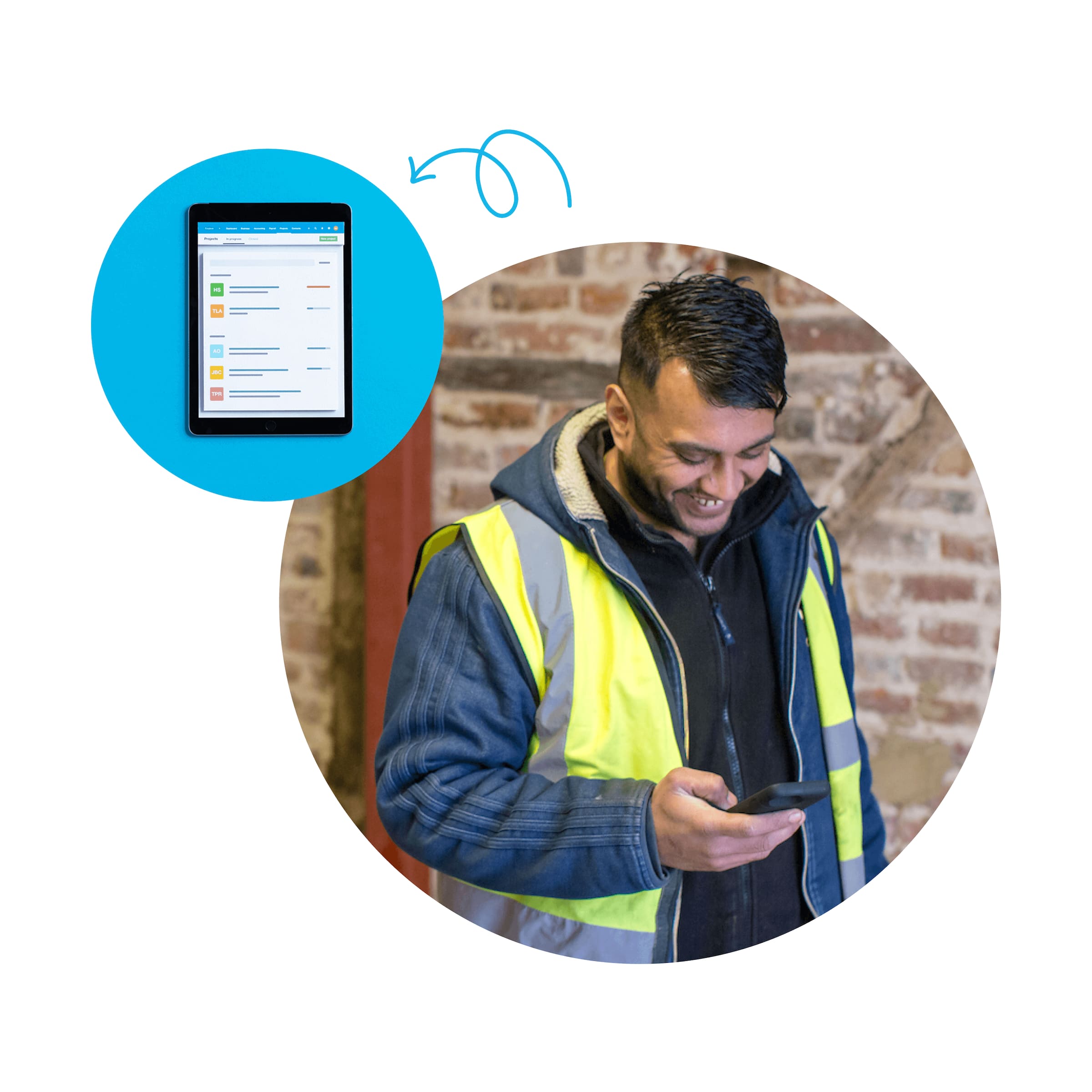
Log hours, bill clients, and track your project profitability
Xero's project time tracking software helps you log every billable hour, turn tracked time into invoices, and bill clients with confidence.
Log time from anywhere with the time tracking app
Start the timer, add time manually, or let GPS auto tracking suggest entries at the job sites.
Convert tracked time into accurate client invoices
Tracked hours, rates, and task details flow into your invoices. Separate billable and non-billable time for accuracy.
See project profitability and time at a glance
See job costs, billable hours, and project profitability in Xero reports. Get insights to price future work right.
What used to take me days, and cause lots of stress and annoyance, now only takes a few minutes.
Monique Malcolm, Take Tiny Action

What is time-tracking software, exactly?
Time-tracking software records hours spent on tasks, projects and clients. It replaces paper timesheets with a digital record you can access any time. Log hours with a timer, add them manually, or use GPS tracking on mobile. With Xero, hours flow directly into job costing, invoices and payroll.
- Choose your method: timer for live logging, manual entry, or GPS auto tracking on your mobile.
- Review your total hours for each job and project any time, anywhere.
- Tracked time syncs across Xero Projects, invoicing, payroll and reporting, so your data flows across features.
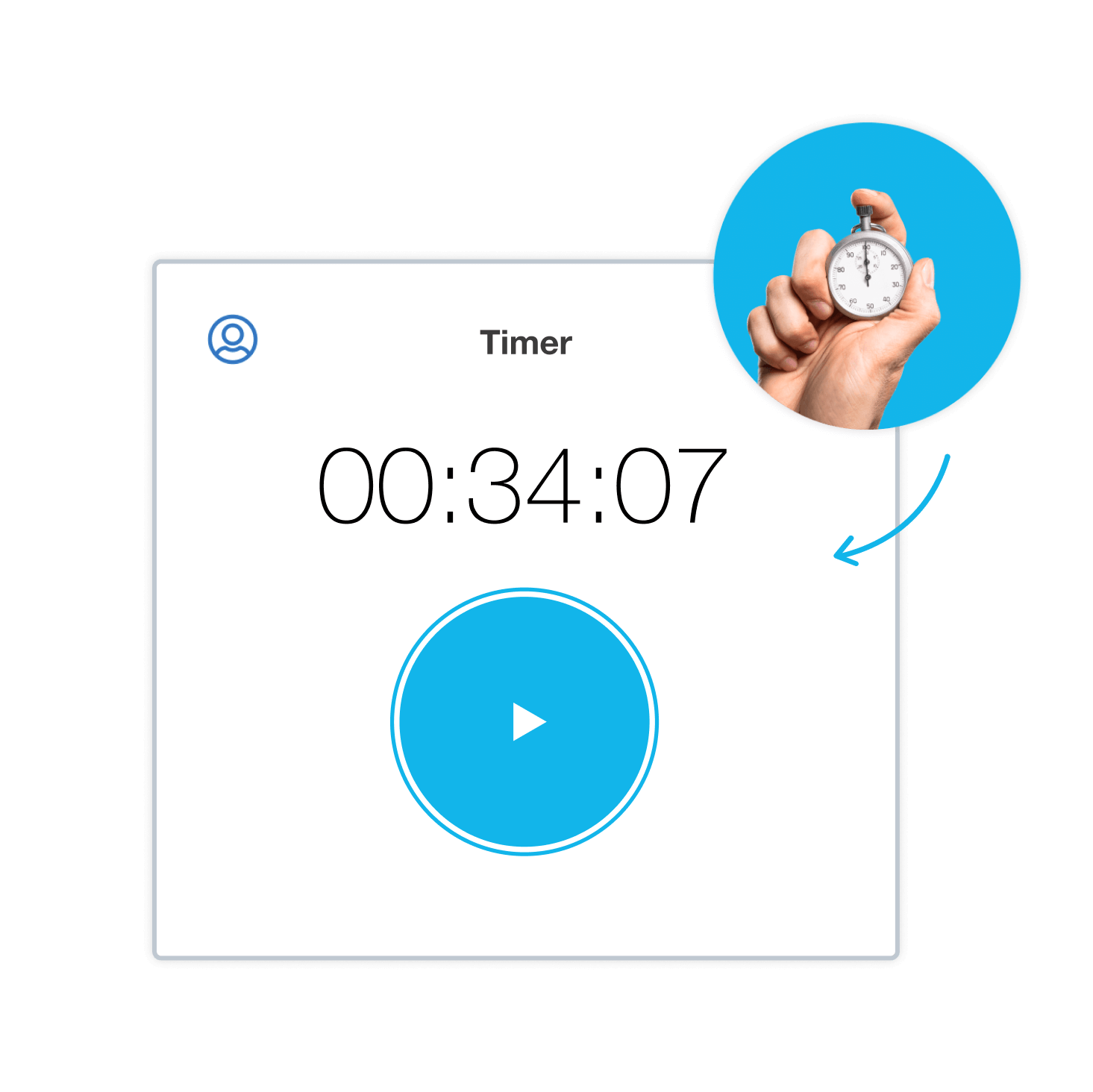
Time invoicing: turn hours into invoices
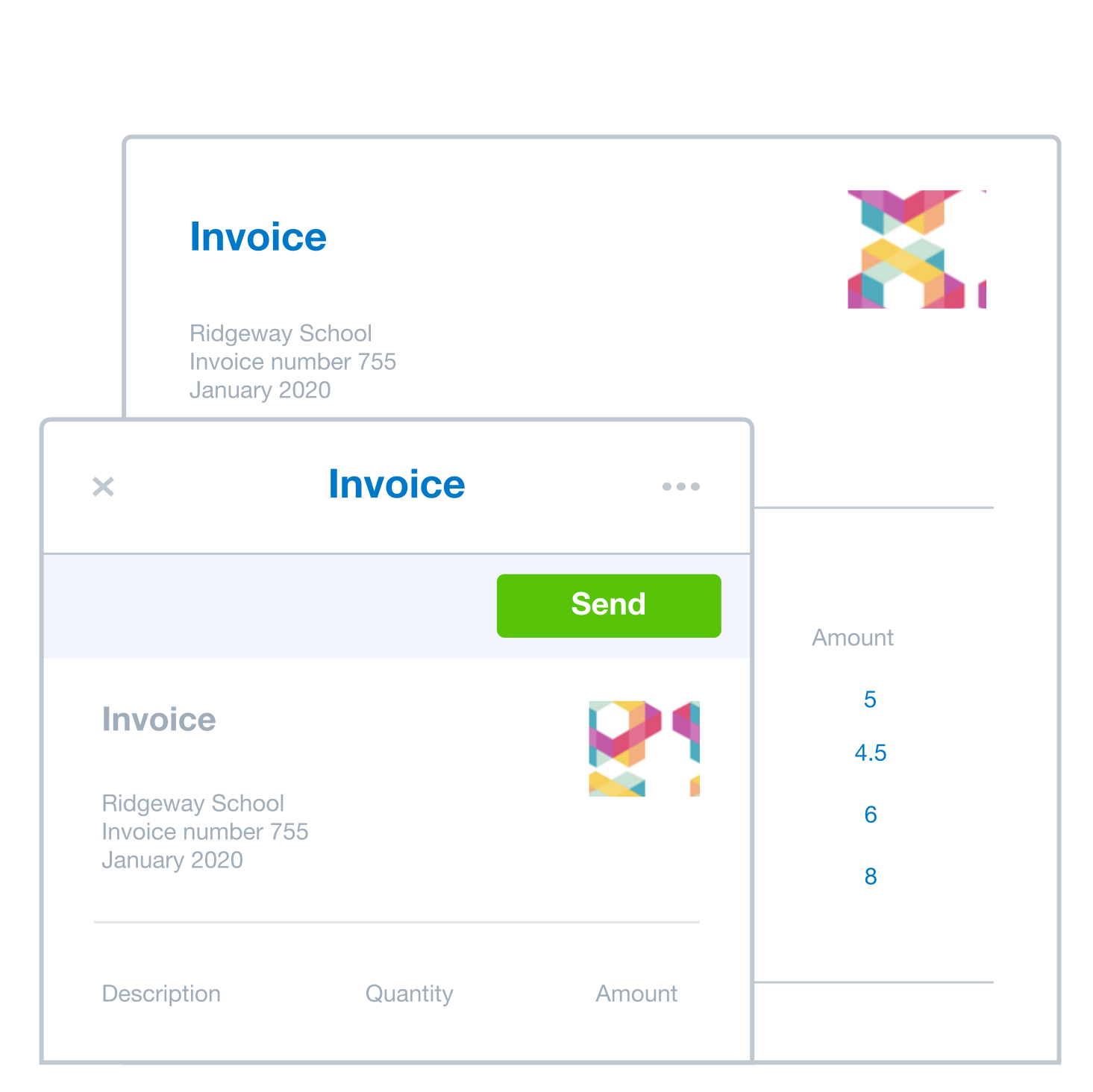
Time invoicing converts tracked hours into client invoices with no manual re-entry. Log billable time against a project and set your hourly or fixed rates – Xero fills in hours, descriptions, and amounts automatically. Then review and send!
- Tracked hours, rates, auto-populate your invoices. No copy-and-paste or manual calculations.
- See all your billable hours calculated and use reports to find out how many hours are billable.
- Track time, then invoice and reconcile, all within Xero. Everything is connected, so data flows smoothly between Xero and connected apps.
Choose the right time tracking software
The right time tracking software has the features you need: Integration with accounting software so tracked hours flow straight into invoices mobile access, flexible entry methods, billable and non-billable tracking, and clear project profitability reports.
- Invoicing integration: your tracked time feeds the right numbers into invoices, all within Xero.
- Mobile access: log hours on iOS or Android with the Xero Projects mobile app. Record your time on a task by either adding a time entry, recording time with the built-in timer, or copying an existing time entry.
- Clear reporting: see billable hours, job costs, and profitability at a glance. Price your next job with confidence.
Get your team started with time tracking
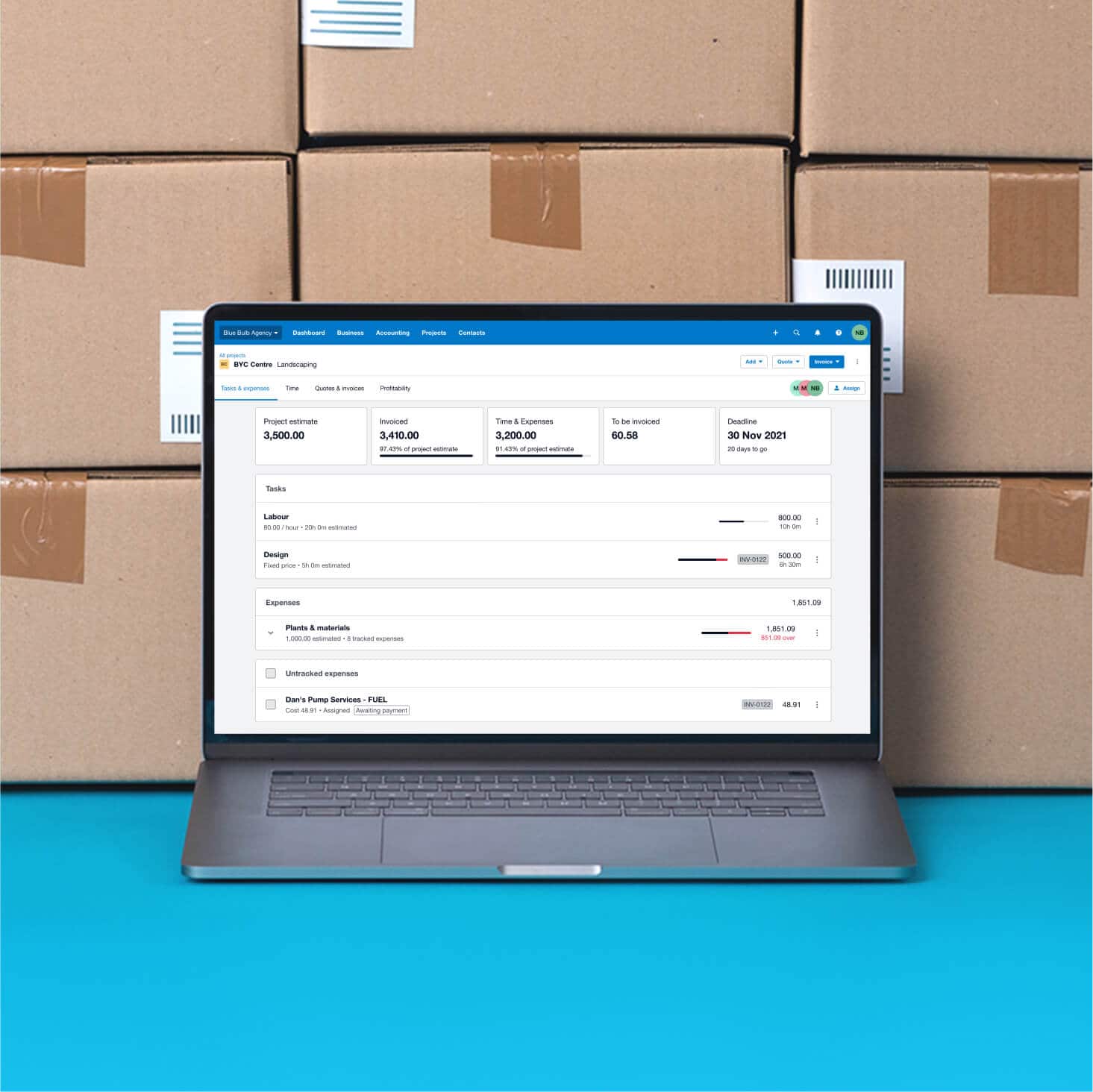
Set up time tracking in Xero in minutes. Create projects, add tasks, and set your billing rates. Invite your team and show them the timer, manual entry, or GPS auto tracking. Set clear expectations on logging hours and separating billable and non-billable time.
- Create projects, add tasks, and choose whether to charge a fixed or hourly price. It’s quick and easy to set up your business correctly in Xero.
- Show your team the timer, manual entry, or GPS auto tracking. The Xero Me app keeps onboarding simple.
- Using Xero Payroll? Time entries feed directly into pay runs. Your team can record project time with the Xero Projects app.
Time tracking apps that integrate with Xero
Need specialised time tracking tools? The Xero App Store has more than 1,000 certified apps that integrate beautifully with Xero. Xero adapts with your business: choose apps to track hours, simplify timesheets, and manage projects for your specific needs.
- Third-party time tracking apps integrate with Xero so data flows smoothly between systems. Avoid manual errors and save time with automatic calculations.
- Every app is Xero certified, with user reviews and ratings to help you choose. Browse with confidence.
- Pick from 50+ time tracking apps, including favourites like Deputy, LiveCosts, and ServiceM8.

Accounting software for UK small businesses
Run your UK business on Xero's online accounting software. Track time, send invoices, reconcile bank transactions, and manage payroll in a single system. Xero is accounting software with time tracking built in – you get all your numbers in one place, from billable hours logged to payments received.
- Time tracking, invoicing, payroll, and bank feeds in one place. Less admin, more time for your business.
- Connect your bank to easily match payments you've received with amounts you invoiced.
- Track time, work on projects, and share data with your team. Unlimited general users at no extra cost.
- Choose whether to charge a fixed or hourly price. Track the time you spend on jobs, follow each project's budget and profitability, and invoice your clients.

FAQs about time tracking software and time invoicing in the UK
Time tracking software records the hours you and your team spend on projects, tasks, and clients. It replaces fiddly and lengthy manual processes and guesswork with a more reliable, streamlined way to record the time you spend on jobs.
The software should have tools to track time and log it precisely, like a timer for live tracking, or GPS-based auto tracking to start logging time when you arrive on site.
Xero Projects is part of Xero’s accounting software, so everything is connected: hours you log for projects are recorded across your Xero organisation.
In Xero, your time data connects directly to your projects, invoices and financial reports. That gives you a single place to check how your team spends its time and how that time translates into revenue.
Time tracking software records the hours you and your team spend on projects, tasks, and clients. It replaces fiddly and lengthy manual processes and guesswork with a more reliable, streamlined way to record the time you spend on jobs.
The software should have tools to track time and log it precisely, like a timer for live tracking, or GPS-based auto tracking to start logging time when you arrive on site.
Xero Projects is part of Xero’s accounting software, so everything is connected: hours you log for projects are recorded across your Xero organisation.
In Xero, your time data connects directly to your projects, invoices and financial reports. That gives you a single place to check how your team spends its time and how that time translates into revenue.
Time invoicing in Xero connects your tracked hours directly to your client invoices. You (or your team) log billable hours against a project or task in Xero Projects and set your hourly or fixed rates when you create the project.
When you're ready to bill, Xero automatically populates your online invoices with the right figures, including calculated billable hours and totals. All you need to do is review the invoice, make any adjustments, and send it to your client.
And because Xero’s time tracking and invoicing sit within the accounting software, hours you log for projects are recorded across your Xero organisation, ready to populate invoices, and Xero can suggest matches between bank transactions and your invoices during reconciliation. Everything is connected: hours you log for projects are recorded across your Xero organisation, ready to populate invoices for you to analyse.
Time invoicing in Xero connects your tracked hours directly to your client invoices. You (or your team) log billable hours against a project or task in Xero Projects and set your hourly or fixed rates when you create the project.
When you're ready to bill, Xero automatically populates your online invoices with the right figures, including calculated billable hours and totals. All you need to do is review the invoice, make any adjustments, and send it to your client.
And because Xero’s time tracking and invoicing sit within the accounting software, hours you log for projects are recorded across your Xero organisation, ready to populate invoices, and Xero can suggest matches between bank transactions and your invoices during reconciliation. Everything is connected: hours you log for projects are recorded across your Xero organisation, ready to populate invoices for you to analyse.
It’s easy to use.
1. Make sure you're on a Xero plan that includes Xero Projects (Grow, Comprehensive, or Ultimate).
2. Download the Xero Projects app from the App Store or Google Play onto your iOS or Android device.
3. Open the app and select your project. You can then record time in three ways: add a time entry manually, start the built-in timer to track as you go, or copy an existing entry for recurring tasks.
Record your time on a task with the Xero Projects mobile app by adding a time entry, using the built-in timer, or copying an existing time entry. Your tracked time appears across all your devices and in the desktop version of Xero, so your team always has an up-to-date view.
It’s easy to use.
1. Make sure you're on a Xero plan that includes Xero Projects (Grow, Comprehensive, or Ultimate).
2. Download the Xero Projects app from the App Store or Google Play onto your iOS or Android device.
3. Open the app and select your project. You can then record time in three ways: add a time entry manually, start the built-in timer to track as you go, or copy an existing entry for recurring tasks.
Record your time on a task with the Xero Projects mobile app by adding a time entry, using the built-in timer, or copying an existing time entry. Your tracked time appears across all your devices and in the desktop version of Xero, so your team always has an up-to-date view.
Yes – just enable auto time tracking enabled in the Xero Projects app. Your phone can suggest time entries based on your location – when you enter a 100-metre radius of a designated job site, the app prompts you to log time for that project.
This is especially useful for trades and construction businesses that need to manage jobs and track profitability from anywhere. It takes the effort out of remembering to start a timer and helps you capture every billable hour accurately.
Yes – just enable auto time tracking enabled in the Xero Projects app. Your phone can suggest time entries based on your location – when you enter a 100-metre radius of a designated job site, the app prompts you to log time for that project.
This is especially useful for trades and construction businesses that need to manage jobs and track profitability from anywhere. It takes the effort out of remembering to start a timer and helps you capture every billable hour accurately.
The report breaks down the hours you and your team spend on a project, including how many are billable. You can filter by date range, project, or client to get the level of detail you need.
The report also shows you how much time employees have entered for a particular period, project, or client.
Use it with your project profitability dashboard to see whether your projects are on track financially and to identify where time is being spent versus where revenue is coming in.
The report breaks down the hours you and your team spend on a project, including how many are billable. You can filter by date range, project, or client to get the level of detail you need.
The report also shows you how much time employees have entered for a particular period, project, or client.
Use it with your project profitability dashboard to see whether your projects are on track financially and to identify where time is being spent versus where revenue is coming in.
Project staff reports give you a snapshot of your team's activity across all projects within a date range you choose. You can see whether staff have completed their time entries and whether they're meeting their targets for billable hours.
The reports also show financial data, including total invoiced amounts, time and expense costs, and how actuals compare to project estimates.
Use the reports to spot trends, see whether staff are meeting their billable hour targets, and make informed decisions about future work.
Project staff reports give you a snapshot of your team's activity across all projects within a date range you choose. You can see whether staff have completed their time entries and whether they're meeting their targets for billable hours.
The reports also show financial data, including total invoiced amounts, time and expense costs, and how actuals compare to project estimates.
Use the reports to spot trends, see whether staff are meeting their billable hour targets, and make informed decisions about future work.
Time tracking software costs vary depending on the provider, features included, and number of users. Track your business's costs and time with Xero Projects, a feature of Xero accounting software.
Xero Projects is part of Xero’s accounting software, so your time tracking connects with invoicing, payroll and reporting in one system. Xero also offers a 30-day free trial so you can test time tracking before committing.
Visit the pricing page for full details on current UK pricing
Time tracking software costs vary depending on the provider, features included, and number of users. Track your business's costs and time with Xero Projects, a feature of Xero accounting software.
Xero Projects is part of Xero’s accounting software, so your time tracking connects with invoicing, payroll and reporting in one system. Xero also offers a 30-day free trial so you can test time tracking before committing.
Visit the pricing page for full details on current UK pricing
The best time tracking software for UK small businesses depends on what you need it for. If your priority is accurate client billing and seamless accounting integration, Xero is a strong choice.
Xero's time tracking is built for businesses that bill by the hour, helping you record time on jobs, track project profitability, and create accurate invoices. Tracked time connects directly to your invoicing and accounting, so you go from logging hours to sending an invoice to reconciling a payment in one system.
This makes Xero useful for businesses that need to track time on projects, create accurate invoices, and monitor budgets and profitability.
The best time tracking software for UK small businesses depends on what you need it for. If your priority is accurate client billing and seamless accounting integration, Xero is a strong choice.
Xero's time tracking is built for businesses that bill by the hour, helping you record time on jobs, track project profitability, and create accurate invoices. Tracked time connects directly to your invoicing and accounting, so you go from logging hours to sending an invoice to reconciling a payment in one system.
This makes Xero useful for businesses that need to track time on projects, create accurate invoices, and monitor budgets and profitability.
In Xero, you can add time entries, record time with the built-in timer, or copy an existing time entry, and reports show how many hours are billable. You can see all your billable hours calculated in Xero, and reports can show how many of your project hours are billable.
When you create an invoice from a project, Xero then includes only billable hours in the totals. This helps you find out the hours you and your team spend on a project – and how many of these hours are billable.
By tracking billable and non-billable hours, you can work out what to charge your clients, create more accurate invoices, and see how many hours your team spends on a project.
In Xero, you can add time entries, record time with the built-in timer, or copy an existing time entry, and reports show how many hours are billable. You can see all your billable hours calculated in Xero, and reports can show how many of your project hours are billable.
When you create an invoice from a project, Xero then includes only billable hours in the totals. This helps you find out the hours you and your team spend on a project – and how many of these hours are billable.
By tracking billable and non-billable hours, you can work out what to charge your clients, create more accurate invoices, and see how many hours your team spends on a project.
How Xero helps businesses in your industry
Xero's time tracking software gives you the tools to log hours, manage project costs, and bill clients accurately, whatever your industry.
Time tracking in manufacturing
Track labour hours and costs for each job. See profitability and price your next job accurately.
Explore time tracking features for your manufacturing business
Time tracking in architecture
Track billable hours by project and client. Turn tracked time into accurate invoices for your practice.
Check out time tracking features for your architecture practice
Time tracking in professional services
Log billable hours and turn them into invoices.
Explore time tracking features for professional services firms
Get one month free
Purchase any Xero plan, and we will give you the first month free.
Plans to suit your business
Ignite
for the first 6 months
Then £18 per month
An easy financial foundation - track cash flow with the essentials.
- Send quotes and 20 invoices†
- Accept online invoice payments^
- MTD for Income Tax ready
- Reconcile transactions
- Smart document capture
- View real-time reports
- Enter 10 bills
- Submit VAT returns to HMRC
- Automate subcontractor CIS calculations and reports
- Make online bill and payroll payments (domestic) for £0.20 per payment††
- Payroll for £1.50 per person
- 30 day cash flow forecast
- Visualise performance with basic graphs
- Company accounts and tax (optional £120 excl. Vat billed annually)

Grow
for the first 6 months
Then £39 per month
Go beyond the basics - automate tasks and access performance dashboards.
- Send invoices and quotes
- Accept online invoice payments^
- MTD for Income Tax ready
- Reconcile transactions
- Smart document capture
- View real-time reports
- Automate bill entry and track bills
- Submit VAT returns to HMRC
- Automate subcontractor CIS calculations and reports
- Make online bill and payroll payments (domestic) for up to 5 payments
- Payroll for 1 person
- 60 day cash flow forecast
- Visualise performance with graphs
- Customise performance dashboards
- Claim expenses and mileage for 1 user
- Auto-reconcile transactions
- Company accounts and tax (optional £120 excl. Vat billed annually)
Comprehensive
for the first 6 months
Then £55 per month
Optimise profitability - tailor your insights for greater control.
- Send invoices and quotes
- Accept online invoice payments^
- MTD for Income Tax ready
- Reconcile transactions
- Smart document capture
- View real-time reports
- Automate bill entry and track bills
- Submit VAT returns to HMRC
- Automate subcontractor CIS calculations and reports
- Make online bill and payroll payments (domestic) for up to 10 payments
- Payroll for 5 people
- 90 day cash flow forecast
- Visualise performance with graphs
- Customise performance dashboards
- Claim expenses and mileage for 5 users
- Use multiple currencies
- Tailored financial health scorecards
- Make online bill payments (International) - Optional add-on
- Auto-reconcile transactions
- Company accounts and tax (optional £120 excl. Vat billed annually)
- Budget with smart suggestions
Ultimate
for the first 6 months
Then £70 per month
Future proof your scaling business - with advanced tools and analytics.
- Send invoices and quotes
- Accept online invoice payments^
- MTD for Income Tax ready
- Reconcile transactions
- Smart document capture
- View real-time reports
- Automate bill entry and track bills
- Submit VAT returns to HMRC
- Automate subcontractor CIS calculations and reports
- Make online bill and payroll payments (domestic) for up to 15 payments
- Payroll for 10 people
- 180 day cash flow forecast
- Visualise performance with graphs
- Customise performance dashboards
- Claim expenses and mileage for 10 users
- Use multiple currencies
- Tailored financial health scorecards
- Make online bill payments (International) - Optional add-on
- Track time and costs for projects for 10 users
- Analyse KPIs and ratios
- Benchmark against the industry
- Auto-reconcile transactions
- Company accounts and tax (optional £120 excl. Vat billed annually)
- Budget with smart suggestions
Technical help for Xero users
Want to do more with your Xero software? Here’s information on tools and features to supercharge the way you manage your projects.
Project detailed time reports
How does your team spend its time? Learn how to get crucial insights from these detailed reports.
Auto time-tracking by location
Find out how to automatically track your time when you’re a certain distance from your worksite.
Project management
Get technical help on setting up your projects in Xero, including assigning staff and permission levels.