Free quote template
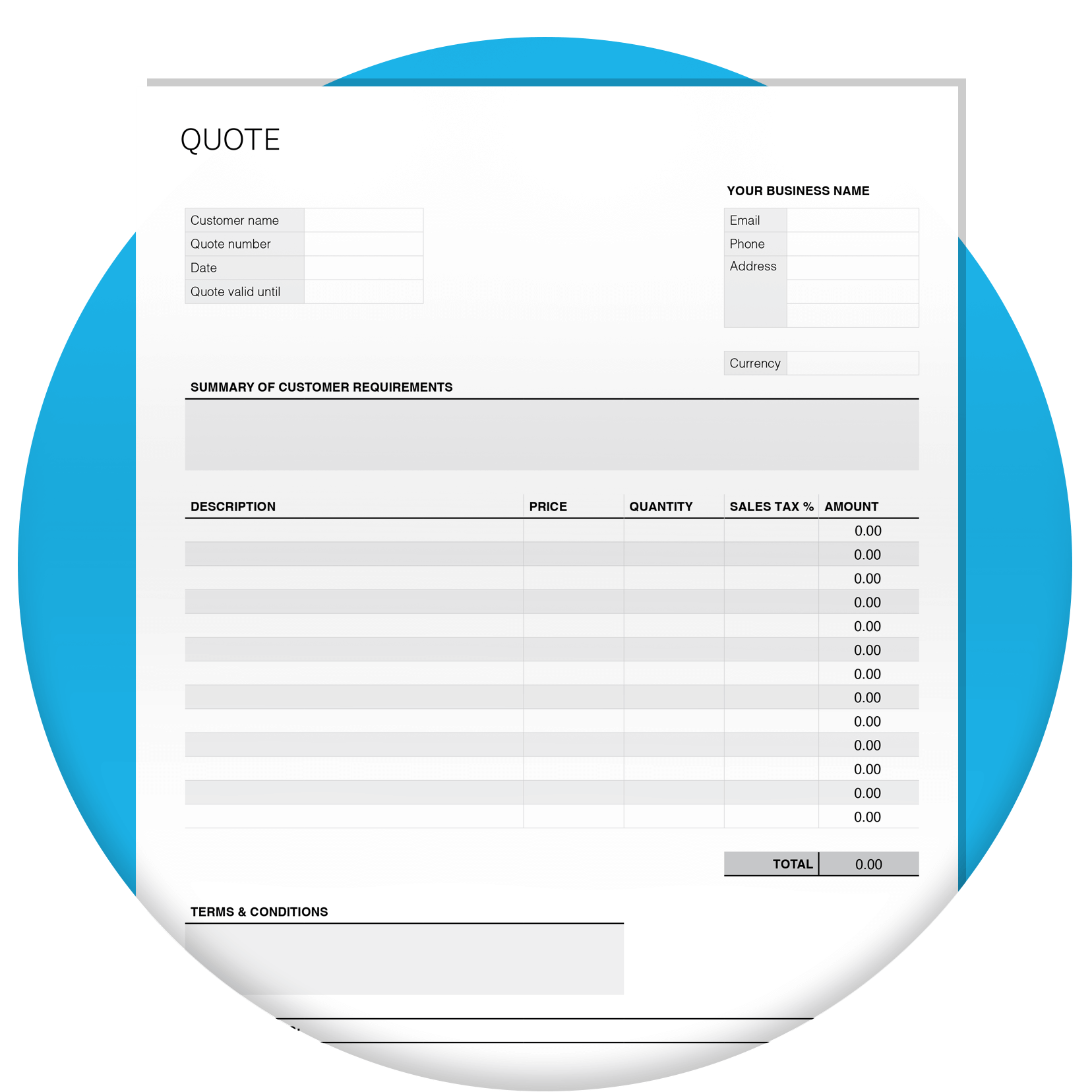
Download a free, editable PDF quote template and send professional quotes that help you win the job. Just add your prices and quantities, and the totals are worked out for you.
Last updated: October, 2027
Download the free quote template
Fill in the form to get a quote template as an editable PDF. We’ll also link you to a guide on how to use it.
Getting started with the quote template
Add your prices and quantities
Just add your prices and quantities, and the template works out the totals for you. For a step-by-step walkthrough, see our quote example guide (we'll send the link with your template).
Quote example guide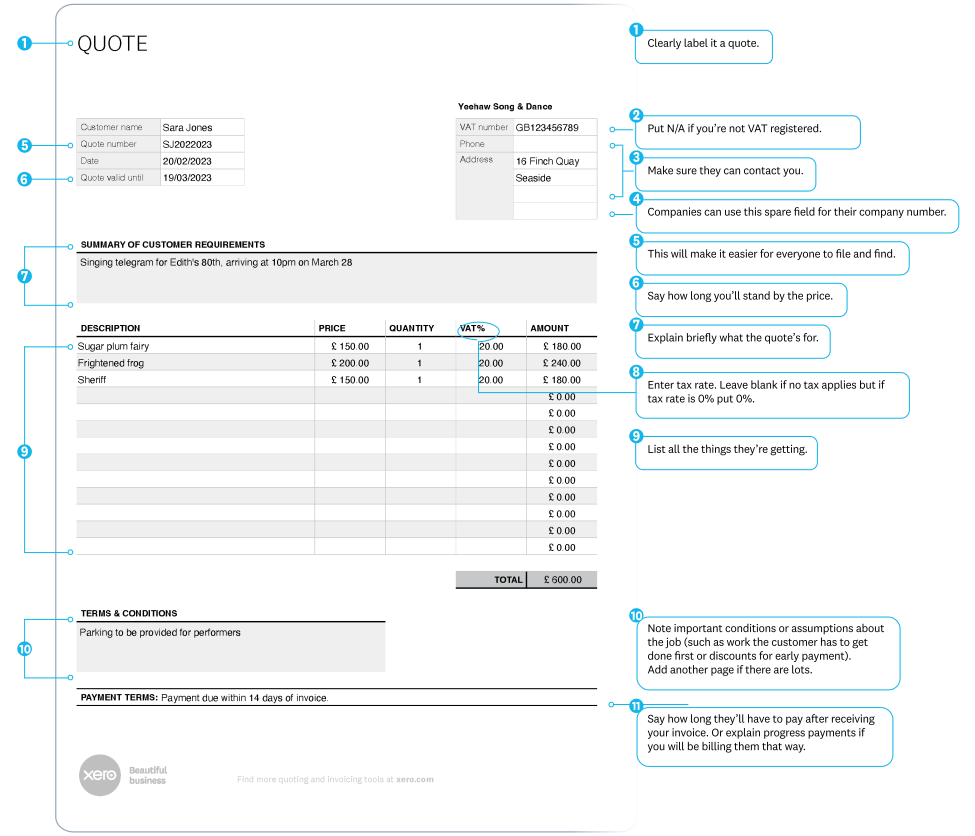
Set the VAT
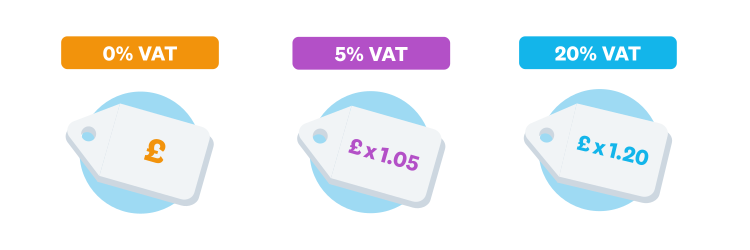
Check whether VAT applies and add it to the right boxes. If you're VAT registered, show it clearly, for example the standard rate of 20%. If no VAT applies, leave it blank.
Set out your payment terms
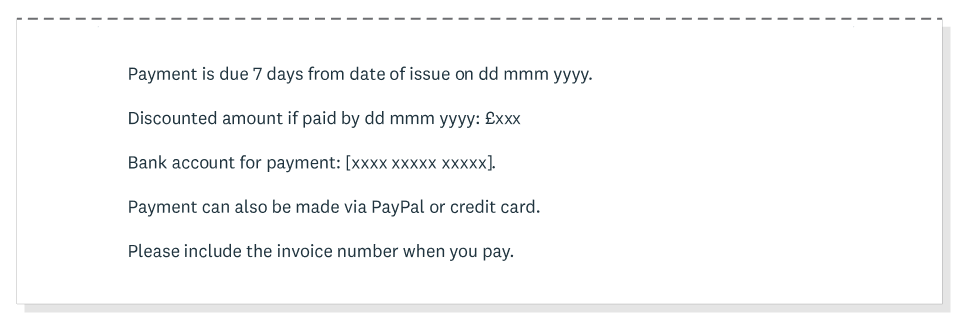
Put your payment terms in the box provided. Say when the job will be invoiced, how long the customer has to pay, and which payment methods you accept. Setting expectations now saves awkward conversations later.
What every quote should include
A clear quote leaves no room for guesswork. Make sure yours covers the essentials.
- A quote number and issue date.
- An expiry or validity date, so the price doesn't stand forever.
- The VAT treatment, if you're VAT registered.
- Payment terms and the payment methods you accept.
- Any delivery conditions or timeframes.
- Whether the quote is binding, or subject to your terms.

Quote, quotation or estimate?
A quote and a quotation are the same thing: a fixed price for the work. An estimate is your best guess when the final cost isn't certain yet. If you're not sure of the price, call it an estimate and say so.

Quote examples by job type
The same template suits different jobs, you just tailor the detail. Here's what to focus on for common types.
- Job quotes: list each task, plus materials and labour on their own lines.
- Business quotes: add your company details, VAT number and clear payment terms.
- Design and creative quotes: break the work into stages like concepts, revisions and final files.
- Service quotes: show your rate, the hours or scope, and what's included.

Do more with Xero once the quote's accepted
Create and send quotes online
Upgrade to Xero to build professional quotes on your desktop or the mobile app, then send them in minutes. Customers can click to accept online, and you'll know as soon as they do. Prefer to work online?

Turn accepted quotes into invoices
When you win the job, convert the accepted quote into an invoice in a few clicks instead of starting from scratch. You can accept online payments through that same invoice.

Compare the free quote template against Xero's paid Accounting Software here.
| Free template | Xero Accounting Software | |
|---|---|---|
| Quick quotes creation | ||
| Easily add your logo | ||
| Send from your mobile | ||
| Customer can click to accept | ||
| Convert easily into invoices |
Quote template FAQs
List your business and customer details, give the quote a number and date, add each item with its price, apply VAT if it's due, then set your payment terms and an expiry date.
List your business and customer details, give the quote a number and date, add each item with its price, apply VAT if it's due, then set your payment terms and an expiry date.
That's up to you, but 30 days is common. Add an expiry date so the price doesn't stand forever, and follow up with the customer before it runs out.
That's up to you, but 30 days is common. Add an expiry date so the price doesn't stand forever, and follow up with the customer before it runs out.
AI tools can draft the wording, but you still need to check the prices, VAT and terms yourself. A ready-made template keeps every quote consistent and professional.
AI tools can draft the wording, but you still need to check the prices, VAT and terms yourself. A ready-made template keeps every quote consistent and professional.
Take the admin out of quoting
From quote to invoice to payment, Xero keeps it in one place. See how much time you save.
Disclaimer
Xero does not provide accounting, tax, business or legal advice. This template has been provided for information purposes only. You should consult your own professional advisors for advice directly relating to your business.