Stock up on calm with a warehouse management system
Stock counts in one spreadsheet and sales in another? Track what you buy and sell next to your accounts. See how each item sells. Add an inventory app from the Xero App Store as you grow.
Warehouse stock and accounts, working as one team
Keep your shelves, stock records, and accounts telling the same story.
Spend less time on spreadsheets
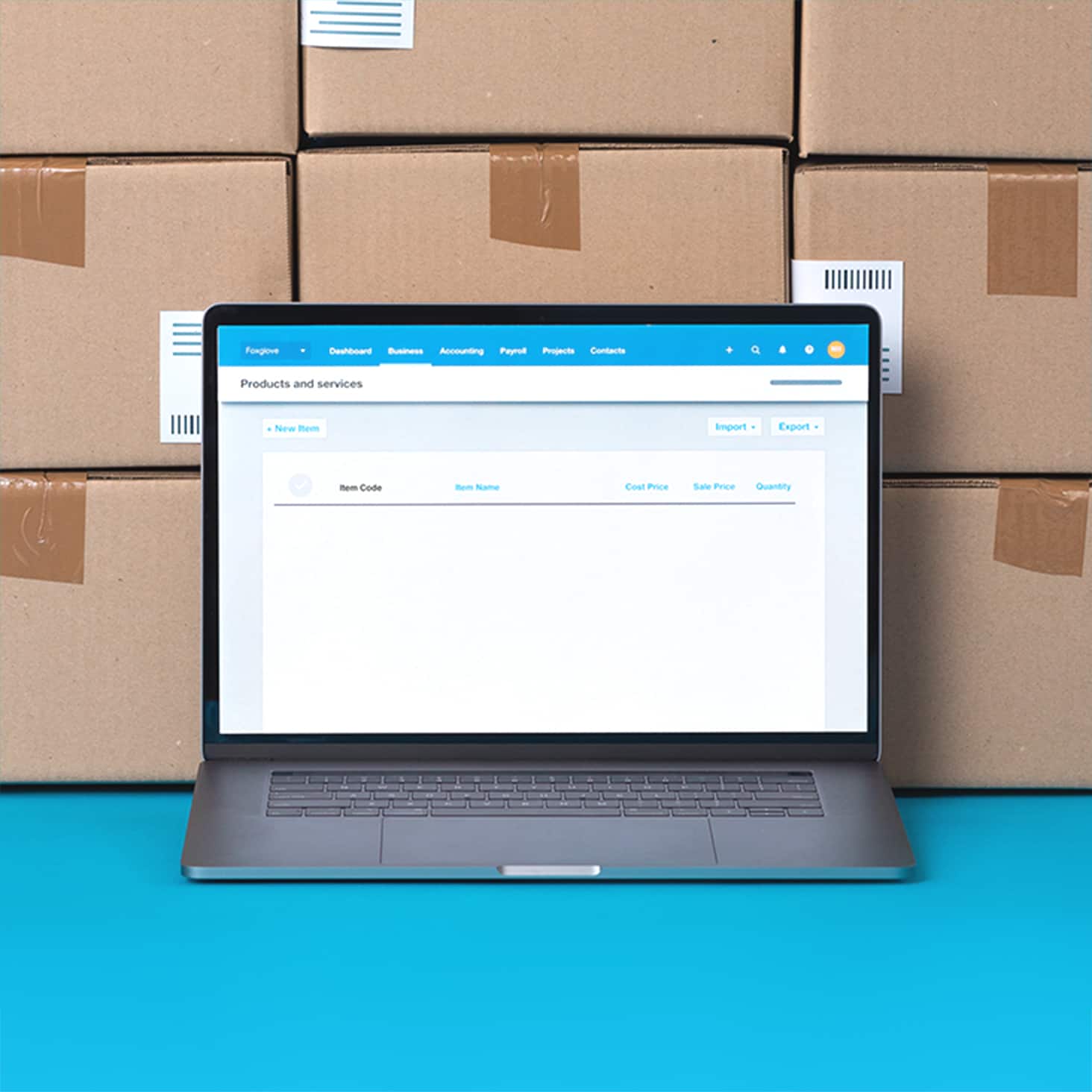
Track everything you buy and sell in one place. Use your item list to save time and standardise your invoices and bills.
Spot stock shortages early
Stock levels update as you approve invoices and bills, so you can spot low items before you run out or over-order.
Inventory and accounting, connected
Track products in the same place as your books, and report on the quantity and value of stock you have available.
Run your stock and books side by side
Tracked items show the quantity and value of stock on hand, and Xero records the cost of goods sold whenever one sells. It tracks goods and services tax (GST) as well, so your business activity statement (BAS) is easier to prepare. The result: accurate books with less admin.
- ✓ Track the quantity and value of each item you hold
- ✓ Add items to quotes, invoices, and purchase orders
- ✓ Check balances with the Inventory Item List report
Add inventory apps from the Xero App Store
When orders pick up, warehouse tasks can be handed over to a connected app. Browse hundreds of apps on the Xero App Store for picking and packing, barcode scanning, and multi-location stock. Data flows between Xero and your apps, so stock and accounts stay in step.
- Pick and pack orders
- Send picking lists to your team and dispatch orders from a connected app.
- Scan barcodes
- Scan items as you receive and pick them, so counts update as you go.
- Manage stock across locations
- See stock levels for each warehouse or store in one connected app.

Weighing up a warehouse management system?
Cloud-based software runs online with no on-site servers, so your team can check stock from anywhere with an internet connection. Choose a system that connects to your accounting, keeps stock data current,and includes automatic backups and updates.
- Connect directly to your accounting software
- Manage stock across multiple locations
- Scan barcodes as you receive and pick stock
- Report on sales performance and quantities on hand

Get set up and start tracking stock
Import your item list as a comma-separated values (CSV) file, then convert untracked items to tracked one by one or in bulk. Tracking starts from the day you convert, so enter any outstanding transactions first. Add an inventory app if you need one. Setup time varies by app.
- Bring your items across
- Import or export items by CSV, and attach photos or PDFs so your team can spot each product.
- Line up your counts
- Adjust quantity, average cost or total value after a stocktake so your figures match the shelves.
Plans to suit your business
FAQs on warehouse management systems
A warehouse management system (WMS) is software that manages the physical movement of stock in a warehouse, including receiving, storage, picking, and dispatch. Xero handles your inventory and accounting, and connected apps from the Xero App Store handle the work on the warehouse floor.
A warehouse management system (WMS) is software that manages the physical movement of stock in a warehouse, including receiving, storage, picking, and dispatch. Xero handles your inventory and accounting, and connected apps from the Xero App Store handle the work on the warehouse floor.
WMS stands for warehouse management system. In logistics, a WMS often connects to couriers and shipping tools, so you can track an order from the shelf to your customer's door.
WMS stands for warehouse management system. In logistics, a WMS often connects to couriers and shipping tools, so you can track an order from the shelf to your customer's door.
Warehouse management systems usually come in four forms:
- standalone software installed on your own servers (on-premise)
- cloud-based software you access online from any device
- a module inside an enterprise resource planning (ERP) system
- a connected app that links to accounting software such as Xero
For lighter needs, inventory software for small businesses in Xero may cover the essentials.
Warehouse management systems usually come in four forms:
- standalone software installed on your own servers (on-premise)
- cloud-based software you access online from any device
- a module inside an enterprise resource planning (ERP) system
- a connected app that links to accounting software such as Xero
For lighter needs, inventory software for small businesses in Xero may cover the essentials.
Inventory management tracks what you hold and what it's worth. A WMS manages where goods sit in the warehouse and how orders get picked and packed.
For more detail, read this guide to inventory management software.
Inventory management tracks what you hold and what it's worth. A WMS manages where goods sit in the warehouse and how orders get picked and packed.
For more detail, read this guide to inventory management software.
Often, yes. Many ERP systems include a WMS module that sits alongside finance and purchasing. With Xero, you get the accounting core and can customise and extend Xero with connected apps from the Xero App Store.
Often, yes. Many ERP systems include a WMS module that sits alongside finance and purchasing. With Xero, you get the accounting core and can customise and extend Xero with connected apps from the Xero App Store.
Definitely, once picking, packing, and tracking stock across locations take up your day. A WMS app connected to Xero can handle that work while your books stay up to date. See how inventory software for retail stores works in practice.
Definitely, once picking, packing, and tracking stock across locations take up your day. A WMS app connected to Xero can handle that work while your books stay up to date. See how inventory software for retail stores works in practice.
The cost depends on the Xero plan you choose plus any warehouse app you connect. You can compare Xero plans and prices before you start.
The cost depends on the Xero plan you choose plus any warehouse app you connect. You can compare Xero plans and prices before you start.
Absolutely. Xero records the value of your tracked stock and the cost of goods sold in your accounts, and tracks GST too.
If your stock value changes by $5000 or less in the year, the Australian Taxation Office's simplified trading stock rules may mean you can skip a formal stocktake.
Absolutely. Xero records the value of your tracked stock and the cost of goods sold in your accounts, and tracks GST too.
If your stock value changes by $5000 or less in the year, the Australian Taxation Office's simplified trading stock rules may mean you can skip a formal stocktake.
Yes. Connect a barcode scanning app from the Xero App Store to scan items as you receive, pick and pack them. If you sell through retailers, you'll usually need barcode numbers from GS1 Australia.
Yes. Connect a barcode scanning app from the Xero App Store to scan items as you receive, pick and pack them. If you sell through retailers, you'll usually need barcode numbers from GS1 Australia.
Start using Xero for free
Access all Xero features for 30 days, then decide which plan best suits your business.
- Safe and secure
- Cancel any time
- 24/7 online support
Plans to suit your business
Grow
Usually $78
Now $7.80
AUD per month
Save $210.60 over 3 months
Go beyond the basics - automate tasks and access performance dashboards.
- Send invoices and quotes
- Accept online invoice payments^
- Automate bill entry and track bills
- Reconcile bank transactions
- Track GST and lodge BAS
- Smart document capture basic extraction
- View real-time reports
- Automate superannuation
- Payroll for 2 people
- 60 day cashflow forecast
- Visualise performance with graphs
- Customise performance dashboards
- Claim expenses and mileage for 1 user
- Make online bill payments
- JAX automatically categorises and matches high-confidence bank transactions, giving you a reliable, up-to-date view of your finances.
Comprehensive
Usually $107
Now $10.70
AUD per month
Save $288.90 over 3 months
Optimise profitability - tailor your insights for greater control.
- Send invoices and quotes
- Accept online invoice payments^
- Automate bill entry and track bills
- Reconcile bank transactions
- Track GST and lodge BAS
- Smart document capture
- View real-time reports
- Automate superannuation
- Payroll for 5 people
- 90 day cashflow forecast
- Visualise performance with graphs
- Customise performance dashboards
- Claim expenses and mileage for 5 users
- Use multiple currencies
- Tailored financial health scorecards
- Make online bill payments
- Auto-reconcile transactions
- Budget with smart suggestions

Usually $143
Now $14.30
AUD per month
Save $386.10 over 3 months
Future proof your scaling business - with advanced tools and analytics.
- Send invoices and quotes
- Accept online invoice payments^
- Automate bill entry and track bills
- Reconcile bank transactions
- Track GST and lodge BAS
- Smart document capture
- View real-time reports
- Automate superannuation
- Payroll for 10 people
- 180 day cashflow forecast
- Visualise performance with graphs
- Customise performance dashboards
- Claim expenses and mileage for 10 users
- Use multiple currencies
- Tailored financial health scorecards
- Analyse KPIs and ratios
- Track projects for 10 users
- Benchmark against the industry
- Make online bill payments
- Auto-reconcile transactions
- Budget with smart suggestions
Get one month free
Purchase any Xero plan, and we will give you the first month free.
Explore useful features to run your business
Xero’s online accounting software is designed to make life easier for small businesses – anywhere, any time.