Free invoice generator
Simplify your billing process with our free invoice generator. Create professional invoices in a few clicks by downloading our customisable invoice maker and adding the product or service details. Send invoices to customers and keep copies for your financial records.
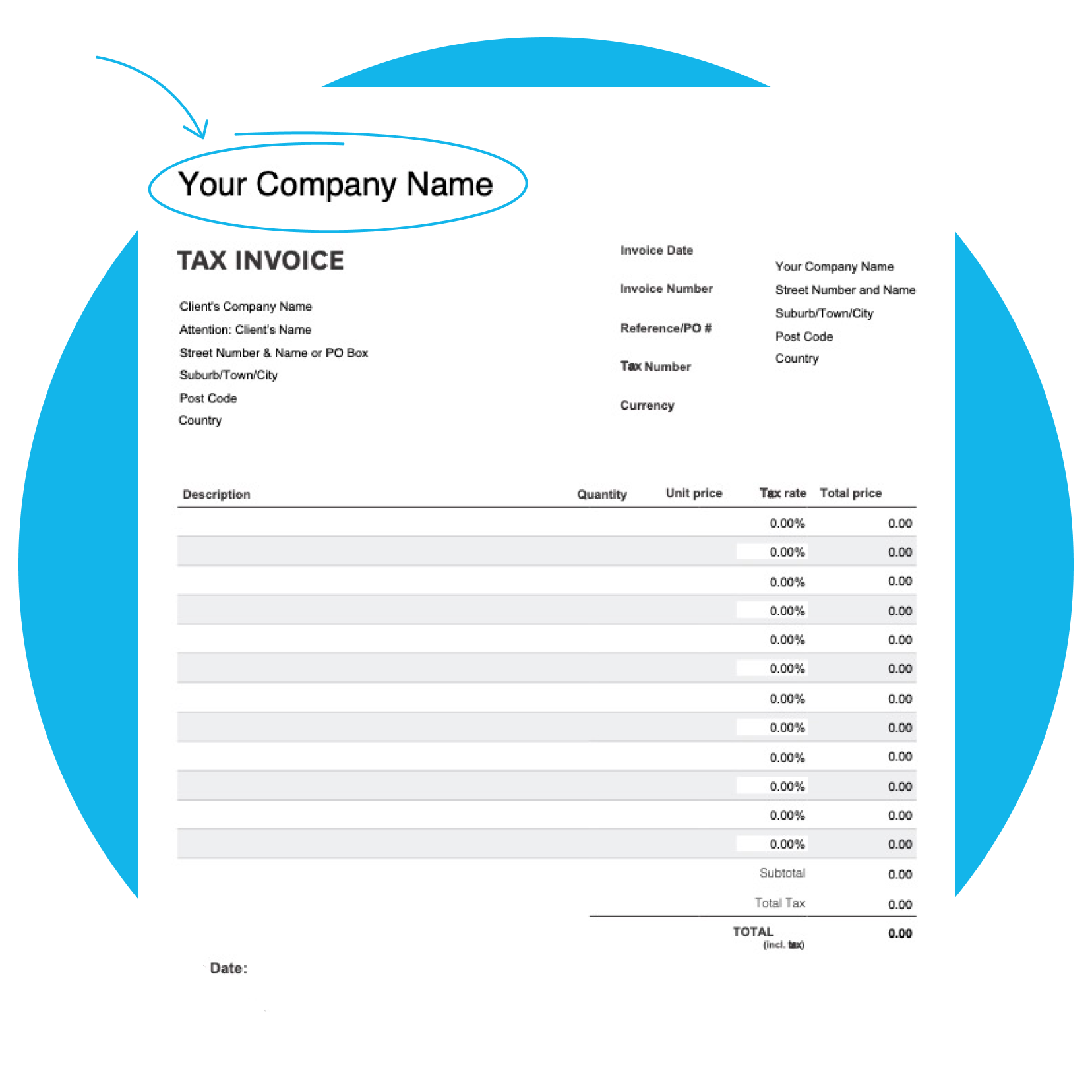
Customisable for your business
Add an item description, costs, tax, and more. Tailor invoices to your specific services or products.
Professional-looking invoices
Use this invoice generator again and again for standardised invoices that always look great.
Better record-keeping
Easily create and save customer invoices for your financial records – an essential compliance task.
Download the free invoice generator
Fill in the form to get a blank invoice generator as an editable PDF, with a how-to guide. You’ll get a tax and non-tax version.
Got your template? Try Xero for free.
Ready to take control of your business? Xero's got everything you need to succeed, from accounting and invoicing to reporting and payroll.
Get your Australian tax invoice right
Label it 'tax invoice' and show your Australian business number (ABN), the issue date, what you sold and the goods and services tax (GST) amount. Getting it right means fewer back-and-forths with customers and tidier records at tax time.
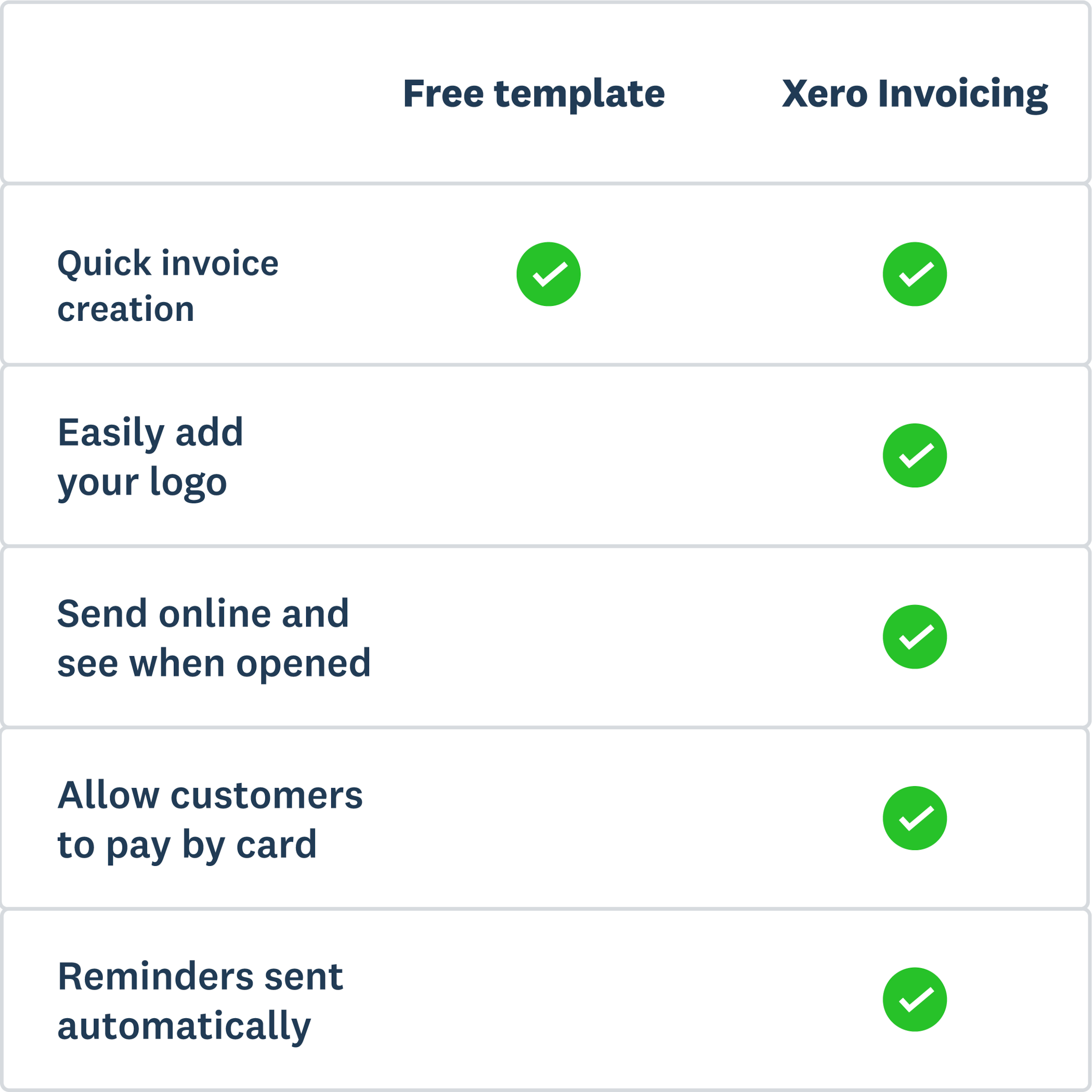
Pick a generator or invoicing software
When invoices are sent every week, Xero picks up the repeat work. For the odd job, the invoice generator does the trick. Xero invoicing software saves your branded templates and sends repeating invoices on schedule. Connect your bank account and Xero checks for payments that match your invoices.
Invoice generator
This is free to use and good for infrequent invoicing. Download the generator, edit the template, and send invoices to customers.
Invoicing software
This is suitable for regular and complex invoicing. It also connects with accounting software, making tax and record-keeping easier.
Invoice anywhere with the Xero Accounting app
Finished a job on site? Create and send the invoice from your phone before you leave. You can set up your invoice template on mobile too, adding your logo and payment details. Check unpaid invoices whenever you have a spare minute.

FAQs on Xero's invoice generator
Yes, the invoice generator is a free PDF download, with tax and non-tax invoice versions and a how-to guide.
Yes, the invoice generator is a free PDF download, with tax and non-tax invoice versions and a how-to guide.
An Australian invoice should give your customer everything they need to pay you. Include:
- your business name and ABN
- your customer's details
- a unique invoice number
- the issue and due dates
- a description of each item, with quantity and price
- GST, if you're registered for it
- your payment details
For more detail, see the business.gov.au guide to invoicing.
An Australian invoice should give your customer everything they need to pay you. Include:
- your business name and ABN
- your customer's details
- a unique invoice number
- the issue and due dates
- a description of each item, with quantity and price
- GST, if you're registered for it
- your payment details
For more detail, see the business.gov.au guide to invoicing.
A tax invoice is what a GST-registered business issues for a taxable sale, and it shows the GST amount. If you're not registered for GST, send a regular invoice without GST. Check the Australian Taxation Office (ATO) website for current tax invoice rules.
A tax invoice is what a GST-registered business issues for a taxable sale, and it shows the GST amount. If you're not registered for GST, send a regular invoice without GST. Check the Australian Taxation Office (ATO) website for current tax invoice rules.
Sole traders can invoice in a few steps:
1. Add your ABN.
2. Leave GST off if you're not registered for it.
3. Set your payment terms.
4. Send the invoice and keep a copy.
Xero's step-by-step guide to invoicing covers each step in more detail.
Sole traders can invoice in a few steps:
1. Add your ABN.
2. Leave GST off if you're not registered for it.
3. Set your payment terms.
4. Send the invoice and keep a copy.
Xero's step-by-step guide to invoicing covers each step in more detail.
Absolutely. In Xero, invoice templates (called branding themes) hold your logo, payment terms, contact details and a standard message, so every invoice looks the way you want. For a ready-made layout, start with this reusable invoice template.
Absolutely. In Xero, invoice templates (called branding themes) hold your logo, payment terms, contact details and a standard message, so every invoice looks the way you want. For a ready-made layout, start with this reusable invoice template.
Yes you do. Copies of your invoices are part of your business records at tax time. They also make it easier to follow up late payments, with the amount, due date and invoice number on hand.
Yes you do. Copies of your invoices are part of your business records at tax time. They also make it easier to follow up late payments, with the amount, due date and invoice number on hand.
Invoicing software makes sense once you're billing customers most weeks. Signs it's time include:
- invoicing every week
- billing the same customers again and again
- wanting customers to pay online
- planning to send invoices with eInvoicing software
Xero brings all of this together in one place.
Invoicing software makes sense once you're billing customers most weeks. Signs it's time include:
- invoicing every week
- billing the same customers again and again
- wanting customers to pay online
- planning to send invoices with eInvoicing software
Xero brings all of this together in one place.
Disclaimer
Xero does not provide accounting, tax, business or legal advice. This template has been provided for information purposes only. You should consult your own professional advisors for advice directly relating to your business.