Automatic bank reconciliation software by JAX
Want to skip the admin? Connect your bank accounts to Xero, then let JAX, your AI finance partner, reconcile your transactions for you, ready for you to review. Available on Grow plan and above. Optional add on for the Ignite plan.
Smart automatic bank reconciliation with JAX
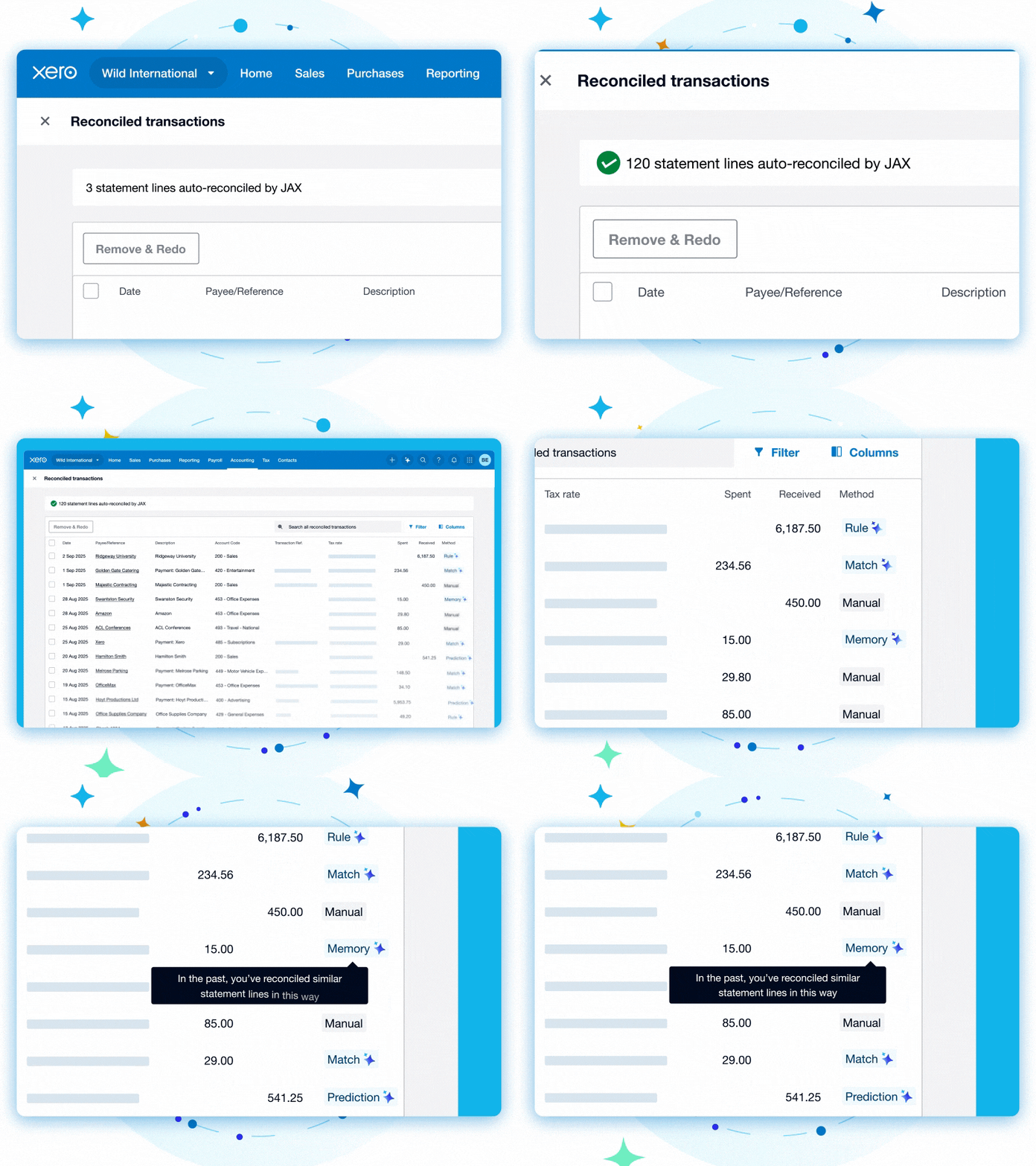
Xero’s AI feature reconciles your transactions behind the scenes. When you next log into Xero, everything is waiting for you to glance over.
Turn on automations for each bank account
Your bank transactions flow into Xero, where JAX reconciles them as soon as they arrive.
Get highly accurate transaction matching
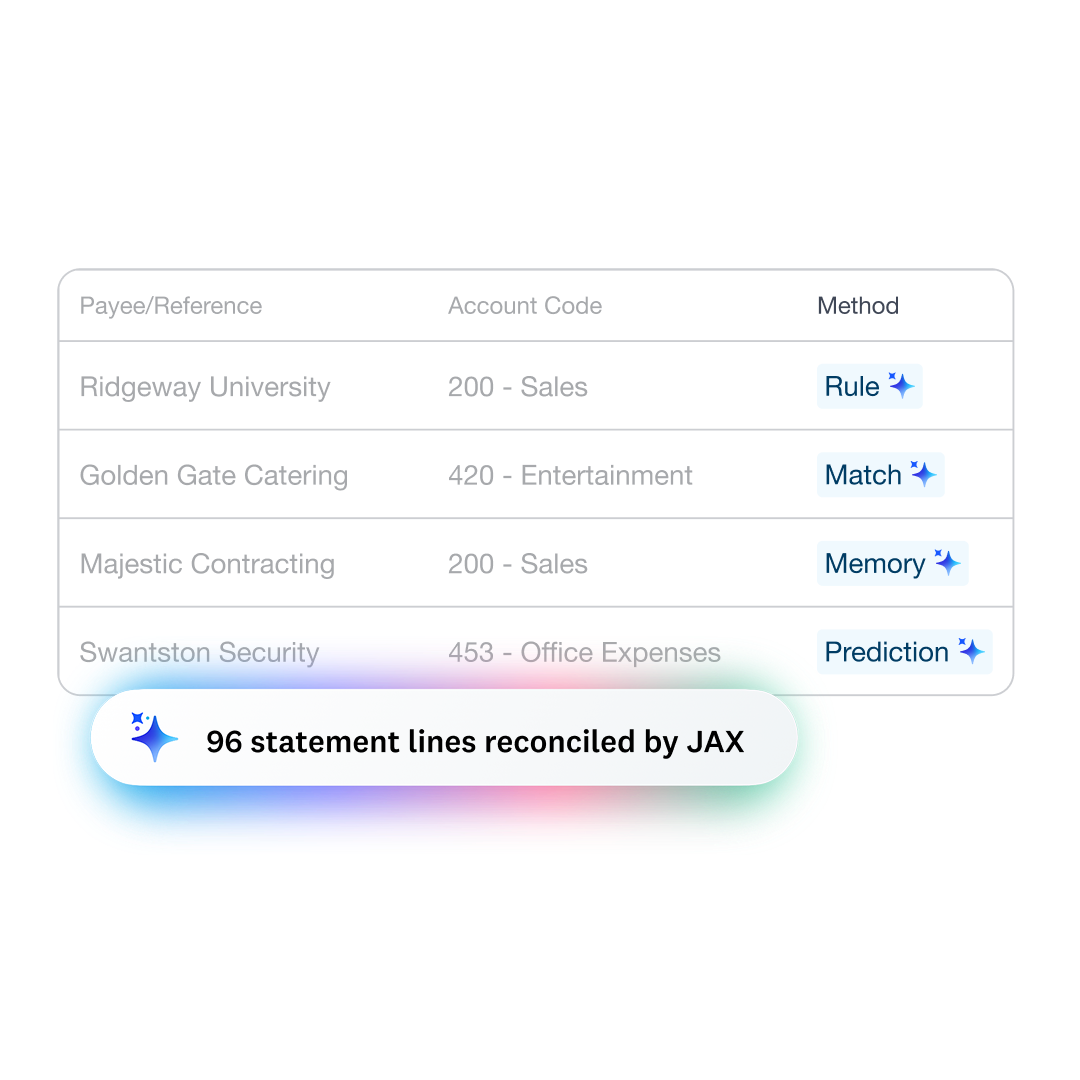
JAX uses four reconciliation methods – Rule, Match, Memory, and Prediction – for a sophisticated approach.
Just review what needs your attention
Double-check matches and easily make adjustments on the spot.
Bank reconciliation for Australian businesses
Keeping your finances up to date doesn’t mean hours of admin. Xero’s bank reconciliation software connects to your bank and regularly pulls in data so it’s ready to reconcile. Then it’s over to JAX!
- JAX automatically reconciles transactions when it’s highly confident they match
- If in doubt, JAX suggests a match but leaves the transaction for you to reconcile manually
- This gives you a reliable process for the bulk of your bank reconciliations

A clear view of your finances
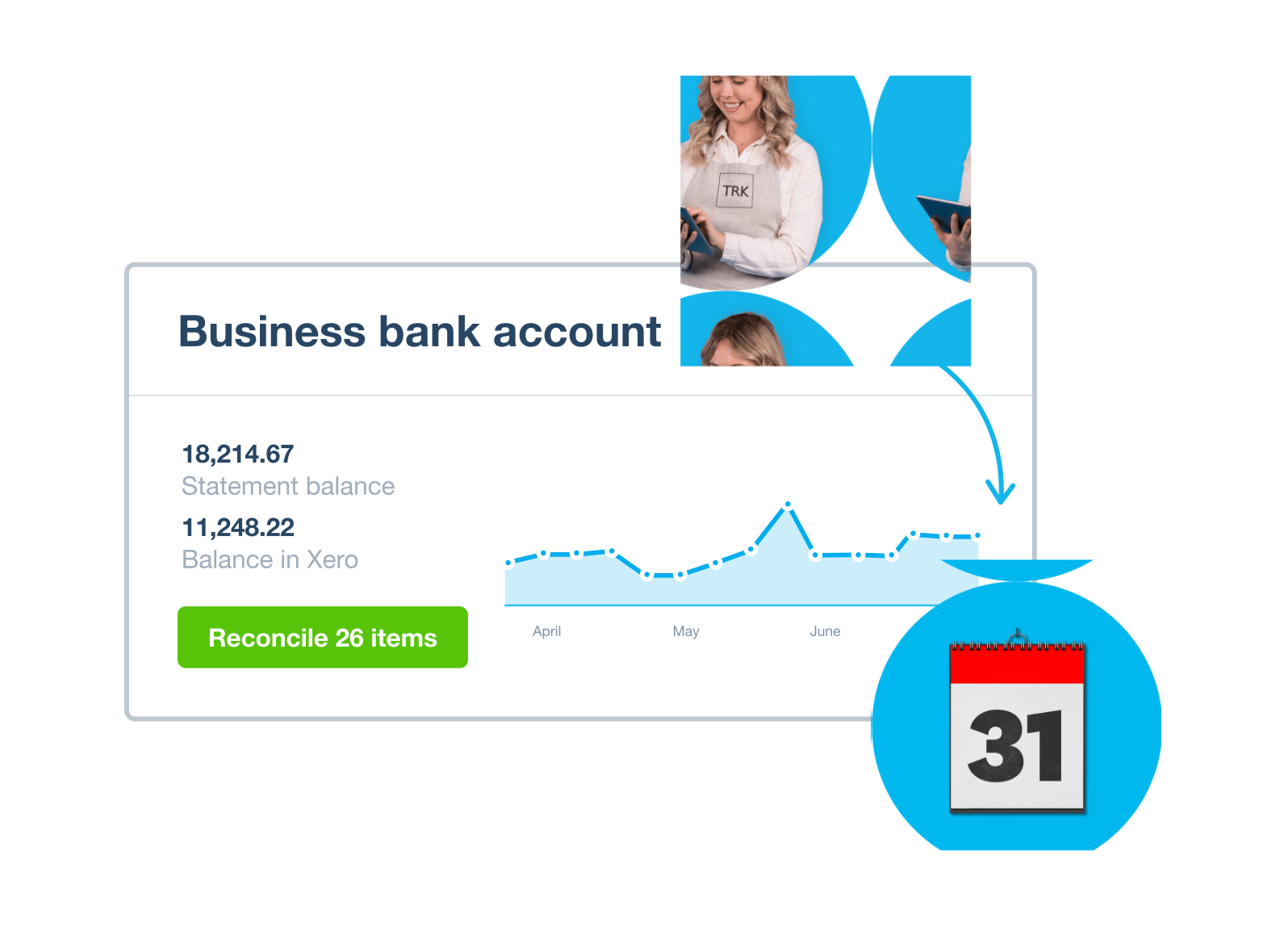
Don’t wait to reconcile your transactions – let JAX work in the background. That way, whenever you check your finances, the admin is already sorted. You see what cash you have available and can plan ahead with your spending.
- As soon as your bank transactions flow into Xero, JAX reconciles them for you
- When you get a minute, run through the list and review any transactions that need your attention
- Keep your financial records accurate and ready for your ATO reporting
An easier way to reconcile your transactions
JAX uses four reconciliation methods: Rule, Match, Memory, and Prediction. You can always check the logic behind the reconciliation and make any adjustments. And the more you use JAX, the smarter it gets, saving you even more time.
- Rule – one of your bank rules is applied
- Match – a bank transaction matches an existing Xero record
- Memory – JAX decides based on how you’ve reconciled similar transactions
- Prediction – JAX suggests based on how other Xero users reconciled similar transactions
Full visibility and total control
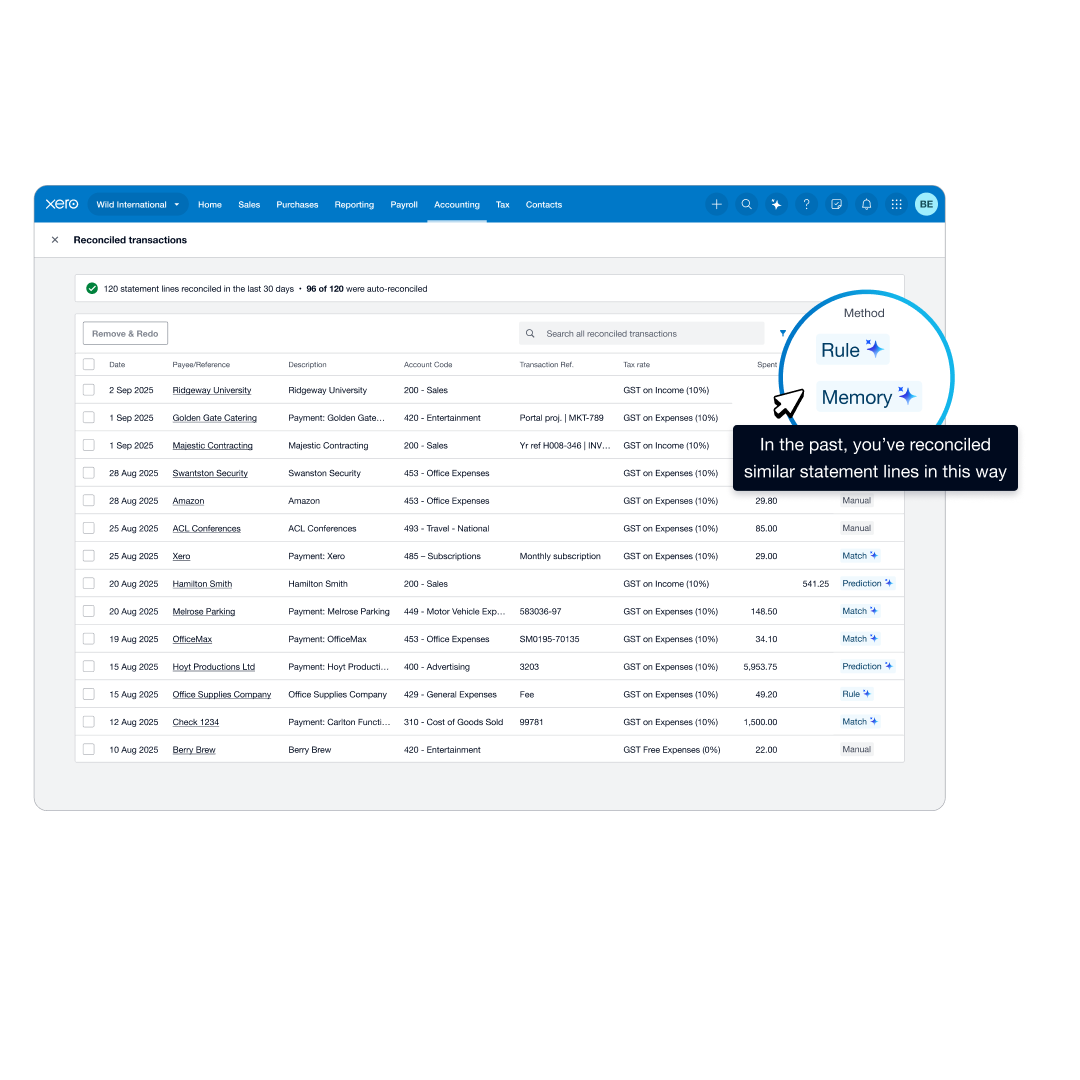
Xero’s online bank reconciliation feature gives you control of everything JAX reconciles. See bank and accounting details in a single view, understand exactly why each transaction was reconciled, and fix any errors straight away.
- Turn JAX’s automation on or off at any time for each bank account
- Easily spot the transactions that need your attention
- Find receipts and add relevant documents in Xero’s Reconcile tab
- Make any corrections right there on the page for a fast process
Process multiple transactions faster
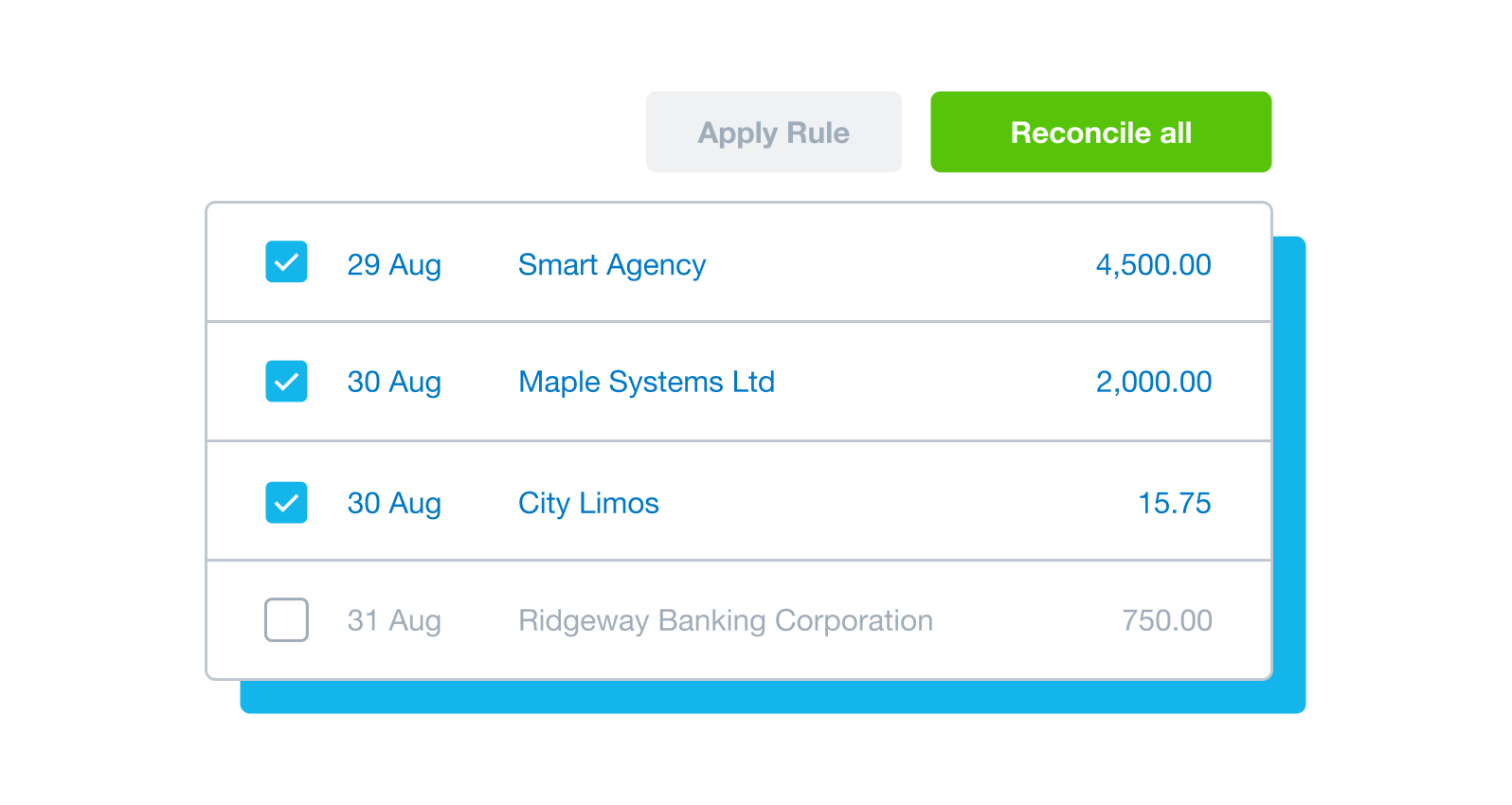
Save time and manual effort with Xero’s bulk reconciliation and cash coding. Process many transactions at once, sorting and coding similar transactions together. Available as add-on in Ignite.
- Let Xero sort and group similar transactions – like daily sales – then reconcile them all in one go
- Get Xero to use your transaction history to suggest matches for recurring payments like invoices and bills
- Create bank rules to automatically treat groups of similar transactions the same way every time
- Cash coding works alongside JAX for a smooth system
What Xero customers say about automatic bank reconciliation

Trustpilot
Monya
Trustpilot
Tom W
Trustpilot
Tina T
See how automatic bank reconciliation works in Xero
FAQs on Xero’s automatic bank reconciliation feature
Yes – although you need to have a Xero Grow, Comprehensive, or Ultimate plan to use the JAX automatic bank reconciliation feature. It's also available in Ignite plan as a paid add on ‘AI Automate'.
Once you’ve connected your business bank accounts to Xero, you can turn on JAX for each one. You can also turn off JAX if you prefer not to use it for a particular account.
JAX will automatically categorise and match the bank transactions it’s highly confident of. For other transactions, just review and approve JAX’s suggestions, or match them manually.
Yes – although you need to have a Xero Grow, Comprehensive, or Ultimate plan to use the JAX automatic bank reconciliation feature. It's also available in Ignite plan as a paid add on ‘AI Automate'.
Once you’ve connected your business bank accounts to Xero, you can turn on JAX for each one. You can also turn off JAX if you prefer not to use it for a particular account.
JAX will automatically categorise and match the bank transactions it’s highly confident of. For other transactions, just review and approve JAX’s suggestions, or match them manually.
Xero’s automatic bank reconciliation is powered by JAX. When new statement lines arrive in Xero, JAX aims to reconcile them using one of four methods:
- Rule – one of your bank rules is applied
- Match – a transaction matches an existing Xero document
- Memory – JAX decides based on how you’ve reconciled similar transactions
- Prediction – JAX suggests based on how other Xero users reconciled similar transactions
JAX only automatically reconciles when it’s highly confident.
Xero’s automatic bank reconciliation is powered by JAX. When new statement lines arrive in Xero, JAX aims to reconcile them using one of four methods:
- Rule – one of your bank rules is applied
- Match – a transaction matches an existing Xero document
- Memory – JAX decides based on how you’ve reconciled similar transactions
- Prediction – JAX suggests based on how other Xero users reconciled similar transactions
JAX only automatically reconciles when it’s highly confident.
It’s straightforward and shouldn’t take more than about 10 minutes.
Just connect your Xero organisation to your bank account through Xero’s bank feeds feature. Most major Australian banks can connect to Xero so data flows in automatically. Then set your opening balance to get started.
It’s straightforward and shouldn’t take more than about 10 minutes.
Just connect your Xero organisation to your bank account through Xero’s bank feeds feature. Most major Australian banks can connect to Xero so data flows in automatically. Then set your opening balance to get started.
Most major Australian banks can connect with Xero.
If your bank doesn’t offer a direct feed, you can still manually import bank statements into Xero in OFX, QFX, QuickBooks, or CSV format.
Most major Australian banks can connect with Xero.
If your bank doesn’t offer a direct feed, you can still manually import bank statements into Xero in OFX, QFX, QuickBooks, or CSV format.
If you have Xero’s Grow plan or above, you can go to the bank account page and turn on the JAX automation. If you are on Ignite plan then you can purchase the AI Automate add on.
If you have Xero’s Grow plan or above, you can go to the bank account page and turn on the JAX automation. If you are on Ignite plan then you can purchase the AI Automate add on.
Much easier. Manual bank reconciliation can be tedious and is prone to errors.
Xero uses JAX to give you a fast, accurate reconciliation process while keeping you in full control. Most small business owners find this automation saves them hours every week.
Much easier. Manual bank reconciliation can be tedious and is prone to errors.
Xero uses JAX to give you a fast, accurate reconciliation process while keeping you in full control. Most small business owners find this automation saves them hours every week.
If JAX isn’t confident enough to reconcile a transaction, it makes a suggestion but leaves the bank statement line for you to review and reconcile manually.
It’s easy to accept JAX’s suggestion, create a new transaction to match against the bank line, split the transaction across multiple items, or transfer it between accounts.
If you spot an error, you can instantly fix it using the Remove & redo button.
You can also create bank rules in Xero to help reconcile regular cash transactions in future.
If JAX isn’t confident enough to reconcile a transaction, it makes a suggestion but leaves the bank statement line for you to review and reconcile manually.
It’s easy to accept JAX’s suggestion, create a new transaction to match against the bank line, split the transaction across multiple items, or transfer it between accounts.
If you spot an error, you can instantly fix it using the Remove & redo button.
You can also create bank rules in Xero to help reconcile regular cash transactions in future.
Yes, you can edit a reconciled transaction quickly. With automatic bank reconciliation, you can now change an account code or tax rate directly on the Reconciled page – no need to remove and start over. You can also view, add, or remove receipts and invoices on the same page.
If your edit changes the total amount, use the Remove and redo function to reconcile it again in one step. And the more you use it, the better it gets – JAX learns how you reconcile over time.
Yes, you can edit a reconciled transaction quickly. With automatic bank reconciliation, you can now change an account code or tax rate directly on the Reconciled page – no need to remove and start over. You can also view, add, or remove receipts and invoices on the same page.
If your edit changes the total amount, use the Remove and redo function to reconcile it again in one step. And the more you use it, the better it gets – JAX learns how you reconcile over time.
Yes. Xero keeps track of the time and date of your user activity – like when you log in and make changes to transactions.
You can view these records in Xero’s History and Notes report, and at the bottom of transactions like invoices and bills.
The GST Audit report, visible in your Xero organisation, helps you review the individual transactions that make up the amounts in your Activity Statement.
Yes. Xero keeps track of the time and date of your user activity – like when you log in and make changes to transactions.
You can view these records in Xero’s History and Notes report, and at the bottom of transactions like invoices and bills.
The GST Audit report, visible in your Xero organisation, helps you review the individual transactions that make up the amounts in your Activity Statement.
Xero tracks and reconciles your GST transactions as you go. That means when BAS time comes around, the figures are already there – no scrambling, no manual adding up.
You can also check your current cash flow, bank balances, unpaid invoices, and profit insights straight from your Xero dashboard.
Xero tracks and reconciles your GST transactions as you go. That means when BAS time comes around, the figures are already there – no scrambling, no manual adding up.
You can also check your current cash flow, bank balances, unpaid invoices, and profit insights straight from your Xero dashboard.
Yes – Xero's cash coding feature lets you bulk-reconcile multiple statement lines related to cash transactions. It displays them in a spreadsheet format so you can sort, code, and reconcile up to 200 lines at once.
It’s great for high-volume cash transactions like daily sales and recurring expenses.
Cash coding is available on Xero’s Grow, Comprehensive, and Ultimate plans.
Yes – Xero's cash coding feature lets you bulk-reconcile multiple statement lines related to cash transactions. It displays them in a spreadsheet format so you can sort, code, and reconcile up to 200 lines at once.
It’s great for high-volume cash transactions like daily sales and recurring expenses.
Cash coding is available on Xero’s Grow, Comprehensive, and Ultimate plans.
Xero takes its responsibilities for protecting your data seriously. It keeps your data secure and aims to deliver the best AI experiences for you.
Xero takes its responsibilities for protecting your data seriously. It keeps your data secure and aims to deliver the best AI experiences for you.
Of course – Xero is built with accounting practices in mind.
From a single dashboard, you can access all your client accounts, switch between them, and manage reconciliations across your whole client base.
And Xero features – like shared access and bulk reconciliation tools – make it easy to collaborate with your clients and stay on top of your work.
Of course – Xero is built with accounting practices in mind.
From a single dashboard, you can access all your client accounts, switch between them, and manage reconciliations across your whole client base.
And Xero features – like shared access and bulk reconciliation tools – make it easy to collaborate with your clients and stay on top of your work.
Try reconciling with JAX for free
How about a month of Xero for free? Connect your Australian bank to Xero and see how JAX can sail through your reconciliations admin.