Your accounting dashboard for Australian businesses
See the info that matters on one screen. Xero's accounting dashboard gives you your cash flow, account balances, invoices, and bills – updated as transactions come in. Choose the data you want, arrange it your way, and check anytime. It's your financial dashboard, built for your work.
What your accounting dashboard shows you
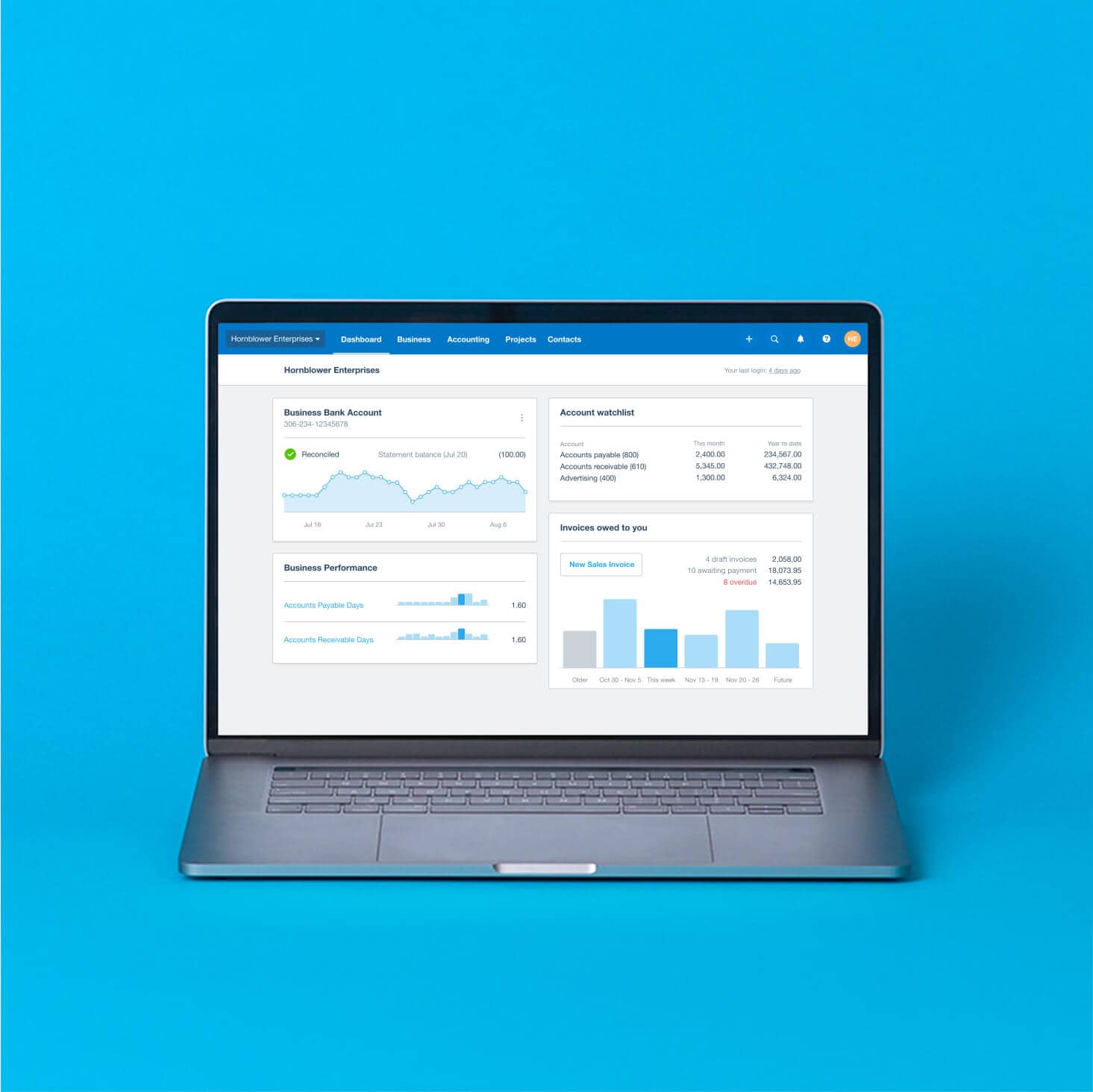
Xero's accounting dashboard displays your important numbers the way you want. Spend less time searching and more time on your business.
Nail your cash flow management
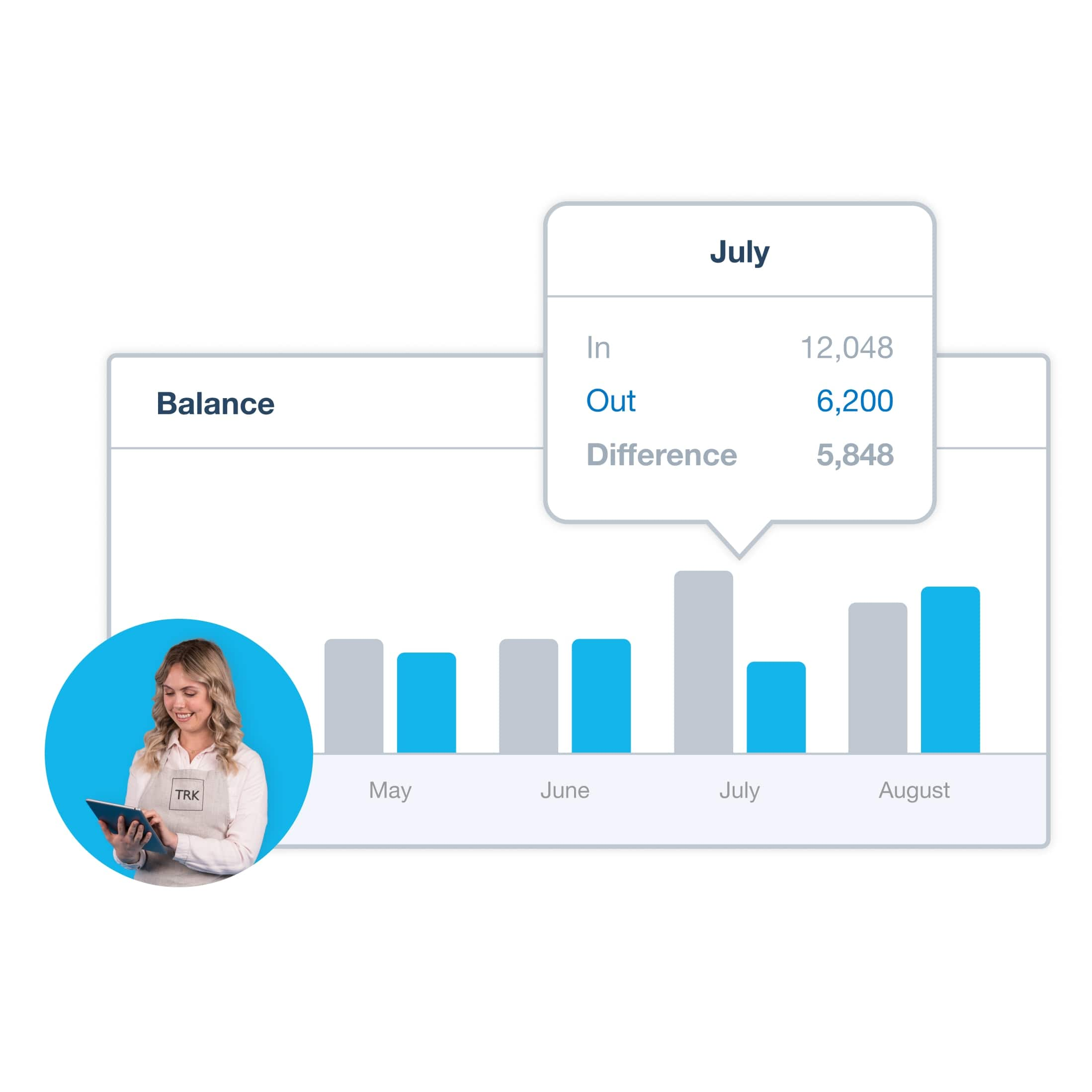
See money in and out over 6 months, and get cash flow projections so you can confidently plan ahead.
Track your account balances in one place
View bank, credit card, and provider balances together. Spot what needs reconciling at a glance.
Monitor the metrics that matter most
Customise your dashboard with the graphs, KPIs, and reports you check most often.
"I’m not an accountant, but I do like looking at numbers and dashboards that enable us to see quickly how our business is doing."
Sheryl Ozinsky started the Oranjezicht City Farm Market with a dream to create community through food. From a NPO to a profitable business Sheryl Ozinsky scaled with the help of MGI Bass Gordon and Xero.
Learn more about Sheryl’s story
Your cash flow management view
Not sure where the money's going? Your accounting dashboard shows total cash in and out month by month, so you can spot trends early. You'll see overdue invoices, and bills coming up – giving you a clear picture of what's next.
- See a summary of invoices owed to you, broken down by due date, so you know who to follow up with first
- Check the status of expense claims and your outstanding bills in one place
- View monthly cash in and out on a graph – click any bar to open the bank summary report for the details
See what's coming in and going out
Check outstanding invoices and upcoming bills side by side, so you know where you stand before making spending decisions.
Manage account balances in one place
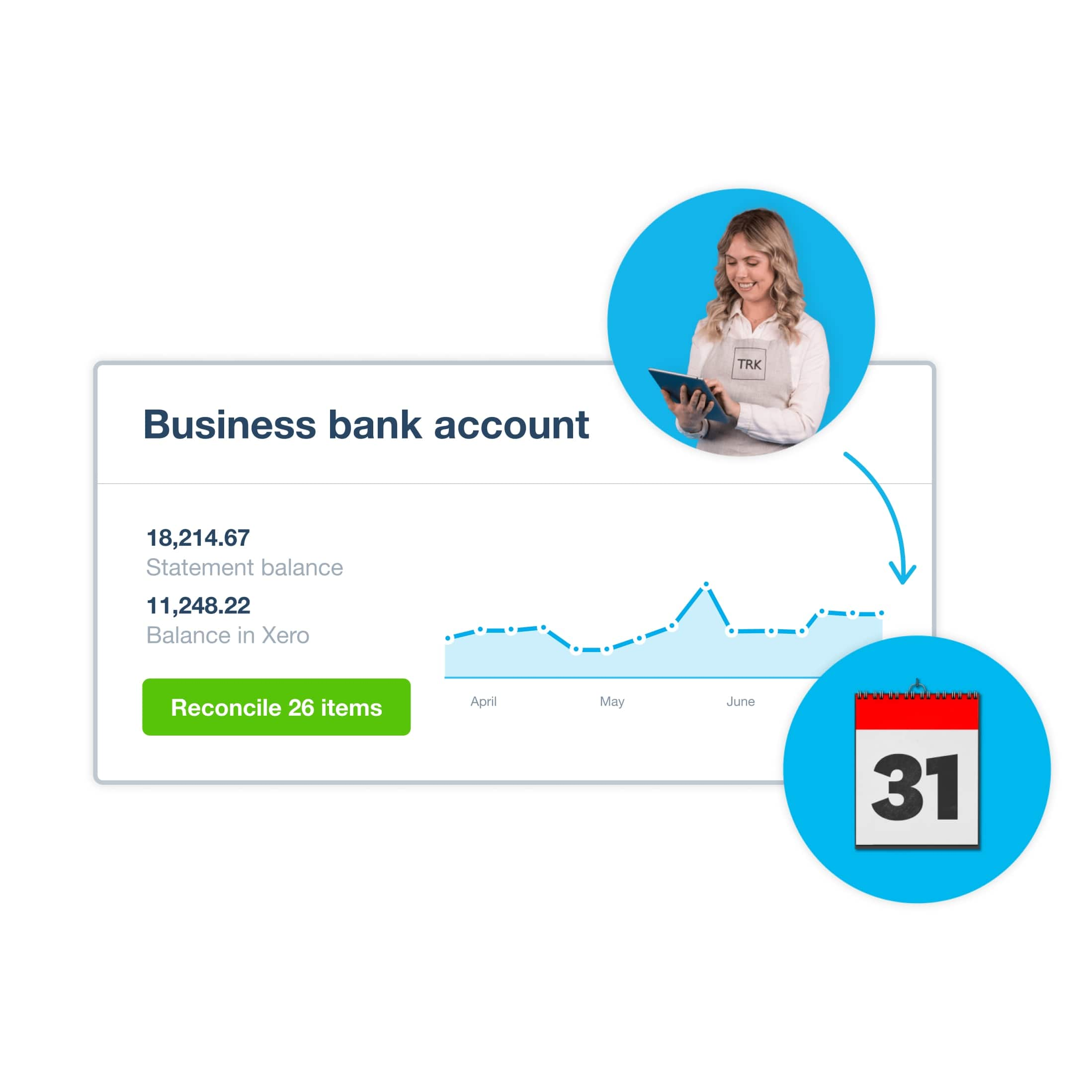
Show all accounts, cards, and payment providers on the same screen – no need to log in to each one. Each widget shows your statement balance, your balance in Xero, and transactions waiting to reconcile. You choose which bank and credit card accounts feature on the dashboard.
- Choose the bank and credit card accounts to feature on your dashboard
- Keep all your balances in front of you – no need to log in to multiple accounts or switch between screens
- Reconcile bank transactions from the dashboard for an up-to-date view of your account balances
Every account, one view
Bank feeds from Australian financial institutions import your transactions automatically, keeping your balances up to date.
Your performance dashboard, your way
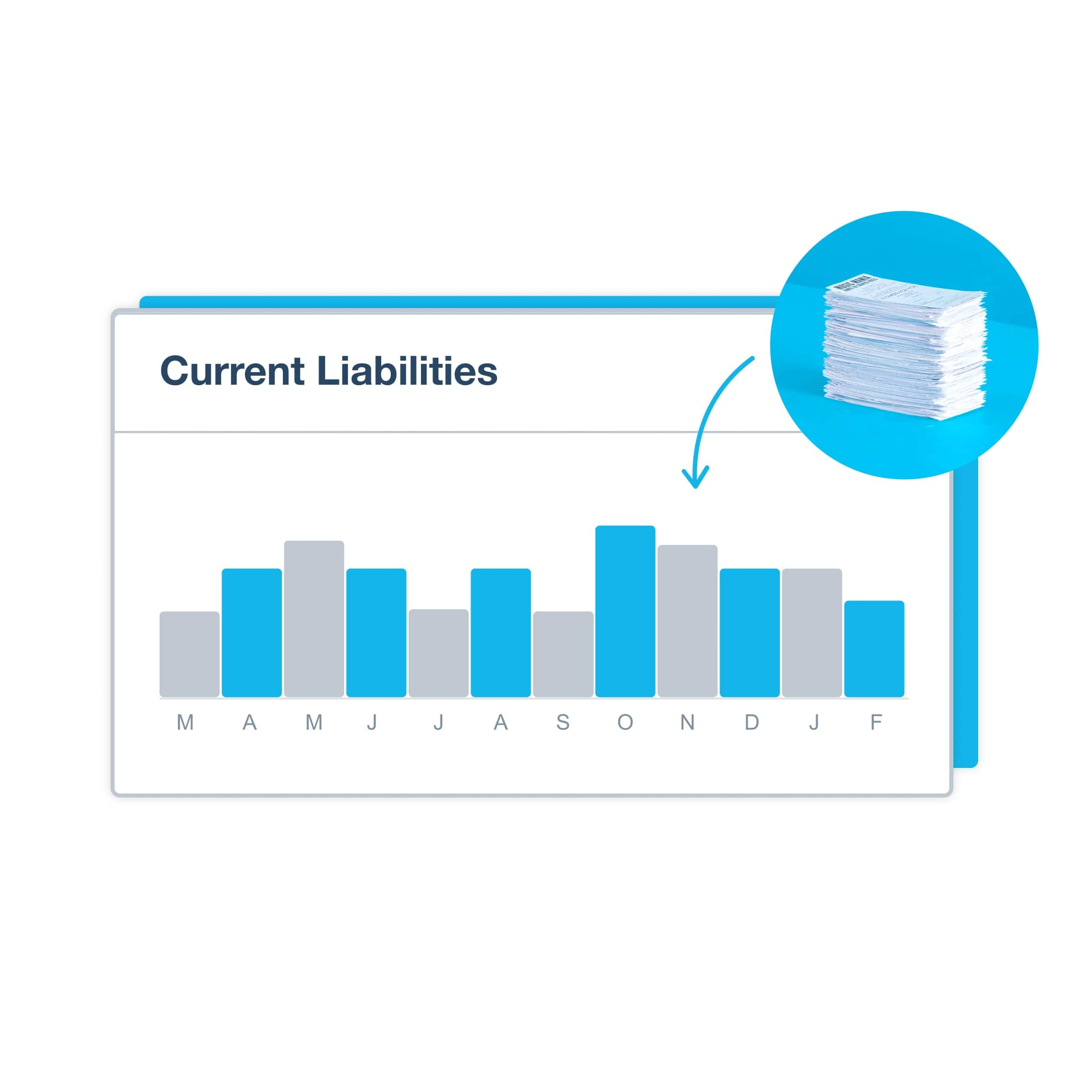
Choose KPIs to show on your dashboard, then track them. Set key metrics on your dashboard and generate graphs and charts to visualise specific areas of your business performance, so you can quickly see how your business is doing.
- Customise your dashboard to show the areas that matter to you, like income, expenses, and profit
- Track your most important metrics on the dashboard, such as expenses or income, and set goals to track your performance
- Customise your dashboard to show your preferred metrics and favourite reports in any order you want
Track what your customers owe you
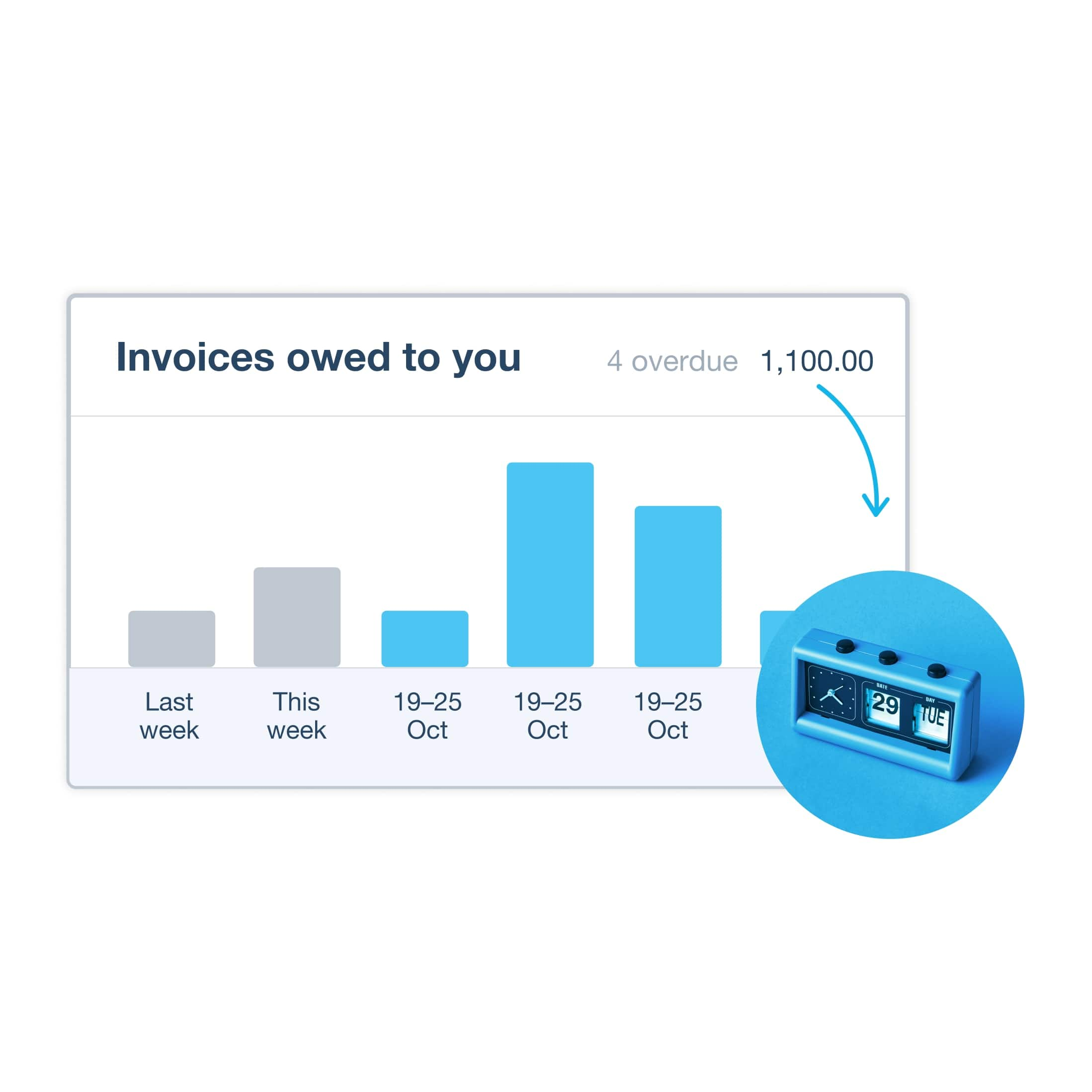
Your dashboard shows a summary of outstanding and overdue invoices and when they’re due, so you can see what customers owe you at a glance. Overdue? Send a reminder straight from Xero. You’ll also see the status of your bills so you can stay on top of bill payments.
- See a summary of what your customers owe you and view invoices by the due date
- View bills to pay, save drafts, and approve bills for payment in Xero
- Set up invoice reminders to automatically follow up with customers who haven't paid on time
Plans to suit your business
Go deeper from your accounting dashboard
Your dashboard is the front page of your Xero account. Scan it for the headlines, then dig into reports, analytics, and cash flow projections for the detail. 88% of Xero customers agree it helps improve financial visibility.
Find out how Xero can boost your business
How your accounting dashboard helps
93% of Australian customers agree Xero is easy to use. Here's what that looks like on your dashboard.
Numbers ready when you are
Your key figures are updated as transactions come in, so you always know where things stand.
Plan with confidence
Use cash flow projections and performance graphs to make decisions backed by your latest numbers.
Work alongside your accountant
Give your accountant direct access to your Xero dashboard so you're always working from the same numbers.
FAQs on the accounting dashboard
Yes. You can customise the dashboard to show your preferred metrics and show or hide widgets, so you see what matters most. Choose which bank and credit card accounts feature on the dashboard, and customise it to show your preferred metrics, such as your account balances, bills to pay, invoices owed, and favourite reports. You can customise the dashboard to show your preferred metrics in any order you want.
Yes. You can customise the dashboard to show your preferred metrics and show or hide widgets, so you see what matters most. Choose which bank and credit card accounts feature on the dashboard, and customise it to show your preferred metrics, such as your account balances, bills to pay, invoices owed, and favourite reports. You can customise the dashboard to show your preferred metrics in any order you want.
Your dashboard shows a graph of total cash coming in and going out each month, for the past 6 months. You'll also see summaries of invoices owed to you and bills you need to pay, so you can spot gaps early. For a longer view, Xero Analytics provides short-term cash flow projections over the next 7 or 30 days, and for an advanced view including projecting cash flow up to 90 days, you can add Xero Analytics Plus to your subscription for an extra fee. Click any bar on the graph to open the bank summary report for more detail.
Your dashboard shows a graph of total cash coming in and going out each month, for the past 6 months. You'll also see summaries of invoices owed to you and bills you need to pay, so you can spot gaps early. For a longer view, Xero Analytics provides short-term cash flow projections over the next 7 or 30 days, and for an advanced view including projecting cash flow up to 90 days, you can add Xero Analytics Plus to your subscription for an extra fee. Click any bar on the graph to open the bank summary report for more detail.
Because an accounting dashboard gives you the headline information you need to do business. It's an up-to-date snapshot of your business finances on a single screen, showing cash flow, balances, invoices and bills that update automatically as transactions come in.
Xero's dashboard presents the headline information you need to do business, condensing your business activity into clear numbers and graphs on a single screen so you're up to date at a glance. Xero's dashboard presents you with the headline information you need to do business and helps keep you up to date at a glance. 88% of customers agree Xero helps improve financial visibility.*
Sources: Xero survey of 1,505 small businesses in Australia, May 2024; Finder Awards 2025, based on a survey of over 60,000 Australians
Because an accounting dashboard gives you the headline information you need to do business. It's an up-to-date snapshot of your business finances on a single screen, showing cash flow, balances, invoices and bills that update automatically as transactions come in.
Xero's dashboard presents the headline information you need to do business, condensing your business activity into clear numbers and graphs on a single screen so you're up to date at a glance. Xero's dashboard presents you with the headline information you need to do business and helps keep you up to date at a glance. 88% of customers agree Xero helps improve financial visibility.*
Sources: Xero survey of 1,505 small businesses in Australia, May 2024; Finder Awards 2025, based on a survey of over 60,000 Australians
An accounting dashboard is a visual display that brings your key financial numbers – like cash flow, balances, invoices, and bills – together on one screen. It's designed for quick daily check-ins: how much cash do you have, who owes you money, what bills are due?
Financial reports go deeper – they give you the detail behind those numbers, help you identify patterns in your data, and understand your business performance over time.
Xero gives you both. The Xero dashboard connects you to accounting insights. Scan the dashboard for the headline figures you need, then use reports and other tools to support your business decisions.
An accounting dashboard is a visual display that brings your key financial numbers – like cash flow, balances, invoices, and bills – together on one screen. It's designed for quick daily check-ins: how much cash do you have, who owes you money, what bills are due?
Financial reports go deeper – they give you the detail behind those numbers, help you identify patterns in your data, and understand your business performance over time.
Xero gives you both. The Xero dashboard connects you to accounting insights. Scan the dashboard for the headline figures you need, then use reports and other tools to support your business decisions.
A good accounting dashboard includes your bank balances, outstanding invoices, bills to pay, and a cash in-and-out summary.
From there, you can add:
- an account watchlist to track your most important metrics
- a net profit and loss widget to track income versus expenses
- performance graphs for the KPIs you check most often
A good accounting dashboard includes your bank balances, outstanding invoices, bills to pay, and a cash in-and-out summary.
From there, you can add:
- an account watchlist to track your most important metrics
- a net profit and loss widget to track income versus expenses
- performance graphs for the KPIs you check most often
Your accounts receivable dashboard shows invoices owed to you – what's outstanding, what's overdue, and when payment is due. Click any period to focus on individual invoices.
Keep track of the bills you owe in Xero, including draft bills and approved bills awaiting payment. You can check the status of your outstanding bills from the dashboard.
Together, the dashboards give you a clear picture of money coming in and going out.
Your accounts receivable dashboard shows invoices owed to you – what's outstanding, what's overdue, and when payment is due. Click any period to focus on individual invoices.
Keep track of the bills you owe in Xero, including draft bills and approved bills awaiting payment. You can check the status of your outstanding bills from the dashboard.
Together, the dashboards give you a clear picture of money coming in and going out.
Yes. With Xero you get unlimited general users at no extra cost on all plans. You can customise the dashboard to show your preferred metrics in any order you want, so you can focus on what matters most. That means it’s easier to collaborate when you’re all looking at the same dashboard.
Yes. With Xero you get unlimited general users at no extra cost on all plans. You can customise the dashboard to show your preferred metrics in any order you want, so you can focus on what matters most. That means it’s easier to collaborate when you’re all looking at the same dashboard.
Find all your balances in one place – your bank, credit card, and other balances together for a comprehensive view of your finances.
Xero uses batch and API bank feeds from Australian financial institutions to import your transactions automatically.. Each bank account widget shows your statement balance alongside your balance in Xero, so you can quickly see if anything is waiting to be reconciled.
Find all your balances in one place – your bank, credit card, and other balances together for a comprehensive view of your finances.
Xero uses batch and API bank feeds from Australian financial institutions to import your transactions automatically.. Each bank account widget shows your statement balance alongside your balance in Xero, so you can quickly see if anything is waiting to be reconciled.
Yes. Download the Xero Accounting app for Android and iOS to reconcile your accounts on the go. You can check your bank account balances, total cash in and out graph, outstanding invoices, outstanding bills, and profit and loss.
You can choose which bank and credit card accounts feature on the dashboard, and quickly reconcile your bank transactions for an up-to-date view of account balances.
Yes. Download the Xero Accounting app for Android and iOS to reconcile your accounts on the go. You can check your bank account balances, total cash in and out graph, outstanding invoices, outstanding bills, and profit and loss.
You can choose which bank and credit card accounts feature on the dashboard, and quickly reconcile your bank transactions for an up-to-date view of account balances.
Start using Xero for free
Access Xero features for 30 days, then decide which plan best suits your business.
FAQs about Xero in Australia
Yes. You can connect your Xero account with the ATO (Australian Taxation Office) to help you easily prepare and submit your returns, so you never miss a deadline.
Here’s more info on tax and super from the ATO.Yes. You can connect your Xero account with the ATO (Australian Taxation Office) to help you easily prepare and submit your returns, so you never miss a deadline.
Here’s more info on tax and super from the ATO.Yes. Xero complies fully with STP. You can send reports to ATO each payday without any hassle so you have more time for the rest of your business.
Yes. Xero complies fully with STP. You can send reports to ATO each payday without any hassle so you have more time for the rest of your business.
The best accounting software depends on your needs. Xero’s accounting software has flexible plans so you can adjust your subscriptions to access the features you need as your business grows.
Check out Xero’s pricing plans.The best accounting software depends on your needs. Xero’s accounting software has flexible plans so you can adjust your subscriptions to access the features you need as your business grows.
Check out Xero’s pricing plans.No – Xero is based in the cloud, so all you need is an internet connection. But you need a multi-factor authentication (MFA) app to log in to Xero. MFA adds an extra layer of security by checking that it’s really you when you log in.
Learn about data protection with Xero.No – Xero is based in the cloud, so all you need is an internet connection. But you need a multi-factor authentication (MFA) app to log in to Xero. MFA adds an extra layer of security by checking that it’s really you when you log in.
Learn about data protection with Xero.Yes – the Xero App Store has hundreds of apps to help manage your business, including apps specifically designed for your industry and for doing business in Australia.
Check out the Xero App Store.Yes – the Xero App Store has hundreds of apps to help manage your business, including apps specifically designed for your industry and for doing business in Australia.
Check out the Xero App Store.