Financial budgeting software for Australian businesses
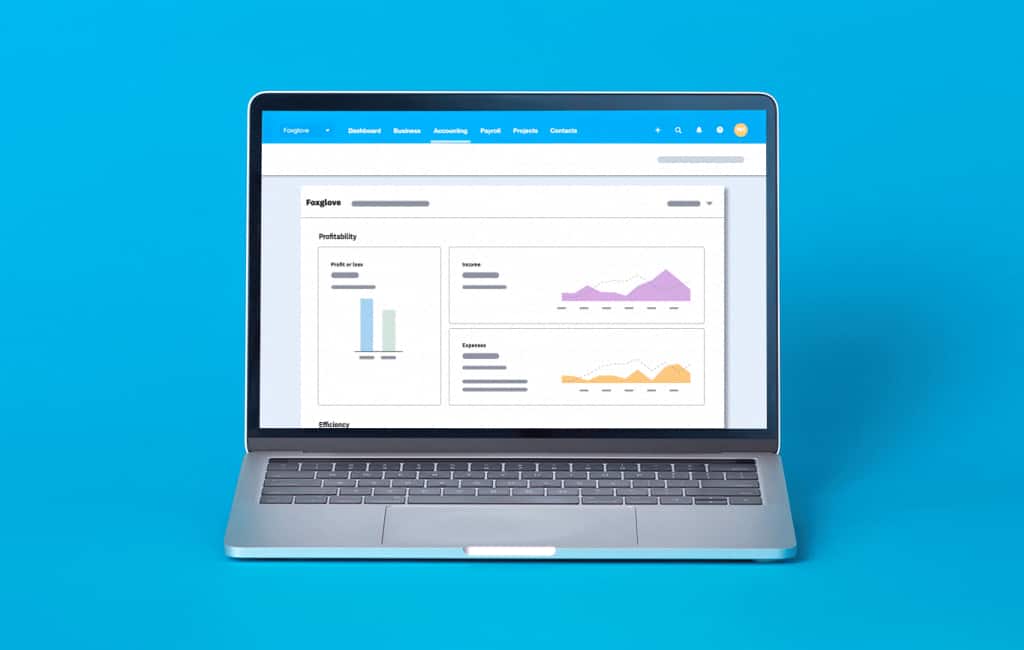
Get your accounting and cash flow in one place with Xero. Connect to your bank feeds, automate your GST tracking and take informed action with real-time visual insights and cash flow forecasts. Trust your numbers with accurate, up-to-the-minute financial data whenever you need it.

Get started with financial budgeting in three steps
Xero brings your bank accounts, budget planning, and financial reports together. Run your practice with a cohesive suite of software.
Connect your Australian bank accounts
Import transactions from supported Australian financial institutions, including NAB.
Create your budget with Budget Manager
Build an Overall Budget, then create additional budgets in the Budget Manager worksheet. Import a spreadsheet.
Monitor performance with real-time reports
Compare actuals vs budget with Xero's Budget Variance report, or get a high-level overview with Budget Summary.
Your budgeting integrated with your accounting
Create a budget in Xero and compare your budgeted figures against your organisation's actuals with the Budget Summary report or the Budget Variance report.

Cash flow forecasting built in
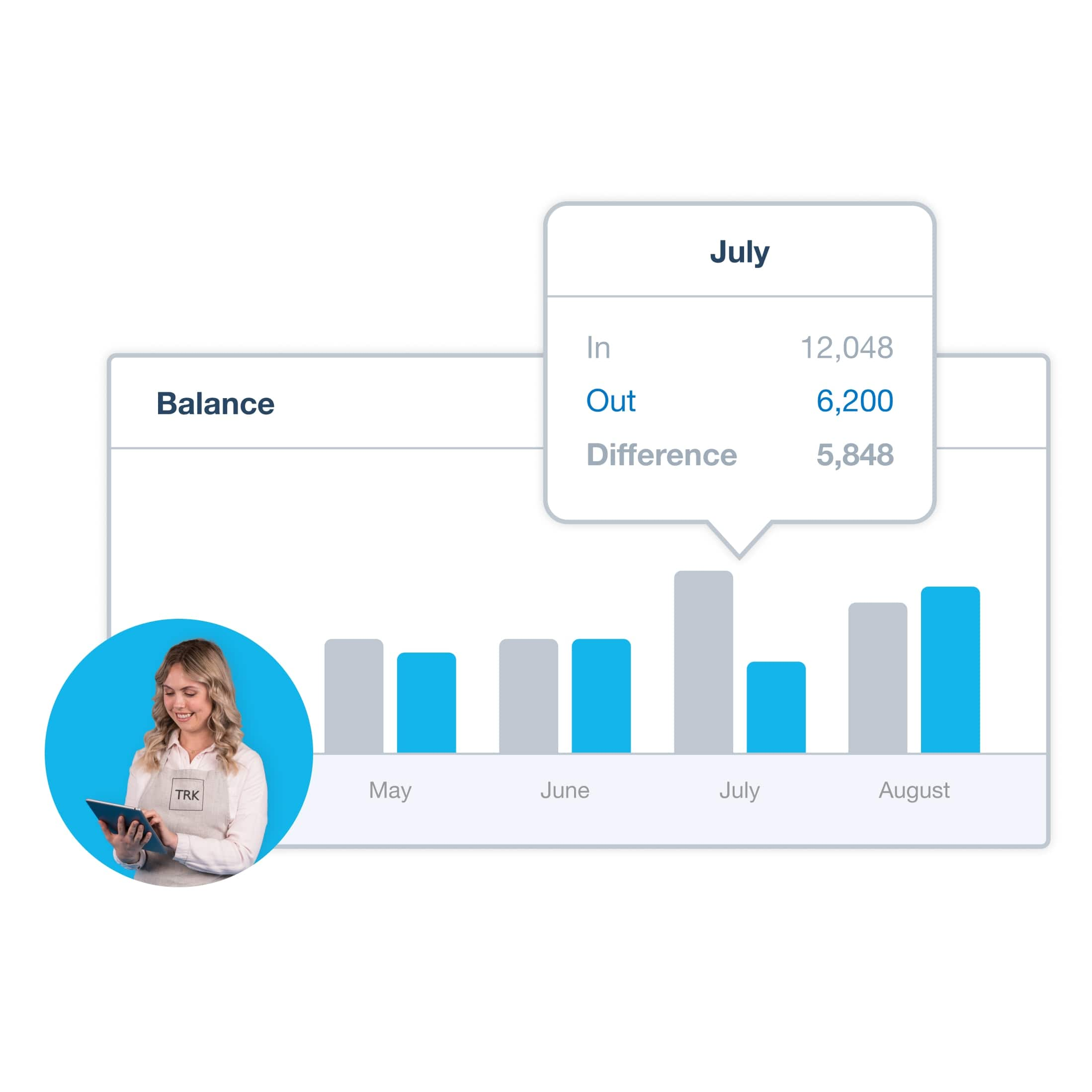
See your next 7 or 30 days of projected cash flow based on the due dates of approved invoices and bills with Xero Analytics. Need to look further ahead? Xero Analytics Plus gives you an advanced view of your short-term cash flow projection, including projecting cash flow up to 90 days.
Stay compliant with GST and BAS
Xero automatically tracks GST as you go and prepares accurate BAS returns, making tax time a little easier. Australian tax compliance is built in with BAS reporting and ATO lodgement features.

Collaborative budgeting with your team and advisor
Work with your team more easily with Xero user permissions. If you have the advisor or standard + reports user role, you can create and edit budgets in Xero. Role-based permissions mean you give the right people the right access. Invite unlimited general users at no extra cost.
Plans to suit your business
See your updated financial position at a glance
The Xero homepage summarises cash flow over 6 months, plus unpaid invoices and bills at a glance. Access Budget Summary and Budget Variance reports to review your budget and compare actuals vs budgeted figures. Export Budget Summary to PDF or spreadsheet.

FAQs on financial budgeting software
Use Xero to create budgets, run financial reports, and forecast your cash flow. Bring all your accounting data into one place, with bank feeds automatically importing transactions into Xero to help keep your accounts accurate and up to date.
Dedicated accounting software with budgeting has many advantages over spreadsheets. Share live reports with your accountant or bookkeeper in Xero, ensuring everyone is looking at the same live data together. And because your financial data is kept accurate and up to date, you can make decisions based on reliable information.
Xero also includes pre-built budget summary and budget variance reports – no formula-building required.
Use Xero to create budgets, run financial reports, and forecast your cash flow. Bring all your accounting data into one place, with bank feeds automatically importing transactions into Xero to help keep your accounts accurate and up to date.
Dedicated accounting software with budgeting has many advantages over spreadsheets. Share live reports with your accountant or bookkeeper in Xero, ensuring everyone is looking at the same live data together. And because your financial data is kept accurate and up to date, you can make decisions based on reliable information.
Xero also includes pre-built budget summary and budget variance reports – no formula-building required.
Australian businesses should look for:
- GST tracking and BAS preparation: automated calculation and reporting for ATO compliance
- Australian bank connectivity: so you can import transactions from your bank or financial institution into Xero
- budgeting with tracking categories: create additional budgets and update the tracking category for a budget
- cash flow forecasting so you can plan ahead – Xero, for example, has short-term projections (7 or 30 days) from your actual bills and invoices
- real-time reporting, such as Xero’s budget summary and variance reports that compare actuals to budget
- Collaborative access: permissions and privileges control the access your staff have to view, add and edit information
- mobile accessibility: iOS and Android apps so you can track performance against budget on the go
- import and export features that let you export budgets as CSV, Microsoft Excel or Google Sheets files, then import the edited file back into Xero
Australian businesses should look for:
- GST tracking and BAS preparation: automated calculation and reporting for ATO compliance
- Australian bank connectivity: so you can import transactions from your bank or financial institution into Xero
- budgeting with tracking categories: create additional budgets and update the tracking category for a budget
- cash flow forecasting so you can plan ahead – Xero, for example, has short-term projections (7 or 30 days) from your actual bills and invoices
- real-time reporting, such as Xero’s budget summary and variance reports that compare actuals to budget
- Collaborative access: permissions and privileges control the access your staff have to view, add and edit information
- mobile accessibility: iOS and Android apps so you can track performance against budget on the go
- import and export features that let you export budgets as CSV, Microsoft Excel or Google Sheets files, then import the edited file back into Xero
Create budgets in Xero and compare your budgeted figures against your organisation's actuals with the Budget Summary report or Budget Variance report. Bank feeds automatically import transactions from your bank or financial institution into your Xero organisation. Maintain up-to-date books with ease. Review and match bank transactions with just a few taps, keeping your books accurate for a clear view of cash flow.
Create budgets in Xero and compare your budgeted figures against your organisation's actuals with the Budget Summary report or Budget Variance report. Bank feeds automatically import transactions from your bank or financial institution into your Xero organisation. Maintain up-to-date books with ease. Review and match bank transactions with just a few taps, keeping your books accurate for a clear view of cash flow.
Yes. At Xero we follow robust security practices to keep your business information safe. Two-factor authentication adds an extra layer of account security.
Xero has produced a SOC 2 Type II report since 2016, the result of an independent auditor's examination of Xero's cloud-based accounting system.
For Australian businesses, Xero helps keep your financial data secure and stores your business information in the cloud so it’s always backed up.
Yes. At Xero we follow robust security practices to keep your business information safe. Two-factor authentication adds an extra layer of account security.
Xero has produced a SOC 2 Type II report since 2016, the result of an independent auditor's examination of Xero's cloud-based accounting system.
For Australian businesses, Xero helps keep your financial data secure and stores your business information in the cloud so it’s always backed up.
Yes. Xero automatically tracks GST as you go, ready for your BAS. This means less manual work and a clearer financial picture.
What’s more, Xero includes ATO-connected activity statement features for Australian businesses, including BAS-related workflows and the ability to view payment details and re-lodge activity statements in Xero.
Yes. Xero automatically tracks GST as you go, ready for your BAS. This means less manual work and a clearer financial picture.
What’s more, Xero includes ATO-connected activity statement features for Australian businesses, including BAS-related workflows and the ability to view payment details and re-lodge activity statements in Xero.
Switching from spreadsheets to dedicated financial budgeting software delivers value in key areas:
- Use the Budget Manager worksheet to create additional budgets and fill out future months using a formula.
- Less admin: automatic bank feeds import transactions into Xero and help cut hours off your bookkeeping.
- Better visibility: use Budget Summary and Budget Variance reports to see your budget and compare actual figures against budgeted figures.
- Easier collaboration: multiple users access the same live data – there’s no emailing files or managing version conflicts.
- Integrated compliance: GST tracking and BAS preparation happen within the same workflow, not as a separate exercise
Switching from spreadsheets to dedicated financial budgeting software delivers value in key areas:
- Use the Budget Manager worksheet to create additional budgets and fill out future months using a formula.
- Less admin: automatic bank feeds import transactions into Xero and help cut hours off your bookkeeping.
- Better visibility: use Budget Summary and Budget Variance reports to see your budget and compare actual figures against budgeted figures.
- Easier collaboration: multiple users access the same live data – there’s no emailing files or managing version conflicts.
- Integrated compliance: GST tracking and BAS preparation happen within the same workflow, not as a separate exercise
Getting started with Xero's financial budgeting software doesn’t take long at all.
- Connect your Australian bank accounts to Xero so your transactions automatically appear, saving you time and preventing manual entry errors.
- Creating your first budget in Budget manager depends on its complexity. Create one Overall Budget per organisation, and use the Budget Manager worksheet to create additional budgets. You can use the Budget Manager worksheet to create additional budgets.
- Reporting: run the Budget Summary report to see a summarised view of a budget you've prepared using the Budget Manager, and the Budget Variance report to compare actual figures against budgeted figures.
Your accountant or bookkeeper can help you set up Xero and check that your chart of accounts is structured to suit your business needs.
Getting started with Xero's financial budgeting software doesn’t take long at all.
- Connect your Australian bank accounts to Xero so your transactions automatically appear, saving you time and preventing manual entry errors.
- Creating your first budget in Budget manager depends on its complexity. Create one Overall Budget per organisation, and use the Budget Manager worksheet to create additional budgets. You can use the Budget Manager worksheet to create additional budgets.
- Reporting: run the Budget Summary report to see a summarised view of a budget you've prepared using the Budget Manager, and the Budget Variance report to compare actual figures against budgeted figures.
Your accountant or bookkeeper can help you set up Xero and check that your chart of accounts is structured to suit your business needs.
It should!. Xero supports multi-currency transactions for businesses with international operations. AUD is the base currency, and there’s support for multiple foreign currencies.
For multi-currency budgeting, Xero also has automatic exchange rate updates and multi-currency reporting.
Check Xero Central for the full list of supported currencies and plan availability.
It should!. Xero supports multi-currency transactions for businesses with international operations. AUD is the base currency, and there’s support for multiple foreign currencies.
For multi-currency budgeting, Xero also has automatic exchange rate updates and multi-currency reporting.
Check Xero Central for the full list of supported currencies and plan availability.
Xero’s Budget Manager lets you create one Overall Budget per organisation and additional budgets.
- Compare your budgeted figures against your organisation's actuals by running the Budget Summary report or the Budget Variance report.
- multiple scenario budgets: create additional budgets beyond the Overall Budget.
- Create formulas in financial reports to show totals for selected results.
- import from spreadsheets: export your budget to Excel or Google Sheets, edit externally, and import it back again.
Xero’s Budget Manager lets you create one Overall Budget per organisation and additional budgets.
- Compare your budgeted figures against your organisation's actuals by running the Budget Summary report or the Budget Variance report.
- multiple scenario budgets: create additional budgets beyond the Overall Budget.
- Create formulas in financial reports to show totals for selected results.
- import from spreadsheets: export your budget to Excel or Google Sheets, edit externally, and import it back again.
Ideally, your financial budgeting software should be integrated with your accounting system in many ways. For example, Xero integrates with the broader Xero ecosystem for:
- payroll: track payroll expenditure to make it easier to monitor staff costs
- inventory management: Xero tracks inventory changes and updates your numbers automatically
- bank feeds: Use bank feeds to automatically import transactions from your bank or financial institution into your Xero organisation
- advisor tools: Xero makes collaborate with your accountant or bookkeeper easy
- apps to add functions as your business grows: Xero connects with more than 1,000 third-party apps, including CRM and inventory tools.
Explore the Xero App Store for integrations relevant to your industry.
Ideally, your financial budgeting software should be integrated with your accounting system in many ways. For example, Xero integrates with the broader Xero ecosystem for:
- payroll: track payroll expenditure to make it easier to monitor staff costs
- inventory management: Xero tracks inventory changes and updates your numbers automatically
- bank feeds: Use bank feeds to automatically import transactions from your bank or financial institution into your Xero organisation
- advisor tools: Xero makes collaborate with your accountant or bookkeeper easy
- apps to add functions as your business grows: Xero connects with more than 1,000 third-party apps, including CRM and inventory tools.
Explore the Xero App Store for integrations relevant to your industry.
Explore more Xero features
Run your business more easily using Xero's all-in-one platform. Manage bookkeeping, payroll, tax and cash flow reporting all in one place.
Cash flow management
Project your next 7 or 30 days – or even 90 days – of cash flow based on scheduled bills and invoices.
Financial reporting
Profit and Loss, Balance Sheet, and budget reports you can export to Excel, Google Sheets, or PDF.
Business analytics
Deeper financial insights with Xero Analytics – including Analytics Plus for 90-day cash flow forecasting.
Start using Xero for free
Access all Xero features for 30 days, then decide which plan best suits your business.
- Safe and secure
- Cancel any time
- 24/7 online support