Get sorted for your end of financial year (EOFY) 2026
Australia's financial year ends on 30 June 2026. Get your books in order before the deadline with Xero's EOFY checklist, key dates table, webinars, and guides. Know your numbers and make tax time easier.

Key end of financial year dates for 2026
These are the EOFY dates Australian small businesses need for FY 2025–26. Add them to your calendar!
| Date | |
|---|---|
| FY 2025–26 | 1 July 2025 – 30 June 2026 |
| Last day of FY 2025–26 | 30 June 2026 |
| FY 2026–27 begins (Payday Super starts) | 1 July 2026 |
| STP finalisation due | 14 July 2026 |
| Q4 BAS and super guarantee due | 28 July 2026 |
| Tax return due (self-lodged) | 31 October 2026 |
| Company tax returns due (generally) | 28 February 2027 |
It’s a good idea to confirm your lodgement dates with your tax agent. See the full key financial year dates calendar for every deadline at a glance.
Key financial year dates calendarWhy the end of financial year matters for your business
Australia's financial year runs from 1 July to 30 June. As the end of financial year (EOFY) deadline approaches, you need to reconcile accounts, review expenses, and ensure books are accurate so a complete tax return can be lodged with the ATO on time.
What is the end of the financial year?
The end of financial year (EOFY) is when the 12-month tax and accounting period closes and small businesses finalise their books. In Australia, the financial year ends on 30 June. It's when you reconcile accounts, prepare financial reports, and work out the tax you owe for the year.
What does EOFY mean?
EOFY stands for the end of the financial year. It refers to the weeks leading up to and just after 30 June, when Australian businesses close their books, lodge reports with the ATO, and prepare for the new financial year starting 1 July.
When is the end of the financial year in Australia?
The Australian financial year ends on 30 June each year. For FY 2025–26, that's 30 June 2026. the new financial year starting on 1 July 2026. The financial year, also called the fiscal year, is separate from the calendar year.
How do I complete a tax return?
Start by reconciling your accounts, then prepare a profit and loss statement and balance sheet. Sole traders lodge an individual tax return through myGov. Companies lodge a company tax return with the ATO. A registered tax agent can lodge on your behalf – and can often get you a time extension.
How Xero helps your small business with EOFY
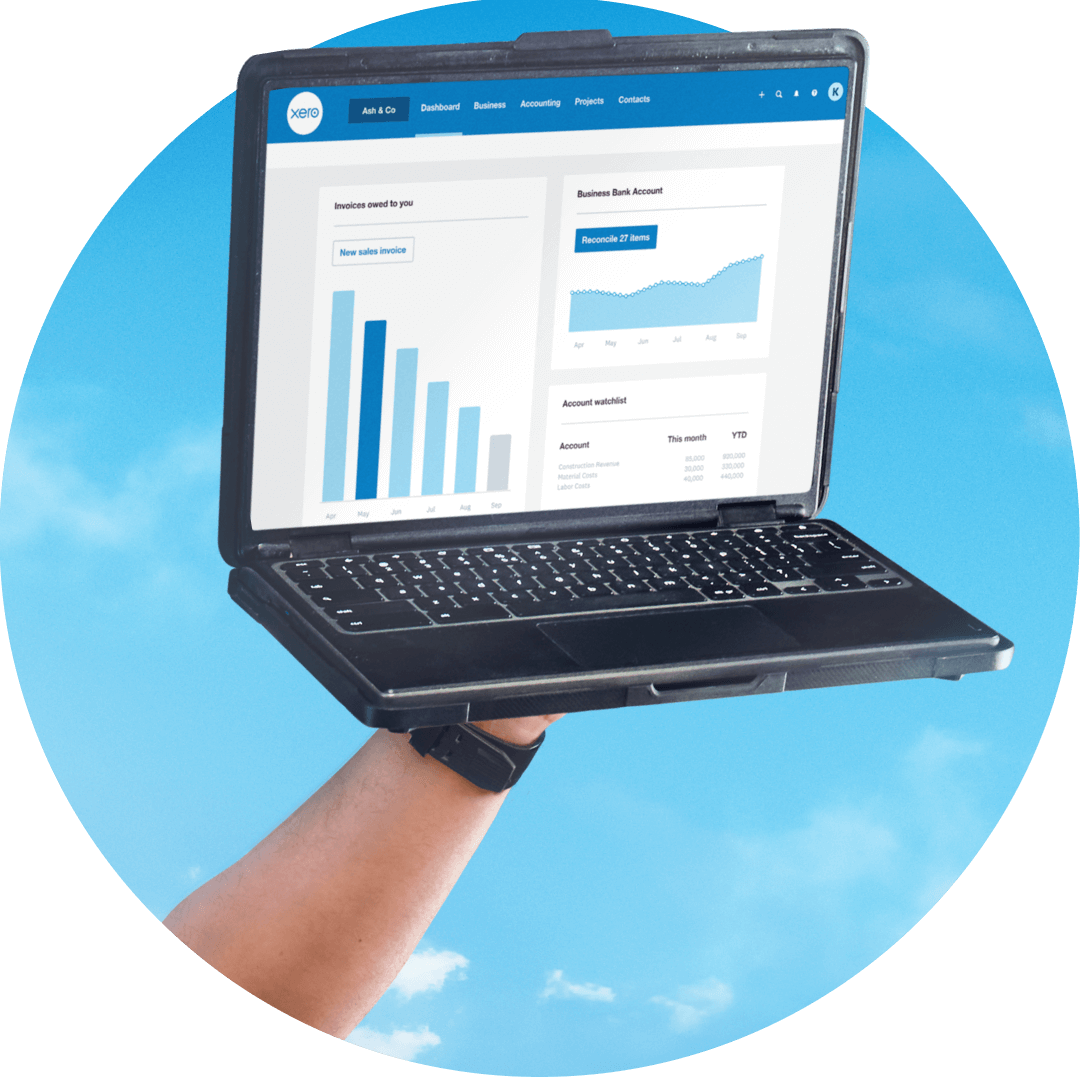
Xero makes business accounting, including end of financial year reporting, straightforward. Reconcile as you go, keep payroll tidy through the year, and run the reports your accountant needs at tax time. Make 30 June a date on the calendar, not a deadline to dread.
Reconcile before 30 June
Keep track of your cash flow with daily bank reconciliation, so your books are ready when EOFY arrives.
Finalise payroll by 14 July
When the financial year ends, finalise STP in Xero so it's ready to send to the ATO by 14 July.
Tax-time reports, ready to share
Generate a profit and loss statement and balance sheet so you and your accountant work from the same numbers.

Xero tools and resources for EOFY
From a key dates calendar to a jargon buster, free templates, and calculators, Xero has resources to help your small business, and accountants and bookkeepers, get ready for the financial year end. Work through the EOFY checklist below, and dive deeper when you need more detail.

EOFY jargon buster
Tax time comes with its own language. Here are a few common terms to get you started.
Business activity statement (BAS)
A tax form that GST-registered businesses send to the ATO to report and pay GST, PAYG, and other taxes. Most businesses file this quarterly.
Single Touch Payroll (STP)
The ATO's system for reporting pay, tax, and super each pay run. At EOFY, you finalise STP so employees can complete their tax returns.
Superannuation guarantee
The minimum super an employer must pay into an employee's fund, set as a percentage of your employee’s earnings.
Fiscal year
Another name for the financial year – in Australia, that’s 1 July to 30 June. Tax, budgeting, and reporting all run on this 12-month cycle.
Your EOFY 2026 checklist
Work through these tasks before and just after 30 June 2026 to close out FY 2025–26 in good shape.
Reconcile your accounts
Match your bank transactions to your records so your books are accurate and complete to 30 June.
Follow up unpaid invoices
Check what you're owed and send reminders, so as much income lands in the financial year as possible.
Finalise payroll and STP
Reconcile payroll, then send your STP finalisation declaration to the ATO by 14 July 2026.
Review your super obligations
Check your super contributions are up to date, and get ready for Payday Super, which starts on 1 July 2026.
Prepare your financial reports
Run a profit and loss statement and balance sheet to see how the year landed and support your tax return.
Keep your business records
Under Australian tax law, keep records of all business transactions for at least five years.





FAQs on Australian end of financial year
When the Australian financial year ends, you need to finalise STP so it’s ready to submit to the ATO by 14 July 2026. This confirms your employees’ income statements are ready for them to access when lodging their returns. In Xero, you can review and finalise your STP data directly from the payroll menu.
When the Australian financial year ends, you need to finalise STP so it’s ready to submit to the ATO by 14 July 2026. This confirms your employees’ income statements are ready for them to access when lodging their returns. In Xero, you can review and finalise your STP data directly from the payroll menu.
There are a few key reports every business should run at the end of the financial year. Run a profit and loss statement to review income and expenses for the year, and a balance sheet to confirm assets, liabilities, and equity. If you're GST registered, reconcile your BAS to ensure records match each quarter. If you have employees, make sure your Single Touch Payroll (STP) data is accurate and ready to finalise by 14 July.
There are a few key reports every business should run at the end of the financial year. Run a profit and loss statement to review income and expenses for the year, and a balance sheet to confirm assets, liabilities, and equity. If you're GST registered, reconcile your BAS to ensure records match each quarter. If you have employees, make sure your Single Touch Payroll (STP) data is accurate and ready to finalise by 14 July.
Payday Super is a change to how Australian employers pay superannuation. From 1 July 2026, employers will be required to pay super contributions at the same time as wages, rather than quarterly. While this doesn’t impact EOFY this year, now is an ideal time to review your payroll systems and processes to make sure you’re ready. Use this EOFY to check that your current super contributions are up to date and you’re paying at the correct 12% superannuation guarantee rate.
Payday Super is a change to how Australian employers pay superannuation. From 1 July 2026, employers will be required to pay super contributions at the same time as wages, rather than quarterly. While this doesn’t impact EOFY this year, now is an ideal time to review your payroll systems and processes to make sure you’re ready. Use this EOFY to check that your current super contributions are up to date and you’re paying at the correct 12% superannuation guarantee rate.
Under Australian tax law, you generally need to keep business records for five years. This applies to records related to your business registration, tax, and superannuation.
Under Australian tax law, you generally need to keep business records for five years. This applies to records related to your business registration, tax, and superannuation.
You can generally claim deductions for most expenses directly related to running your business. Common deductions include rent, utilities, insurance, employee wages, superannuation contributions, and work-related travel. Always check with your accountant or registered tax agent to make sure you're claiming everything you're entitled to.
You can generally claim deductions for most expenses directly related to running your business. Common deductions include rent, utilities, insurance, employee wages, superannuation contributions, and work-related travel. Always check with your accountant or registered tax agent to make sure you're claiming everything you're entitled to.
With Xero’s auto super feature, you can batch pay your super contributions through the third-party clearing house, SuperChoice. We'll recommend a submission date for batches that takes into account bank clearing times throughout the process.
With Xero’s auto super feature, you can batch pay your super contributions through the third-party clearing house, SuperChoice. We'll recommend a submission date for batches that takes into account bank clearing times throughout the process.
The end of financial year in Australia is 30 June.
- FY 2025–26 ends on 30 June 2026
- FY 2026–27 begins on 1 July 2026.
Key follow-on dates include STP finalisation by 14 July and self-lodged tax returns by 31 October.
The end of financial year in Australia is 30 June.
- FY 2025–26 ends on 30 June 2026
- FY 2026–27 begins on 1 July 2026.
Key follow-on dates include STP finalisation by 14 July and self-lodged tax returns by 31 October.
The Australian financial year is the 12-month period from 1 July to 30 June. At financial year end, businesses reconcile their books, report to the ATO, and work out the tax they owe for the year.
The Australian financial year is the 12-month period from 1 July to 30 June. At financial year end, businesses reconcile their books, report to the ATO, and work out the tax they owe for the year.
Plans to suit your business
Run your business with Xero
Xero's tools keep your books tidy as you go, so when 30 June rolls around, the work’s already done!
Easy invoicing
Send invoices and automatic reminders from Xero, so the income you've earned this financial year is invoiced.
Simple bank reconciliation
Match bank transactions to your records in just a few clicks each week so your books arrive at EOFY accurate.
Capture receipt data instantly with Hubdoc
Hubdoc – included in every Xero plan – snaps receipts on the spot, so your records for deductions are ready.
Start using Xero for free
Access Xero features free for 30 days to help you conquer tax time.