Receipt management software with a scanner app built in
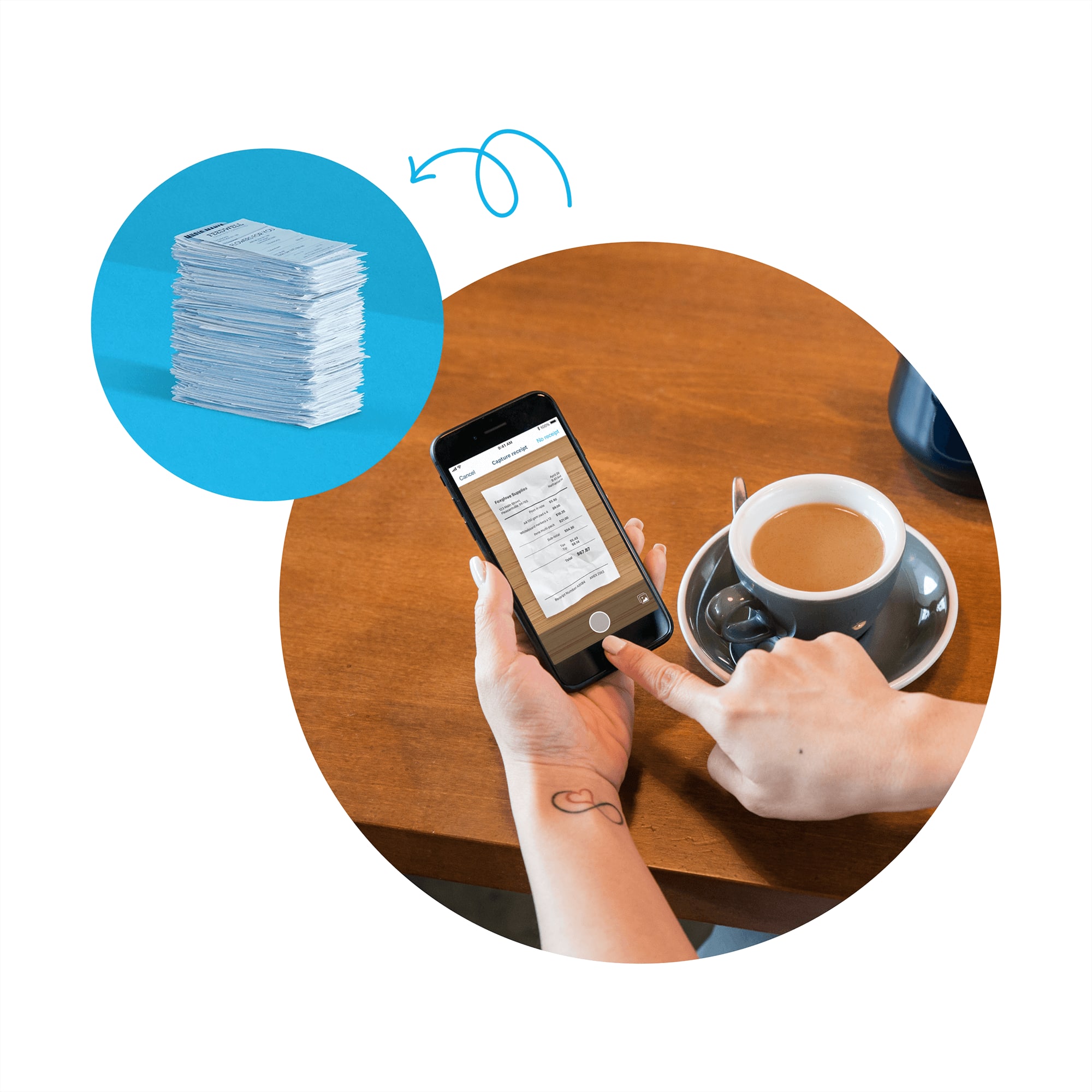
Photograph, file and find your business receipts. Xero helps you capture paper receipts and store files online, so your business documents are organized in one place. The Xero Me app’s built-in scanner reads the supplier, date, and amount, and attaches the receipt to your expenses claim.
Receipt management software: from capture through to payment
Snap, approve, and track business receipts. Xero receipt management software handles capture, approvals, and reimbursement.
Capture business receipts with the receipt scanner app
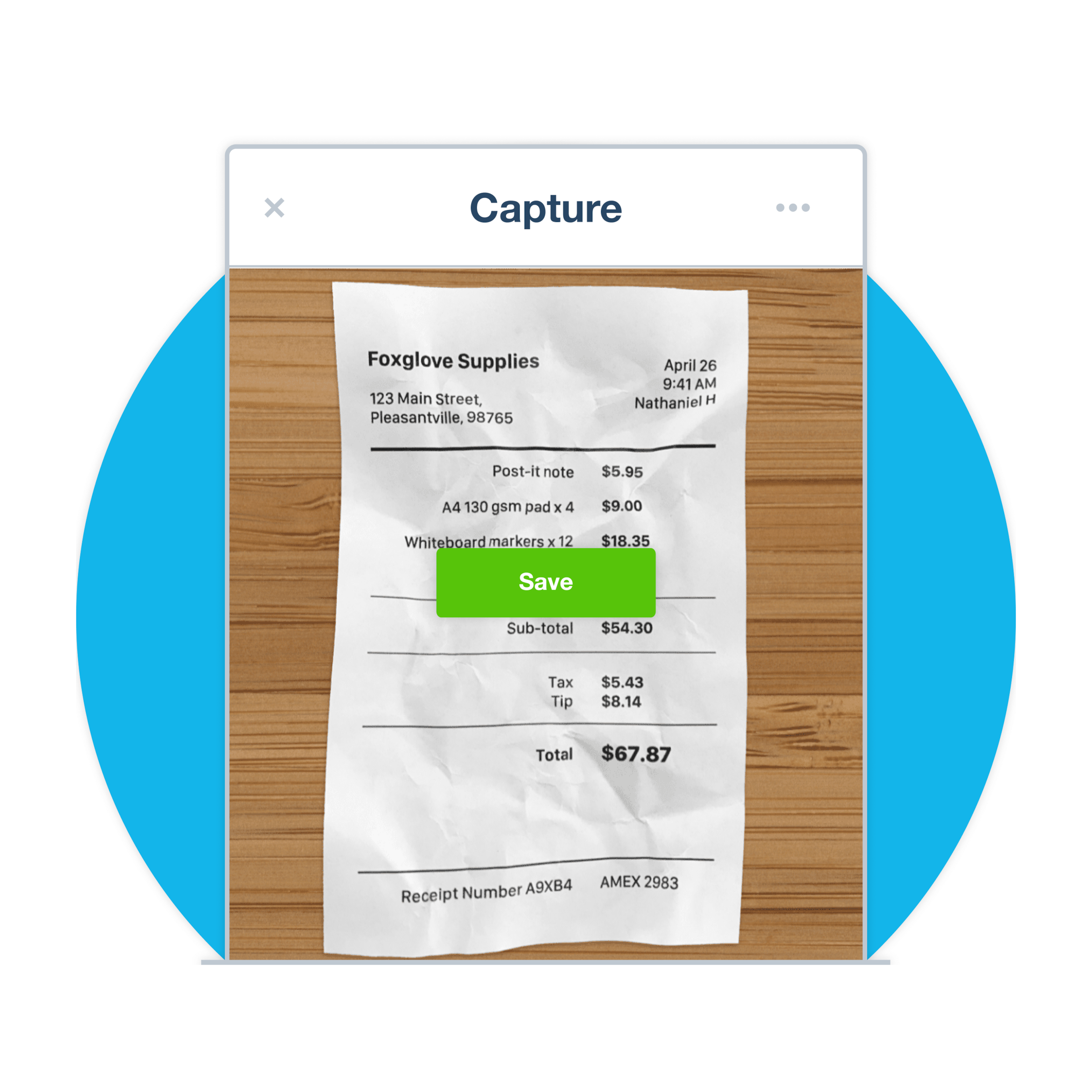
Snap any business receipt with your phone. OCR reads the supplier, date, and amount from your receipt.
Run employee expense management with approvals built in
Employees submit claims from the Xero Me app. You review, approve, and reimburse from the same workflow.
Track every business expense as your team submits it
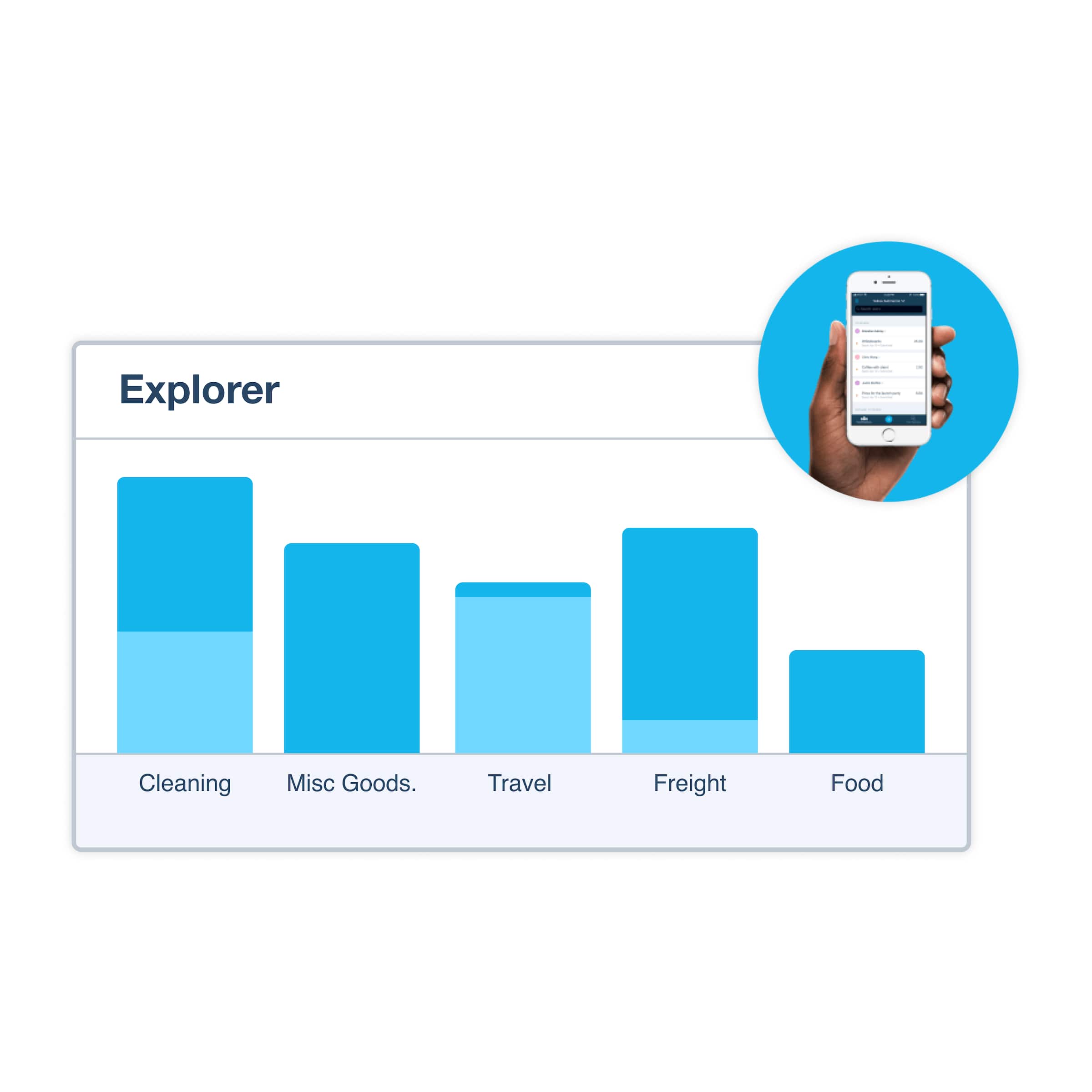
Track expenses by category and review them in Xero reports to see where your money is going.
We chose Xero because it was set up for small businesses like ours
Olive and Poppy think Xero is perfect for non-accounting experts

Snap business receipts with the scanner app
Out of the office? Simply snap a pic or upload a file, and Xero captures the data. Xero Me lets staff upload images of paper receipts to Xero for reimbursement, and Xero captures the data from bills and receipts. The receipt attaches to your expense claim, ready to submit from anywhere.
- Snap a pic or upload a file, and Xero captures the data.
- Store digital receipts in your cloud library
- Let employees submit expense claims from their phones in seconds
- Speed up expense reimbursement with one mobile workflow
Approve and reimburse employee expense claims
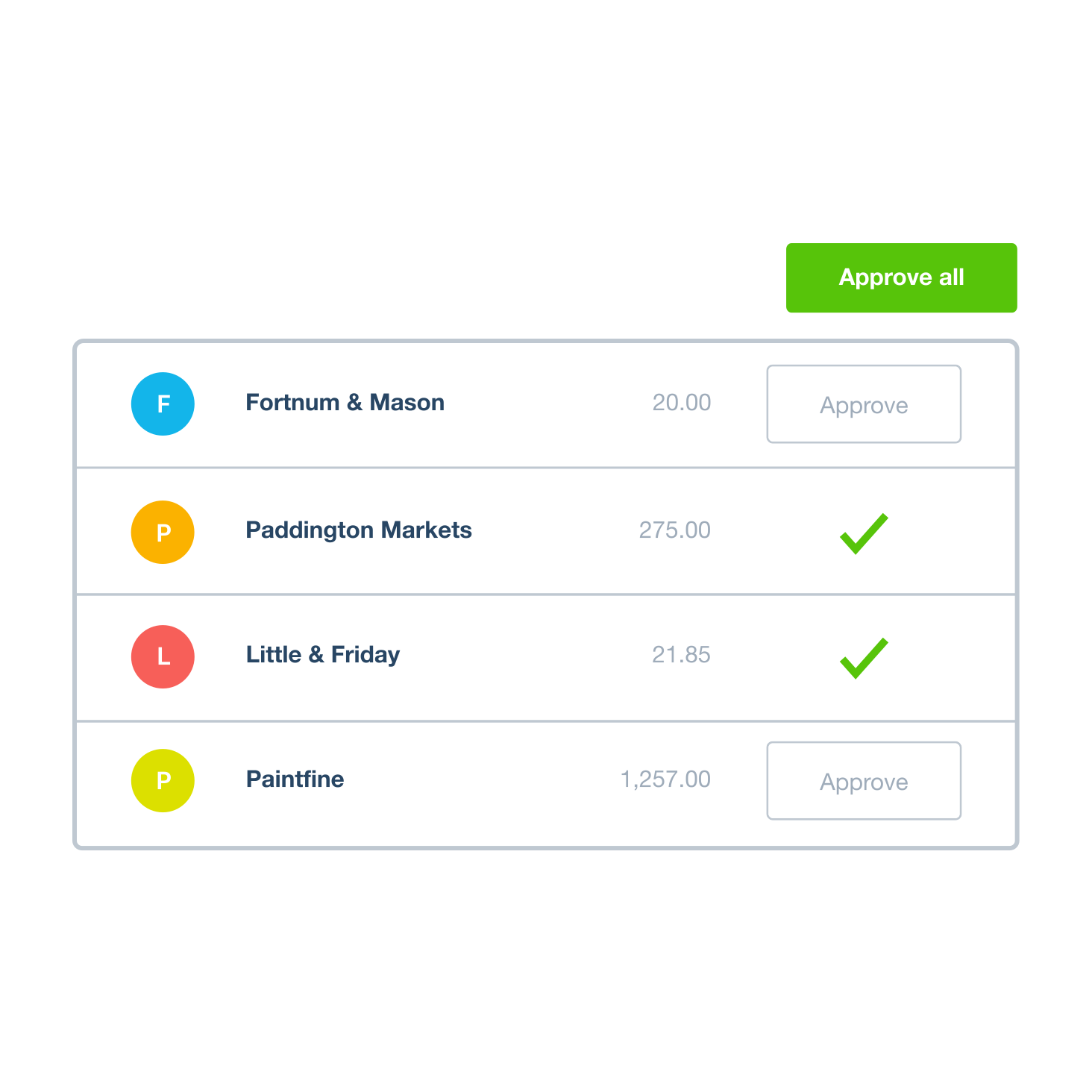
Employees photograph receipts and submit claims through Xero Me. Review them on your desktop or your phone. Review and approve employee expense claims in Xero, then manage bill payments in one place. And with Xero user permissions, you’re in control throughout.
- Submit on the go from the Xero Me app
- Review and approve expense reports the moment they come in
- Control the expense workflow: set permissions for submitters, approvers, and admin
- Store receipts and reimburse from the same workflow
Track your expenses by category
As employees submit receipts through the Xero Me app, Xero keeps your expense records up to date so you can track spending and manage your cash flow. Bank transactions flow into Xero, where suggested matches help you reconcile with a click. View running totals from your cloud accounting dashboard.
- Sort receipts into categories like travel and meals
- Match bank statement lines to your Xero transactions to keep your books in sync
- Track company expenses from your expense tracker app
- View your organization’s income, expenses and profit in Xero
Audit-ready digital receipts in the cloud
Xero's cloud storage keeps tax-time admin simple. Maintaining accurate bookkeeping simplifies tax season by providing a well-organized record of all financial transactions, helping you stay ready when it’s time to prepare your tax return.
- Store digital receipts securely in the cloud
- Keep your records organized and easy to access for audit activities
- Store digital receipts in the cloud
- Find any receipt fast at tax time or audit

Pay your bills at no extra cost
Free standard ACH bill payments are now included in Xero business plans.*
Early
for the first 3 months
Then $25 per month
An easy financial foundation - track cash flow with the essentials.
- Send quotes and 20 invoices†
- Accept online invoice payments^
- 5 bills
- Reconcile bank transactions
- Smart Document Capture
- View real-time reports
- W-9 + 1099 management
- Sales tax
- Visualize performance with basic graphs
- 30 day cash flow forecast
- Make online bill payments (Domestic - Free ACH)
- Make online bill payments (Cross Border)

Growing
for the first 3 months
Then $55 per month
Go beyond the basics - automate tasks and access performance dashboards.
- Send invoices and quotes
- Accept online invoice payments^
- Automate bill entry and track bills
- Auto-reconcile bank transactions (Beta)
- Smart Document Capture
- View real-time reports
- W-9 + 1099 management
- Sales tax
- Visualize performance with graphs
- 60 day cash flow forecast
- Make online bill payments (Domestic - Free ACH)
- Make online bill payments (Cross Border)
- Customize performance dashboards
- Tailored financial health scorecards
Forecast with clarity
Forecast with clarity
Established
for the first 3 months
Then $90 per month
Future proof your scaling business - with advanced tools and analytics.
- Send invoices and quotes
- Accept online invoice payments^
- Automate bill entry and track bills
- Auto-reconcile bank transactions (Beta)
- Smart Document Capture
- View real-time reports
- W-9 + 1099 management
- Sales tax
- Visualize performance with graphs
- 180 day cash flow forecast
- Make online bill payments (Domestic - Free ACH)
- Make online bill payments (Cross Border)
- Customize performance dashboards
- Tailored financial health scorecards
- Analyze KPIs and ratios
- Use multiple currencies
- Track time and costs for projects
- Employee expense and mileage claims
- Benchmark against the industry
- Make online bill payments (International)
Receipts feed your accounting automatically
Stop re-keying numbers between apps. Xero helps you process expense claims alongside your accounting, and can match transactions to your bank feed so you can reconcile in one click. Xero provides matching suggestions between your bank account and accounting transactions.
- Skip data re-entry between expense and accounting tools
- Match your bank transactions to Xero transactions in just a few clicks
- Categorize your transactions for more accurate reporting
- Get live expense reporting from your dashboard

Track every expense, not just receipts
Xero’s expense management tools handle more than just receipts. Xero helps you claim expenses and mileage, and use Xero Projects to track the time and cost of work and the profitability of your jobs. Four in five Xero customers say they save 6 hours a month by skipping manual data entry. Get 5 hours
Easier expense management in Xero
FAQs on receipt management software:
Xero Me makes it simple to upload images of paper receipts to Xero for reimbursement. Just snap a paper receipt and OCR pulls out the supplier, date, and amount. Use the Xero Me mobile app to upload images of paper receipts to Xero for reimbursement. Use the Xero Me mobile app to upload receipt photos and approve claims on the go.
Xero Me is the mobile app your staff can use to upload images of paper receipts to Xero for reimbursement. Snap a pic of a bill or receipt and Xero captures the data. Use the Xero Me mobile app to upload images of paper receipts to Xero for reimbursement. Use the Xero Me mobile app to upload receipt photos and approve claims on the go.
Xero Me makes it simple to upload images of paper receipts to Xero for reimbursement. Just snap a paper receipt and OCR pulls out the supplier, date, and amount. Use the Xero Me mobile app to upload images of paper receipts to Xero for reimbursement. Use the Xero Me mobile app to upload receipt photos and approve claims on the go.
Xero Me is the mobile app your staff can use to upload images of paper receipts to Xero for reimbursement. Snap a pic of a bill or receipt and Xero captures the data. Use the Xero Me mobile app to upload images of paper receipts to Xero for reimbursement. Use the Xero Me mobile app to upload receipt photos and approve claims on the go.
Give your staff access to Xero Expenses so they can upload photos of receipts using the Xero Me mobile app. Xero extracts key data to fill in the claim, and approved claims are automatically turned into bills. Your team can also use Xero Me to request leave and submit timesheets from their mobile device.
Xero Me works with Xero Expenses, so staff can upload photos of receipts using the Xero Me mobile app as part of Xero’s expense claims workflow. Your team can also use Xero Me to request leave and submit timesheets from their mobile device.
Download Xero Me from the App Store or Google Play
Give your staff access to Xero Expenses so they can upload photos of receipts using the Xero Me mobile app. Xero extracts key data to fill in the claim, and approved claims are automatically turned into bills. Your team can also use Xero Me to request leave and submit timesheets from their mobile device.
Xero Me works with Xero Expenses, so staff can upload photos of receipts using the Xero Me mobile app as part of Xero’s expense claims workflow. Your team can also use Xero Me to request leave and submit timesheets from their mobile device.
Download Xero Me from the App Store or Google Play
Xero Expenses is expense management software built into Xero. This means business receipts, claims, approvals, and reimbursements all sync together in the same place. Xero helps keep your financial data accurate and up to date, with bank transactions flowing into Xero and suggested matches to keep your books in sync.
See pricing and plans for how Xero Expenses fits with the rest of your accounting software.
Xero Expenses is expense management software built into Xero. This means business receipts, claims, approvals, and reimbursements all sync together in the same place. Xero helps keep your financial data accurate and up to date, with bank transactions flowing into Xero and suggested matches to keep your books in sync.
See pricing and plans for how Xero Expenses fits with the rest of your accounting software.
It's pretty simple, and you only set it up once.
1. First, upgrade your subscription to a plan that includes Xero Expenses.
2. Complete setup on your desktop.
3. Upload images of paper receipts to Xero for reimbursement.
4. Choose the accounts your team can pick from for expense claims.
5. Assign expense permissions based on each role.
It's pretty simple, and you only set it up once.
1. First, upgrade your subscription to a plan that includes Xero Expenses.
2. Complete setup on your desktop.
3. Upload images of paper receipts to Xero for reimbursement.
4. Choose the accounts your team can pick from for expense claims.
5. Assign expense permissions based on each role.
Yes. Use the Xero Me mobile app to upload images of paper receipts to Xero for reimbursement. The app stores the image and pulls the key details into Xero, ready for an expense claim. It’s a simple way to capture travel expenses while you’re on the road.
Yes. Use the Xero Me mobile app to upload images of paper receipts to Xero for reimbursement. The app stores the image and pulls the key details into Xero, ready for an expense claim. It’s a simple way to capture travel expenses while you’re on the road.
Receipt management software like Xero helps you capture receipts, extract key details, approve claims, store documents securely in the cloud, and attach copies to transactions so you can refer back to them later. Xero captures receipt data and supports the workflow beyond scanning.
Xero is receipt and expense management software with a built-in scanner app. The capture, expense claim processing, and digital receipt storage all run as one system.
Receipt management software like Xero helps you capture receipts, extract key details, approve claims, store documents securely in the cloud, and attach copies to transactions so you can refer back to them later. Xero captures receipt data and supports the workflow beyond scanning.
Xero is receipt and expense management software with a built-in scanner app. The capture, expense claim processing, and digital receipt storage all run as one system.
Look for things like:
- a mobile receipt scanner app that extracts receipt data using OCR
- an approval workflow for claims,
- accounting software integrated with expense-claim workflow
- bank feed matching of expense claims to statement lines
- secure cloud storage for receipts
- expense reporting
- multi-user permissions for security
Xero includes features such as bank reconciliation, financial and accounting reports, and claim expenses and mileage in one cloud-based platform.
Look for things like:
- a mobile receipt scanner app that extracts receipt data using OCR
- an approval workflow for claims,
- accounting software integrated with expense-claim workflow
- bank feed matching of expense claims to statement lines
- secure cloud storage for receipts
- expense reporting
- multi-user permissions for security
Xero includes features such as bank reconciliation, financial and accounting reports, and claim expenses and mileage in one cloud-based platform.
No. Xero’s receipt and expense features sit inside Xero Expenses. See Xero pricing plans to find which plans include claim expenses and mileage. The Early plan does not include Xero Expenses.
4.6 million subscribers trust Xero for their accounting software – see current pricing on the pricing plans page
No. Xero’s receipt and expense features sit inside Xero Expenses. See Xero pricing plans to find which plans include claim expenses and mileage. The Early plan does not include Xero Expenses.
4.6 million subscribers trust Xero for their accounting software – see current pricing on the pricing plans page
It helps a lot! You can store digital copies of receipts in Xero and attach them to transactions for your own reference and records. Receipt management software like Xero securely captures and stores receipts and other business documents online, so you can maintain accurate records and refer back to them for auditing. That means you’ll easily find any receipt you need at tax season or if an audit comes around.
It helps a lot! You can store digital copies of receipts in Xero and attach them to transactions for your own reference and records. Receipt management software like Xero securely captures and stores receipts and other business documents online, so you can maintain accurate records and refer back to them for auditing. That means you’ll easily find any receipt you need at tax season or if an audit comes around.
It’s quite straightforward. Employees submit expense claims through the Xero Me app. Review the claim and its attached receipt in Xero, then approve it. You review the claim with the receipt attached, then approve, reject or comment. Xero helps you keep track of what’s due and when it’s due.
You can assign user roles and task-specific permissions to give people access to expenses.
It’s quite straightforward. Employees submit expense claims through the Xero Me app. Review the claim and its attached receipt in Xero, then approve it. You review the claim with the receipt attached, then approve, reject or comment. Xero helps you keep track of what’s due and when it’s due.
You can assign user roles and task-specific permissions to give people access to expenses.
Why receipt management software pays off
Receipt management software with a built-in scanner app for expense claims. 91% of customers agree Xero is easy to use.
Stay ahead with a single expense tracker
Wondering how to track expenses without spreadsheets? Track company expenses on the go from the Xero Me app.
Simplify your accounting and bookkeeping
From receipts to claims, and bills to reconciliation – Xero finance management software has it all covered.
Catch every tax-deductible business expense
Xero stores business receipts in one place, with key details like supplier, date, and amount captured.
Get one month free
Purchase any Xero plan, and we will give you the first month free.



*Fees apply for other payment methods.