Chart of accounts
Learn what a chart of accounts is, the five account types, and how to set one up for your business.
Published Monday 17 August 2026
Table of contents
Key takeaways
- A chart of accounts lists every account your business uses to record and categorise transactions in the general ledger.
- It is organised into five types: assets, liabilities, equity, revenue, and expenses, each with customisable sub-accounts.
- A logical numbering system keeps accounts easy to find and leaves room to add more as your business grows.
- The right structure gives you accurate reports and keeps your records ready for tax time and audits.
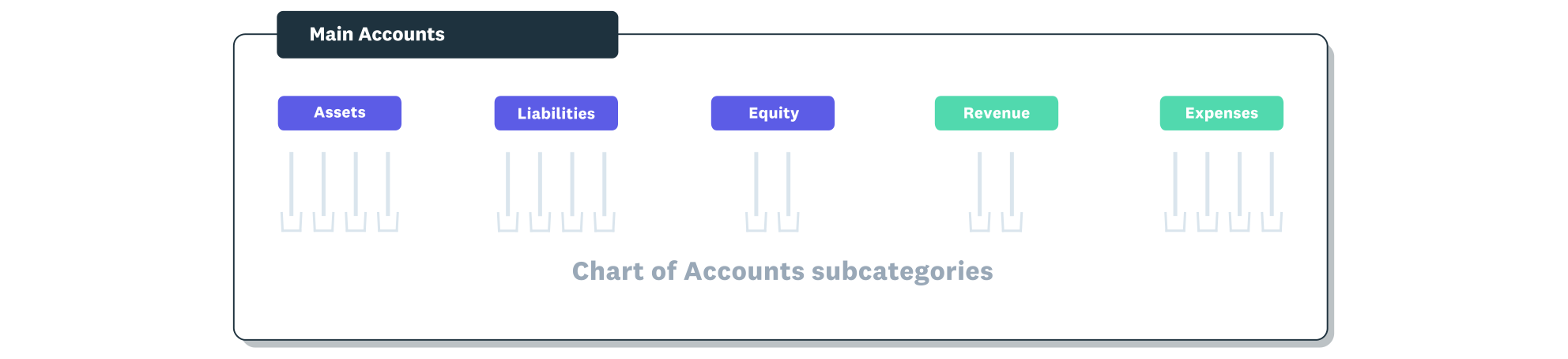
The chart of accounts is organised under the five main account types.
What is a chart of accounts?
A chart of accounts, or COA, is a complete list of the accounts a business uses to record and categorise every financial transaction in its general ledger. Think of it as an index that groups similar transactions together.
Each account in the chart captures a specific type of activity, such as cash coming in, bills going out, or stock on hand. By sorting transactions into the right accounts, you create a clear structure for financial reports and make it easier to see where your money goes.
The 5 main account types
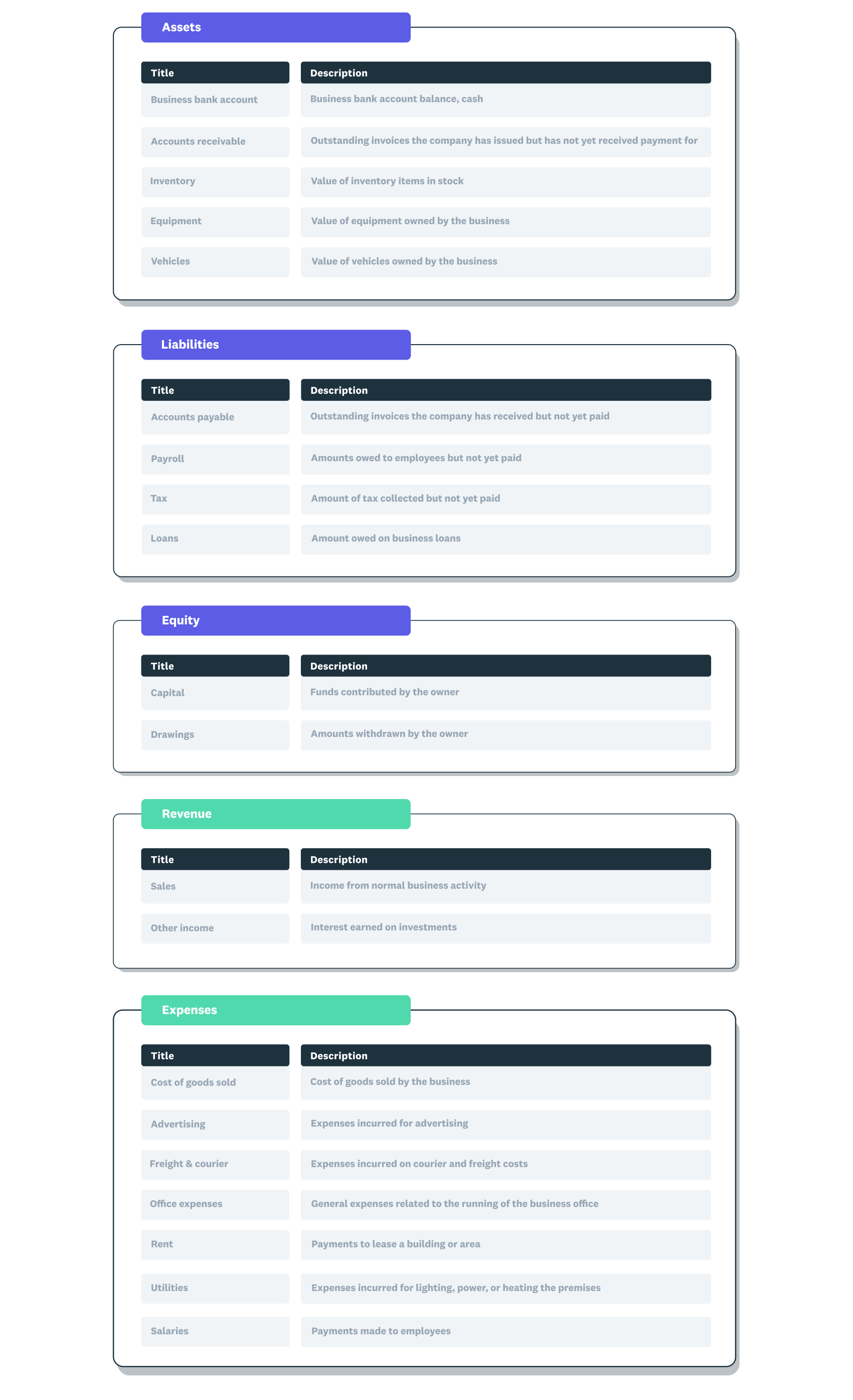
A chart of accounts example showing the five main account types with subcategories within each.
Every chart of accounts is built around five core categories that reflect the fundamental building blocks of business finance.
- Asset accounts: things the business owns, such as cash, equipment, and property
- Liability accounts: debts the business owes, including loans and supplier balances
- Equity accounts: funds introduced by owners and owner drawings
- Revenue accounts: money the business earns from sales or services
- Expense accounts: money the business spends to operate, such as rent and wages
The five top-level types stay the same across almost every business, but the sub-accounts underneath are customisable. Within expenses, for example, you might have separate accounts for utilities, office supplies, rent, and travel. A small business often has around 20 accounts in total, each with a name, short description, and general ledger code.
Why a chart of accounts matters
A well-organised chart of accounts gives you the foundation for accurate bookkeeping and useful reports.
- Groups similar transactions so you can track patterns quickly
- Supports accurate financial reporting across profit and loss, balance sheet, and cash flow statements
- Makes analysis and budgeting easier by breaking figures into meaningful categories
- Keeps records audit-ready and helps you stay on top of tax requirements
How a chart of accounts is structured
Most charts of accounts use a numbering system that makes it simple to find and sort accounts. This structure also supports double-entry bookkeeping, where every transaction affects at least two accounts.
Each account has a unique code. Codes are usually numeric, though some businesses use letters or a mix of both. The first digit typically signals the account type: assets often start with 1, liabilities with 2, equity with 3, revenue with 4, and expenses with 5. The following digits identify the specific account within that type.
Chart of accounts example
Here is a simplified example showing how codes and names might be grouped by account type.
- 1000 Cash
- 1200 Accounts receivable
- 2000 Accounts payable
- 3000 Owner's equity
- 4000 Sales revenue
- 5000 Rent
- 5100 Utilities
This layout lets you add new accounts later without disrupting the existing order. For instance, you could insert a 5050 Insurance account between rent and utilities. Each code also feeds into your journal entries and reports automatically when you use accounting software.
How a chart of accounts differs by business type
The structure of a chart of accounts changes depending on what the business does.
- Service businesses usually keep it simple, with few or no inventory accounts
- Trading and retail businesses add inventory and cost-of-sales accounts to track stock movements
- Manufacturers include accounts for raw materials, work-in-progress, and production costs
How to set up a chart of accounts
Follow these steps to create a chart of accounts that fits your business.
- List your five main account types: assets, liabilities, equity, revenue, and expenses.
- Add the sub-accounts your business actually needs, based on how you operate and what you need to report.
- Assign a logical code to each account, leaving gaps in the numbering for future accounts.
- Keep account names short and clear so anyone reviewing the books can understand them.
- Review and refine the chart as the business grows, archiving accounts you no longer use.
Tips for maintaining your chart of accounts
A chart of accounts works best when you keep it tidy and up to date.
- Keep every code unique so transactions are always recorded in the correct account
- Leave numbering gaps so you can add new accounts without restructuring
- Avoid creating duplicate or overlapping accounts that split similar transactions
- Review the chart periodically and archive accounts you no longer use
Manage your chart of accounts with Xero
Xero comes with a customisable default chart of accounts, so you can start with a ready-made structure and tailor it to your business. When you connect your bank account, Xero organises transactions into the right accounts automatically, giving you clear reports without the manual sorting. See how it works when you get one month free.
FAQs on chart of accounts
Below are answers to common questions about setting up and managing a chart of accounts.
How is a chart of accounts different from a general ledger?
A chart of accounts is the list of account names and codes your business uses. A general ledger is the actual record of transactions posted to those accounts over time.
How many accounts should a chart of accounts have?
There is no fixed number, but enough to capture meaningful categories and few enough to keep reporting simple. Many small businesses start with 15 to 30 accounts and add more as needed.
Can I customise my chart of accounts?
Yes. You can add, rename, or archive accounts to match how your business operates. Customising helps you get reports that reflect your actual activities.
Does a chart of accounts need to follow a standard numbering system?
No universal standard exists, though many businesses follow common conventions for the first digit. The most important thing is consistency within your own chart so transactions sort correctly.
How often should I review my chart of accounts?
At least once a year, or whenever your business adds new revenue streams, cost centres, or reporting requirements. Regular reviews help keep the chart relevant and tidy.
Related terms
Learn more about chart of accounts
Handy resources
Advisor directory
You can search for experts in our advisor directory
Xero Small Business Guides
Discover resources to help you do better business
Online accounting with Xero
Automate your accounting in the cloud
Disclaimer
This glossary is for small business owners. The definitions are written with their requirements in mind. More detailed definitions can be found in accounting textbooks or from an accounting professional. Xero does not provide accounting, tax, business or legal advice.