Chart of accounts
Learn what a chart of accounts is, the five account types, and how to set one up for your business.
Published Thursday 23 July 2026
Table of contents
Key takeaways
- A chart of accounts (COA) is the full list of accounts you use to record transactions in your general ledger.
- Every account falls into 1 of 5 types: assets, liabilities, equity, revenue, and expenses.
- Account numbers and sub-accounts keep your COA organised, so it's quick to find where each transaction belongs.
- A clear, consistent chart of accounts makes your reports more accurate and your business easier to understand.
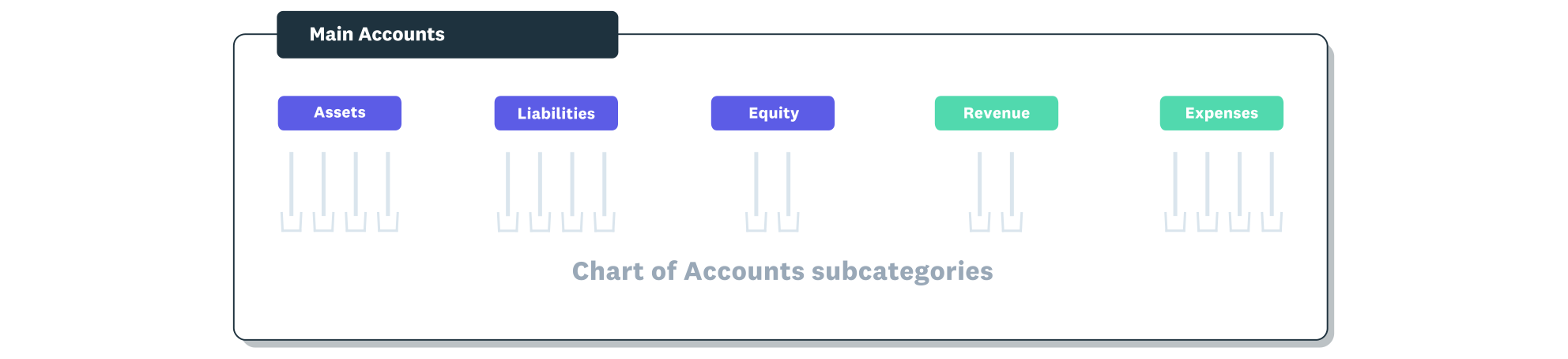
The chart of accounts is organised under the five main account types.
What is a chart of accounts?
A chart of accounts (COA) is a list of all the accounts you use to record financial transactions in your general ledger. It helps you keep track of where money comes from and where it goes.
Think of it as a map for your bookkeeping. It categorises each transaction and groups similar accounts together, so your financial reports stay accurate and easy to follow.
The five types of accounts in a chart of accounts
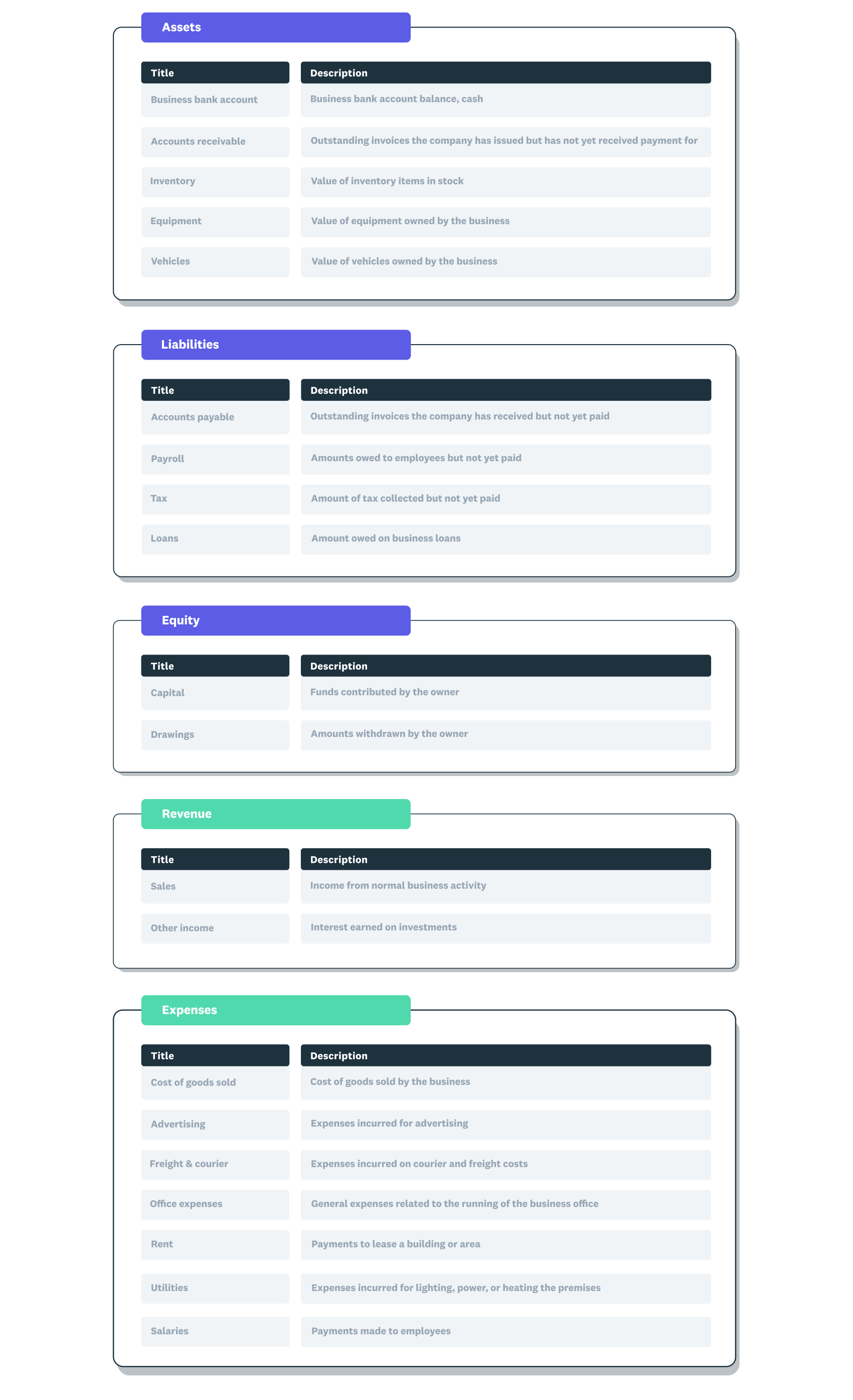
A chart of accounts example showing the five main account types with subcategories within each.
Every account in your COA belongs to one of five main types. These types stay the same across businesses, which makes your reports consistent and comparable.
The 5 account types are:
- assets: things your business owns, such as cash, equipment, and money owed to you
- liabilities: debts your business owes, such as loans, bills, and tax due
- equity: funds put into the business and money the owner takes out
- revenue: money your business earns from sales and other income
- expenses: money your business spends to operate, such as rent and wages
Assets, liabilities, and equity feed your balance sheet, while revenue and expenses feed your income statement.
How a chart of accounts is structured and numbered
Each account usually has a name, a short description, and a number called an account code. The code makes it faster to record a transaction and find the right account later.
Account numbers follow the 5 main types, so related accounts sit together. Typical number ranges are:
- assets: 1000 to 1999
- liabilities: 2000 to 2999
- equity: 3000 to 3999
- revenue: 4000 to 4999
- expenses: 5000 to 5999
Within each type, you can add sub-accounts for more detail. For example, under expenses you might set up separate accounts for rent, power, and office supplies.
Chart of accounts example
Here's how a small New Zealand cafe might structure part of its chart of accounts. It uses the 5 types, with a few sub-accounts under each.
- assets: business bank account (1000), coffee machine and equipment (1500)
- liabilities: supplier accounts payable (2000), GST payable (2200)
- equity: owner contributions (3000), owner drawings (3100)
- revenue: food and drink sales (4000), catering income (4100)
- expenses: rent (5000), wages (5100), ingredients and stock (5200)
You can add as many accounts as you need. Around 20 accounts is common for a small business, though the right number depends on how much detail you want in your reports.
How to set up a chart of accounts
Setting up a COA is straightforward once you know the 5 types. Our guide on how to set up a chart of accounts covers it in Xero, and the steps below give you the essentials.
- Name your accounts using plain, specific labels that match how you run your business.
- Assign each account a number that fits its type and number range.
- Group every account under one of the 5 types: assets, liabilities, equity, revenue, or expenses.
- Keep account names simple and consistent, so anyone can find the right one.
- Review your accounts at the end of each period and tidy up anything you no longer use.
Chart of accounts best practices
A few habits keep your chart of accounts tidy and your financial reports reliable. These practices help you compare figures over time and avoid confusion.
- Keep your structure consistent from year to year
- Avoid over-complicating it with accounts you rarely use
- Use sub-accounts to add detail without cluttering the main types
- Change your accounts only at the end of a reporting period
- Align your accounts to the reports and decisions you care about
Chart of accounts vs general ledger
People often mix up the chart of accounts and the general ledger, but they do different jobs. One is the index, and the other is the detailed record.
Your chart of accounts is the list of every account you use, like a table of contents. The general ledger is the full record of every transaction posted to those accounts, showing the running balance for each one.
Organise your finances with Xero
A well-organised chart of accounts saves you time and gives you a clear picture of your business. Xero comes with a default chart of accounts you can customise to fit how you work.
Spend less time on manual admin and more time running your business: sign up for Xero and get one month free.
FAQs on chart of accounts
Here are some frequently asked questions about chart of accounts to help you set one up with confidence.
How many accounts should a chart of accounts have?
There's no fixed number, but around 20 accounts suits many small businesses. Add enough detail to answer your reporting questions without making the list hard to manage.
Is a chart of accounts the same as a balance sheet?
No. The chart of accounts is the list of all your accounts, while the balance sheet is a report built from your asset, liability, and equity accounts at a point in time.
Can I change my chart of accounts later?
Yes, you can add, rename, or remove accounts as your business changes. Make those changes at the end of a reporting period so your figures stay comparable.
Does accounting software set up a chart of accounts for me?
Most accounting software gives you a ready-made chart of accounts to start from. You can then adjust the account names and codes to match your business.
Related terms
Learn more about chart of accounts
Handy resources
Advisor directory
You can search for experts in our advisor directory
Xero Small Business Guides
Discover resources to help you do better business
Online accounting with Xero
Automate your accounting in the cloud
Disclaimer
This glossary is for small business owners. The definitions are written with their requirements in mind. More detailed definitions can be found in accounting textbooks or from an accounting professional. Xero does not provide accounting, tax, business or legal advice.