What is revenue in accounting? Definition and formula
Learn what revenue is, why it matters, and how to use it to price, plan, and measure growth.

Written by Shaun Quarton—Accounting & Finance Content Writer and Growth Marketer. Read Shaun's full bio
Published Friday 13 February 2026
Table of contents
Key takeaways
- Calculate your revenue using the basic formula of units sold multiplied by price per unit, then adjust this method based on your business model whether you're service-based, subscription-based, or ecommerce.
- Track both gross revenue and net revenue to get a complete picture of your earnings, as net revenue accounts for returns, discounts, and allowances that affect your actual income.
- Distinguish between revenue and profit to make smarter business decisions, since revenue shows your sales performance while profit reveals your true financial health after all expenses.
- Implement consistent revenue tracking using accounting software or point-of-sale systems to automate data collection, reduce errors, and gain insights into trends that support better pricing and growth decisions.
What is revenue in accounting?
Revenue is the total money your business earns from selling products or services before any expenses are deducted. It's also called sales or turnover.
For example, a bakery's revenue comes from selling bread, while a freelancer earns revenue by providing services. Revenue is the starting point for calculating profit.
How to calculate revenue
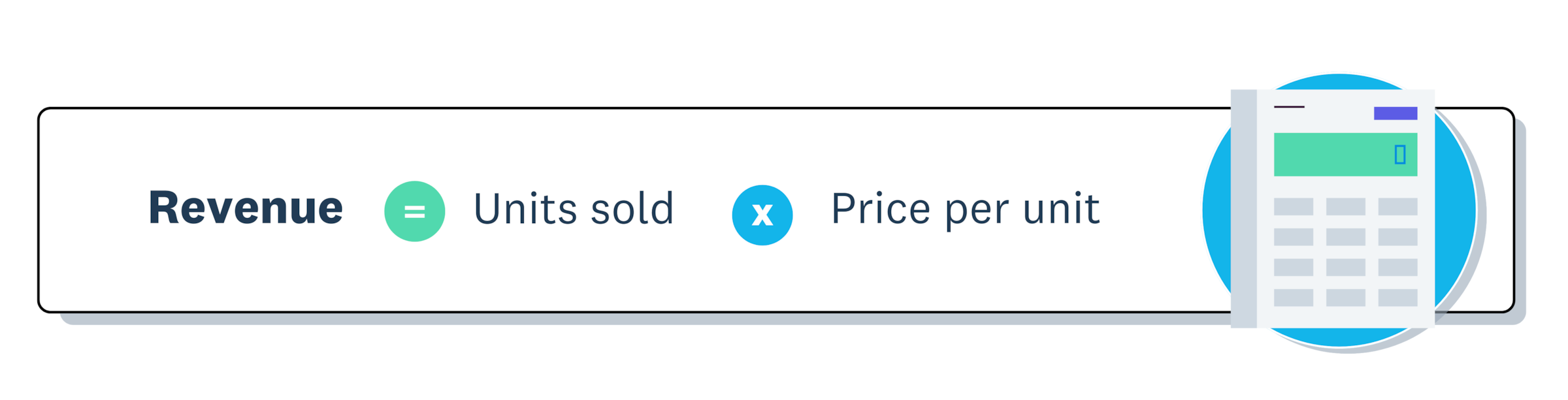
The basic formula for calculating revenue is:
Revenue = Units sold × Price per unit
For example, if a bakery sells 100 loaves of bread at $5 each, the revenue is: 100 × $5 = $500.
The following sections show you how to calculate revenue for your business.
1. Use the basic revenue formula to calculate
The infographic below illustrates the basic revenue formula.
2. Adjust for different business models
Depending on your business type, the method for calculating revenue may differ. Here's how to adjust your calculation:
Service-based businesses:
- Revenue = hourly rate × hours worked
Subscription-based businesses:
- Revenue = number of subscribers × subscription price
Ecommerce businesses:
- Revenue = sum of individual transactions, as prices vary per sale
Accounting software like Xero simplifies tracking across all business models.
3. Calculate net revenue
Net revenue provides a more accurate picture of your earnings after returns, discounts, and allowances. The formula is:
Net revenue = (Units sold × Price per unit) - Discounts - Returns
This gives a clearer understanding of your actual income, as it accounts for any adjustments to your revenue.
4. Track your revenue
To maintain accurate financial records and make better decisions, it's essential to track your revenue consistently. Follow these steps to track your revenue effectively:
- Choose a tracking method: Spreadsheets are best for small businesses but prone to errors. Point of sale (POS) systems are ideal for physical stores with automatic sales data. Accounting software is best for automation and advanced reporting.
- Record transactions consistently: Log every sale correctly and promptly. Automate where possible to reduce errors and save time.
Types of business revenue
Businesses generate revenue through different channels, which fall into two main categories: operating revenue and non-operating revenue.
Operating revenue
Operating revenue is the core income from your primary business activities. It forms the foundation of your financial performance.
Examples include:
- Sales revenue: Earning income from selling goods, like a bakery selling bread
- Service revenue: Earning income from providing services, like consulting or repairs
- Subscription revenue: Earning recurring income from memberships, like gyms or streaming services
Tip: Sales revenue is often used as a general term for income from selling goods or services. Service revenue is used when you want to track income from services separately, particularly if you offer both goods and services.
Non-operating revenue
Non-operating revenue is income from activities outside your core operations. These earnings are often irregular and not tied to ongoing performance.
Examples include:
- Interest income: Earning returns on bank deposits or investments
- Dividend income: Receiving payments from shares in other companies
- Rental income: Leasing out property or equipment
- Gain on sale of assets: Selling equipment or property for more than book value
- Licensing fees: Allowing others to use your intellectual property
- Franchise fees: Collecting payments from franchisees using your brand
- Advertising revenue: Displaying ads on your website or property
Revenue vs profit: Key differences
Revenue is the total money coming into your business, while profit is what you keep after subtracting all expenses. Both are financial metrics, but they measure different aspects of performance.
There are several key differences between revenue and profit.
Revenue:
- Calculation: Total sales
- Focus: Income generated before expenses
- Position: Top of the income statement (the "top line")
- Significance: Sales performance and market demand
Profit:
- Calculation: Revenue minus all costs
- Focus: Income remaining after expenses
- Position: Bottom of the income statement (the "bottom line")
- Significance: Financial health and sustainability
Why it matters
Understanding both metrics is essential for smart decisions. High revenue looks impressive, but if expenses are too high, you could still operate at a loss.
Knowing both helps you:
- Set realistic goals: Base targets on profit, not just sales figures
- Make informed pricing decisions: Ensure prices cover costs and generate profit
- Drive long-term success: Focus on sustainable growth, not just revenue increases
Revenue vs income: Key differences
Revenue refers specifically to money earned from your core business activities, while income is a broader term that includes revenue plus other earnings like government subsidies or investment gains.
Revenue:
- Scope: Income from primary business activities only
- Focus: Core business performance and pricing assessment
- Indicator: Sales performance and market demand
Income:
- Scope: Revenue plus other earnings like investments and subsidies
- Focus: Broader financial health beyond daily sales
- Indicator: Total financial health and resource management
Understanding both revenue and income gives you a clearer picture of your business's performance. Here's how:
- Make better decisions: Identify where your money comes from and how to optimise earnings
- Assess business health: Determine whether you're truly profitable after all costs
- Plan for growth: Balance both metrics to ensure sustainable, long-term success
Why tracking revenue is important for your small business
Tracking revenue shows you how much money flows into your business before expenses, helping you measure growth, forecast earnings, and make smarter decisions. Beyond knowing your income, revenue tracking reveals trends and supports long-term planning.
The following sections explain the key benefits of tracking revenue.
Drive business growth
Steady revenue growth supports long-term sustainability by providing resources to reinvest in opportunities, scale your operations, and attract investors.
For example, a bakery with a steady income might use surplus funds to open a second location, upgrade its equipment, or add new product lines.
Measure performance
Tracking revenue lets you monitor progress toward financial goals. Ask yourself:
- Are you meeting revenue targets?
- Where can you improve?
- Which areas contributed most?
Benchmarking against the market provides valuable insights. Explore Xero's Small Business Insights (XSBI) to learn more.
Gain insights and identify trends
Revenue data helps you make smarter decisions about inventory, marketing, and product development by identifying patterns:
- Are sales increasing or decreasing?
- Which products perform best?
- Are seasonal factors affecting revenue?
Make informed business decisions
Revenue tracking helps you make data-driven decisions:
- Pricing: Determine whether to adjust your pricing strategy
- Investment: Decide if it's time for new equipment
- Expansion: Assess readiness to enter new markets
Revenue doesn't equal profitability. Learn more about increasing revenue.
What is revenue recognition?
Revenue recognition determines when you record revenue in your accounts. Under accrual accounting, you recognise revenue when it's earned, not when payment arrives. This is defined under International Financial Reporting Standards (IFRS) 15 as the point when a performance obligation is satisfied by transferring control of a good or service to the customer.
For example, a bakery delivers a bulk bread order to a cafe in July. Even though payment isn't due until August, the revenue is recorded in July when the goods are delivered. This ensures financial statements accurately reflect performance for the relevant period.
You should recognise revenue according to IFRS, which are used by public companies in over 168 jurisdictions globally.
Some small businesses, like sole traders, may use cash accounting, where revenue is recorded when payment is received. For example, under US Generally Accepted Accounting Principles (GAAP) regulations, businesses with sales of less than $25 million per year are generally free to use either the cash basis or accrual method of accounting.
Best practices for effective revenue tracking
Your financial statements are only as reliable as the data you input. Inaccurate revenue tracking can lead to poor decision-making, cash flow problems, and even tax compliance issues. To ensure accuracy, follow these best practices.
Maintain accurate records
- Daily: Update records to stay on top of transactions
- Monthly: Reconcile revenue with bank statements to spot discrepancies
- Always: Keep receipts and supporting documents for tax and auditing
Categorise your revenue
Break down revenue by product lines, sales channels (online, in-store), and customer segments. This helps you understand where your revenue is coming from and enables more effective decision-making.
Use tools for automation
Invest in accounting software to streamline tracking and reduce human error. This saves time and ensures more accurate financial insights.
Review data regularly
Set aside time each month to review your revenue data, spot trends, and identify areas for improvement.
Manage your revenue with confidence using Xero
Understanding and tracking revenue is key to knowing where your money comes from and making smart decisions for growth.
Xero simplifies revenue management with automated tracking, real-time insights, and streamlined accounting: all in one platform. Get one month free and see how Xero can help your business thrive.
FAQs on revenue
Here are answers to common questions about revenue and what it means for your business.
What is a simple definition of revenue?
Revenue is the total money your business earns from selling products or services before any expenses are deducted.
What is revenue vs profit?
Revenue is the total money coming in from sales, while profit is what remains after subtracting all expenses. Revenue shows sales performance; profit shows financial health.
Does revenue mean sales or profit?
Revenue means sales. It represents total income from business activities before expenses are deducted. Profit is the amount left after subtracting costs from revenue.
What is an example of revenue?
A coffee shop selling 200 coffees at $4 each generates $800 in revenue. A consultant billing 10 hours at $150 per hour earns $1,500 in revenue.
How often should I track my revenue?
Track revenue daily or weekly for accurate records, and review trends monthly. Regular tracking helps you spot issues early and make timely business decisions.
Disclaimer
Xero does not provide accounting, tax, business or legal advice. This guide has been provided for information purposes only. You should consult your own professional advisors for advice directly relating to your business or before taking action in relation to any of the content provided.
Start using Xero for free
Access Xero features for 30 days, then decide which plan best suits your business.