Bring your Xero data into ChatGPT as you plan what's next for your business.
Connect Xero to bring a live view of your books directly into ChatGPT. With those numbers at hand, use ChatGPT for Accounting’s ready-made skills to prepare month-end drafts, understand changes and trends while staying in the same chat.
See what you can do
Explore what your plans mean for cash, costs and payments.
Weigh a purchase against upcoming bills.
Weigh purchases with Xero cash and bills due in ChatGPT; discuss terms and commitments with your accountant.
Know which changes need a closer look.
Explore revenue and cost changes with your accountant using ChatGPT for Accounting’s draft comparisons.
Keep track of each business in the same chat
Switch between businesses by name, accessing each one without signing in again.
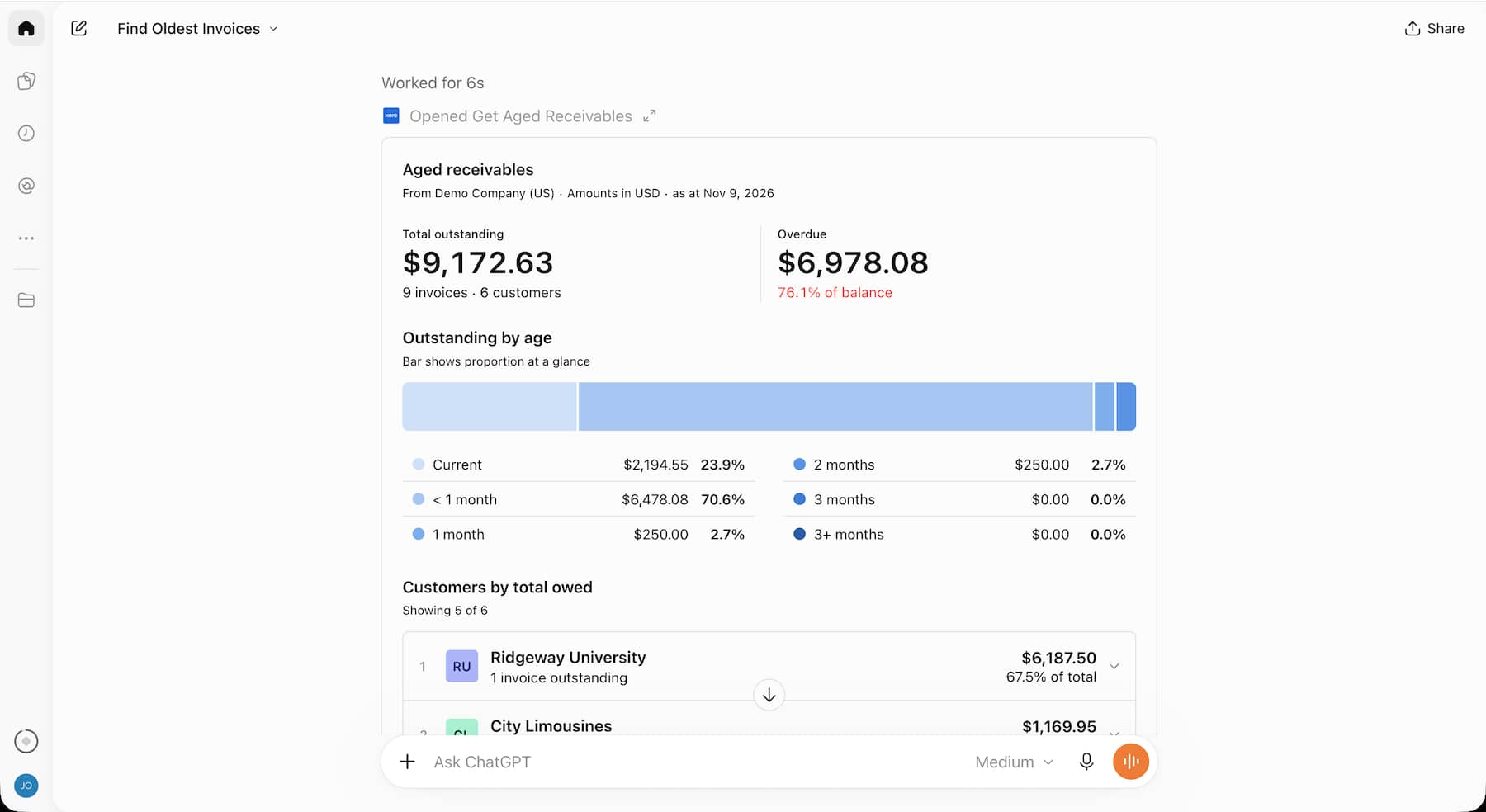
Work out which invoices to chase.
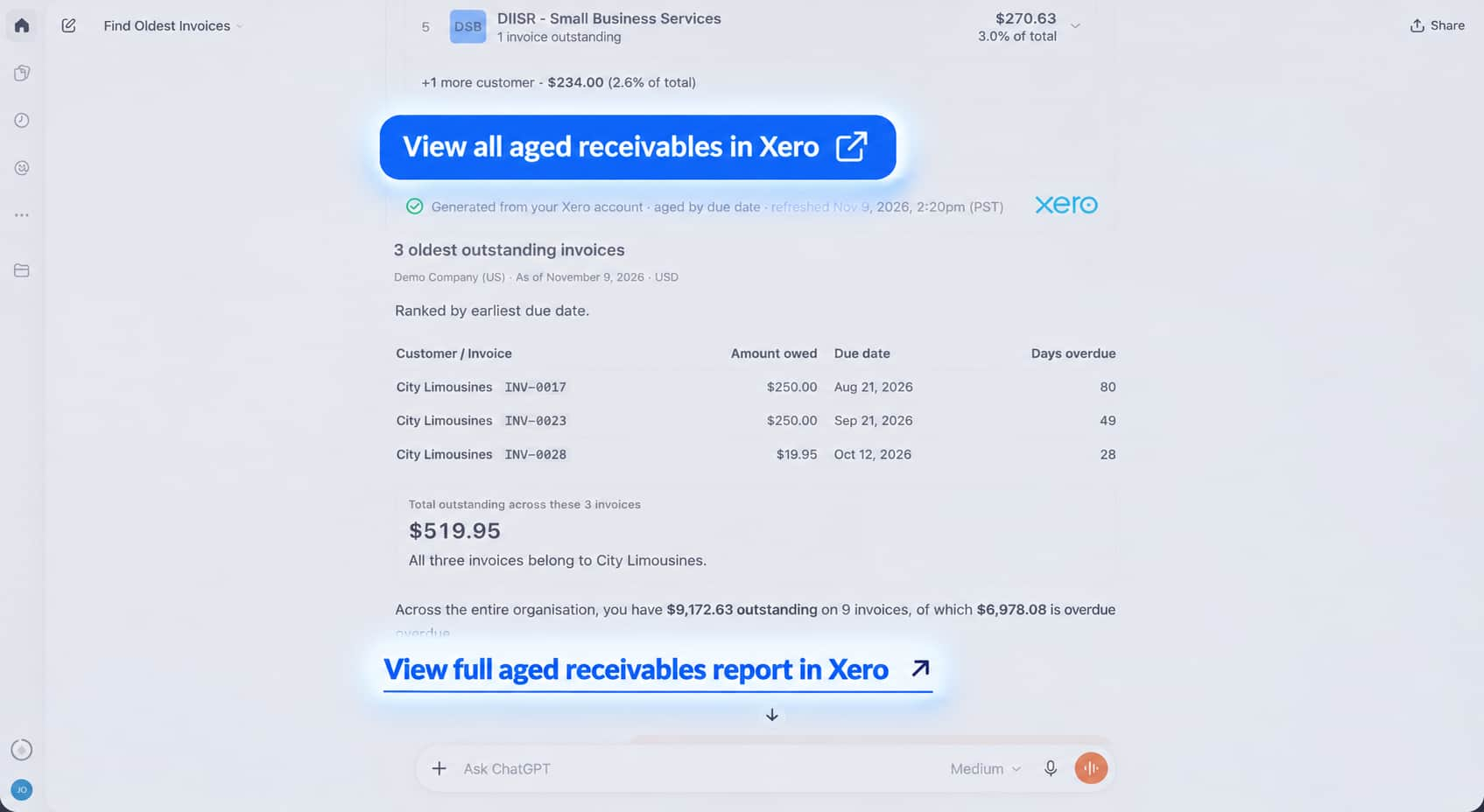
Your customer may have disputed an invoice or agreed to pay later. That context helps your accountant or bookkeeper advise on what to chase. Ask the Xero plugin for overdue amounts, dates and source links in ChatGPT to support that discussion.
- Ask who owes you money and which invoices are overdue
- Open the source invoice, report or contact in Xero
- Follow up on a customer or amount in the same chat
Make the month’s results easier to discuss.
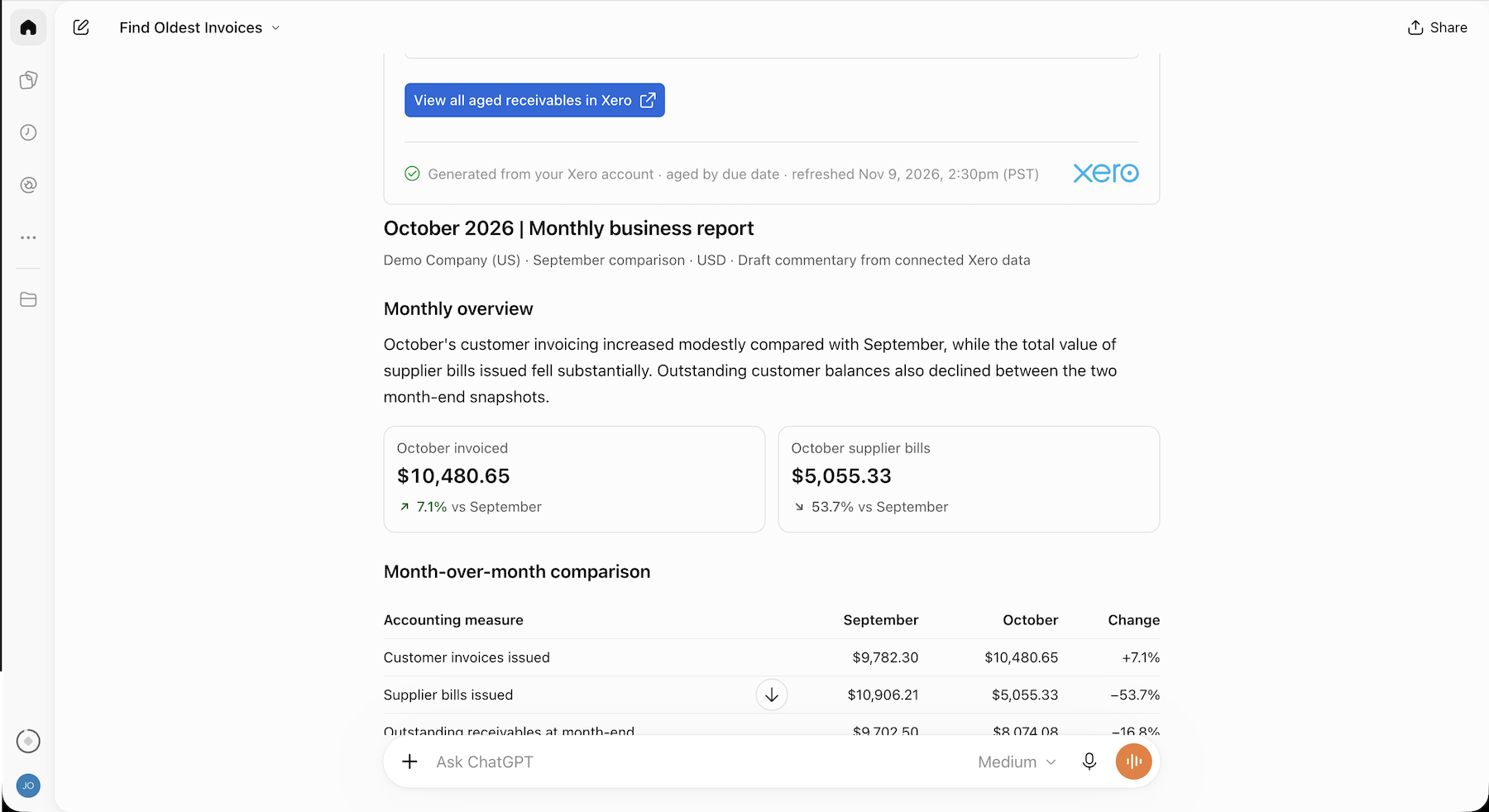
You know your business. Your accountant knows the numbers. With Xero connected, ChatGPT for Accounting prepares month-end report drafts and breaks down your figures so you can discuss what changed, why, and where to focus next.
- Prepare a report draft using your existing template
- Include available Xero revenue and expense comparisons
- Request supporting figures for draft explanations
Nothing changes in Xero unless you change it.
The connector is read-only and follows your Xero permissions, including when accounting skills use it. Accounting actions stay in Xero. Your ChatGPT plan and settings govern OpenAI’s use of conversation and uploaded-file data.
- No creating, editing, approving, reconciling, paying or posting journals
- Choose which organizations to connect and disconnect anytime
- OpenAI doesn’t access Xero data through the Xero plugin to train OpenAI models
Bring Xero into the conversation you’re already having.
Connect Xero in ChatGPT, sign in and select your organizations. Name a business and ask ChatGPT a question. Follow up or open Xero links with your accountant or bookkeeper. For month-end prep, give ChatGPT for Accounting a report template and dates to compare.
See how to connect Xero to ChatGPT
FAQs
The Xero plugin in ChatGPT is a secure, read-only connection between your Xero account and ChatGPT. It lets you ask plain-English questions about profit, cash, invoices, and customers, which ChatGPT answers using your live Xero data. ChatGPT gives you the links back to the Xero report, invoice, or contact it sourced from so you can check the details before you act.
The Xero plugin in ChatGPT is a secure, read-only connection between your Xero account and ChatGPT. It lets you ask plain-English questions about profit, cash, invoices, and customers, which ChatGPT answers using your live Xero data. ChatGPT gives you the links back to the Xero report, invoice, or contact it sourced from so you can check the details before you act.
It’s pretty simple. Open ChatGPT, go to the connectors directory and add the Xero plugin, then sign in with your usual Xero login and choose the organization you want. There's no developer setup or API work, and it takes just a few minutes.
Once you're connected, you can ask ChatGPT about your finances straight away.
It’s pretty simple. Open ChatGPT, go to the connectors directory and add the Xero plugin, then sign in with your usual Xero login and choose the organization you want. There's no developer setup or API work, and it takes just a few minutes.
Once you're connected, you can ask ChatGPT about your finances straight away.
Yes, the Xero plugin is free to add. You'll need an active Xero subscription and a ChatGPT account (either free or paid). Xero doesn't charge you to connect the two, so you can start asking questions about your finances at no added cost.
Yes, the Xero plugin is free to add. You'll need an active Xero subscription and a ChatGPT account (either free or paid). Xero doesn't charge you to connect the two, so you can start asking questions about your finances at no added cost.
Your Xero data is never used to train AI. The Xero–ChatGPT connection is read only and session only, which means ChatGPT can only read your live data to answer a question – it cannot change it. and Xero stays the source of truth. You choose which organization to connect to ChatGPT, and you stay in control of your data.
Your Xero data is never used to train AI. The Xero–ChatGPT connection is read only and session only, which means ChatGPT can only read your live data to answer a question – it cannot change it. and Xero stays the source of truth. You choose which organization to connect to ChatGPT, and you stay in control of your data.
No. The Xero plugin is read-only at launch, so ChatGPT can look at your data and answer questions but can't edit invoices, post transactions, or change anything in your books. When you want to act on what you learn, just follow the link back to Xero and make the change yourself.
No. The Xero plugin is read-only at launch, so ChatGPT can look at your data and answer questions but can't edit invoices, post transactions, or change anything in your books. When you want to act on what you learn, just follow the link back to Xero and make the change yourself.
Ask ChatGPT about profit, cash flow, overdue invoices, and your top customers. ChatGPT pulls answers from your live Xero data, so its answers are always up to date. And you can see how the business is tracking and ask follow-up questions without opening a report or building one from scratch.
Ask ChatGPT about profit, cash flow, overdue invoices, and your top customers. ChatGPT pulls answers from your live Xero data, so its answers are always up to date. And you can see how the business is tracking and ask follow-up questions without opening a report or building one from scratch.
No, it doesn't replace your accountant, bookkeeper or JAX. ChatGPT for accounting questions is a quick way to check your own numbers in plain English – it’s not a source of tax, compliance, or financial advice. For accountants and bookkeepers, the ChatGPT–Xero plugin can mean clients who arrive better informed, with fewer basic report requests.
No, it doesn't replace your accountant, bookkeeper or JAX. ChatGPT for accounting questions is a quick way to check your own numbers in plain English – it’s not a source of tax, compliance, or financial advice. For accountants and bookkeepers, the ChatGPT–Xero plugin can mean clients who arrive better informed, with fewer basic report requests.