Free painting invoice template
Download a free, editable PDF template built for painting businesses. It covers client details, service descriptions, quantities, unit prices, sales tax, and payment terms — so you can bill professionally and get paid faster.
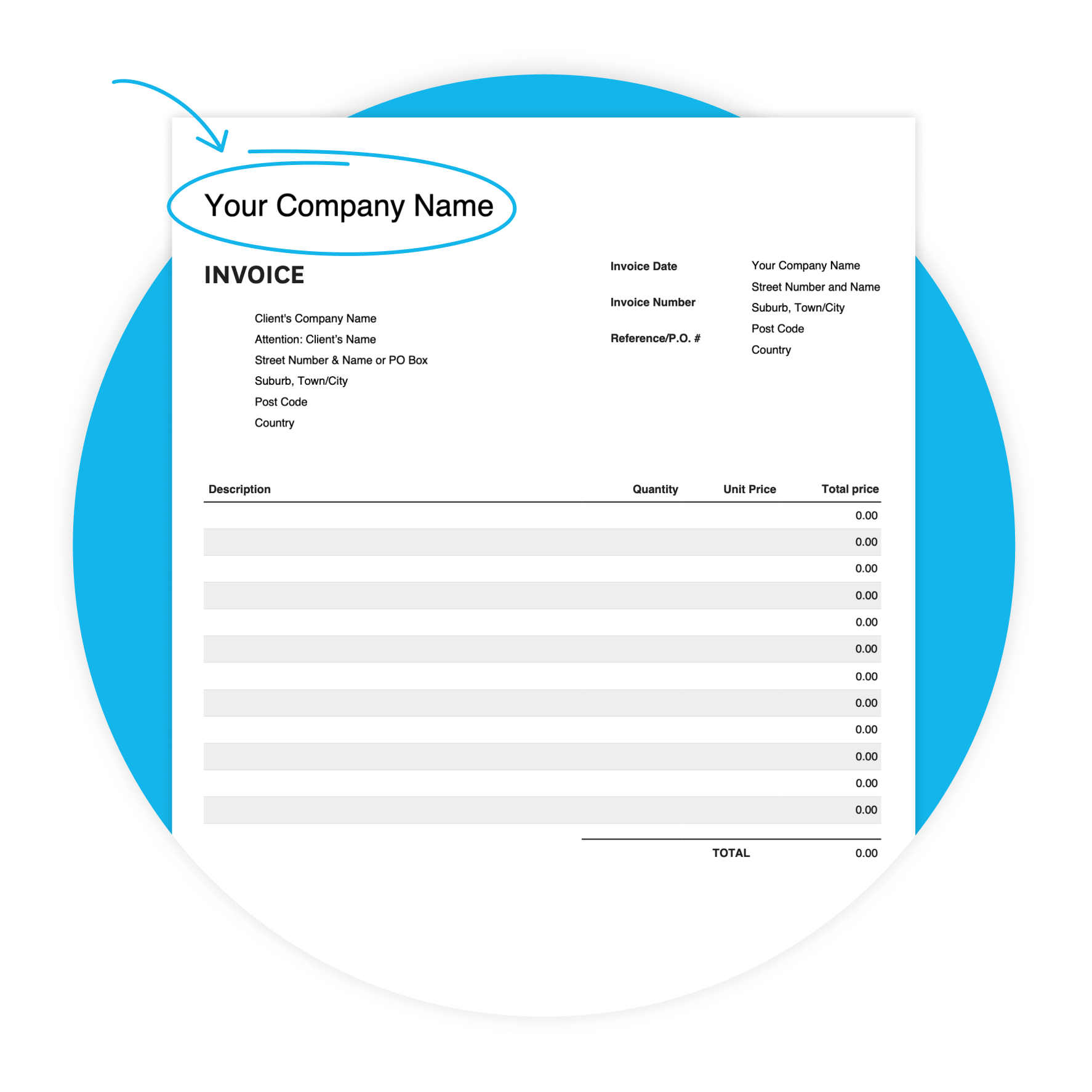
Download the free invoice template
Fill in the form to get a blank invoice template as an editable PDF, with a how-to guide. You’ll get a tax and non-tax version.
Get one month free
Ready to go beyond the template? Try Xero's invoicing software free for a month and see how much time you save.
Why painters use a professional invoice
Painting work is detailed, and your invoice should be too. A structured invoice shows clients exactly what they're paying for — labour, materials, and sales tax — and makes it easy to follow up if payment is late.
- A well-formatted invoice reduces disputes and helps clients process payment without back-and-forth.

Features of this painting invoice template
Customizable design
Adapt the template to your preferences, to create a professional look.
Accessibility
Whether you prefer digital or printed invoices, our template offers flexibility in delivery methods.
User-friendly interface
Enjoy a hassle-free invoicing experience with our template, designed for painters of all skill.
What's in the template
This free PDF template gives you a clear, structured layout to bill painting clients professionally. Fill in your details, list your services and materials, add sales tax, and set a due date — all in one place.
Your business details
Add your company name, address, and phone number at the top. Clients know who to contact if they have questions.
Client information
Add the client's company name, contact name, and address. For business clients, ask for the accounts payable contact upfront.
Itemised services
Use separate rows for labour and materials. Clients can see what they're paying for — and a clear itemised invoice is harder to dispute.
Sales tax
Enter the sales tax rate (%) for each line item. The template shows the subtotal and total sales tax at the bottom of the invoice.
Invoice number and dates
Give every invoice a unique number, an invoice date, and a due date. Clients quote the number when they pay — easy to match up later.
Payment instructions
Use the additional notes field to tell clients how to pay — bank transfer details, accepted payment methods, and any late payment terms.
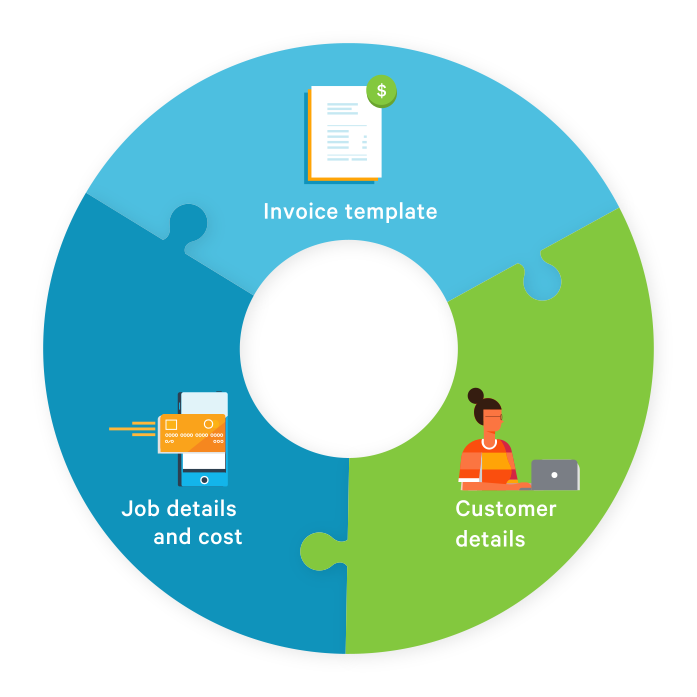
How to use your painting invoice template
Download once, reuse every time. Just update the client details, job description, and invoice number for each new job.
Download and save your template
Fill in the form above and save the PDF to your device. You'll get a tax and non-tax version.
Fill in your job details
Add your client's info, list each service with a quantity and unit price, and enter the sales tax rate.
Send and get paid
Email the completed PDF to your client. Set a clear due date and tell them how to pay in the notes field.
Get paid faster as a painter
A few simple habits can shrink the time between finishing a job and getting paid. Here's what works for painters.
- Send your invoice the same day the job is done. The work is fresh in the client's mind.
- Set shorter payment terms where you can — Xero lets you add custom payment terms per customer.
- Use the additional notes field to tell clients exactly how to pay — bank details and accepted methods.
- Add a unique invoice number. Clients can quote it when they pay — cuts down on back-and-forth.
- Ask business clients if they need a PO number. Invoices without one may be rejected.
- Follow up before the due date. A polite reminder a few days out can prompt action.
Take invoicing further with Xero
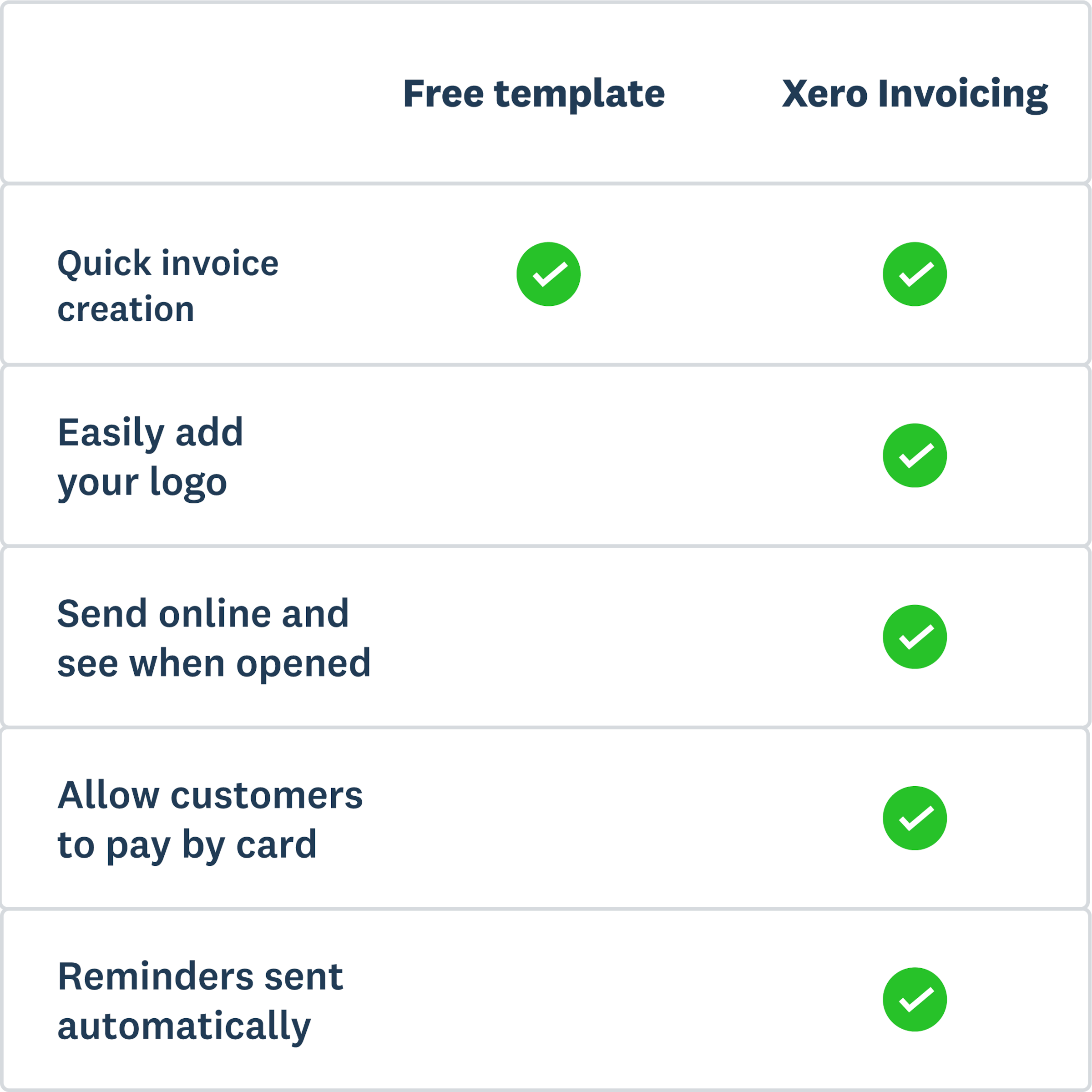
The template gets you started. But if you're sending invoices regularly, chasing payments, or juggling multiple clients, Xero's online invoicing software can save you real time. Create professional invoices from your phone, send automated payment reminders, and give clients more ways to pay.
- Create and send invoices from your phone — right from the job site, before you've packed up.
- Set up automatic payment reminders so Xero chases clients for you — politely.
- Accept online payments by credit card, ACH debit, Apple Pay, and more.
- See which invoices have been viewed, paid, or are overdue — all in one place.
More templates for painters
More free templates to help you get paid and stay on top of your finances.
Free estimate template
Download an estimate template and pitch for that next job. And learn how quoting software can make everything easier.
Free quote template
Download this free quote template and go land that next job. And learn how Xero speeds up quoting and invoicing.
Free receipt template
Acknowledge payment for absolutely anything on this receipt template. Download it once, use it a thousand times.
This template is provided for informational purposes only and does not constitute legal, tax, or accounting advice. Xero recommends seeking independent advice where applicable.