File your UAE VAT returns with confidence
Filing your VAT means navigating EmaraTax and important info in Arabic – all while running your business. As FTA-accredited software, Xero automatically maps your financial data to VAT201 fields, displays forms in both Arabic and English, and creates FTA Audit Files for you. How’s that for easy?
Why choose Xero for your VAT?
Small business owners around the world love Xero for its clever automations and help with tax compliance.
FTA-accredited software for the UAE
Xero is listed on the Tax Accounting Software Register (TASR) – that means peace of mind.
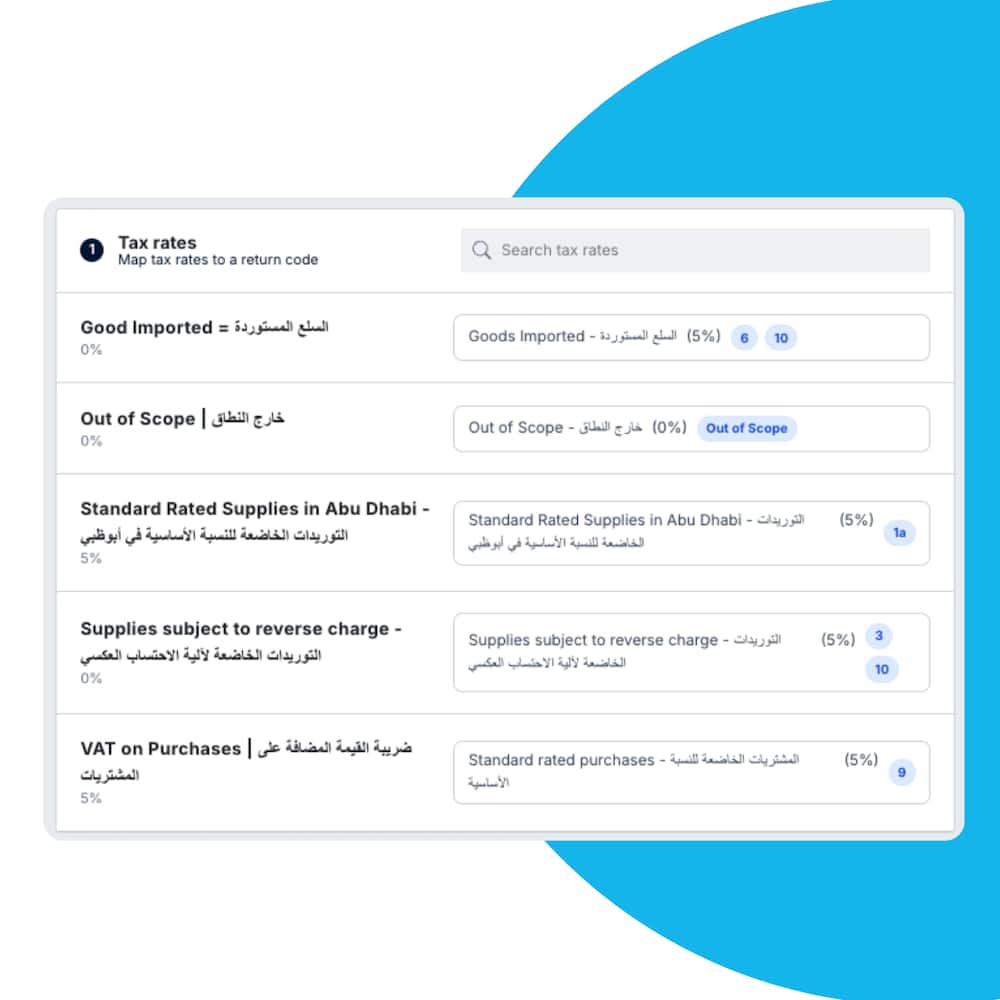
Automated VAT201 mapping
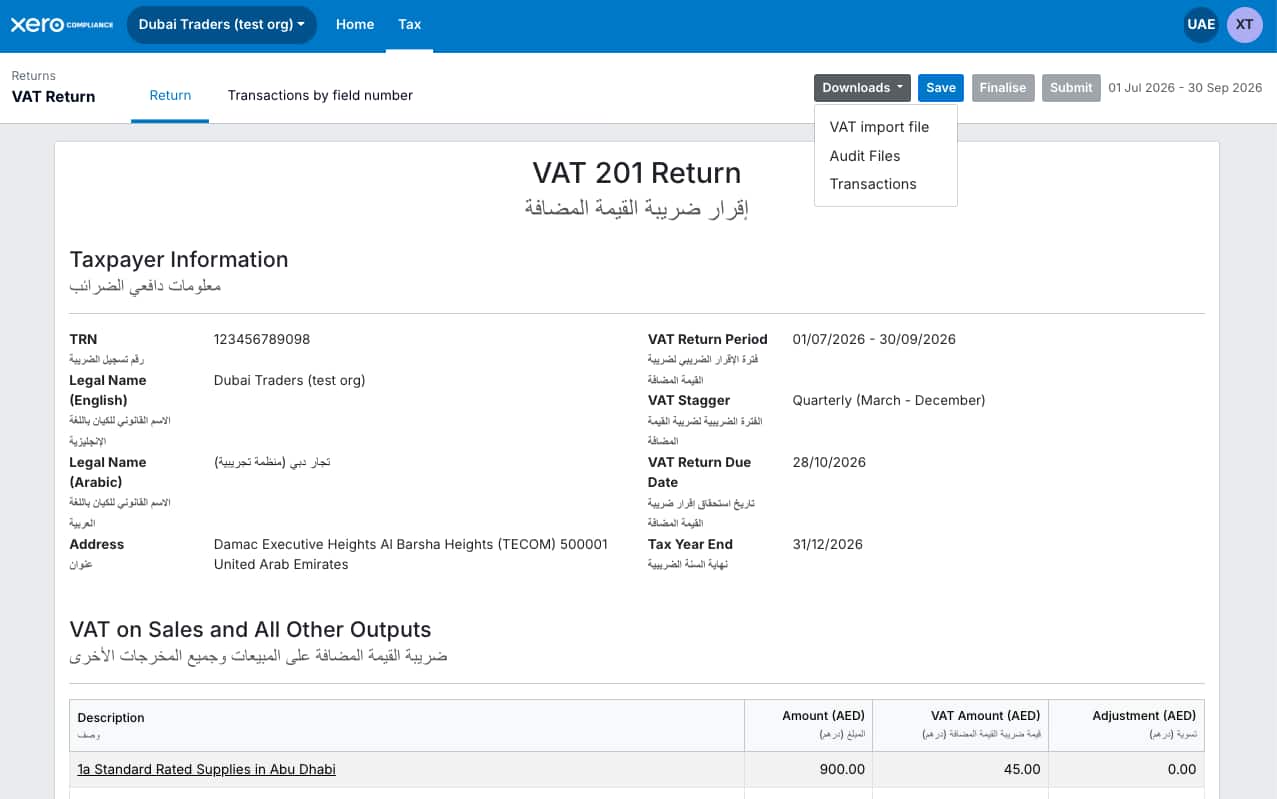
Xero populates the fields of VAT201 forms for a fast, accurate process.
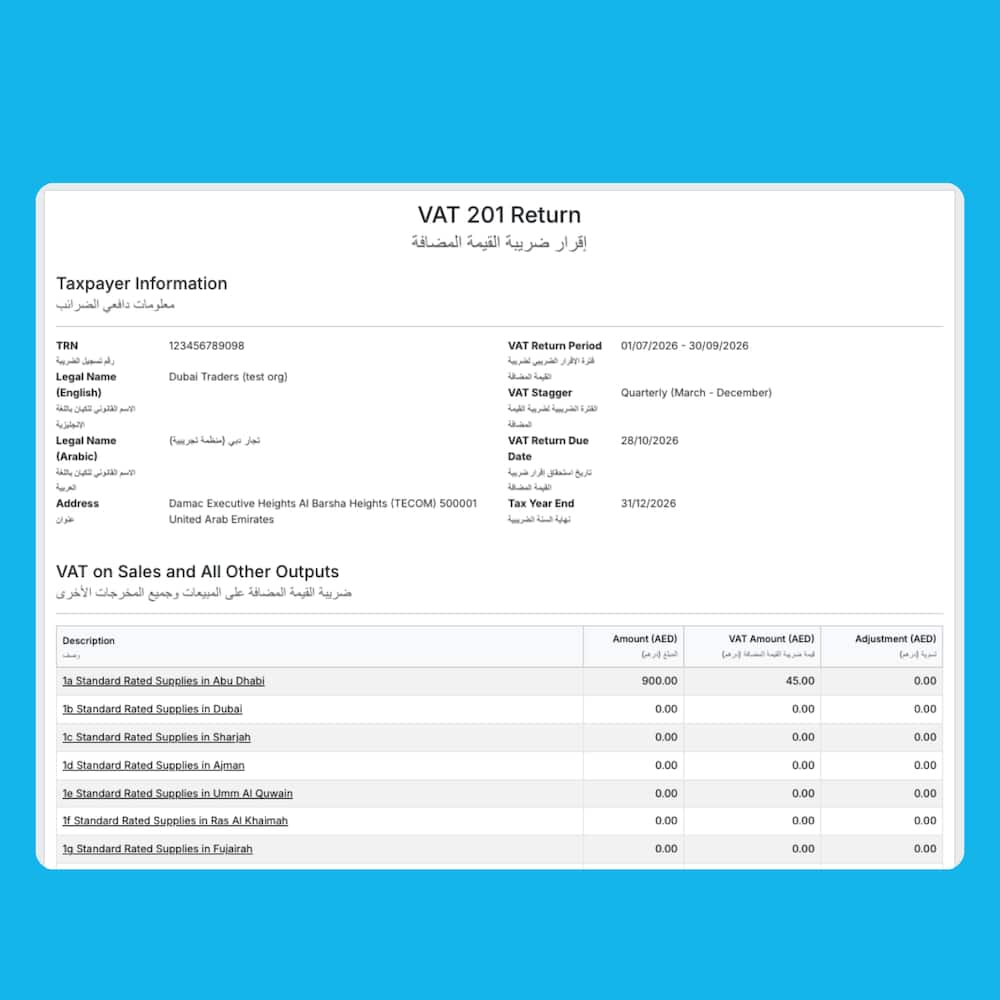
Reports in Arabic and English
Follow FTA rules by generating your VAT reports in Arabic – without leaving Xero.
Automated FAF generation
Xero creates FTA Audit Files (FAF) for you, ready for audits.
File your UAE VAT return without the hassle
Every VAT-registered business must file its VAT201 with the FTA via EmaraTax. Do this every quarter if your turnover is below AED150 million, and by the 28th of the following month. Xero gives you a simple set of steps.
1. Map your financial data automatically
Sit back as Xero fills in the necessary fields of your VAT201 forms.
2. Download a pre-populated return template
Quickly double-check the figures.
3. Upload the form directly to EmaraTax
Avoid financial penalties by hitting your VAT deadlines.
Submit your UAE VAT returns in Arabic
Want to sail through your compliance? Xero meets FTA requirements by generating your UAE VAT returns in Arabic. And Xero’s layout looks similar to the EmaraTax portal, making the process that bit easier.
- Follow FTA rules on language requirements
- Find a similar design in Xero and in EmaraTax for your VAT filing
- Let Xero’s guided workflow help you avoid mistakes
It makes my VAT reports easy to review
Luvie, Accountant
Create an FTA Audit File – automatically
An FAF is a detailed record of your accounting transactions that your business might need for a tax audit. Xero saves you the time-consuming job by generating the file using your existing data, and – organising it according to FTA requirements. That means no worries if the auditor calls!
- Xero automatically records all your financial transactions and VAT returns in the cloud
- Whenever you need an FAF, just ask Xero to pull the relevant data directly from your records
- You don’t need to manually extract data or reformat the file – Xero presents your data in FTA format

Connect your UAE bank for automatic feeds
Accurate VAT returns start with accurate records. Xero connects to Wio Bank, Alaan, and more – your transactions flow straight into Xero, ready to be reconciled and included in your VAT return. No manual imports or duplicate entries – just one easy system.
- Protect your financial data with secure, encrypted bank connections via APIs
- Keep your bank balances and financial records up to date with regular data flow
- Zip through your bank rec – let Xero’s bank reconciliation tool suggest transaction matches

Work Smarter with Xero in the UAE
Xero helps with more than just VAT. It gives you a whole connected system for your accounting.
Intuitive software for your small business
Manage your invoicing, bank feeds, expenses, and VAT – all in Xero’s user-friendly cloud software.
Compliance for accountants and bookkeepers
Xero keeps up with FTA requirements, so you simplify compliance work for your clients.
Manage UAE eInvoicing
Xero supports eInvoicing in the UAE. Prepare for your 2027 deadline.
FAQs on Xero’s VAT return software for the UAE
As a Xero customer, you’ll have access to this solution if you’re on a Starter, Standard or Premium plan. Access by connecting the Xero Compliance UAE app here.
As a Xero customer, you’ll have access to this solution if you’re on a Starter, Standard or Premium plan. Access by connecting the Xero Compliance UAE app here.
You need to file your VAT returns on the EmaraTax portal using a VAT201 form. Most businesses file quarterly, but you can file monthly if your turnover is above AED150 million. Returns are due by the 28th of the month following the tax period.
Xero maps your data to the VAT201 automatically, making your upload to EmaraTax straightforward.
You need to file your VAT returns on the EmaraTax portal using a VAT201 form. Most businesses file quarterly, but you can file monthly if your turnover is above AED150 million. Returns are due by the 28th of the month following the tax period.
Xero maps your data to the VAT201 automatically, making your upload to EmaraTax straightforward.
The FAF is a record of your accounting transactions, in a standard format required by the FTA for tax audits.
Xero automatically generates your FAF from your existing data, so you’re always ready for audits without doing a big manual job.
The FAF is a record of your accounting transactions, in a standard format required by the FTA for tax audits.
Xero automatically generates your FAF from your existing data, so you’re always ready for audits without doing a big manual job.
Yes! Xero is listed on the FTA’s Tax Accounting Software Register (TASR) as an FTA-accredited VAT software provider in the UAE. This means Xero meets the tax authority's standards for VAT.
Yes! Xero is listed on the FTA’s Tax Accounting Software Register (TASR) as an FTA-accredited VAT software provider in the UAE. This means Xero meets the tax authority's standards for VAT.
Absolutely. Xero generates your VAT reports in Arabic to meet the FTA’s mandatory language requirements.
Absolutely. Xero generates your VAT reports in Arabic to meet the FTA’s mandatory language requirements.
In the UAE, your VAT return deadline is the 28th of the month following the end of each tax period (quarterly or monthly). If you file late, you could face a financial penalty under UAE tax law.
In the UAE, your VAT return deadline is the 28th of the month following the end of each tax period (quarterly or monthly). If you file late, you could face a financial penalty under UAE tax law.