Pay back your employees faster with Xero Expenses
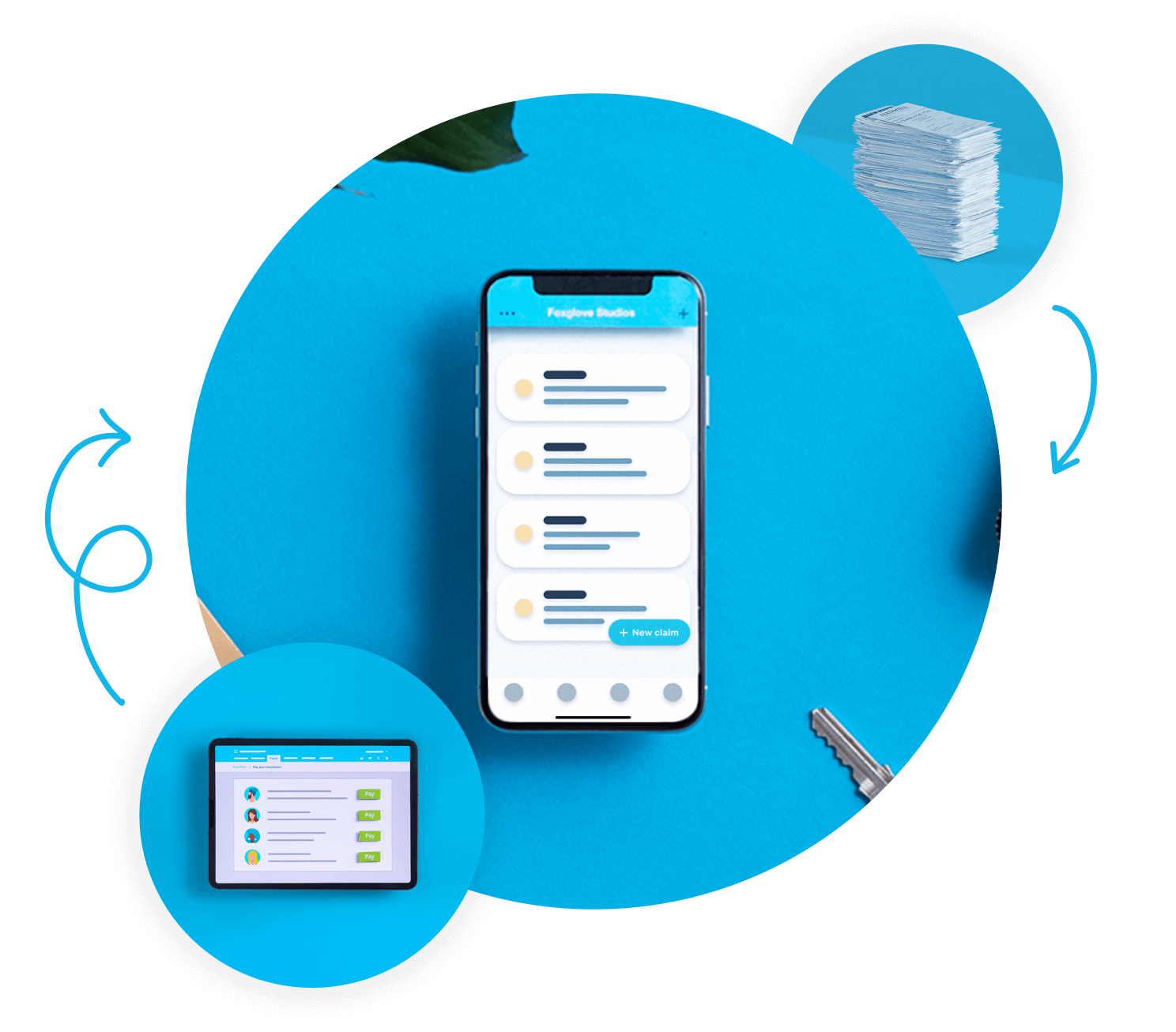
Reimburse employee expense claims with Xero Expenses. Employees can upload photos of receipts using the Xero Me mobile app, and approvers can approve claims from the Expenses tab or in Xero Me. Approved claims are automatically turned into bills so you can pay them from your bank account. Simple.
Expense reimbursement in minutes
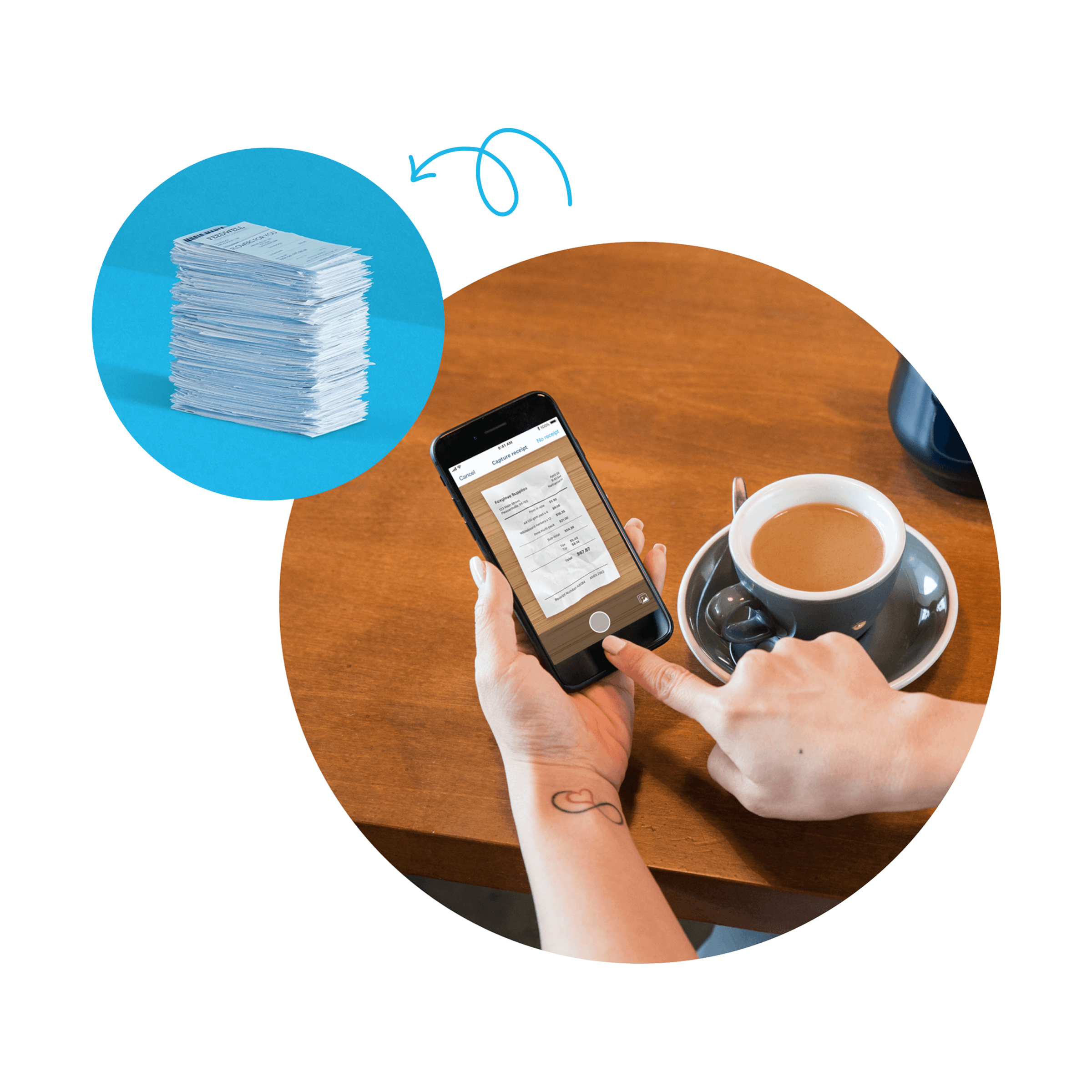
Take a photo of a receipt in the Xero Me app, and Xero extracts key data to fill in the claim so it can be submitted for approval. Digital expense receipts store securely for audit and compliance. Upload images of paper receipts to Xero for reimbursement and reduce manual data entry.
- Automate expense reimbursement and attach receipt images or files in Xero Expenses.
Submit and approve expenses anywhere
With the Xero Me app, your expense approval workflow works from your office, home, or the road.
Complete expense control from anywhere
Employees use mobile expense submission to capture receipts instantly. Approve or decline expense claims on the go.

Receipt to reimbursement in seconds
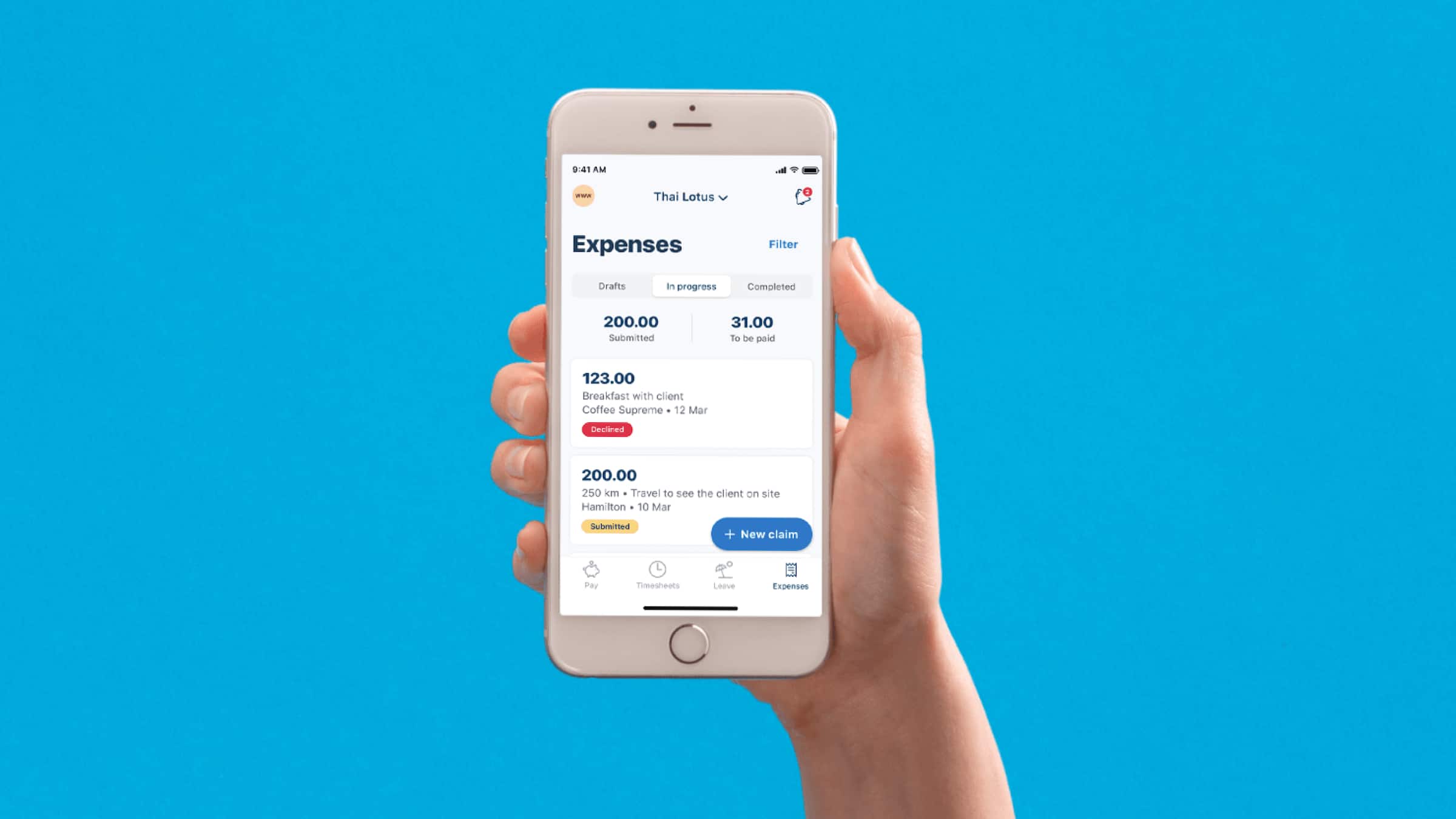
Use Xero Me to claim back business spending on your mobile device. Your employees photograph receipts, and Xero's mobile expense submission tools extract the details automatically. Attach receipt files to expense claims and keep receipt details and notes with the claim.
- Take a photo of receipts and submit expense claims from your phone.
Submit from anywhere, anytime
Employees can submit expense claims in the Xero Me mobile app. No more collecting receipts until month end.

One-click expense approvals
Approve or decline claims in Xero Expenses. Add receipt files to expense claims and approve them in the Xero Me mobile app.
- Approve or decline expense claims and track them by status, employee or account
- Get a real-time view of your cash flow for better planning
- No more approval bottlenecks
- Create and submit expense claims. View document audit trail details and approve expense claims.
Instant notifications for pending approvals
Get notified when claims arrive. Review receipts and approve them from your phone or desktop. Approve or decline expense claims in Xero.
Full visibility for finance teams
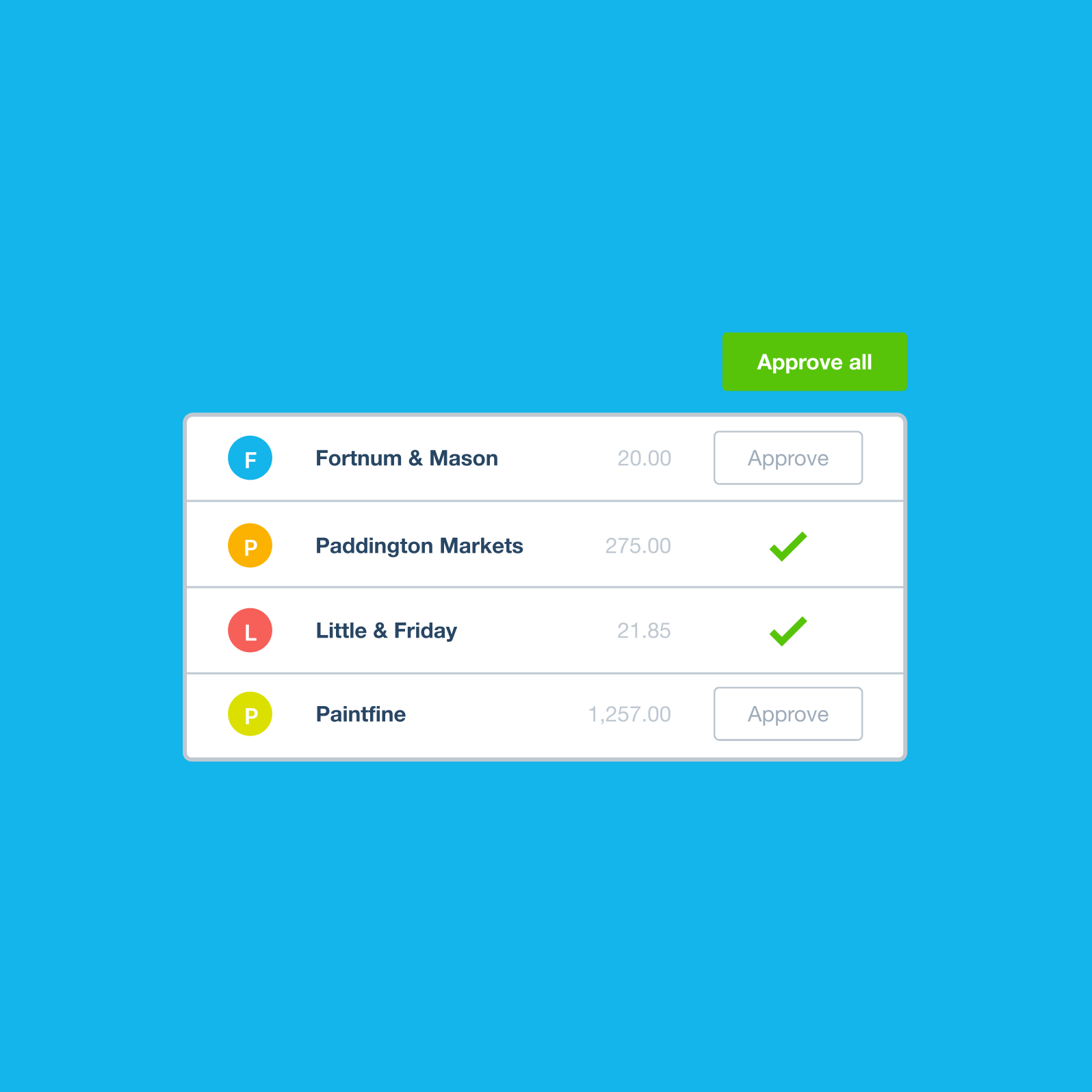
Approve or decline expense claims and review them by status in Xero Expenses.
Reimbursement software that integrates
Unlike most reimbursement software. Reimburse employee expense claims using Xero Expenses. Approve expenses paid with company money and automatically create spend money transactions for reconciliation. Reimburse claims quickly and accurately, and keep your records up to date in Xero.
- Reimburse an employee’s expense claim using Xero payroll. Reimburse an employee’s expense claim in the next pay run.
Two payment methods, one seamless system
Reimburse an employee’s expense claim in the next pay run. Maintain up-to-date books with ease.
Native integration with your accounting
Reduce manual work with Xero Expenses. Reimburse employee expense claims in the next pay run with Xero Expenses.
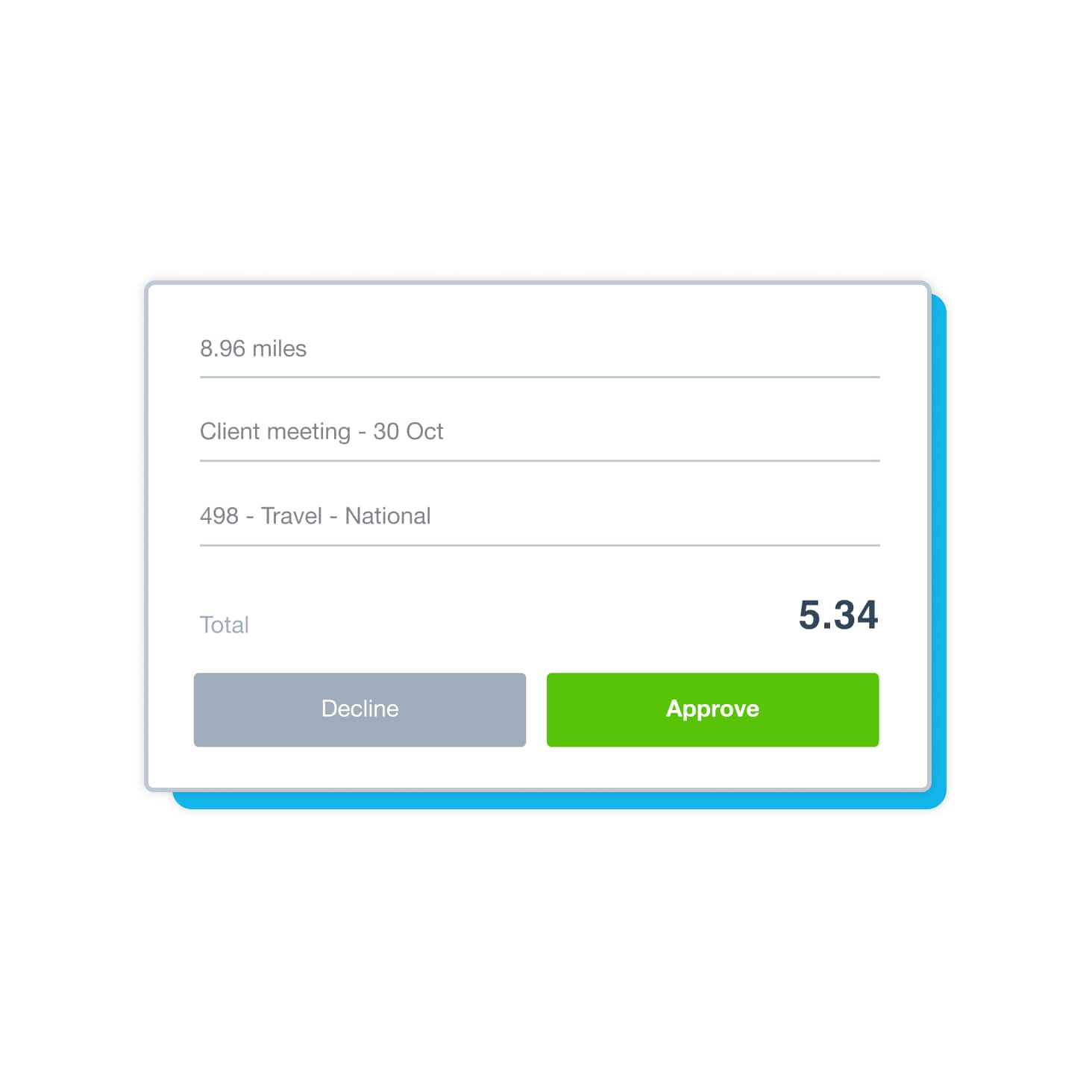
Create and submit mileage claims to be reimbursed
Create and submit mileage claims to be reimbursed if you use your own vehicle for work. Process mileage claims in payroll for tax and reporting purposes. Xero automates data ingestion for fast, up-to-date accounting. Track and manage expenses in Xero.
- Track expenses on the go and access global reports with regional compliance reports. All your mileage and expenses in one place.
All expenses and mileage in one view
Bring expenses and mileage together in one system. Analyze your spending, validate claims, and stay compliant all in one place.
Consolidate your expenses and mileage in a single view
The mileage reimbursement app works with your expense approval workflow and payroll. Stay compliant with confidence.
See every expense as it happens
No more month-end surprises – see every expense claim as it's submitted. Track payroll expenditure by department with tracking categories. Xero expense reimbursement software lets users submit claims to an approver, and approvers can approve or decline expenses.
- See your spending instantly. Xero helps automate expense claims and reimbursements.
Compliance controls that work in the background
Automated tracking helps you stay compliant, identify duplicate bills, and maintain a great audit trail.
Complete audit trails built automatically
Approve or decline expense claims and attach documents for your records. Digital expense receipts connect to claims, approvals, and payments
FAQs about employee reimbursement software
As quickly as you like. Reimburse an employee’s expense claim in the next pay run. If you've paid for something with your own money and want the company to pay you back, submit a personal expense claim. Approve timesheets in your web browser or the Xero Me mobile app. Once a manager clicks Approve, the claim moves to the awaiting payment tab.
As quickly as you like. Reimburse an employee’s expense claim in the next pay run. If you've paid for something with your own money and want the company to pay you back, submit a personal expense claim. Approve timesheets in your web browser or the Xero Me mobile app. Once a manager clicks Approve, the claim moves to the awaiting payment tab.
Expenses in Xero helps reimburse personal money your staff spend on the business, including mileage claims. Set up Xero Expenses, then create an expense suspense account in the chart of accounts for clearing reimbursements. You can approve or decline expense claims, and edit a claim before you approve or decline.
Expenses in Xero helps reimburse personal money your staff spend on the business, including mileage claims. Set up Xero Expenses, then create an expense suspense account in the chart of accounts for clearing reimbursements. You can approve or decline expense claims, and edit a claim before you approve or decline.
For bills and receipts, simply snap a pic or upload a file, and Xero captures the data. Enter bill details such as the supplier name, date, reference, and total. At tax time, you can export reports to help with tax reconciliation and future reference. Xero securely captures and organises your bills, receipts and other business documents in one place, so you can maintain accurate records and easily share files with your accountant.
For bills and receipts, simply snap a pic or upload a file, and Xero captures the data. Enter bill details such as the supplier name, date, reference, and total. At tax time, you can export reports to help with tax reconciliation and future reference. Xero securely captures and organises your bills, receipts and other business documents in one place, so you can maintain accurate records and easily share files with your accountant.
You can approve or decline timesheets in your web browser or the Xero Me mobile app. Permissions can be as restrictive or as open as each staff member requires. Easily assign who can create and approve bills. Xero expenses lets you assign user roles, choose which accounts are available for expense claims, and approve or decline expense claims. Give an employee permission to approve leave in Xero Me.
You can approve or decline timesheets in your web browser or the Xero Me mobile app. Permissions can be as restrictive or as open as each staff member requires. Easily assign who can create and approve bills. Xero expenses lets you assign user roles, choose which accounts are available for expense claims, and approve or decline expense claims. Give an employee permission to approve leave in Xero Me.
Xero is designed to be easy to use, with easy steps to help you get up and running fast. In the Xero Me mobile app, you can take a photo of a physical receipt, add some information to the claim, add a note for your employer if needed, and submit it for approval. That's it. Approve claims from the Expenses tab on the Purchases menu or from the Xero Me mobile app, and approved claims are automatically turned into bills so you can pay these from your bank account.
Xero is designed to be easy to use, with easy steps to help you get up and running fast. In the Xero Me mobile app, you can take a photo of a physical receipt, add some information to the claim, add a note for your employer if needed, and submit it for approval. That's it. Approve claims from the Expenses tab on the Purchases menu or from the Xero Me mobile app, and approved claims are automatically turned into bills so you can pay these from your bank account.
Print, view or email a PDF receipt after you've made a batch deposit or recorded a customer payment on an invoice in Xero. Users with an approver or admin role can approve or decline expense claims, and employees can submit a claim with or without attaching a receipt. So remind your team to photograph receipts and upload them to Xero immediately – if an employee then loses the physical receipt, the digital expense receipt is safely stored in the cloud.
Print, view or email a PDF receipt after you've made a batch deposit or recorded a customer payment on an invoice in Xero. Users with an approver or admin role can approve or decline expense claims, and employees can submit a claim with or without attaching a receipt. So remind your team to photograph receipts and upload them to Xero immediately – if an employee then loses the physical receipt, the digital expense receipt is safely stored in the cloud.
Yes – Xero lets approvers review, approve, or decline expense claims, and admins can assign company bank accounts to users. You can create a budget and compare your budgeted figures against your organisation's actuals. Users with an approver or admin user role can approve or decline claims, and you can edit a claim before you approve or decline it.
Yes – Xero lets approvers review, approve, or decline expense claims, and admins can assign company bank accounts to users. You can create a budget and compare your budgeted figures against your organisation's actuals. Users with an approver or admin user role can approve or decline claims, and you can edit a claim before you approve or decline it.
It doesn't take long – around half of small businesses say they got set up with Xero and felt ready to go in less than four hours.* Set up Xero expenses in your organisation by choosing accounts for claims, configuring receipt analysis and assigning user roles. Then, just invite employees to download the Xero Me mobile app. Xero Expenses is available in the web version of Xero and the Xero Me mobile app, so you can manage expense claims within Xero. Your team can submit expense claims once an Expenses admin assigns them a company bank account.
It doesn't take long – around half of small businesses say they got set up with Xero and felt ready to go in less than four hours.* Set up Xero expenses in your organisation by choosing accounts for claims, configuring receipt analysis and assigning user roles. Then, just invite employees to download the Xero Me mobile app. Xero Expenses is available in the web version of Xero and the Xero Me mobile app, so you can manage expense claims within Xero. Your team can submit expense claims once an Expenses admin assigns them a company bank account.
Plans to suit your business
All pricing plans cover the accounting essentials, with room to grow.