Manage your contacts with Xero for US business
Xero’s contact management features keep your business relationships on track. Get a complete view of customer and supplier information, including contact details and your history with them, securely stored in the cloud and accessible anytime.

A simple way to manage contacts
Organize your business relationships with a centralized space for managing customer and supplier information.
See a full record of transactions
Get a clear history of transactions to spot trends and manage payments efficiently.
Store contacts’ details in one place
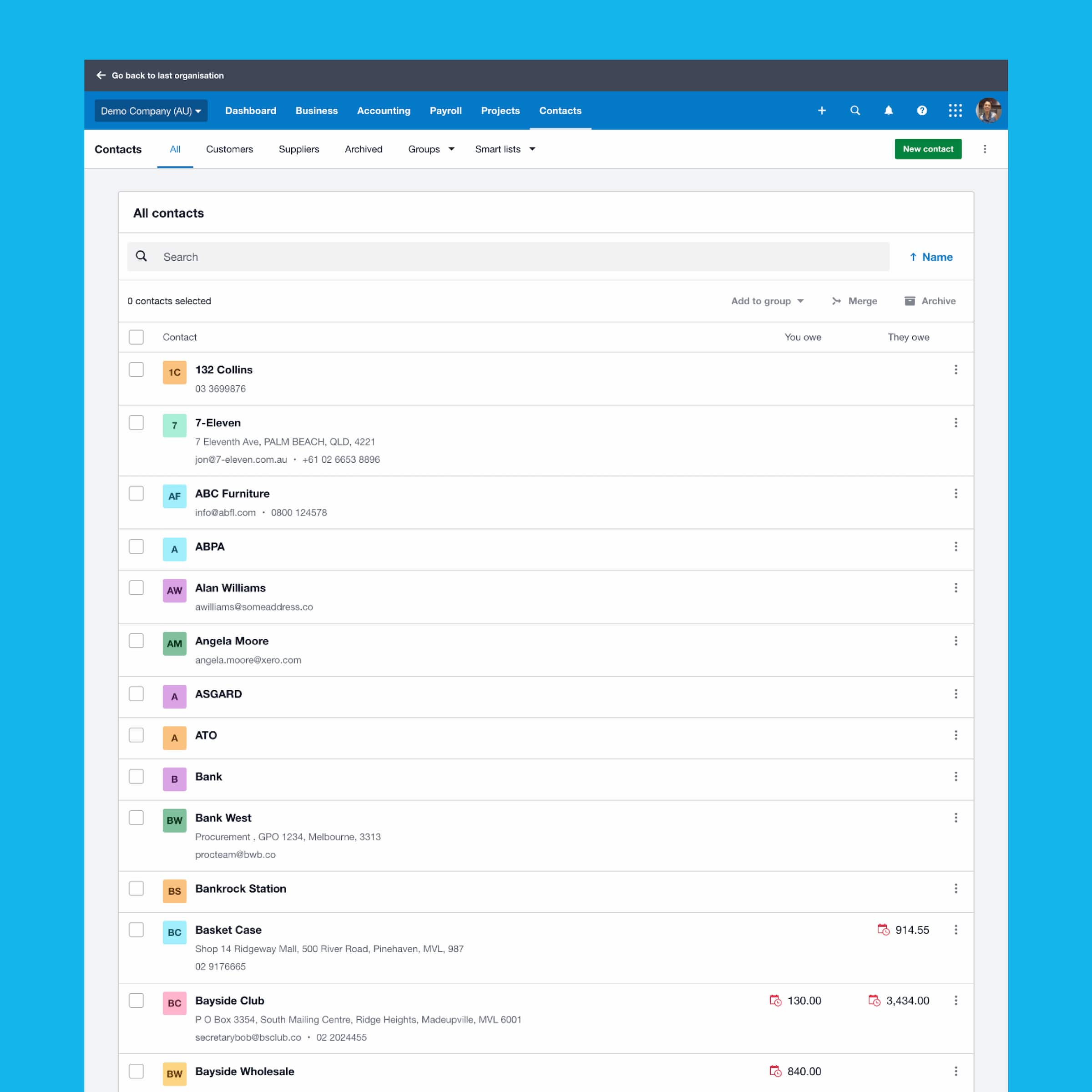
See all your contacts in a single place. Add and edit notes, documents and details for each contact in Xero.
Access contact information on the move
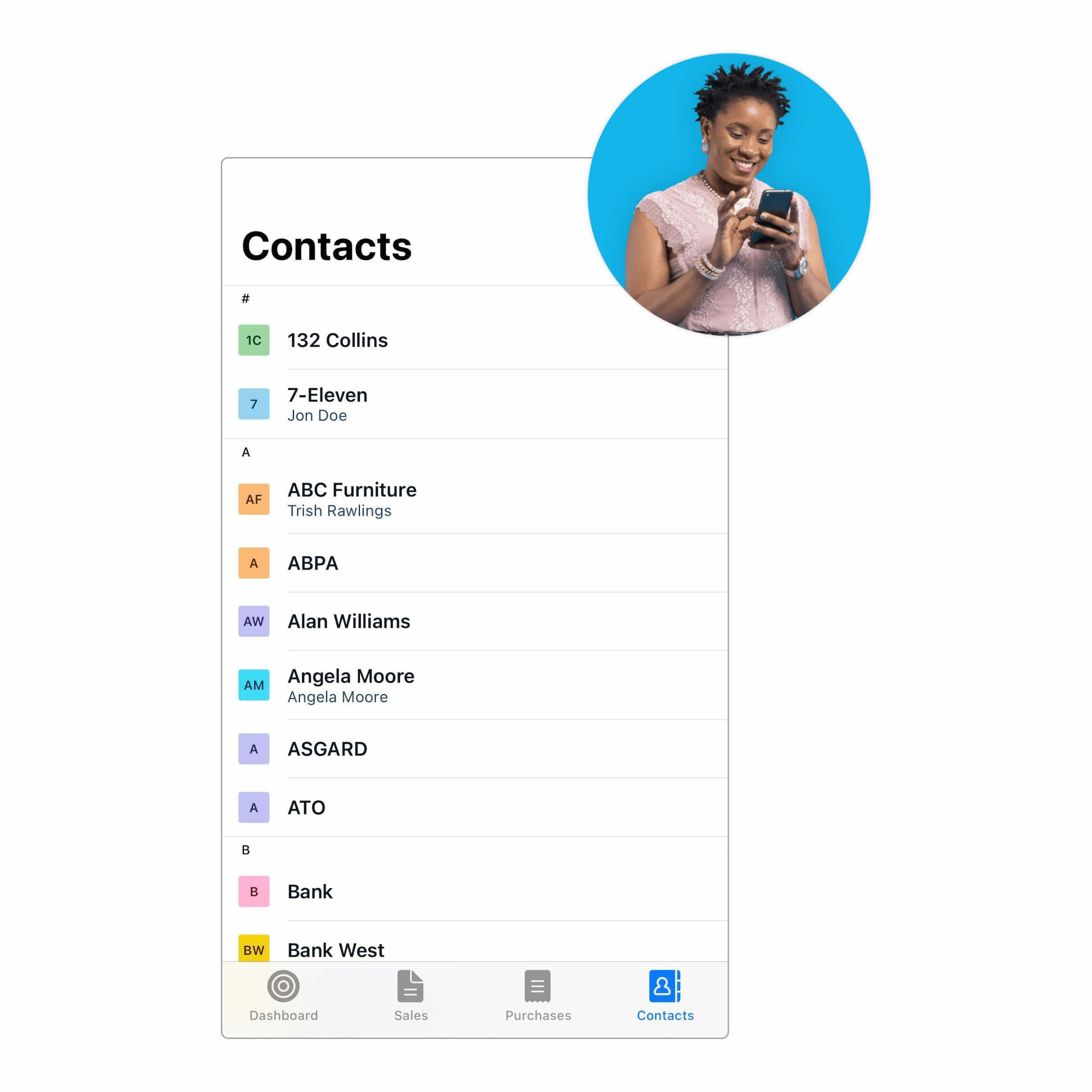
Add new contacts, update their details, and make notes from anywhere with the Xero Accounting app.
Read Hunt and Gather’s storyWe can see how the business is tracking

Your financial history with your contacts
Go beyond basic contact management – Xero gives you a complete view of customer interactions, transaction history, and account balances. Check customer details, invoices, quotes, and payments to get detailed info fast. All your contacts’ info is in one place to save you time.
- View all your customers’ and suppliers’ contact information and your financial history with them
- Check account balances, including foreign currency amounts
- Get an overview of invoices, quotes, payments, bills, and notes, and dig into the details
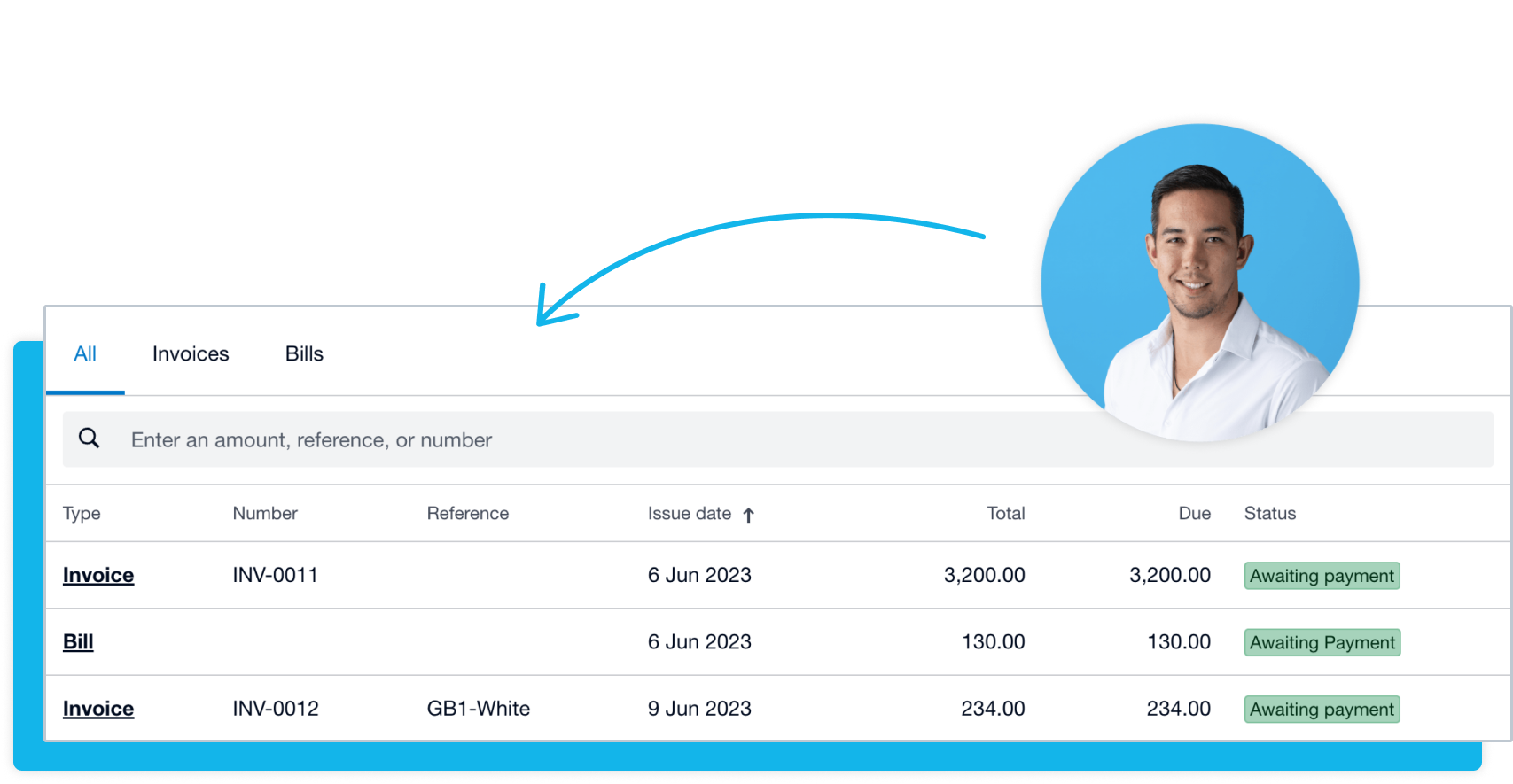
Store contacts in one place
Keep all your supplier and customer information centralized in one secure contact management software. Save time on searching multiple pieces of software or paperwork for contact details. Add notes and documents to each contact record to keep up your professional relationships.
- Look up contact details to get in touch with a customer or supplier
- Upload and save any important documents relating to a contact
- Add, edit and save notes about a contact for future reference
Access contacts’ information on the move
The Xero Accounting app brings contact management to your pocket. Manage contacts, customer transactions, and invoices on the go. Get real-time financial insights about each contact, and tweak their details in a few taps.
- Have vital contact information at your fingertips
- Add and edit contact details and notes from your mobile device
- Invoice your customers immediately using their stored contact details
Better business with your suppliers and customers
Accounting software with advanced contact management capabilities like Xero helps bring you closer to your suppliers and customers. By keeping contacts up to date in Xero, you always have the information to pay bills promptly, send invoices, and do better business.
Accounting software for your small business
FAQs on contact management
You can use a templated CSV file to bring new contacts into Xero, ready for use in invoices, orders, and bills. Include things like payment terms, discounts, and default accounts to make sure contacts are set up in Xero for sales or purchases right away.
You can use a templated CSV file to bring new contacts into Xero, ready for use in invoices, orders, and bills. Include things like payment terms, discounts, and default accounts to make sure contacts are set up in Xero for sales or purchases right away.
Of course – search for a customer or supplier, and transactions with them, from almost any screen in Xero. You don’t need to enter their name, – just search with a phone number or address, or transaction amount. You can also search for contacts when you’re creating a bill or invoice.
Of course – search for a customer or supplier, and transactions with them, from almost any screen in Xero. You don’t need to enter their name, – just search with a phone number or address, or transaction amount. You can also search for contacts when you’re creating a bill or invoice.
Yes. A contact might ask you to provide the personal data you hold on them, or to update or erase that data. If you need to keep data for legal reasons, it can be put into a deep archive state where you can still view transactions but the contact can’t be found.
Yes. A contact might ask you to provide the personal data you hold on them, or to update or erase that data. If you need to keep data for legal reasons, it can be put into a deep archive state where you can still view transactions but the contact can’t be found.
Contact management is the process of storing, organizing, and tracking information about the people you do business with – like suppliers, customers, and other external stakeholders.
Contact management is the process of storing, organizing, and tracking information about the people you do business with – like suppliers, customers, and other external stakeholders.
Using cloud-based contact management software means you can have peace of mind that the information will be secure, accessible across multiple devices, and save desktop storage space. Choose software that seamlessly imports multiple contacts, tracks changes, and allows adding notes or documents for detailed records. It should also offer flexible data organization, integrate with your accounting tools, and allow your team to access client and supplier details for improved collaboration.
Using cloud-based contact management software means you can have peace of mind that the information will be secure, accessible across multiple devices, and save desktop storage space. Choose software that seamlessly imports multiple contacts, tracks changes, and allows adding notes or documents for detailed records. It should also offer flexible data organization, integrate with your accounting tools, and allow your team to access client and supplier details for improved collaboration.
Yes – if you need more contact management functionality, a customer relationship management app that integrates with Xero is a great option.
Check the Xero App Store for CRM apps that integrate with XeroYes – if you need more contact management functionality, a customer relationship management app that integrates with Xero is a great option.
Check the Xero App Store for CRM apps that integrate with Xero
Essential guidance for your US small business
Now you’ve got your contacts in order, here’s expert advice on growing and developing your business, and managing your books.
- Guide
Where to next? Tools and guides for your business
Now that you’re in business, you want to stay there. Xero’s got resources and solutions to help.
- Guide
Stages of business growth
Before you leap into growth, reflect on where you’ve come from. Find out the stage of business growth you’re at.
- Guide
Bookkeeping for small businesses
Small businesses can do their own bookkeeping or outsource to professionals. We look at how to find a good balance.


See how Xero fits your business
Manage finances, improve cash flow, and connect apps that give you the best tools for the job. See how Xero can help your business type.

Xero grows with your business
As your business expands, Xero grows with it. Find apps that work beautifully with Xero to help you accomplish tasks and reach your goals.

Plans to suit your business
All pricing plans cover the accounting essentials, with room to grow.
Better business relationships – and more
Xero has plenty of resources to get you started with contact management for US small businesses.
Import new Xero contacts
Add multiple contacts to Xero by downloading the CSV file template, then formatting and saving the data.
Search for contacts and transactions
Find contacts and transactions from most screens in Xero.
Manage a contact’s personal data
You might need to provide contacts with the personal information you hold on them, or update or erase it.
FAQs about Xero in the US
Yes, Xero’s reporting and analytics capabilities help you easily prepare and submit your returns so you never miss a deadline. Your numbers will be accurate and all stored in one secure place.
See tax information for businesses from the IRS.Yes, Xero’s reporting and analytics capabilities help you easily prepare and submit your returns so you never miss a deadline. Your numbers will be accurate and all stored in one secure place.
See tax information for businesses from the IRS.Yes – Xero partners with Gusto for a full-service payroll solution. Gusto saves you time on all aspects of your payroll – including calculating employee pay and deductions – thanks to its clever automations.
Check out payroll with GustoYes – Xero partners with Gusto for a full-service payroll solution. Gusto saves you time on all aspects of your payroll – including calculating employee pay and deductions – thanks to its clever automations.
Check out payroll with GustoThe best accounting software depends on your needs. Xero’s accounting software has flexible plans so you can adjust your subscriptions to access the features you need as your business grows.
Check out Xero’s pricing plans.The best accounting software depends on your needs. Xero’s accounting software has flexible plans so you can adjust your subscriptions to access the features you need as your business grows.
Check out Xero’s pricing plans.No – Xero is based in the cloud, so all you need is an internet connection. But you need a multi-factor authentication (MFA) app to log in to Xero. MFA adds an extra layer of security by checking that it’s really you when you log in.
Learn about data protection with Xero.No – Xero is based in the cloud, so all you need is an internet connection. But you need a multi-factor authentication (MFA) app to log in to Xero. MFA adds an extra layer of security by checking that it’s really you when you log in.
Learn about data protection with Xero.Yes, the Xero App Store has hundreds of apps to help manage your business, including apps specifically designed for your industry and for doing business in the USA.
Check out the Xero App Store.Yes, the Xero App Store has hundreds of apps to help manage your business, including apps specifically designed for your industry and for doing business in the USA.
Check out the Xero App Store.
See how to manage contacts in Xero
Get one month free
Purchase any Xero plan, and we will give you the first month free.