Reconcile bank transactions quickly
Keep your account balances and financials up to date. Easily confirm that the transactions in your bank accounts are recorded in your business financial records with Xero’s bank reconciliation software.

Reconcile each day
Stay current with daily bank reconciliation of items from your bank statements.
Use suggested matches
Check and accept suggested reconciliations to make bank reconciliation less time-consuming.
Bulk reconcile bank transactions
Code bank transactions in bulk (except on Early plans).
See how bank transactions flow securely into Xero
This video will make you hungry.
Reconcile each day
Set up bank feeds and reconcile bank transactions daily so you can view up-to-date account balances, financial records and cash flow.
- Do bank reconciliation from your computer or any device
- Reconcile accounts using the Xero app on your phone in spare moments
- If your bank doesn’t connect to Xero, manually import bank statements instead

Use suggested matches
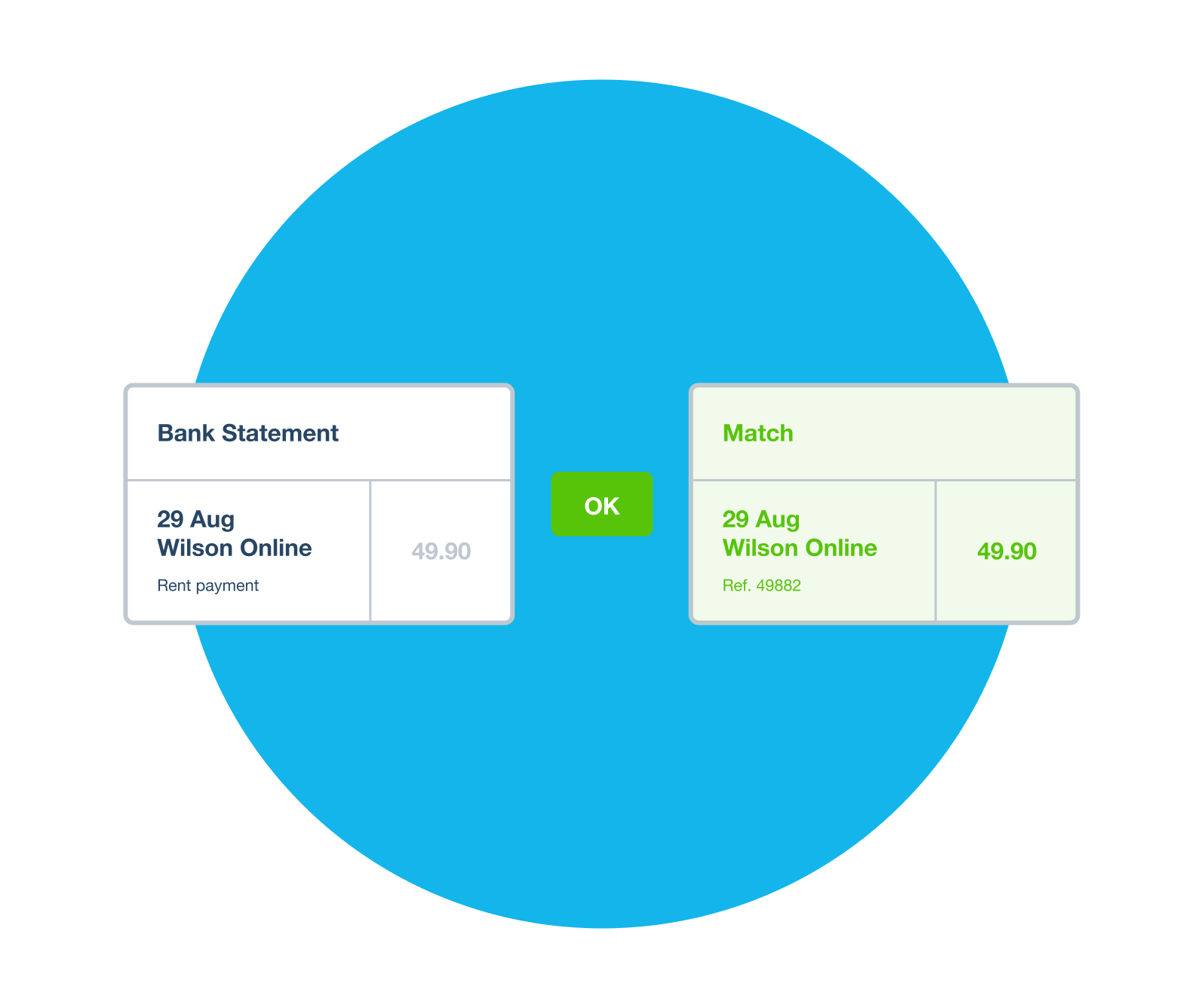
Xero’s accounting software suggests matches for transactions, categorizes them, and applies rules, making account reconciliation easy.
- Match items from your bank statements to invoice or bill payments
- Create a new transaction in Xero as you reconcile if there isn’t one already
- Reconcile bank transactions using rules or by accepting a suggested match
Bulk reconcile bank transactions
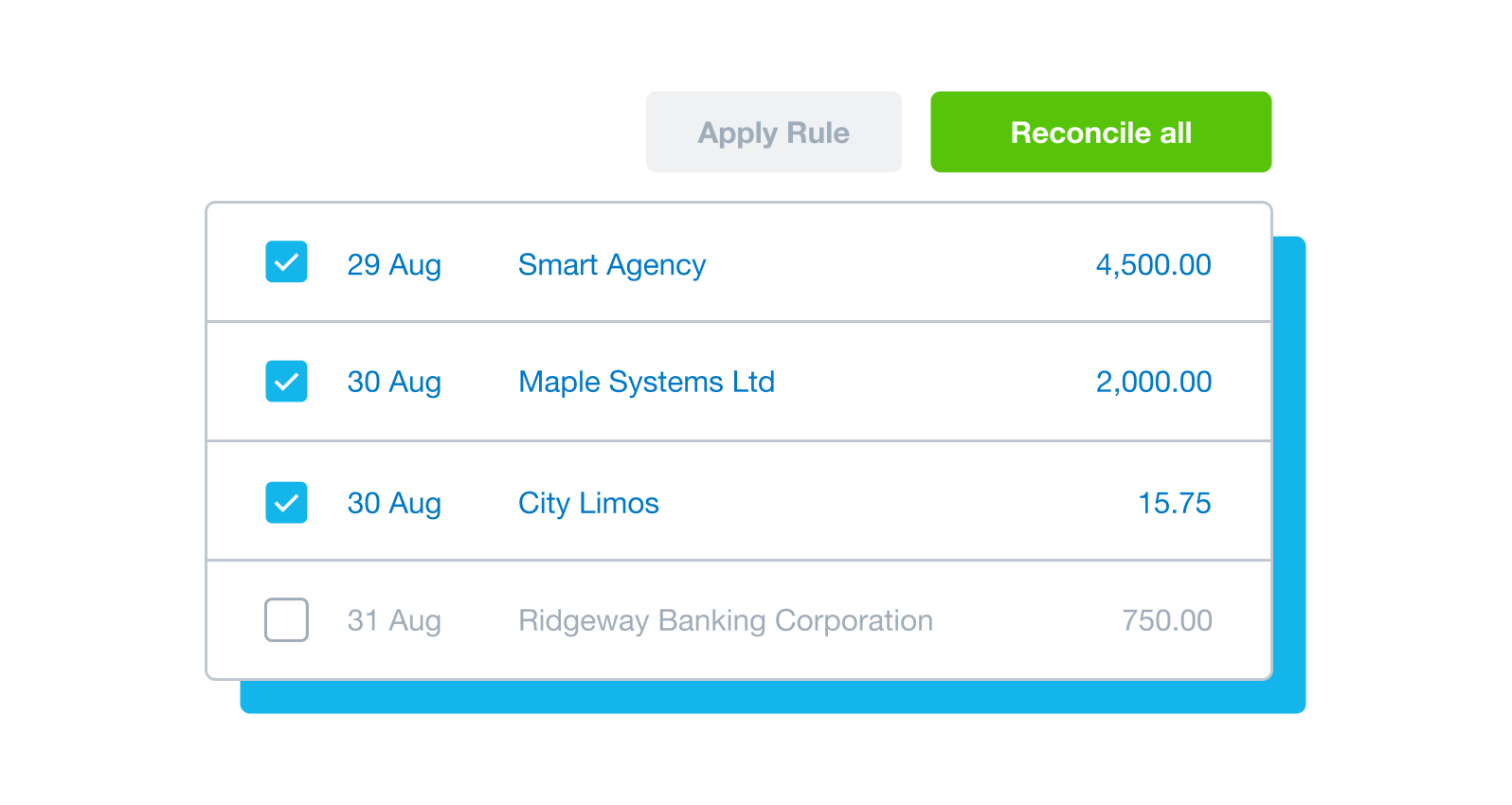
When there are lots of unreconciled bank transactions to code, you can reconcile them in one go for fast account reconciliation if you’re on the Growing or Established plan.
- Sort and group transactions, then reconcile them in bulk
- Receive alerts for suggested matches to invoices or bills
- Apply a rule to a group of bank transactions
More about bank reconciliation
Get set up for bank reconciliation by adding your bank accounts in Xero, connecting to your bank to receive automated bank feeds, and setting opening balances.
See how to set up for bank reconciliationGet set up for bank reconciliation by adding your bank accounts in Xero, connecting to your bank to receive automated bank feeds, and setting opening balances.
See how to set up for bank reconciliationAs your bank transactions automatically flow into Xero, reconcile all your accounts regularly so your financial records are accurate and up to date. When you reconcile your accounts, you match your bank statement lines to transactions in Xero, such as invoices, bills and other payments.
See how to reconcile your accountsAs your bank transactions automatically flow into Xero, reconcile all your accounts regularly so your financial records are accurate and up to date. When you reconcile your accounts, you match your bank statement lines to transactions in Xero, such as invoices, bills and other payments.
See how to reconcile your accountsReview and match bank transactions over your morning coffee or in any free moment using the Xero accounting app.
See how to reconcile on the go with the Xero accounting appReview and match bank transactions over your morning coffee or in any free moment using the Xero accounting app.
See how to reconcile on the go with the Xero accounting appEasily manage your bank accounts from the Xero dashboard. Each account has its own panel which shows the bank statement balance, the balance in Xero, and the number of statement lines to be reconciled.
See how to show a bank account on the Xero dashboardEasily manage your bank accounts from the Xero dashboard. Each account has its own panel which shows the bank statement balance, the balance in Xero, and the number of statement lines to be reconciled.
See how to show a bank account on the Xero dashboardView your bank account balances, cash flow, unpaid invoices, monthly profit and more when your bank account reconciliation is up to date. See reconciled bank transactions and receive alerts about unreconciled transactions on the Xero dashboard.
See how to view and customize the Xero dashboardView your bank account balances, cash flow, unpaid invoices, monthly profit and more when your bank account reconciliation is up to date. See reconciled bank transactions and receive alerts about unreconciled transactions on the Xero dashboard.
See how to view and customize the Xero dashboardWhen you reconcile, Xero alerts you if your actual bank balance and the balance of the bank account in Xero aren’t the same. If they don't match, the bank reconciliation summary makes it easy to check for missing, deleted, or duplicated bank transactions.
See how to run a bank reconciliation summary reportWhen you reconcile, Xero alerts you if your actual bank balance and the balance of the bank account in Xero aren’t the same. If they don't match, the bank reconciliation summary makes it easy to check for missing, deleted, or duplicated bank transactions.
See how to run a bank reconciliation summary report
Start using Xero for free
Access Xero features for 30 days, then decide which plan best suits your business.
- Safe and secure
- Cancel any time
- 24/7 online support
It’s something I’m going to be able to teach my future employees
Xero gives John a better idea of his cash flow at Horsetooth Hotsauce